
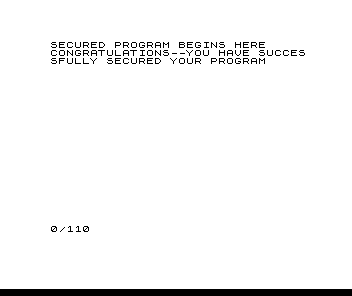
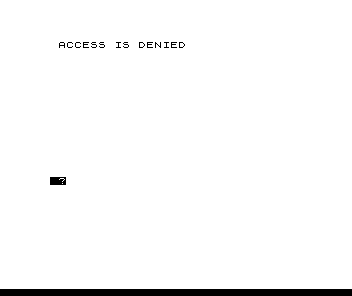
A security lock for your own programs. LOAD it and it runs at once and asks ENTER ACCESS CODE. Type the five letters; each key is taken as you press it, with no ENTER. With the right code the program carries on at line 100, where your own program goes; with a wrong one the screen shows ACCESS IS DENIED and the keyboard stays locked until you power down and reLOAD. The access code is SYNCE.
The lock is a machine-code routine in the line 1 REM: it prints the prompt, reads five keys and compares them with the code stored in the REM. To set your own code, get in with SYNCE, enter GOTO 10 and type a five-letter code. Put your program at line 100 onward, then enter RUN: line 2 SAVEs the whole thing, so that it autoruns on the next LOAD. Change the name in line 2 first. Some bytes of the REM do not show when you LIST it (see the Hidden REMs article).
The article has you POKE the machine code into a REM from a decimal table. The download is the program as line 2 saves it, with the code in place. [Editor’s note: line 99 is printed as an unreadable bar of 22 inverse characters, built here as inverse “=”. It is a REM and does not affect the program. The printed Syntactic Sum, 29736, cannot be matched: with any 22 inverse characters in line 99 the sum is at least 31679.]
Published in Syntax September 1983 (Program Access Security System).
Image Gallery

Source Code
   1 REM (157 bytes of machine code, below)
   2 SAVE "PROGRAM NAME█"
   3 RAND USR 16514
   4 CLS
   5 GOTO 100
  10 PRINT "ENTER FIVE LETTER CODE."
  20 INPUT A$
  30 FOR X=1 TO 5
  40 POKE 16650+X,CODE A$
  50 LET A$=A$(2 TO )
  60 NEXT X
  99 REM ======================
 100 PRINT "SECURED PROGRAM BEGINS HERE"
 110 PRINT "CONGRATULATIONS--YOU HAVE SUCCESSFULLY SECURED YOUR PROGRAM"
Note: Type-in program listings on this website use ZMAKEBAS notation for graphics characters.