
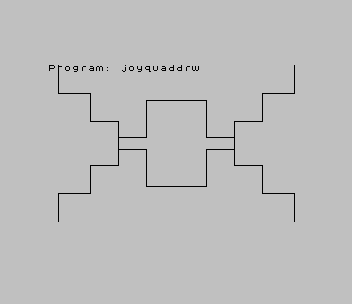
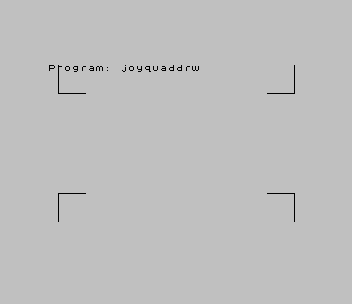
Draws kaleidoscope-style patterns with a joystick. A single point starts near the bottom-left corner and moves in any of eight directions as the stick is pushed, and every point it passes is plotted together with its mirror images in the other three quadrants of the screen, so each stroke produces a four-way symmetrical figure. Holding the fire button switches to inverse plotting, which erases instead of drawing. The program needs a joystick in port 1; it does not read the keyboard.
The REM in line 100 reads “Joystick Quad Drawing by Mark Wahl”. The program was written up as “TS2068 Joystick Quad Drawing Program” in Timelinez for July–August 1988. This copy is from a SINCUS library disk; another disk in the collection has the same program with two corrupted lines.
Program Analysis
How It Works
- Line 110 sets the start point to 10,10, and line 120 plots it.
- Lines 130–140 read the joystick:
STICK (1,1)gives the direction inzandSTICK (2,1)the fire button inw. In the listing the TS2068 keyword STICK appears as|. - Lines 150–180 decode the direction value, in which up, down, left and right are 1, 2, 4 and 8, so the combined values 5, 6, 9 and 10 give diagonal movement. Each line also keeps the point inside the screen.
- Lines 181–182 set
INVERSE 1while fire is held andINVERSE 0otherwise. - Lines 190–197 plot
x,y,256-x,176-y,x,176-yand256-x,y, and line 200 loops back to read the stick again.
Notable Techniques
- The whole program is 16 lines. Each direction test lists the stick values that include that direction (
z=5 OR z=9 OR z=1for up) rather than extracting bits arithmetically. INVERSEis used as a statement rather than a PRINT item, so it applies to every followingPLOTand turns the pen into an eraser.
Potential Issues
- Line 160 limits the right edge with
x<2555, apparently a typo for 255. Pushing right at the edge letsxreach 256, andPLOT x,yin line 190 then stops the program with “B Integer out of range”. - The reflections use
256-xand176-yrather than255-xand175-y, so the mirror images are one pixel off a true reflection about the centre of the screen. - There is no
CLS, so anything already on the screen when the program starts, such as the tape loader’s “Program:” line, stays in the picture.
This program came from an Oliger (JLO SAFE) disk. It needed no changes to run from tape. The disk copy did not start by itself, so the tape header now runs it from line 100. It was tested in ZEsarUX, where it started and plotted its first four points.
Image Gallery
Source Code
  100 REM  Joystick Quad Drawing               by Mark Wahl
  110 LET x=10: LET y=10
  120 PLOT x,y
  130 LET z=|(1,1)
  140 LET w=|(2,1)
  150 IF (z=5 OR z=9 OR z=1) AND y<175 THEN LET y=y+1
  160 IF (z=8 OR z=9 OR z=10) AND x<2555 THEN LET x=x+1
  170 IF (z=6 OR z=2 OR z=10) AND y>1 THEN LET y=y-1
  180 IF (z=6 OR z=4 OR z=5) AND x>1 THEN LET x=x-1
  181 IF w=1 THEN INVERSE 1
  182 IF w=0 THEN INVERSE 0
  190 PLOT x,y
  195 PLOT 256-x,176-y
  196 PLOT x,176-y
  197 PLOT 256-x,y
  200 GO TO 130
Note: Type-in program listings on this website use ZMAKEBAS notation for graphics characters.