
Message Center is a three-part BASIC program suite providing a horizontal-scrolling billboard display, a bidirectional horizontal text scroller, and a vertical scroll display. The billboard section (lines 10–1050) uses machine code embedded in a REM statement at line 10 to perform the character-by-character horizontal scroll across the display, with the USR call at line 120 invoking the routine directly. Users can control scroll speed (0–9), toggle continuous scroll mode, switch between left-to-right and right-to-left directions by POKEing display memory locations 16556 and 16566, and save their message to tape. The horizontal scroller (second program, lines 1000–6010) supports runtime direction reversal between left and right, a pause-until-keypress subroutine, and a decorated border drawn using block graphics characters. The vertical scroller (third program, lines 10–2020) uses the SCROLL command to advance text upward one line at a time, printing each character of the message in sequence while decorating the sides with title strings.
Program Analysis
Overall Structure
Message Center is actually three independent BASIC programs bundled together. The first handles a horizontal billboard scroll driven by machine code in a REM statement. The second is a bidirectional horizontal character rotator with tape-save support. The third is a vertical scroller using the SCROLL command. Each program can save the user’s message to tape and, in some cases, chain back to a restart via RUN.
Program 1: Billboard (lines 10–1050)
The machine code routine is embedded in the REM at line 10 and invoked via USR 16516 at line 120. Before the call, line 110 POKEs the ASCII code of the current character into address 16514, which the machine code reads as a parameter. The routine scrolls the display one column to the left and inserts the new character column on the right. The X=USR 16516 idiom captures the return value (unused here) and keeps BASIC happy.
Speed is selected at startup by entering a digit 0–9. Line 50 validates the keypress by checking CODE S$ against the ZX81 character code range for digits (28–37). Line 60 converts the digit to a delay count: S=30-3*VAL S$, giving a range from 30 (slowest) down to 3 (fastest). A simple FOR N=1 TO S: NEXT N busy-loop at lines 150–160 provides the inter-character delay.
There is a notable line-number collision: two separate 1000 lines appear. The first (reached via CODE S$=225, the ZX81 code for NEWLINE or a function key) handles tape saving. The second 1000 block appears to be leftover code from the second program that was accidentally included; only the first will be executed by GOTO/GOSUB since BASIC stops at the first matching line number.
Machine Code in REM (Line 10)
The hex bytes in the REM at line 10 implement the scroll routine. Key operations reconstructed from the byte sequence include:
- Loading the display file address from the system variable at
0x400C(D-FILE) - Reading the character code previously POKEd at
16514(0x4082) - Fetching the character bitmap from the character set at
0x1E00(offset by character code × 8) - Shifting each row of the display one pixel/byte column left using a loop over 6 character rows and 8 pixel rows
- Writing the new character’s column data into the rightmost display column
- Calling the display routine (likely
CALL 0x40D1) to refresh
The routine uses BC, DE, HL register pairs and includes an LDIR block-move instruction for efficient column copying. The final C9 is a RET opcode returning control to BASIC.
Billboard Keyboard Controls (Runtime)
| Key | Action |
|---|---|
| 0–9 | Change scroll speed |
| C | Toggle continuous scroll (skip INKEY$ wait) |
| S | Normal scroll mode (POKEs 16556 and 16566 to 0) |
| L | Alternate display mode (POKEs 16556=9, 16566=128) |
| F | Enable continuous-scroll flag (CS=1) |
| Any other | Prompt for new message |
| NEWLINE (code 225) | Save message to tape |
Program 2: Horizontal Scroller (lines 1000–6010)
This program implements left and right circular rotation of the message string A$. The subroutine at line 2500 performs the rotation: for left scroll, A$=A$(2 TO LEN A$)+A$(1) moves the first character to the end; for right scroll, A$=A$(LEN A$)+A$( TO LEN A$-1) moves the last character to the front. The displayed window is always A$(1 TO 30).
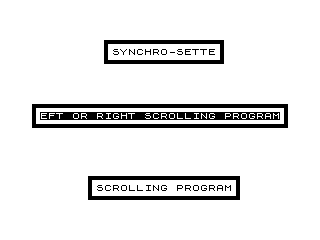
The pause subroutine at line 5000 uses a PAUSE 40000 followed by a busy-wait loop checking INKEY$="R" to resume — a belt-and-suspenders approach to pausing. The border decoration at line 1090 uses block graphic characters to draw a frame around the display area. Line 6010 uses RUN to restart entirely, which would re-execute the third program if they share memory.
A DIM B$(32) at line 1060 creates a 32-space padding string that is prepended to A$ at line 1070, ensuring the message starts off-screen to the right before scrolling into view.
Program 3: Verti-Scroll (lines 10–2020)
This program uses the built-in SCROLL command to advance all display lines upward by one. The message characters are printed one per scroll step at row 21 (the bottom line), column 13, framed by inverse-video block characters. Two decorative title strings, C$ (“SYNCHRO-SETTE”) and D$ (“VERTI-SCROLL”), are printed character by character down the left and right margins respectively in the initialization loop at lines 120–140.
The outer FOR N=1 TO LEN A$ loop at line 200 is actually mislabeled — N was already used for the column variable in the init section, but by line 200 it serves as the character index. The loop restarts from the beginning of A$ when exhausted (GOTO 200), giving continuous scrolling.
A DIM B$(22) at line 10 creates a 22-space blank string. Adding it to A$ at line 70 pads the message so it fully scrolls off screen before wrapping. The pause subroutine at lines 2000–2020 mirrors the approach in program 2: PAUSE 40000 plus a keypress-wait loop.
Key BASIC Idioms and Techniques
- Machine code storage in a REM statement with entry via
USR— a standard technique for embedding assembly routines without separate loaders. VAL S$used to convert a single-character digit string to a number efficiently.- String rotation via sub-string concatenation for both left and right circular scroll.
- Busy-loop speed control (
FOR N=1 TO S: NEXT N) as a portable delay mechanism. - POKEing specific system variable addresses (16556, 16566) to alter display behavior at runtime.
DIM B$(N)to create a blank padding string without explicitly assigning spaces.
Bugs and Anomalies
- Two
1000line-number blocks exist in the first program listing. Only the first is reachable; the second (an alternate message-input routine) is dead code. - In program 2, line 1030 clears the tape-save prompt with
PRINT AT 16,0;B$+B$— butB$is a 32-character DIM string, soB$+B$is 64 characters, which overflows a 32-column line and may produce unexpected wrapping. - In program 3, the variable
Nis reused: first as a column index in the init loop (lines 110–140), then as a character index in the scroll loop (lines 200–280), which could conflict if the init loop does not terminate cleanly before line 200. - In program 2, line 2510, the right-rotation slice
A$( TO LEN A$-1)should arguably beA$(1 TO LEN A$-1)— though both forms are equivalent in standard BASIC, the missing1may cause confusion.
Image Gallery


Source Code
  10 REM C11F2A82402602929291111E192282403E7F32AF4068C52AC4011A4019ED5B824066C5121001ACB6728736809360185360936013C110E63AAF40D6832AF40CDD140C110CAC92AC40616C523545D2311F0EDB0C110F3C9
  11 REM % % %B%I%L%L%-%B%O%A%R%D% %                   % %B%Y% %G%E%N%E% %B%U%Z%A%                   % % % % % % %O%F% % % % % %                   %S%Y%N%C%H%R%O%-%S%E%T%T%E%
  20 LET CS=0
  30 PRINT AT 10,8;"SPEED (0 TO 9)?"
  40 LET S$=INKEY$
  45 IF CODE S$=43 THEN LET CS=1
  50 IF CODE S$<28 OR CODE S$>37 THEN GOTO 40
  60 LET S=30-3*VAL S$
  65 LET A$=A$+"     "
  70 CLS
 100 FOR I=1 TO LEN A$
 110 POKE 16514,CODE A$(I)
 120 LET X=USR 16516
 122 IF INKEY$="C" THEN LET CS=0
 125 IF CS=1 THEN NEXT I
 130 PRINT AT 1,2;"        % %B%I%L%L%-%B%O%A%R%D% ";AT 20,0;"      % %F%R%O%M% %S%Y%N%C%H%R%O%-%S%E%T%T%E% "
 150 FOR N=1 TO S
 160 NEXT N
 162 LET S$=INKEY$
 163 IF S$="C" THEN GOTO 180
 164 IF S$="S" THEN GOTO 400
 165 IF S$="L" THEN GOTO 500
 166 IF S$="F" THEN GOTO 600
 167 IF CODE S$=225 THEN GOTO 1000
 168 IF CODE S$>27 AND CODE S$<38 THEN GOTO 300
 170 IF S$<>"" THEN GOTO 200
 180 NEXT I
 190 GOTO 100
 200 CLS
 210 PRINT AT 20,0;"ENTER YOUR MESSAGE"
 220 INPUT A$
 240 GOTO 30
 300 LET S=30-3*VAL S$
 310 GOTO 180
 400 POKE 16556,0
 410 POKE 16566,0
 420 GOTO 180
 500 POKE 16556,9
 510 POKE 16566,128
 520 GOTO 180
 600 LET CS=1
 610 GOTO 180

 1000 CLS
 1010 PRINT AT 10,0;"INPUT FILE NAME, PREPARE THE    RECORDER AND PRESS ENTER :::"
 1020 INPUT Z$
 1030 CLS
 1040 SAVE Z$
 1050 GOTO 70
 1000 PRINT AT 10,0;"INPUT YOUR MESSAGE :::"
 1010 INPUT A$
 1020 PRINT AT 12,0;"FOR LEFT TO RIGHT PRESS <L>","FOR RIGHT TO LFT PRESS <R>"
 1030 PAUSE 40000
 1040 LET C$=INKEY$
 1060 DIM B$(32)
 1070 LET A$=B$+A$
 1080 CLS
 1090 PRINT AT 10,0;":''''''''''''''''''''''''''''''''''''''''''''''''''''''''''''''::                                ::..............................................................:";AT 2,9;":'''''''''''''''''''''''''''':";AT 3,9;": SYNCHRO-SETTE :";AT 4,9;":............................:";AT 19,7;":'''''''''''''''''''''''''''''''''''':";AT 20,7;": SCROLLING PROGRAM :";AT 21,7;":....................................:"
 2000 PRINT AT 11,1;A$( TO 30)
 2010 IF INKEY$="" THEN GOTO 2070
 2020 IF INKEY$="S" THEN GOTO 4000
 2030 IF INKEY$="P" THEN GOSUB 5000
 2040 IF INKEY$="L" THEN LET C$="L"
 2050 IF INKEY$="R" THEN LET C$="R"
 2060 IF INKEY$="M" THEN GOTO 6000
 2070 GOSUB 2500
 2080 GOTO 2000
 2500 IF C$="L" THEN LET A$=A$(2 TO LEN A$)+A$(1)
 2510 IF C$="R" THEN LET A$=A$(LEN A$)+A$( TO LEN A$-1)
 2520 RETURN
 4000 CLS
 4010 PRINT AT 16,0;"ENTER NAME OF FILE TO BE SAVED  AND THEN PRESS ENTER ::"
 4020 INPUT F$
 4030 PRINT AT 16,0;B$+B$
 4040 SAVE F$
 4050 GOTO 1080
 5000 IF INKEY$<>"R" THEN GOTO 5000
 5010 RETURN
 6000 CLS
 6010 RUN

  10 DIM B$(22)
  20 CLS
  30 PRINT AT 10,0;"INPUT YOUR MESSAGE :::"
  40 INPUT A$
  50 LET C$="         SYNCHRO-SETTE"
  60 LET D$="         VERTI-SCROLL "
  70 LET A$=A$+B$
 100 CLS
 110 LET N=13
 120 FOR I=21 TO 0 STEP -1
 130 PRINT AT I,4;C$(I+1);AT I,N;"%    % ";AT I,27;D$(I+1)
 140 NEXT I
 200 FOR N=1 TO LEN A$
 210 PRINT AT 21,13;"%  ";A$(N);" % "
 220 IF INKEY$="" THEN GOTO 270
 230 IF INKEY$="S" THEN GOTO 1000
 240 IF INKEY$="P" THEN GOSUB 2000
 250 IF INKEY$="M" THEN RUN
 270 SCROLL
 280 NEXT N
 290 GOTO 200
 1000 CLS
 1010 PRINT AT 10,0;"INPUT THE FILE NAME, PREPARE THERECORDER AND PRESS ENTER :::"
 1020 INPUT Z$
 1030 CLS
 1040 SAVE Z$
 1050 GOTO 100
 2000 PAUSE 40000
 2010 IF INKEY$<>"R" THEN GOTO 2000
 2020 RETURN
Note: Type-in program listings on this website use ZMAKEBAS notation for graphics characters.