
North American software for the Timex/Sinclair 1000. Seventy-one programs written, sold and swapped by the American and Canadian users of the TS1000: games, graphics, music, tools and hardware projects that went well past what the little black computer was built to do.
This guide is also available as a printable zine:
The TS1000 reached American shops in July 1982 at $99.95, and for a while it was the cheapest real computer you could buy. Timex sold it in the hundreds of thousands before leaving the computer business early in 1984. Much of the software it shipped with came from Britain, but a large share of what people actually ran was made here: by small mail-order software houses, by the type-in magazines SYNC and Syntax, by user groups that passed tapes around, and by hobbyists who kept extending the machine for years after Timex left.
This guide collects the best of that North American work. Every program in it was written or first published in the United States or Canada, or substantially reworked here. Programs that were simply British releases sold in American packaging are left out; the ZX81 side of that story is well told elsewhere. What is left shows what the community did with 16K of memory, a membrane keyboard and a black-and-white television: hi-res graphics the machine wasn't designed for, speech, terminal programs, disk systems, and a great many good games.
The programs are grouped by what they do. Each entry says what the program is, what it is like to use, and why it is worth your time, with a comparison where one helps.
How to try these programs
Every program here has a page on timexsinclair.com, and almost all of them can be downloaded there. Load them into a ZX81 emulator such as EightyOne or ZEsarUX set to a ZX81 or TS1000 with a 16K RAM pack; that covers most entries. Programs that need more memory, static RAM for hi-res graphics, or a printer say so in their entry.
A few programs exist only on a public-domain library tape. Their entries tell you which tape to download; load the tape and the program will be on it.
Contents
- Games: arcade and action
- Games: adventure, strategy and simulation
- Graphics, art and demos
- Music, sound and speech
- Programming tools and languages
- Productivity: words, data, money and home
- Education, science and hobby
- Hardware support, communications and data acquisition
- The community today
Games: arcade and action
North American arcade games for the TS1000 came from small mail-order labels, from Timex itself and from magazine type-ins in SYNC and its rivals. Most kept BASIC for menus and scoring and handed the action to machine code hidden in a REM line. Look for the ideas that stretched a machine with no sound and no sprites: fuel and time mechanics, pixel graphics made possible by add-on static RAM, and joystick adaptors from US hardware makers.
City of Xon
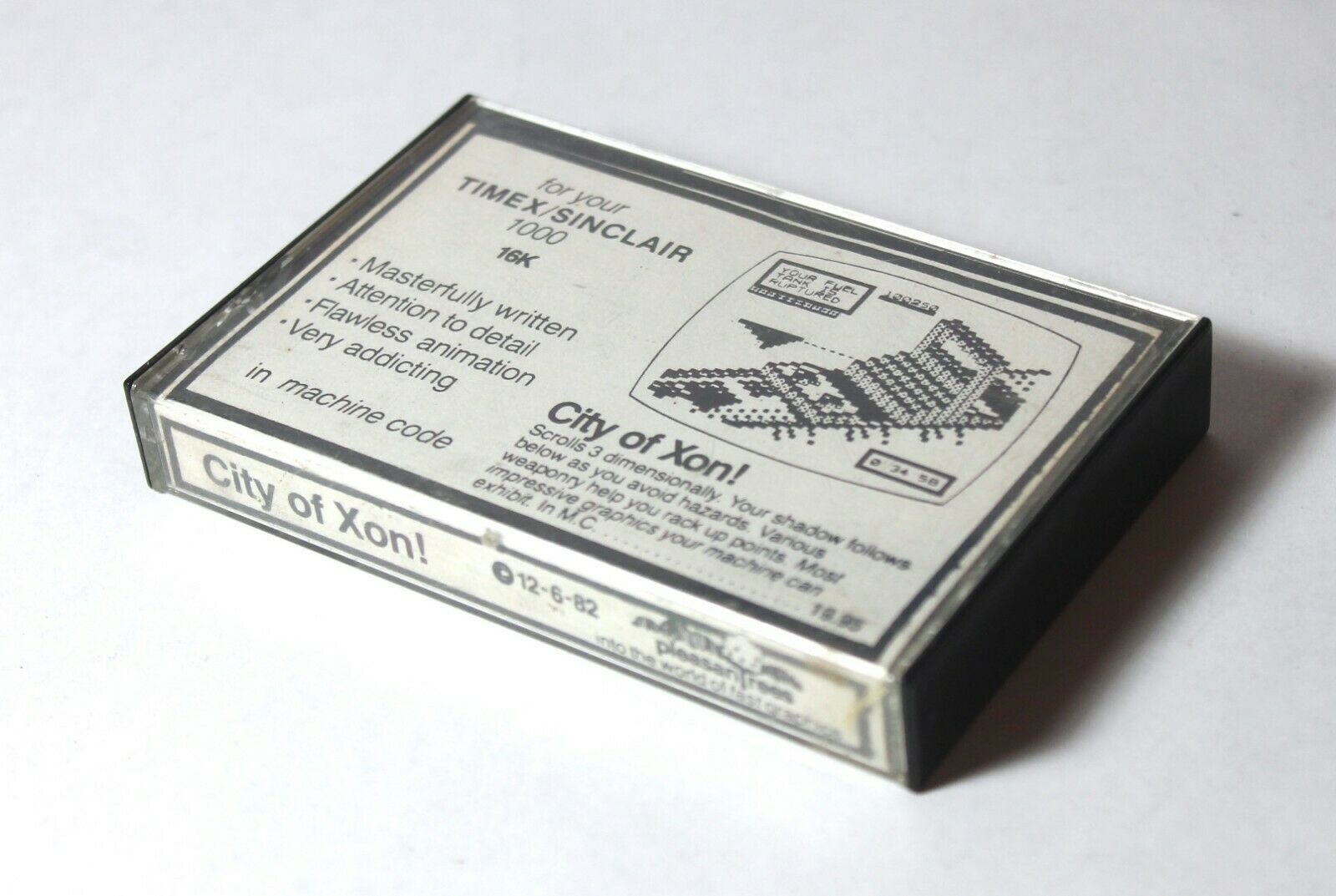
A machine-code scrolling shooter that sends your craft along a fortified ridge to capture the tyrant Xon.
You fly toward Xon's fortress past grenade launchers, missile silos, photon batteries, guard towers, a fuel depot, a robotics factory and a prison cellblock, ending at the castle keep. Two weapons are on offer: the stronger disruptor (D) and the phaser (F). Armour toggles on and off with A. Flying, firing and running armour all burn fuel, so you top up by snagging fuel pods with the grappling hook (G) or by trading 300 points for fuel (S). Damage is tracked separately for the fuel tank, armour and energy pods. Reach 300,000 points or two hours of play and you get your chance to grapple Xon himself.
It has been described as Zaxxon for the ZX81, and the fuel economy gives it more to think about than the Scramble clones common on UK ZX81 lists. The whole game, its rules screens and its block-graphic title sequence live in one REM line. It came from a small Arizona label and was reviewed in the LISTing newsletter.
Try it: Download from timexsinclair.com and load in an emulator (e.g. EightyOne for TS1000); needs a 16K RAM pack.
Timeblasters
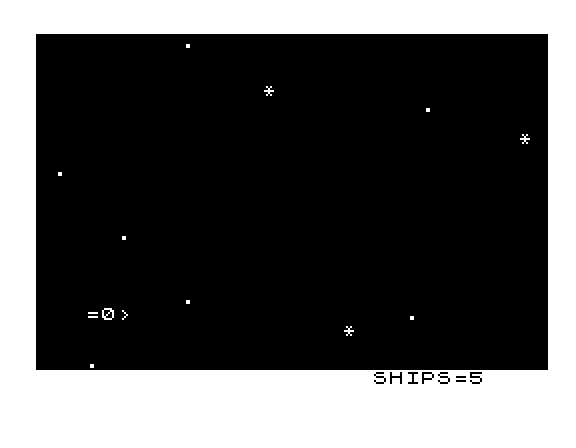
A machine-code space shoot-'em-up in which the aliens can speed up time against you.
You move your ship up and down with E and F and fire with 7 at alien spacecraft and space stations sweeping in. The twist is the clock: every miss, and every enemy that slips past, makes time accelerate and the game faster. The only way to slow it is to hit a space station dead center. You start with five ships, and every 100 kills earns five more along with a small slowdown. Six skill levels run from Novice through Cadet, Warrior, Captain and Admiral to Master.
Almost 2K of machine code drives the action. The speed-as-penalty rule makes careless firing expensive, so it plays differently from a plain shooting gallery. The credits name Dan Tandberg, M.D., of Calliope Software in Albuquerque. He was a physician who wrote games on the side. His type-in Star Blasters, also in this guide, is the BASIC cousin.
Try it: Download from timexsinclair.com and load in an emulator (e.g. EightyOne for TS1000); needs a 16K RAM pack.
High Res Space Invaders
Space Invaders with pixel-drawn sprites, written for a TS1000 fitted with static RAM.
This is the familiar game: ranks of invaders, shields, a mothership and your rocket base, three lives and a super-bonus round. The difference is the display. Fred Nachbaur defined every invader shape, the explosions, the mothership, the rocket and a complete alphabet and digit set as 8 by 8 bitmaps, so the screen looks nothing like the usual chunky ZX81 graphics. Machine code runs each round. BASIC handles the cover screen, the score and lives. You can play from the keyboard or a Zebra joystick, and pressing T before the invasion starts gives a half-speed trainer mode.
UK Invaders clones of 1981 and 1982 drew their aliens from the block-graphics character set. This one shows what the same machine could do five years later once hobbyists added static RAM for a hi-res display. Nachbaur, working from Canada, was the main figure in that late scene.
Try it: Download from timexsinclair.com and load in an emulator (e.g. EightyOne for TS1000); needs 8K of static RAM mapped at 8-16K for the hi-res display (EightyOne can be set up for this).
Grimm's Fairy Trails
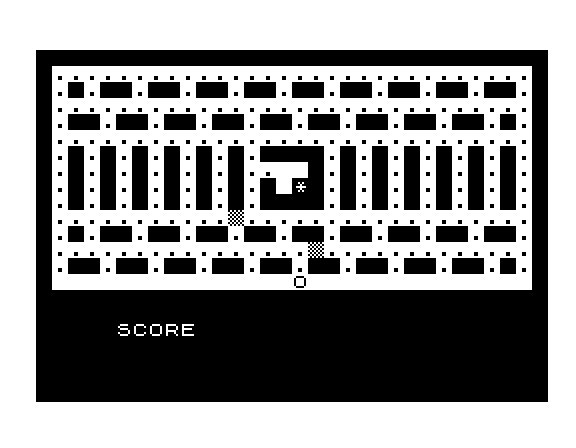
Timex's own Pac-Man-style maze chase, written in-house by its software manager.
You steer Prince Billy around a maze with the arrow keys, collecting dots to build up 250 B-lers (life crystals) and make the maze dormant, while two maze dwellers, Murph and Drago, hunt you down. Touch one and the game ends, but the Sacred Stone of Ross in the center gives you one extra life per game. Six speed levels run from Poison Apple to Super Prince. Machine-code routines handle movement, collision and drawing, which is what makes it playable at speed.
Few Timex-label games were written in the United States, and this one was. It also carries an office joke: the characters and items are named after Grimm's colleagues at Timex Computer Corporation, including Billy Skyrme, Carlos Dragovich, Margot Murphy and Danny Ross. Syntax reviewed it as Timex's response to Pac-Man, and the BAZUG newsletter reviewed it too.
Try it: Download from timexsinclair.com and load in an emulator (e.g. EightyOne for TS1000).
Star Blasters
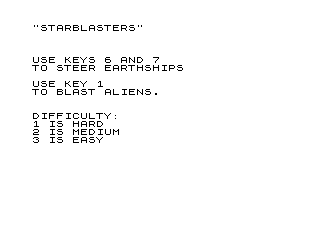
A one-on-one space duel printed as a type-in listing in SYNC magazine.
Your ship sits on the left and moves up and down with 6 and 7. You fire an ion beam with 1 at aliens arriving from the right, and they fire back. You have five ships. Each cleared wave brings five more aliens, and they fire more often every time you miss and every time you destroy one of them. Three difficulty levels change how fast you can fire.
The beam is the reason to look at it. Long strings of inverse and block characters are sliced to length and printed one over another in a single PRINT AT, which gives a fast laser streak from plain BASIC. The SYNC article (January/February 1983) suggested readers borrow the trick even if they never played the game. It shows the American type-in culture of the time, and it is by the same author as Timeblasters.
Try it: Download Timex Sinclair Public Domain Library Tape 1001 from timexsinclair.com and load it in an emulator (e.g. EightyOne for TS1000); the program has no separate download.
Brickbuster
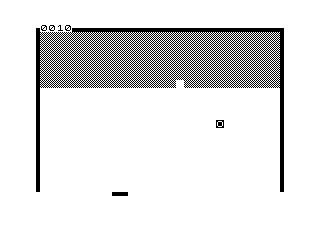
A Breakout-style bat-and-ball game from SYNC, with the ball handled in machine code.
You move a paddle to keep the ball in play and knock out rows of bricks. Machine code in a REM line moves the ball, bounces it off the walls and bricks and adds to the score. BASIC sets the skill level and speed and keeps the high-score table between games.
The SYNC listing is worth reading as well as playing. It printed the Z80 routine as commented assembly ('Has ball hit back wall?', 'Is there a brick in new ball position?') next to a small hex loader, so readers could type the code in and learn how it worked. That mix of fast machine code for the action and BASIC for everything else was the usual approach for TS1000 action games. Thomson ran Thomson Software in Illinois, and his Morse Code Translator is in this guide's sound section.
Try it: Download from timexsinclair.com and load in an emulator (e.g. EightyOne for TS1000).
2K Games Pack

Six games on one cassette, all small enough for a TS1000 with no RAM pack.
The tape holds Copter Patrol (a side-scrolling shooter), Astrowalk (get back to the mothership), Killer Whale (eat before you surface for air), Monster Masher, Dragon Slayer (escape the hunter, moved by INPUT) and Star Blaster, which scrolls stars across the screen in machine code. All six use block graphics and very few variables to fit in 2K. Timex Sinclair User rated the pack 7 out of 10: it praised the graphics and pace of five of the games but said Star Blaster's printed instructions gave the wrong controls.
The TS1000 shipped with 2K of RAM, twice the ZX81's 1K, and many US buyers never added a pack. Where UK programmers made a game of squeezing programs into 1K, North American publishers aimed at 2K. Softsync, founded in New York in 1981 by Sue Currier, was one of the first US publishers for Sinclair machines.
Try it: Download from timexsinclair.com and load in an emulator (e.g. EightyOne for TS1000); runs on a stock 2K TS1000.
Zebra Joystick Games
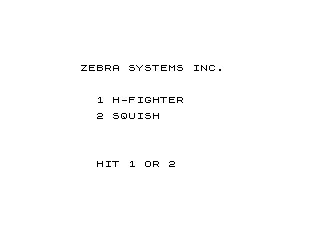
Six joystick games that a US hardware maker wrote to go with its own TS1000 joystick adaptor.
There are three tapes with two games each: Invaders and Road Race, H-Fighter and Squish, and Painter and Cobra. Each one reads the joystick through a short machine-code routine in a REM line that polls the adaptor's input port. The programs are compact BASIC, written with tricks such as P/P for 1 and I-I for 0 to save memory.
Zebra Systems was a small New York firm, incorporated in February 1983 by Stewart Newfeld, who designed its keyboard beeper, joystick adaptor, A/D converter and speech synthesizer. The adaptor let you plug an Atari-style joystick into the back of the TS1000. The games show how a hardware maker of the period made sure buyers had something to plug the stick into, and the BASIC is easy to read if you want to see how the port is read.
Try it: Download from timexsinclair.com and load in an emulator (e.g. EightyOne for TS1000); for full play you need the Zebra joystick adaptor, or an emulator set up for a joystick on that port.
Gunner

A shooting gallery in BASIC: fire up at two scrolling rows of letters before the special target gets away.
You slide a cannon along the bottom of the screen with 5 and 8 and fire with 7 at two lines of random letters scrolling past overhead. Letters further down the alphabet score more. Every so often an @@ target appears, and if it scrolls off the left edge without being shot the round ends. The program checks for a hit by PEEKing the screen at the bullet's position, a common trick in BASIC games of the day.
It is the one TS1000 program in this guide you can play in a web browser. It first appeared as "Shooting Range" in Timex Sinclair User in December 1983. The browser version is a TS2068 conversion taken from a SNUG disk, which plays the same way and also takes a joystick. The original ZX81 listing has one bug: after a missed shot, the next bullet doesn't start from the bottom.
Try it: Run in Browser on timexsinclair.com (this runs the TS2068 conversion). The original TS1000 version is on Timex Sinclair Public Domain Library Tape 1002; download it from timexsinclair.com and load it in an emulator (e.g. EightyOne). Needs a 16K RAM pack.
SNorth Games

Four compiled-BASIC games on one tape, written by a professional comedian and published by Fred Nachbaur's SyncWare.
A loader menu offers four games. NFLX Football is a one- or two-player football game with runs, passes, punts, fumbles, interceptions and field goals, defensive calls such as Blitz and Prevent, and a demo mode. In Miner's Revenge you follow nine markers left by an old miner to the motherlode, using a pick, flares and a lantern. Storm Lander 3 has you land an airliner at Denver's Stapleton Airport in a thunderstorm. Super Slide is an Olympic bobsled run against more than 80 competitors.
Steve North wrote them for fun in 1983 in a subset of Sinclair BASIC and compiled them to machine code, so they run much faster than interpreted BASIC. Fred Nachbaur licensed them for SyncWare in 1985. A Denver airport and an American football league make the subjects plainly North American.
Try it: Download from timexsinclair.com and load in an emulator (e.g. EightyOne for TS1000); each game needs a 16K RAM pack. LOAD "SNORTH" and pick a game from the menu.
Games: adventure, strategy and simulation
Adventure, strategy and simulation games suited the TS1000 better than action games did: they needed memory and ideas more than speed. North American authors wrote text adventures with machine-code parsers, management and money games with a distinctly American flavour, and in the late 1980s a hi-res dungeon crawl that took the machine further than anything before it. Look for clever data packing, a few type-ins that improved on the classics, and simulations taken from the magazines of the day.
Dungeon of Ymir
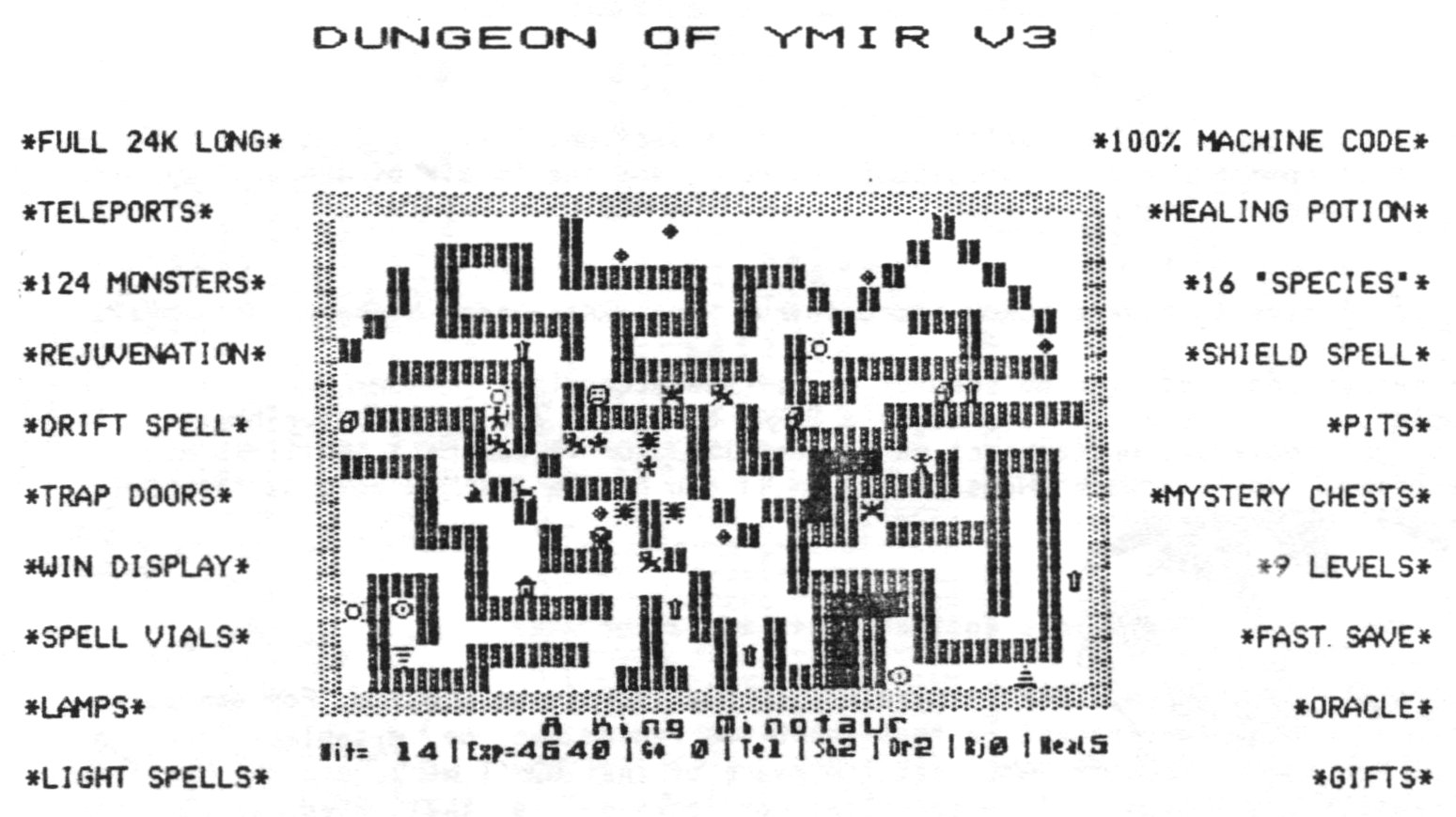
A hi-res, Rogue-style dungeon crawl in machine code: go down nine levels, fetch the Sword of Kaslo and get home alive.
The maze is revealed only as you explore it. There are 16 kinds of monster, 124 in all, and they move all the time, getting nastier on the lower levels. You also meet pits, ceiling holes, mystery chests that can help or hurt, and gold that you trade for experience at the Temple of Asylum on each level. An Oracle gives gifts and advice and punishes rudeness. Spell vials cover teleport, healing, rejuvenation, drift and shield. Status shows on the bottom line, and you can redefine the four movement keys.
Rogue was a Unix game that later reached the Apple II and the PC. Ymir brings the same idea to a ZX81-class machine, with hi-res pictures of every monster and object. The ZX-Appeal reviewer admitted he wasn't a Dungeons & Dragons fan and ended up hooked, noting that the little hero bends over to pick things up. A fast save with auto-reload lets you keep a game going over several sessions. The separate Ymir Dungeon Designer (51377) lets you build your own levels.
Try it: Download from timexsinclair.com and load in an emulator (e.g. EightyOne for TS1000). Needs 24K of RAM and a hi-res memory setup (the ZX-Appeal review describes the TS1500 versions); EightyOne can be configured for this.
The Trident
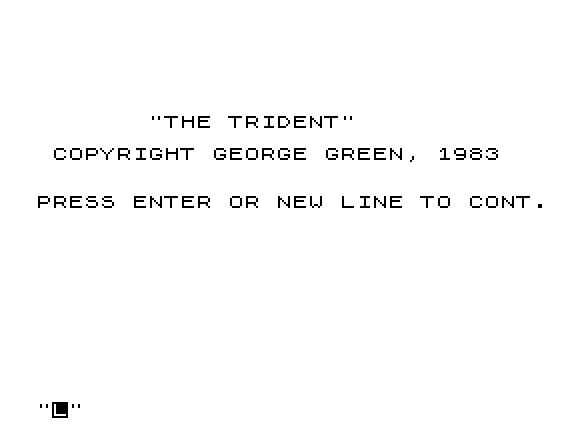
Timex's own text adventure: an undersea quest to recover Poseidon's lost trident.
You explore an underwater world by typing commands, collecting and using objects while you watch three counters. Your air supply runs down, darkness has its own countdown, and a move counter sets off random events every so often. When the text fills the screen the game stops and prompts MORE… so nothing scrolls away unread. You can snapshot the whole game state into memory and restore it later without touching the tape recorder.
Under the hood is a small table-driven adventure system. Conditions and actions are packed as character codes in strings, and one dispatcher works through them, which is a tidy design for 16K of BASIC. It is one of the few Timex-label titles known to be written in the US, and a counterpart to Artic's Adventure A to D series on UK ZX81s. The download includes George Green's own hints for solving it.
Try it: Download from timexsinclair.com and load in an emulator (e.g. EightyOne for TS1000); needs a 16K RAM pack.
Shark's Treasure

A text adventure set in the shark-infested Indian Ocean: find the Punjab Diamond in the wreck of the pirate ship Xandau and get out alive.
You dive on a sunken pirate ship, explore its decks and work out how to reach the treasure and escape the sharks. A machine-code routine in a REM line looks up each typed word in a dictionary stored in a second REM line and turns it into a numeric code. That keeps the parser fast and frees space for room descriptions. Arrays track where objects are, status flags and countdown timers, and you can save your progress to tape.
It is one of the earliest text adventures sold for the TS1000 in the US. Softsync of New York, which published it, was among the first American companies to sell software for Sinclair machines. The author isn't recorded. The archive file name credits a TY-Soft, which may be the original source.
Try it: Download from timexsinclair.com and load in an emulator (e.g. EightyOne for TS1000); needs a 16K RAM pack.
Island Kingdom
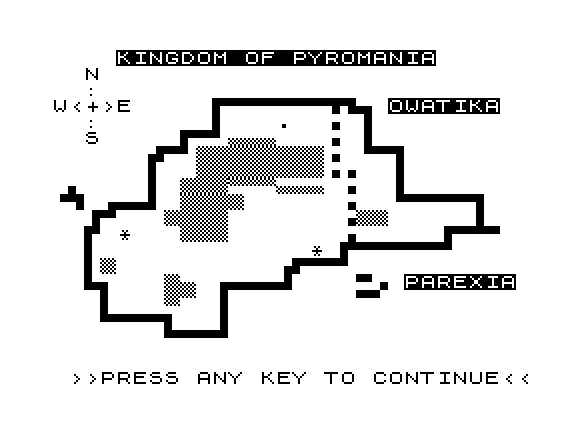
Rule the island fiefdom of Pyromania for an eight-year term, balancing food, money, industry and pollution.
Each year you decide how much land to sell or buy, how much to pay the peasants, how much to plant, and what to spend on education and pollution control. Developed land brings tourist money, but pollution builds up, cuts harvests, drives off tourists and kills peasants. You can lose by starvation, by a revolt of the Parexians, by assassination or by impeachment, and a tidal wave can hit at random. A block-graphics map of the island and scrolling title banners dress it up.
It descends from Hamurabi, the land-and-grain game that Creative Computing spread to every BASIC machine. The pollution, tourism and education levers make it a more modern civics lesson than its ancestor. American Micro Products of Texas also published EE1 Filter Design, an engineering program that appears elsewhere in this guide.
Try it: Download from timexsinclair.com and load in an emulator (e.g. EightyOne for TS1000); needs a 16K RAM pack.
Wall Street
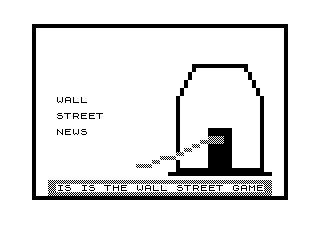
An investment game for one to four players covering 16 years of stocks, real estate, money markets and an IRA.
Each player starts with a limited stake and plays quarter by quarter for 16 years. You buy and sell stocks and real estate, park cash in the money market, fund an IRA, pay quarterly taxes and deal with random windfalls and losses. Speculative investments can pay off or sink you. A financial advisor is available, but he charges a lot and isn't always right. News and price changes roll across the screen as a ticker tape. Whoever has the largest portfolio after year 16 wins.
The IRA, the tax bill and the Wall Street setting make it an American game through and through. Timeworks of Illinois went on to publish home and productivity software for bigger machines such as the Commodore 64 and the IBM PC. Play it with friends and it works as a board game with the computer as banker.
Try it: Download from timexsinclair.com and load in an emulator (e.g. EightyOne for TS1000); needs a 16K RAM pack.
Strategy Football
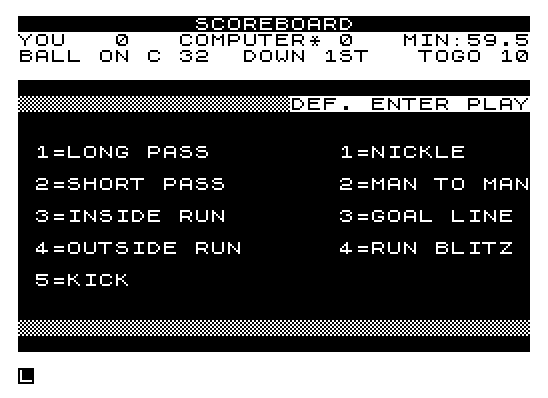
An American football play-calling game for one player against the computer or two players head to head.
On offense you call a long pass, short pass, inside run, outside run, punt or field goal. On defense you pick nickel, man-to-man, goal line or run blitz. The game resolves each matchup and keeps track of field position, downs, score and time, with safeties, sacks, interceptions, big plays and kickoff returns. Before each result it shows a small diagram of the formation in inverse and block characters. Against the computer, the machine picks its plays from field position, the score and the clock.
No UK software house would have published a game about the NFL's play-calling, and that is the point of it here. It is a strategy game rather than an action game, closer to the board and dice football games of the 1970s than to a sports arcade game, and it plays quickly.
Try it: Download from timexsinclair.com and load in an emulator (e.g. EightyOne for TS1000); needs a 16K RAM pack.
Hi-Res Chess
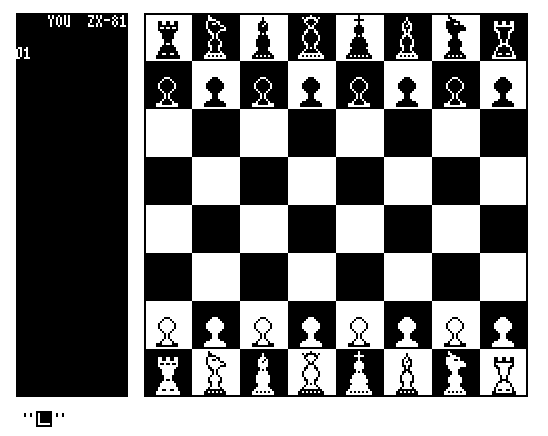
Psion's ZX81 chess program given a real board with real chess pieces in hi-res.
The engine is the classic Psion chess for the ZX81. Fred Nachbaur kept it and replaced the display, using Wilf Rigter's hi-res routine stretched to 26 rows: 24 for a board with proper piece shapes and two for input. Because the input lines are tucked away, you type your moves partly blind, which matters little if you know the original. To leave, press DELETE on your turn, then STOP and ENTER. If you get stuck in hi-res mode, PAUSE 0 almost always gets you out.
It is a port that adds something: a British engine with a display from the Canadian hi-res scene. If you have played the block-graphic original, this is a nicer way to play it on the same computer. The download includes both the hi-res and the original program files.
Try it: Download from timexsinclair.com and load in an emulator (e.g. EightyOne for TS1000). Needs static RAM at 8-16K for the WRX hi-res display; EightyOne can be configured for this.
Blackjack (1000)

Casino blackjack with hi-res card graphics, written in Nachbaur's SRAM Hi-Res Extended BASIC.
You play against the dealer with a bankroll and a choice of how many decks go into the shoe. The program shuffles properly with a swap loop, counts aces as 1 or 11, and handles busts, pushes and payouts. The cards are drawn in hi-res, with rank numerals defined as custom graphics. A fast save and load keeps your game and bankroll between sessions.
Nachbaur adapted the game logic from a blackjack he had written earlier for the first TRS-80 Pocket Computer. The program was presented in Time Designs magazine as a showcase for SRAM Hi-Res Extended BASIC (SHREB), the add-on that let BASIC programmers draw in hi-res on a TS1000 with static RAM. It shows that late North American scene well: a familiar game redone with pixel graphics on a computer most people had shelved by then.
Try it: Download from timexsinclair.com and load in an emulator (e.g. EightyOne for TS1000). Needs SRAM Hi-Res Extended BASIC and 8K of static or non-volatile RAM; EightyOne can be configured for the memory.
Super Monzxer

A five-level Hunt the Wumpus with monzxers, man-eating spiders, giant bats and pits.
You move through a cave of five levels with 20 rooms each. Every room has three tunnels, and the layout is randomized each game. You have six arrows to shoot at monzxers or spiders, and you must kill all the monzxers and find the way out to win. Bats carry you off and pits finish you. The title screen draws a pixel monster with PLOT and UNPLOT.
Hunt the Wumpus was one of the first American computer games, written by Gregory Yob in the early 1970s and copied onto nearly every home computer. This version from Syntax, the Harvard, Massachusetts newsletter, builds it out into a multi-level cave with more kinds of hazard. It is a good example of a magazine type-in that grew a classic rather than just copying it.
Try it: Download Timex Sinclair Public Domain Library Tape 1006 from timexsinclair.com and load it in an emulator (e.g. EightyOne for TS1000); the program has no separate download. Needs a 16K RAM pack.
WA-TOR
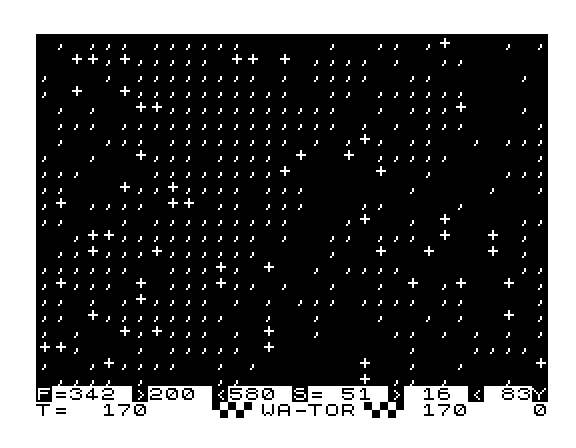
A predator-prey simulation of sharks and fish on a doughnut-shaped ocean planet, from A. K. Dewdney's Scientific American column.
You set the starting numbers of fish and sharks and their breeding and starvation times, then watch generations come and go on the screen. Fish breed, sharks eat fish and starve without them, and the ocean wraps around at its edges. The question is whether both species settle into a stable cycle or one dies out. The program graphs the populations as it runs and can print hi-res population curves on the TS2040 printer. All of the simulation runs in machine code, and the cover screen and graphs use Nissim Elmaleh's SHR routines.
Dewdney's 1984 Computer Recreations column set readers on every kind of computer writing their own Wa-Tor. This version, published by Thomas B. Woods of New Hampshire, is fast enough to watch the cycles develop instead of waiting for them.
Try it: Download from timexsinclair.com and load in an emulator (e.g. EightyOne for TS1000); needs a 16K RAM pack; a TS2040 printer is optional for population plots.
Graphics, art and demos
The TS1000's stock screen is 32 by 24 characters of block graphics, so graphics on it meant cleverness first and hardware second. North Americans did both: commercial paint and hi-res toolkits in 1984, then from 1985 to 1988 a burst of static-RAM hi-res work led by Fred Nachbaur and Wilf Rigter in Canada and Gregory Harder in the US. Look for fractals, 3-D landscapes and paint programs that would have impressed owners of much bigger machines, and for Timex's own store demonstrator.
Fast 3-D Landscapes
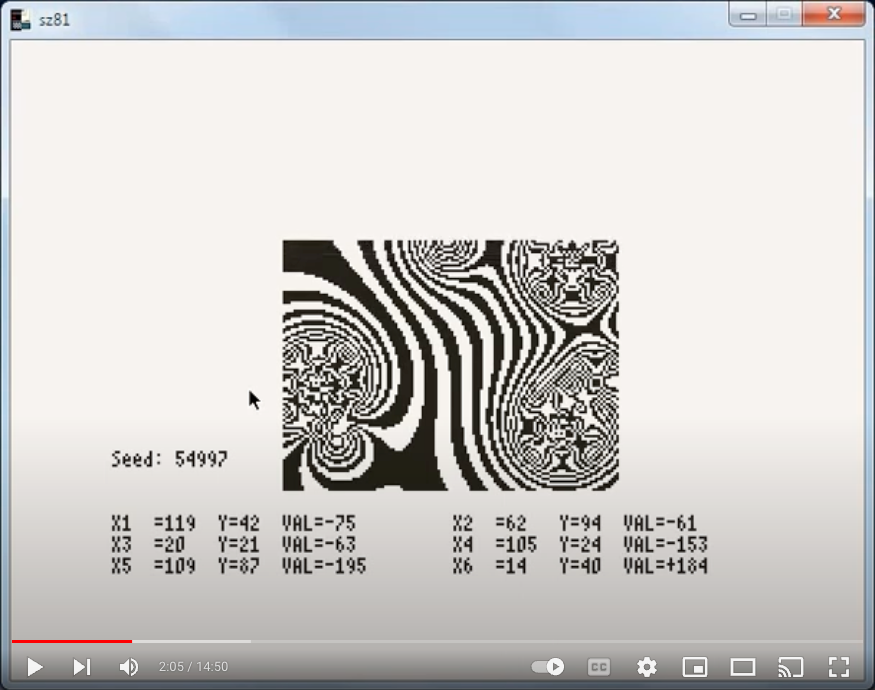
F-SCAPES, a menu-driven freeware 'toy' that draws hidden-line 3-D landscapes from mathematics, including a 3-D Mandelbrot set.
F-SCAPES builds a height map and draws it as a 2-D contour map or a 3-D view from the front or at an angle, with hidden lines removed or left as a wire frame. The main generator, Scope-scape, places up to 128 positive or negative 'generators' on a plane and sums their inverse-square fields, so you get hills, pits and ridges that model electric, magnetic or gravitational fields. Mu-map produces a 3-D Mandelbrot surface, and you can lay one map over another. Overlapping multi-font menus (Home, Map, File, View, Draw, Set, Tools) let you flip, turn and scale a map, invert or print the screen, and save your work.
Speed comes from using three kinds of arithmetic: 8-bit for counters, 16-bit routines borrowed from Bob Berch's compiler runtime, and the ROM's floating-point calculator called directly only where precision matters. Nachbaur wrote it in 1988, years after the TS1000 left the shops, and his long on-site manual explains both the mathematics and the jokes.
Try it: Download from timexsinclair.com and load in an emulator (e.g. EightyOne for TS1000). Needs 48K of user RAM (RAM from 16K to 64K) plus 8K of static RAM mapped at 8-16K for the hi-res display. The program loads in two parts and takes about eight minutes from tape.
Mandelbrot-FPP

The Mandelbrot set in hi-res, sped up by calling the ROM's floating-point calculator directly.
You choose the corner of the region (real and imaginary parts), the side length, the iteration limit and a band width that sets how many iterations make each black or white band. The plot then builds up pixel by pixel. A menu lets you start, save and resume a long run, reverse or copy the screen to the printer, and check progress. Option 7 zooms: you move a flashing pixel cursor to pick the corner and size of the next magnification.
Fractals became a craze after A. K. Dewdney's August 1985 Scientific American column. Nachbaur's trick was to skip BASIC arithmetic and feed the Sinclair ROM calculator its own instructions, which runs about three times faster. SyncWare News printed the method as "Mandelplot: Mathematical Printer Art", aimed at getting good printouts from minimal hardware. Pair it with his Julia Sets program (51386).
Try it: Download from timexsinclair.com and load in an emulator (e.g. EightyOne for TS1000). Needs 8K of static RAM mapped at 8-16K for the hi-res display; a printer is optional. Expect long plotting times, which is why save and resume are built in.
3-D Fractals
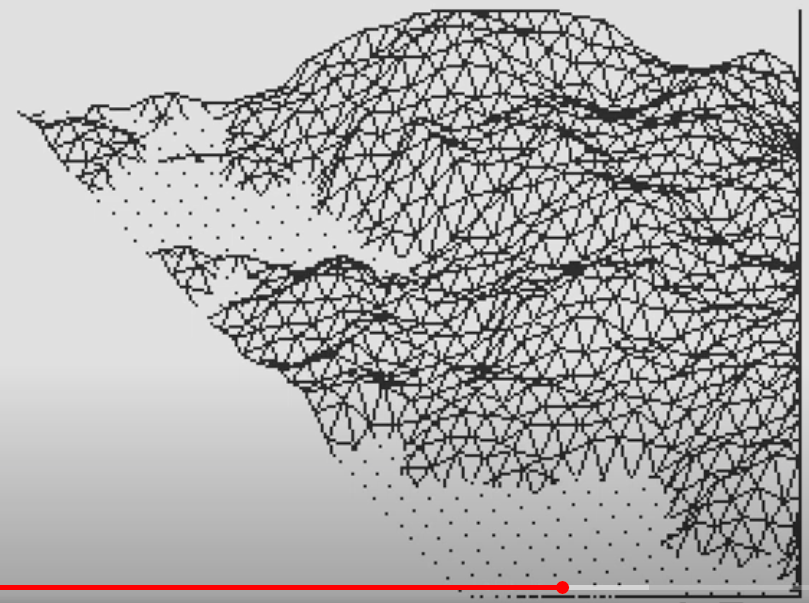
Fractal mountains and coastlines drawn in 3-D on a hi-res TS1000.
The program builds a height field by midpoint displacement: it starts with a coarse grid and adds random offsets at each finer level, up to six levels deep, giving a surface with natural-looking roughness. It then rotates and tilts the result and draws it as a 3-D wire-frame landscape. You set the X, Y and Z scales, and a sea-level option floods everything below zero and works out where the coastline cuts across each grid line. Afterwards you can reverse the screen, copy it to the printer, or save it to tape by name.
Harder adapted the method from an article in the American magazine Creative Computing. He and Fred Nachbaur wrote much of the TS1000's late hi-res software, and together they produced SRAM Hi-Res Extended BASIC. The download is the WRX hi-res version.
Try it: Download from timexsinclair.com and load in an emulator (e.g. EightyOne for TS1000). Needs 64K RAM (16K to 64K) plus 8K of static RAM mapped at 8-16K for the hi-res display. The post gives the start-up steps: POKE 16389,192, then NEW, then LOAD "".
L-Systems
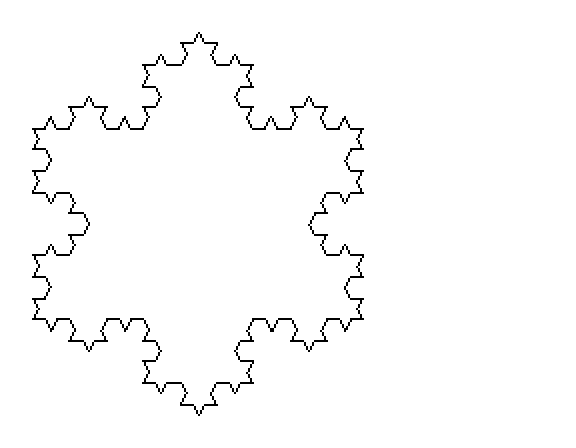
Fractal curves and plant-like shapes grown from a few rewriting rules and drawn with turtle graphics.
You give an axiom (a starting string) and production rules that replace each letter with a longer string. The program applies the rules for as many generations as you ask, then reads the result as turtle commands: draw forward, turn, and push or pop the turtle's position on a stack so branches can return to their stems. You choose how many directions the turtle can face and how deep the stack goes. A QUIK mode trades screen refresh for drawing speed. When the picture is done you can view it, reverse it, copy it to the printer or save it.
L-systems came from the biologist Aristid Lindenmayer and were made famous in computer graphics by Przemyslaw Prusinkiewicz in the mid-1980s. Harder had them running on a TS1000 by 1987.
Try it: Download from timexsinclair.com and load in an emulator (e.g. EightyOne for TS1000). Built for a hi-res-equipped TS1000 like Harder's other programs; check the files in the download for the exact memory setup.
ZX-PAINT

A full bitmap paint program for a TS1000 fitted with non-volatile static RAM.
ZX-PAINT gives you freehand drawing, lines, rectangles, circles and arcs, area fills, and an editor for your own 8 by 8 fill patterns. A pen-mode menu sets how you draw, and you can clear the screen, save it, or print it to the printer. Machine-code routines do the drawing and the BASIC handles the menus, so the listing is readable if you want to see how it works. It came with a 12-page manual.
Paint programs such as MacPaint made bitmap drawing popular from 1984, and the 8-bit computers soon had their own. ZX-PAINT brings the same tool set to a computer that shipped with a 64 by 48 block-graphic screen. It is a good demonstration of what a SCRAM board made possible, and pairs well with Sinc-Artist below, which takes a block-graphics approach on a stock machine.
Try it: Download from timexsinclair.com and load in an emulator (e.g. EightyOne for TS1000). Needs at least 32K RAM plus a SCRAM board, Delta Device (32K NVM) or a modified Hunter board; in EightyOne, use static RAM at 8-16K.
Sinc-Artist v1.3
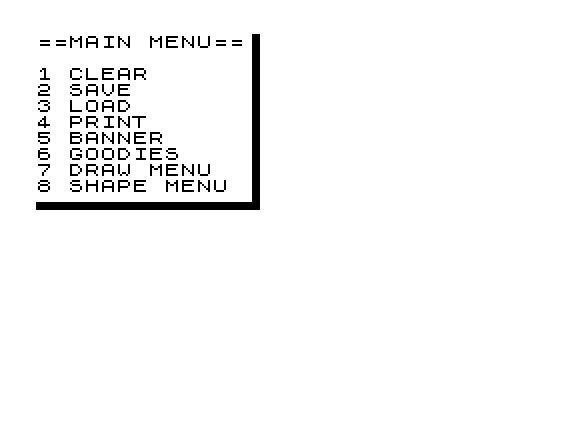
A machine-code drawing and painting program for the stock TS1000, from a Canadian publisher.
You draw on a 256 by 192 picture through a movable 64 by 48 window. The tools include pencil, brush, horizontal and vertical markers, line and ray, and circles, rectangles, triangles and quadrilaterals, each in outline or filled. Under Goodies you'll find a pattern editor, transparent and opaque paint fills, inverse and cursor speed. The menus are drawn as bordered block-graphic panels and are all inside the machine code, which loads with an eight-line BASIC stub.
This is a commercial art package that needs no hi-res hardware, so it shows what careful machine code could do on a normal TS1000 in 1984. Callisto also sold SincArtist HR, which printed artwork on the TS2040 printer after a hardware modification. Callisto's Hastings-Trew was also an owner of Kolorworks.
Try it: Download from timexsinclair.com and load in an emulator (e.g. EightyOne for TS1000); needs a 16K RAM pack.
High Resolution Graphics

A commercial machine-code toolkit that gave BASIC programs a hi-res screen with plot, unplot and point-test calls.
The toolkit documents eight USR entry points. You can switch to the hi-res screen and back to the normal Sinclair display, clear and invert the hi-res screen, plot, unplot and test single points, and print text in upper and lower case. The advertised resolution was 192 by 128. The tape includes a BASIC demonstration you can delete once you know the calls, a sample program, and a Breakout-style game called BUSTOUT built on the same routines.
This came from Inter-Pacific Systems of Canada in 1984, before the static-RAM boards and WRX routines that later TS1000 hi-res relied on. It is worth a look if you want to see where that line of work started, and BUSTOUT shows the toolkit being used for an actual game.
Try it: Download from timexsinclair.com and load in an emulator (e.g. EightyOne for TS1000); needs a 16K RAM pack.
NOVA 1000
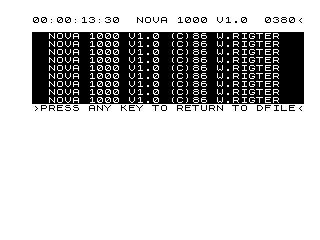
A background display system that gave the TS1000 a real-time clock, a smooth-scrolling virtual screen and auto-repeat keys.
NOVA sits above RAMTOP and runs alongside your BASIC program. The demo scrolls a 25 by 34 character virtual screen, backed by a 2,000-character array, smoothly left and up. It sets and shows a software real-time clock, and finishes with a HELLO animation. The full package adds an automatic program-line tracer and auto-repeat on every key. Commands pass between BASIC and the machine code through a few fixed memory addresses.
Wilf Rigter, of British Columbia, is best known for the WRX hi-res method behind much of the late TS1000 graphics software. NOVA instead adds services that run alongside BASIC. Time Designs reviewed it, noting that it claimed to bring multitasking to a Z80, a job usually left to newer processors.
Try it: Download from timexsinclair.com and load in an emulator (e.g. EightyOne for TS1000); needs a 16K RAM pack.
Scroller

A short machine-code demo that scrolls a screen-sized window around a larger picture in four directions.
The BASIC fills a 64-column by 24-row block of memory with a checkerboard, twice as wide as the TV screen. You then press the cursor keys 5, 6, 7 and 8 and a 57-byte machine-code routine copies the matching part of that area to the display, so the screen pans smoothly over the bigger picture. BASIC passes the new position by POKEing it straight into the routine's own code, and boundary checks stop you scrolling off the edge. A small extra routine prints the machine-code bytes to the printer.
It is a compact lesson in two common ZX81 techniques: machine code stored in a REM line, and self-modifying code used to pass parameters. Ken Hatch, from Oregon, was among the entrants in a SyncWare News programming contest, which the magazine wrote up in "The Fame & The Glory".
Try it: Download from timexsinclair.com and load in an emulator (e.g. EightyOne for TS1000); needs a 16K RAM pack.
Store Demo

The EPROM from Timex's in-store demonstrator, the program that showed shoppers what a $99.95 computer could do.
It starts on power-up with "TIMEX PRESENTS ..THE TIMEX SINCLAIR 1000". It asks for your first name and greets you, sets simple arithmetic questions, shows sines, cosines, tangents and square roots, and draws graphics including the space shuttle Columbia in orbit. It plots a bar graph of "JAN-JUN 1982 SALES DATA" and finishes with a recipe generator that scales a stuffed-chicken recipe to the number of people you're feeding. The prompts say ENTER, the TS1000's key name, rather than the ZX81's NEWLINE.
The demo ran in a retail kiosk described in Timex's 1983 price list, and the E. Arthur Brown Company later sold the plug-in part for $19.95. As a sales pitch it tells you how Timex wanted Americans to see the machine: as a household calculator, teacher and recipe book.
Try it: Download from timexsinclair.com. The file is a raw 8K EPROM image, not a tape, so it suits emulator users who can map a ROM image into memory; the product page links a video of the demo running.
DitherPaint81
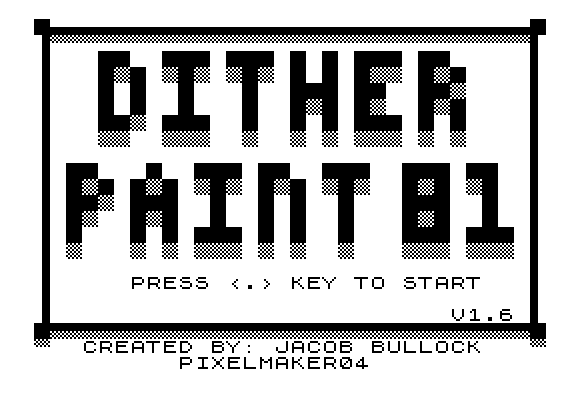
A paint program that builds pictures from the ZX81's chequered grey graphics characters.
You move a cursor around a bordered canvas and lay down tiles from a palette below it: black, white, and the block and chequerboard characters that read as shades of grey. There are six tile sets, a clear-canvas key, and output to a ZX Printer or compatible.
Jacob Bullock wrote DitherPaint for the TI-99/4A in Extended BASIC, then rebuilt it for the ZX81 in 2021, compiling the BASIC to machine code so the cursor keeps up, and sold a small batch on cassette. It shows how much a careful choice of characters can do on a display with no pixel graphics of its own.
Try it: Download DPAINT81.P from the author's itch.io page (linked from timexsinclair.com) and load it in EightyOne with 16K.
Music, sound and speech
The TS1000 has no sound chip and no speaker, yet North American programmers got it to play music, send and decode Morse code, speak recorded words and even recognize spoken ones. The tricks were tight machine-code timing loops, output through the TV speaker or the cassette lines, and some cheap Radio Shack parts. Look here for programs whose achievement is that they work at all on the hardware.
Speech Synthesizer
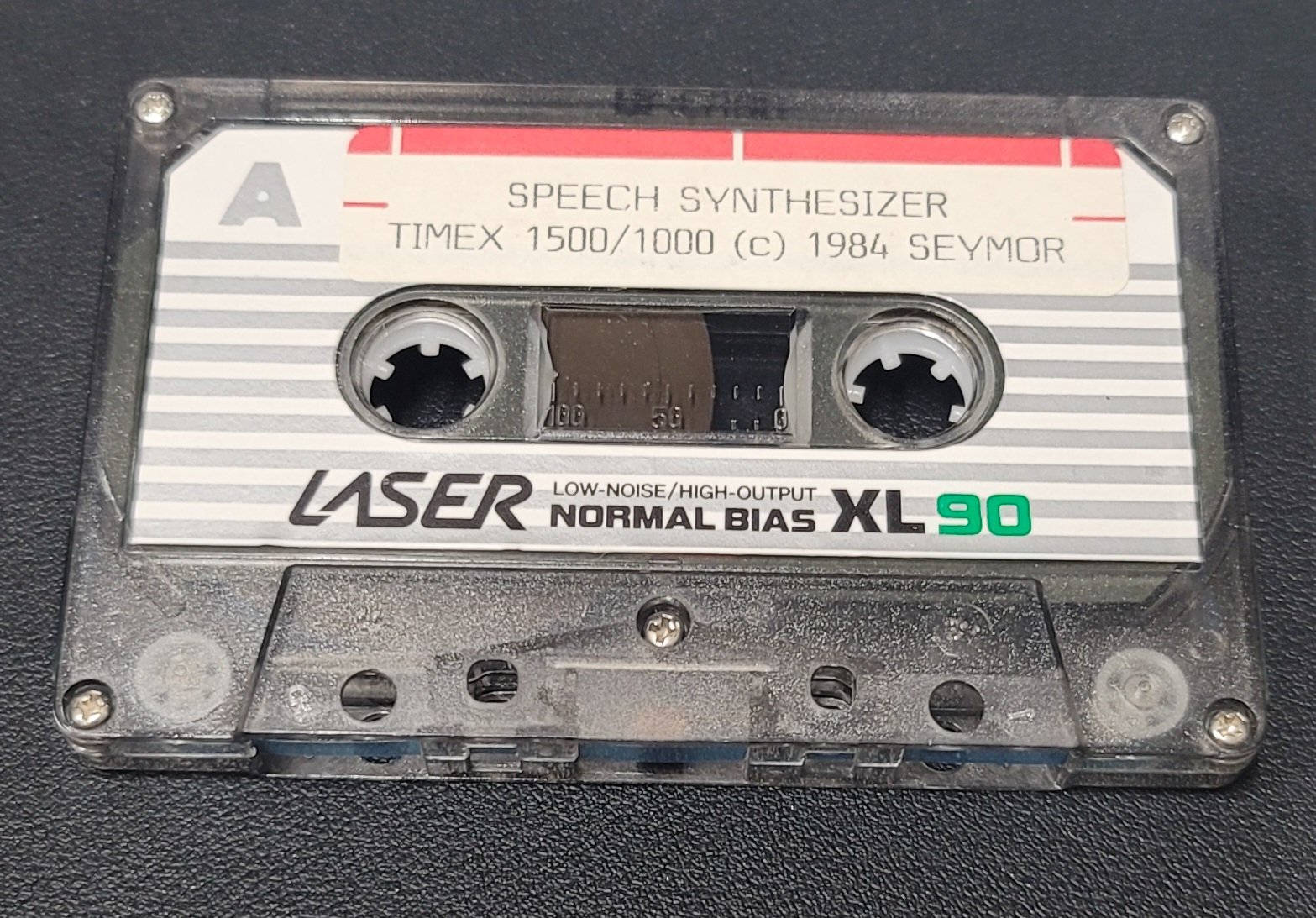
Software-only speech for the TS1000: recorded words played back through the TV speaker, with no extra hardware.
The package has eleven programs: two demonstrations and nine vocabulary libraries of twenty to thirty words each. The 2K demo repeats "I am your computer". A biorhythm program works out your age from your birth date and today's date and then says it aloud. In your own programs, a short BASIC routine looks up each word in the library and calls the machine code that plays it. Sound comes through the TV speaker, or through an amplifier plugged into the MIC jack for better quality.
Talking software on home computers usually meant phoneme synthesis such as S.A.M. on the Apple II, Atari and Commodore 64, or an add-on speech board. Painter instead played back digitized words from memory, on a machine with no sound hardware at all. The QuarTerS review called it easy to use and affordable. Painter, of Texas, also made a larger TS2068 version, and later built digitizing products for the Atari ST as Seymor-Radix.
Try it: Download from timexsinclair.com and load in an emulator (e.g. EightyOne for TS1000); needs a 16K RAM pack for the libraries (the demo runs in 2K). An emulator needs to reproduce the TV-speaker or MIC output to be heard.
Voice

Speech recognition on a TS1000: teach it up to ten words and it tells you which one you said.
You build a small amplifier from Radio Shack parts (a crystal microphone element, a TL081 op-amp and a few resistors) and plug it into the EAR socket. The program samples a word and shows its "voiceprint" as a histogram, a rough frequency spectrum. To train a word you say it eight times and the program averages the prints and files it with the word's spelling. In recognition mode it compares what you just said against up to ten stored prints and displays the closest match. Machine code handles the sampling and comparison, and BASIC runs the menu.
Bennett's SYNC article "Say What?" said that with consistent pronunciation it picked the right word about nine times in ten, and called it an experimental tool, not a keyboard replacement. Speech recognition was a research topic in 1983, and here was a working version for a $99 computer and a few dollars of parts.
Try it: Download the CassFile2 collection from timexsinclair.com (the program is VOICER on side A) and load it in an emulator (e.g. EightyOne for TS1000) to explore it. Recognizing words needs live audio into the EAR socket, so it works best on real hardware with the amplifier from the SYNC article. Needs a 16K RAM pack.
Morse Code Translator

Decodes Morse code from a radio into text on the screen, and sends Morse from text you type.
Connect a receiver's earphone output to the TS1000's EAR socket, set the speed anywhere from 9 to 100 words per minute, and the machine code times each incoming tone and gap, works out dots, dashes and character breaks, and scrolls the translated message across the screen. BASIC works out the timing values from the speed you choose and POKEs them into the routine. It also works the other way: type a message in English and it sends the Morse as tones you can hear through the TV speaker or record to tape.
Decoding live Morse was a job radio amateurs often bought a dedicated box for, and this did it on a $99 computer in 2K of memory. Paul Thomson of Illinois also wrote Brickbuster for SYNC, which appears in this guide's arcade section.
Try it: Download from timexsinclair.com and load in an emulator (e.g. EightyOne for TS1000); runs in 2K. To decode real signals you need a radio receiver connected to the EAR socket.
Morse Code
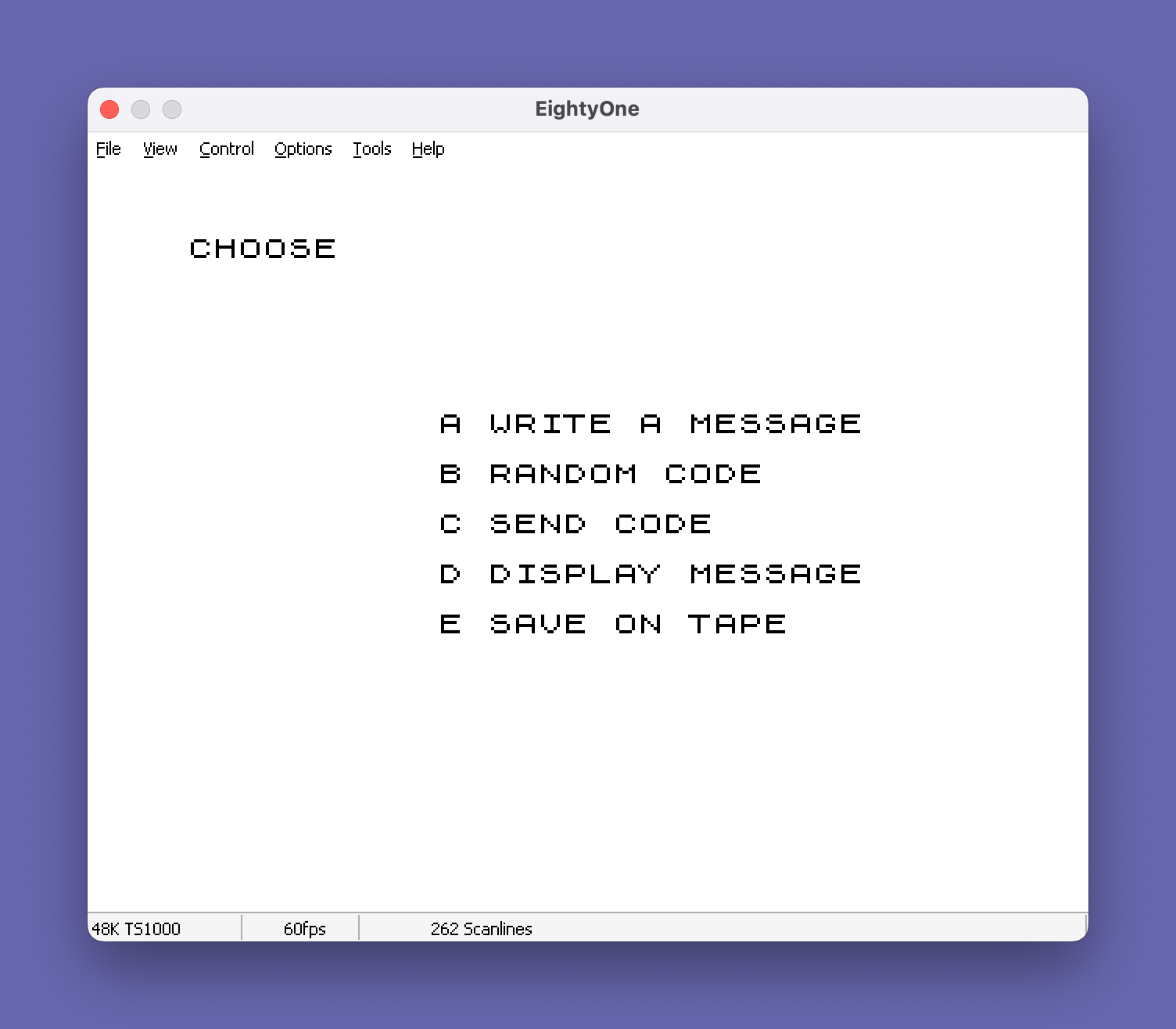
A Morse code trainer that makes audible tones on a computer with no sound hardware.
You can compose messages of up to 22 lines of 32 characters and have them sent as Morse at the speed you set, or let the program generate random practice code. Random code can use all characters, letters only, numbers only or a set you pick, among six options. A tuning tone helps you set up the TV so you can hear the output clearly, and you can save your messages to tape. Machine code in REM lines produces the dots and dashes with exact timing, and BASIC converts your words-per-minute setting into the delay values the routine needs.
Code practice was a real need in 1983, when every US amateur radio licence required a Morse test. This tape from Hawg Wild Software in Arkansas met that need for the price of a cassette, and it pairs well with Thomson's Morse Code Translator, which receives where this one sends.
Try it: Download from timexsinclair.com and load in an emulator (e.g. EightyOne for TS1000); needs a 16K RAM pack. Turn up the sound on the emulator's TV output.
Music Maker
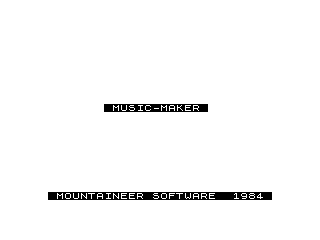
Enter a tune measure by measure and play it back from machine code on a TS1000 with no sound chip.
You name the melody, say how many measures it has and set a tempo, then enter each note as a pitch and a duration, with a special pitch value standing for a rest. A small machine-code routine plays the notes back with the pitch, duration and tempo POKEd in by BASIC. After playback you can replay, change the tempo or save the melody to tape under its name.
Ferrebee released it as Mountaineer Software in 1984, and the West Virginia name says where it came from. It is plain and small, but it shows the core trick behind most TS1000 music programs: getting tones out of a computer with no sound chip by timing them in machine code. Compare it with Composer below, which lets you place notes on a staff instead of typing numbers.
Try it: Download Timex Sinclair Public Domain Library Tape 1005 from timexsinclair.com and load it in an emulator (e.g. EightyOne for TS1000); the program has no separate download. Needs a 16K RAM pack.
SCALES
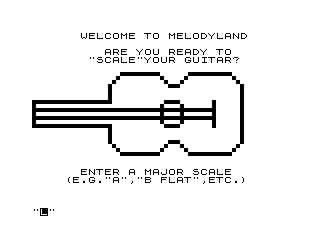
A guitar reference that draws the fingering for any major scale on a fretboard diagram.
The program first draws an outline of a guitar point by point with PLOT. You then type a key such as A, B FLAT or C SHARP and it draws a fretboard grid with the left-hand finger numbers (1 to 4) at each note of the major scale in that key. All twelve keys are covered. You can COPY the chart to the printer and go on to another key.
It makes no sound at all, but it is a practical music program: a guitarist with a TS1000 and a TS2040 printer could print a fingering chart for every key in a few minutes. The listing is short BASIC, so it is also easy to follow if you want to see how the scale positions are worked out.
Try it: Download from timexsinclair.com and load in an emulator (e.g. EightyOne for TS1000); a TS2040 or compatible printer is optional for the charts.
Composer

A note-placement composer: put notes on an on-screen staff with the cursor keys and play the tune back.
The program shows a staff-like grid. You move a cursor to place each note and set its octave and duration, and the staff scrolls when you reach the right edge. Before you start, it works out timer values for every note, including sharps and flats, across eight octaves. A short machine-code routine in a REM line then plays your tune at the speed you choose, as many times as you like, and you can save it to tape. Output goes through the TV speaker, or you can hear it on an AM radio held near the computer or record it on cassette.
Composing by placing notes on a staff, rather than typing note numbers, makes it the friendliest of the TS1000 music programs here. KOPAK Creations of New Jersey sold it; the author is not recorded.
Try it: Download from timexsinclair.com and load in an emulator (e.g. EightyOne for TS1000); needs a 16K RAM pack.
Programming tools and languages
Machine code was where the TS1000 came alive, and North American programmers built a full kit for it: disassemblers, assemblers, debuggers, BASIC extensions and even Forth and Pascal. Most of these tools hide their code in a REM line and start with a USR call, so a 16K RAM pack is the usual price of entry. Look for the ones the magazines kept referring back to: Hot Z, the Berch assembler, and the late SyncWare hi-res BASIC.
Hot Z v1.6

A Z80 disassembler, memory editor and debugger that became the standard machine-code workbench for North American TS1000 owners.
Hot Z loads as a two-line BASIC program: line 1 is RAND USR 21340 and line 2 is a REM holding the whole machine-code payload. Once running, it takes over the keyboard and screen and lets you page through memory as Z80 mnemonics, with full handling of the CB, ED, DD and FD prefixes, including the IX and IY forms. You can inspect and change memory, move blocks, and step through code without dropping back to BASIC. Later versions show four-letter names (such as CADR or KLIN) in place of ROM addresses, so a disassembly of the Sinclair ROM reads almost like a commented listing.
Ray Kingsley of Sinware in New Mexico kept refining Hot Z: version 1.72, Hot Z II with an assembler, 64K and EPROM builds, and a TS2068 edition are all on the site. Writers like Fred Nachbaur leaned on it in SyncWare News, calling it "the universal solvent" for moving data between programs. It fills the role that Bug-Byte's ZXDB filled for UK ZX81 owners. Start here if you want to see how any other TS1000 program works.
Try it: Download from timexsinclair.com and load in an emulator (e.g. EightyOne). Needs a 16K RAM pack.
Hot Z II 16K v2.11
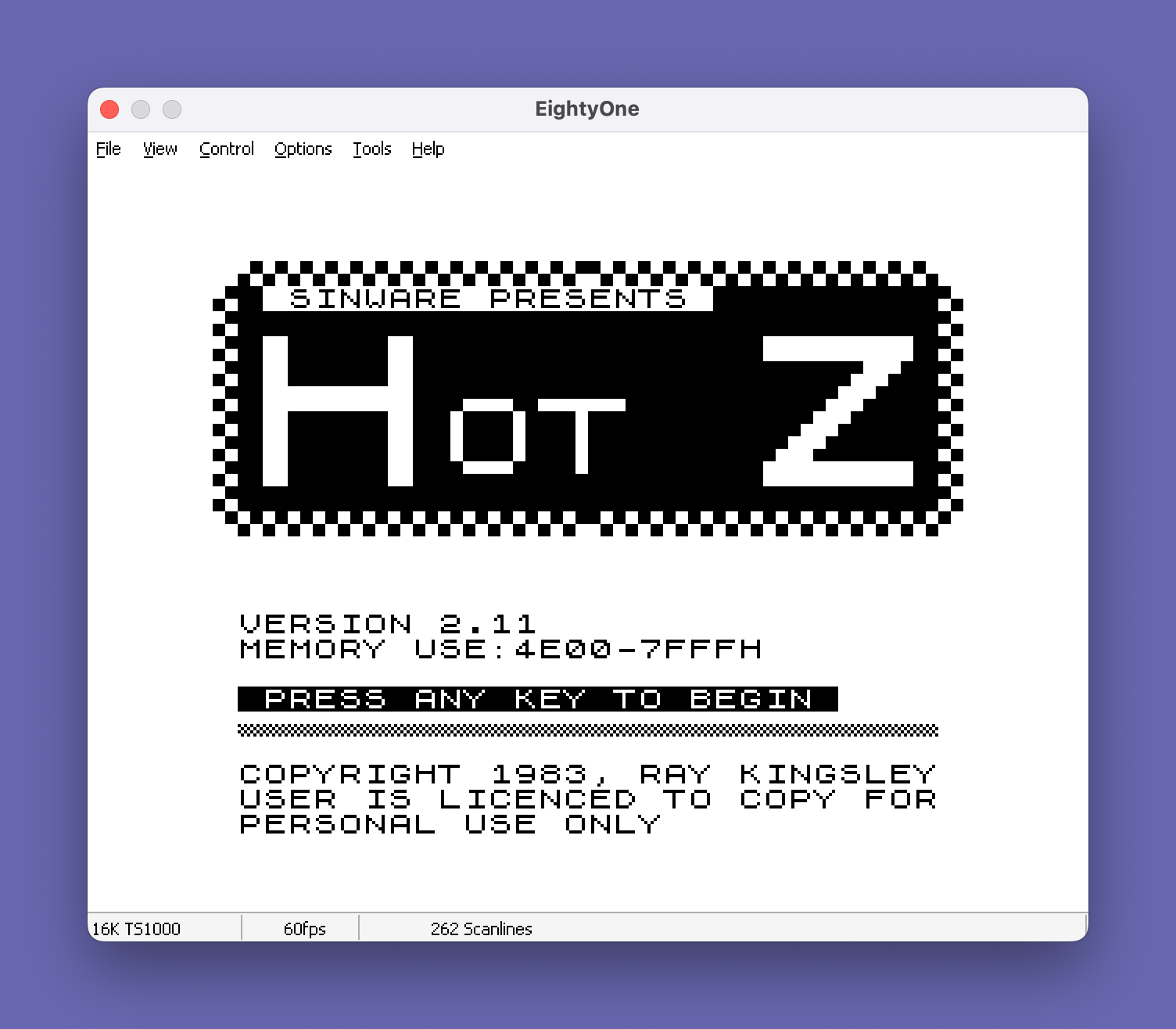
Hot Z with a line-by-line Z80 assembler added, so you can write machine code as well as read it.
Hot Z II keeps the disassembler and debugger of the first Hot Z and adds an assembler that checks your syntax as you type each mnemonic and assembles it straight into memory. The title screen gives its memory use as 4E00 to 7FFF hex, the top part of a 16K machine. The tape has three files: the program itself, a "Big REM" program made of one long REM line to hold the code you write, and the name list that lets Hot Z show labels such as CADR and NADD in place of raw addresses.
This is the version to pick if you want to write a routine rather than just study one: type, assemble, then step through it in the same environment. The licence on the title screen lets you copy it for personal use, a common attitude among small US vendors. Fred Nachbaur wrote up its trick of recovering from error restarts in SyncWare News. A 64K build (v2.02) and later 2.31/2.32 versions are also on the site.
Try it: Download from timexsinclair.com and load in an emulator (e.g. EightyOne). Needs a 16K RAM pack; use the 64K build if you have more memory.
SRAM Hi-Res Extended BASIC
SHREB, a machine-code extension that adds high-resolution graphics commands and a 64-column display to TS1000 BASIC.
SHREB loads at address 20000 and installs itself through a short BASIC shell of USR calls. Its code sits in three REM lines labelled CORE V3.00, a support block for tape and utility routines, and 64-COL for the graphics. Fred Nachbaur wrote the core parser and tape routines; Greg Harder wrote the graphics commands. Once installed, your own BASIC programs can draw in true pixel resolution instead of the ZX81's 64 by 44 block grid, and print 64 characters to a line. A command summary for version 3.00 is on the site.
SHREB belongs to the late, post-Timex period when Silicon Mountain and SyncWare kept the TS1000 going with static-RAM hardware. Several hi-res programs of 1987 and after, including SyncWare's Blackjack, were written for it. It shows how far North American hobbyists pushed the ZX81 design after the UK market had moved on to the Spectrum.
Try it: Download from timexsinclair.com and load in an emulator (e.g. EightyOne). It needs static RAM in the 8K to 16K area (as on a SCRAM board) for hi-res; set that up in the emulator's memory options.
Pluri-Forth
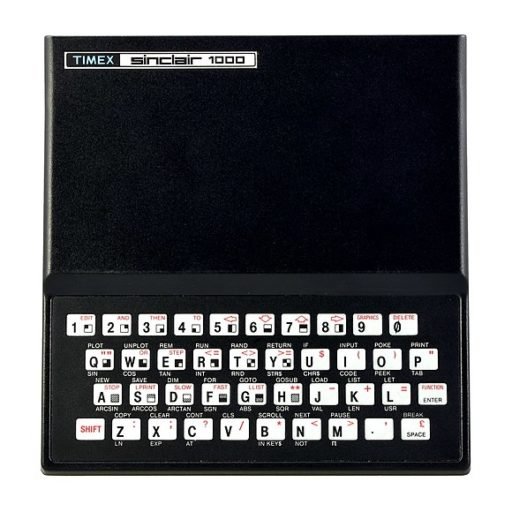
An 8K EPROM that replaces the Sinclair ROM with a fast, multitasking Forth system.
Pluri-Forth came as a 2764 EPROM on a small carrier board with a socket for the original Sinclair ROM, and a switch selected Forth or BASIC at power-up. It compiles each word to direct subroutine calls instead of using a threaded inner interpreter, so programs ran roughly ten times faster than BASIC. A Sinc-Link reviewer liked the split-screen editor, auto-repeat keys, ASCII character set and the scheduler that can run up to ten tasks at set times, such as taking a temperature reading every 20 minutes. It uses under 2K of RAM itself, leaving over 14K free on a 16K machine.
Tree Systems also sold it as Multi-Forth, and Soft Magic marketed it as Tree-Forth, with a 104-page manual that doubled as a Forth primer. It is the TS1000's answer to the Jupiter Ace, the British Forth computer, and a quicker alternative to Artic's tape-loaded ZX Forth. Multitasking on a $99 computer is the feature to try.
Try it: Download the ROM image from timexsinclair.com and load it in place of the Sinclair ROM in an emulator that accepts a custom ROM (e.g. EightyOne). The original was a plug-in EPROM board.
Partial Pascal
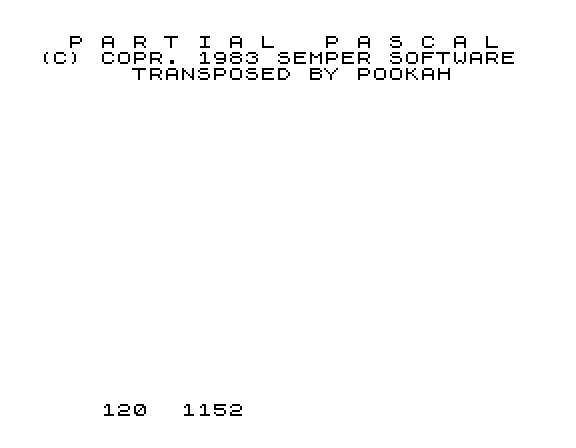
A Pascal compiler with a full-screen editor that turns a 16K TS1000 into something like a small business system.
The whole compiler lives in one enormous REM line. Its own notes warn that RUN takes you into Pascal and that it is "a one way door": BASIC is gone until you reload. Inside, a menu offers Edit, Compile and Load and Execute. The editor has full cursor movement, page up and down, line insert and delete, and printing and saving without leaving it. Output to tape is in named files with extensions and a directory. Math is integer only. In Edward Snow's benchmark in The Sinc Times, a counting loop ran in about 1 minute 35 seconds, several times faster than Sinclair BASIC.
Semper admitted nobody could fit full standard Pascal into 16K, so this is a well-chosen subset with procedures, recursion and structured loops. T-S Horizons reviewed it twice. Pascal was the teaching language of the day, and on the Apple II it usually meant a disk-based system. Here you get structured programming from a cassette, with a manual that reviewers rated as a good Pascal text.
Try it: Download from timexsinclair.com and load in an emulator (e.g. EightyOne). Needs a 16K RAM pack.
ZX81 Assembler and Disassembler
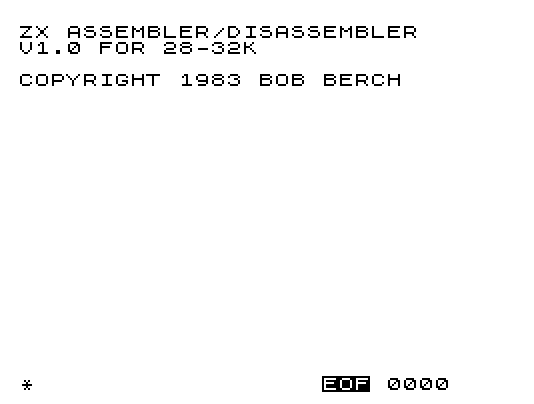
Bob Berch's two-pass Z80 assembler, written in machine code, with a disassembler alongside.
Commands are LOAD, SAVE, HALT, DATA, ASSEMBLE, SETEOF, TYPE, CLEAR, GENREM, MOVE and EDIT. Its mnemonic table covers the full Z80 set including the IX and IY registers, with ORG, END and RESV directives, and the catalogue describes it as a two-pass assembler with symbolic expressions. GENREM is the useful touch: it builds a REM line to hold your assembled code, so the result saves as an ordinary BASIC program. The program starts itself on loading through RAND USR 17338.
Cinagro was a small New York label, and Berch's assembler was later sold on EPROM too. It stayed in use long enough for Tim Swenson to review it in ZXzine in 2017. The download has two builds; note that the file named 16K says it is for 28 to 32K and the one named 64K says 12 to 16K, so read the title screen and pick the one that fits your memory. One build even includes the undocumented SLL instruction.
Try it: Download from timexsinclair.com and load in an emulator (e.g. EightyOne). Choose the build by the memory size its title screen names (12-16K or 28-32K).
Super Utility

A one-tape machine-code toolkit: disassembler, editor, memory map, variable lister, search and memory spy.
Super Utility is mostly BASIC with small machine-code helpers in REM lines 7 to 9, and each module starts with an inverse-video label. The disassembler decodes the DD, FD and ED prefixed instructions. The machine-code editor has 15 entry modes, from single bytes to 16-bit loads, PUSH sequences and jumps, and it works out relative offsets for JR for you. There is a visual memory map that decodes the system variables, a variable lister, a byte-sequence search of ROM or RAM with a printer option, a BASIC text search, a memory spy and two pages of help.
Pedersen saved memory by keeping line numbers in named variables (DISA, MAP, VLST) so every GOTO costs a two-byte name instead of a five-digit number, a trick worth studying in itself. Because it is mostly BASIC, you can LIST it and see how each tool works, which makes it a good companion to Hot Z for learning.
Try it: Download from timexsinclair.com and load in an emulator (e.g. EightyOne). Needs a 16K RAM pack.
Hexas and Basic*Olay
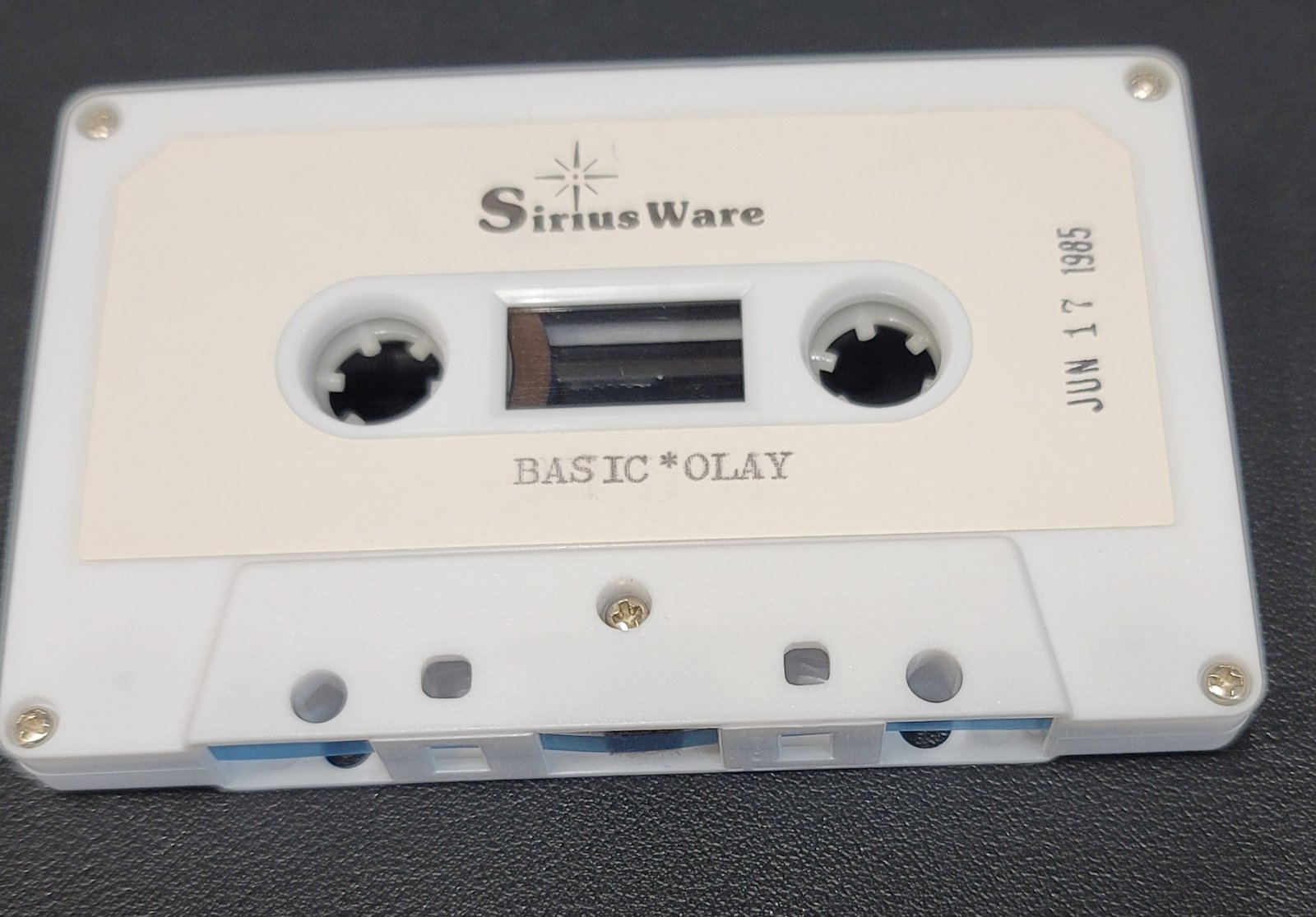
A symbolic hex assembler written in BASIC, paired with an overlay loader for BASIC programs.
Hexas sits halfway between POKEing hex and using a real assembler. You write your code as hex bytes in parenthesised blocks inside REM lines, adding labels with a + prefix and references with $ or a pound sign. Hexas first grows a REM line to the size you ask for, then scans your source, assembles the bytes, records labels and back-patches the references, checking that relative jumps stay within 128 bytes. It prints a symbol table at the end, and a relocator module can make the result position-independent. Basic*Olay, the second program, installs an overlay manager from REM line 1 and reports the entry points for its COPY and OVERLAY functions.
SiriusWare came out of the Boston area Sinclair user scene. Hexas suits anyone who learned machine code from hex listings in SYNC or Syntax and wants labels without learning a full mnemonic assembler. It is in BASIC, so you can read how a two-pass assembler works.
Try it: Download from timexsinclair.com and load in an emulator (e.g. EightyOne). Needs a 16K RAM pack.
Syncsum
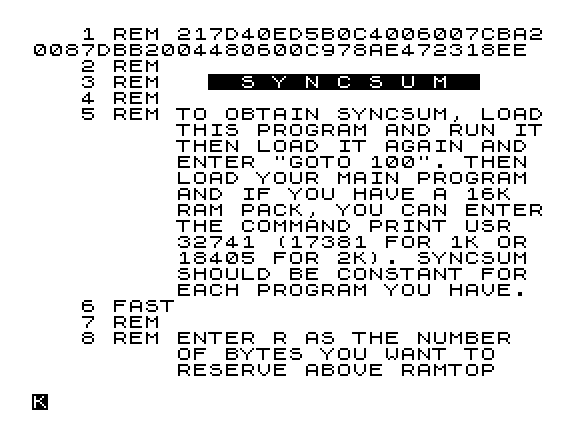
A 27-byte checksum routine from SYNC magazine for checking that a typed-in program matches the listing.
Syncsum runs in two passes. The first lowers RAMTOP by 27 bytes and does NEW; the second (GOTO 100) decodes the machine code, stored in a REM as pairs of characters, and POKEs it into the protected space. From then on, PRINT USR 32741 on a 16K machine (17381 on 1K, 18405 on 2K) XORs every byte of the BASIC program and gives a number under 256. If yours matches the number printed with a listing, your typing is very likely right.
David Ornstein explained it in his SYNC "Perceptions" column after losing hours to a typing error, and SYNC printed SYNCSUMs with its listings so readers could check their work. It is a small piece of type-in culture from the US magazine scene, and the RAMTOP trick it uses for keeping code safe from NEW is one every TS1000 programmer met sooner or later.
Try it: Download from timexsinclair.com and load in an emulator (e.g. EightyOne). Works on 1K, 2K or 16K machines.
Productivity: words, data, money and home
Timex sold the TS1000 as a home computer for budgets, letters and records, and North American cottage firms took that seriously. With a 16K RAM pack and a TS2040 thermal printer, people ran filing systems, word processors, ledgers and stock trackers from cassette. The best of these squeeze surprising capacity out of 16K with machine-code text handling; look for search, mail merge and printer support as the features that made them usable.
ZX Pro/File

The best-known TS1000 filing program: free-form records with fast machine-code search across every line.
Each record is up to 12 lines of whatever text you like, with the title line marked by an asterisk, all packed into one string buffer. Type a word or phrase at the home screen and machine-code routines scan the whole file for it, then offer Continue, Copy, Edit or a new search. AUTO runs a search across a range of record numbers, and DEFP sets which lines to print, how many, and the spacing between records, so the same file can print address labels or a full listing. The home screen shows how much space is left; the 16K version holds about 11,000 characters.
Tom Woods, a New Hampshire telescope builder who bought a ZX81 kit, wrote manuals that explained how the code worked so owners could change it. Syntax and T-S Horizons both reviewed it, and Syntax called its storage system one of the most sophisticated it expected to see. Woods followed it with a series of Extensions, a ROM version and ProFile 2068. The download also includes 40K builds for the AERCO FD-ZX disk system.
Try it: Download from timexsinclair.com and load in an emulator (e.g. EightyOne). Needs a 16K RAM pack; a TS2040 or other printer for labels and listings.
Word Sinc II.3
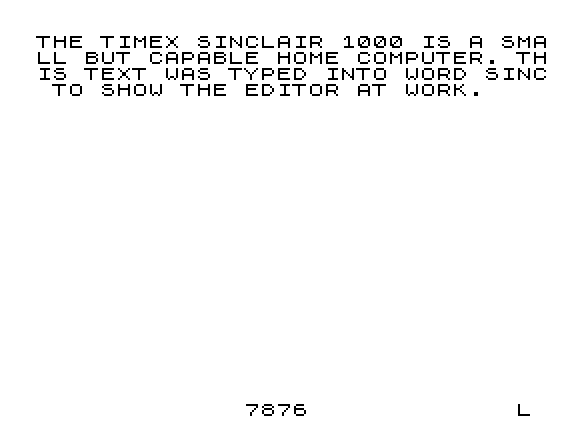
A machine-code word processor with search and replace, block moves and paginated printing.
Word Sinc puts its editor in machine code and wraps it in a BASIC menu of nine choices: start a new document, continue, list, delete, move, search, replace, print with optional page numbering, and save. Search and replace handles two string pairs at once, each up to 90 characters. It reserves the top of memory for its code and switches between SLOW for the display and FAST for heavy work. In SYNC's 1983 comparison chart of eight TS1000 word processors, Word Sinc II ticked more boxes than any other, with an 8K text capacity, 42-character lines, global edit, block move, tabs and justification.
A Triangle Sinclair Users Group reviewer rated it one of the best word processors for the TS1000 with the 2040 printer, and SyncWare News reviewed the later II.5. If you want to see how far a cassette word processor could go before memory ran out, this is the one to load. Powell Hargrave sold it from Canada.
Try it: Download from timexsinclair.com and load in an emulator (e.g. EightyOne). Needs a 16K RAM pack; a TS2040 or compatible printer for output.
TextWriter 1000

A full-screen word processor in BASIC with word wrap, block copy and paste, and tab stops.
You set the number of 32-character lines your document needs, and TextWriter dimensions its text array to match. Then you type straight onto the screen: words wrap at the right margin, cursor keys move freely, and the screen scrolls by page. A command prompt takes two-letter codes to insert or delete lines, append, paste a marked block, or compact and reflow text. Up to five tab stops can be set. Printing offers single or double spacing and paginates every 74 lines.
SYNC's comparison chart credited it with about 9K of text and full-screen entry and editing, which many rivals lacked. Because it is written in BASIC, it is slower than the machine-code editors, but you can LIST it and see how a word-wrapping editor is built from string arrays. T-S Horizons later printed enhancements for it, and the California firm Tesseract sold it on cassette.
Try it: Download from timexsinclair.com and load in an emulator (e.g. EightyOne). Needs a 16K RAM pack; a printer for output.
Smart Text V4
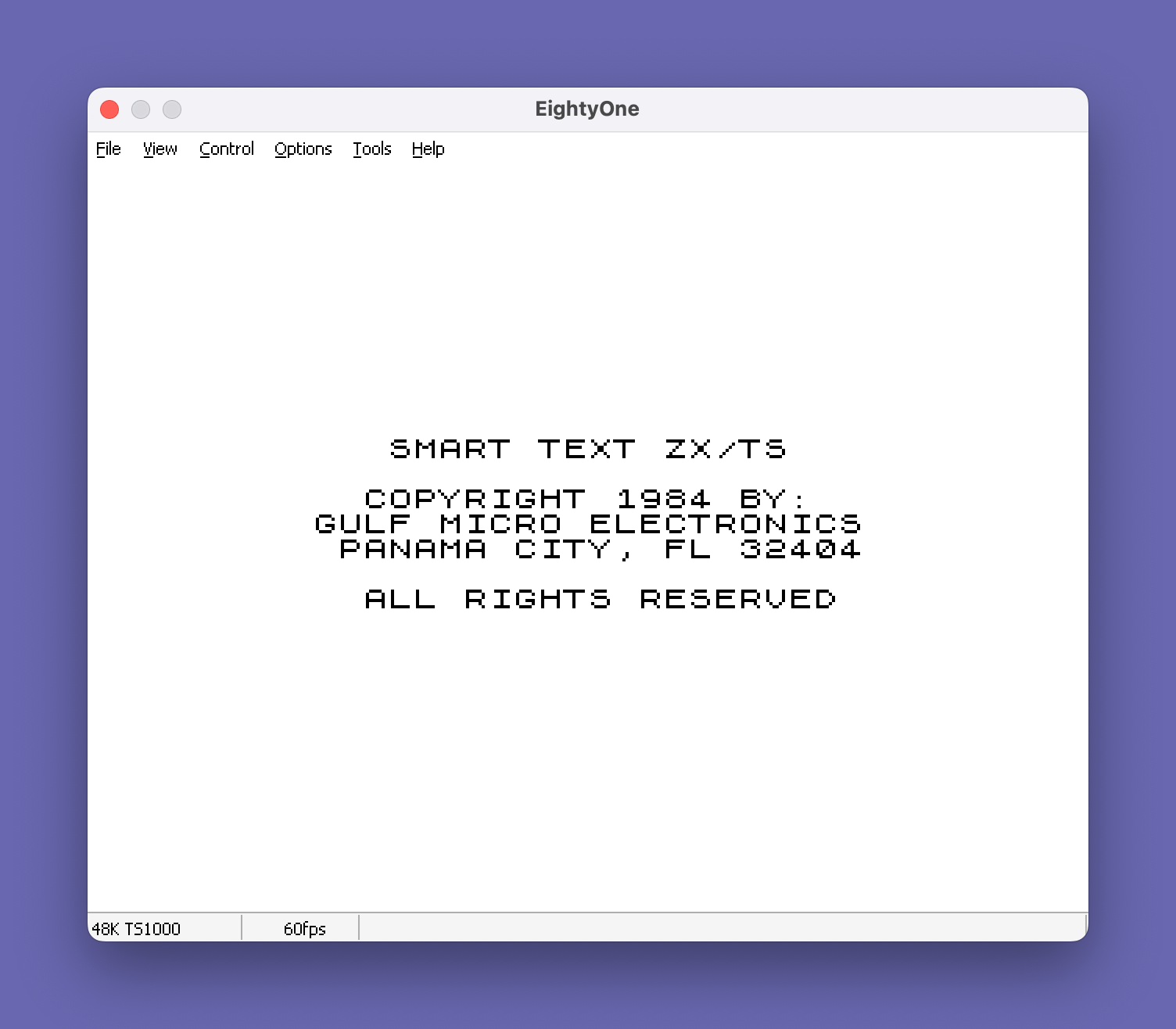
A letter-writing word processor with three text "books", justification and letterhead printing.
Smart Text keeps three separate text books of about 3,800 characters each, plus a buffer for a selected paragraph. You type paragraphs, pick which book they go to, and search, replace or pull paragraphs out of book A. The format menu sets print size, case, indent and line length, and the output routine word-wraps and justifies each line by spreading spaces between words. Dedicated routines print a letterhead, the date and salutation, and a closing block, so it is built for correspondence. It drives either a full-size printer or a 32-column one.
Bill Jones of Florida went on to found the TS-2068 Up-date newsletter and wrote Smart Text 2068, which kept a following among 2068 owners. This TS1000 version shows where that came from. Assembling a letter from stored paragraphs was the idea behind boilerplate features on business word processors of the time.
Try it: Download from timexsinclair.com and load in an emulator (e.g. EightyOne). Needs a 16K RAM pack; a printer for output.
Hi-Res Word Processor
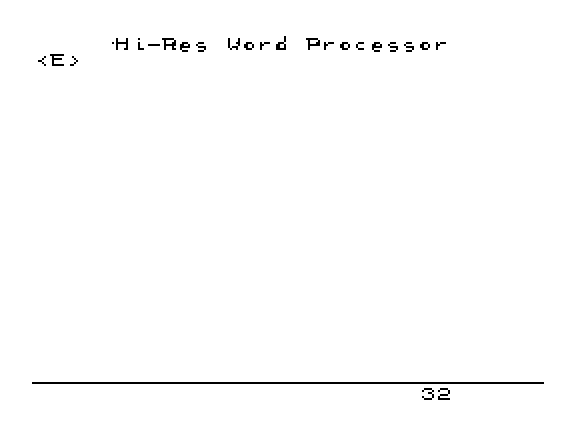
A word processor that prints 64 characters per line on the TS2040 thermal printer, or 80 columns on a full-size printer.
Choose a mode at the menu: 32 or 64 characters per line on the Timex/Sinclair printer, or an external 80-column printer. Machine-code routines handle the keyboard, the display and the printer, and a 1216-byte buffer holds the text as you enter it line by line. SYNC's word processor survey noted it as the one with lower case on screen and to the printer.
Nissim Elmaleh of New York was known for software-only hi-res graphics on the ZX81, and this program applies that skill to text. Getting 64 readable columns out of a two-and-a-half-inch thermal printer made the TS2040 useful for real notes and newsletters. Text capacity is small (about 5K), so treat it as a tool for short documents.
Try it: Download from timexsinclair.com and load in an emulator (e.g. EightyOne). Needs a 16K RAM pack; the 64-column mode needs a TS2040/ZX Printer or its emulation.
Lettertype

Mail merge on a TS1000: one letter, up to ten addressees, printed personal copies and labels.
Lettertype stores up to ten recipient addresses and up to 40 paragraphs of letter text. Enter the addresses, type the body, review both on screen, and change, insert or delete paragraphs. Starting a paragraph with two spaces adds a blank line. When you print, it produces a personalised copy of the letter for each recipient, wrapping lines at 32 characters, then prints matching address labels. Data saves to tape with the program.
It is a small, practical program from a Canadian one-man firm that also sold the General Ledger below. Mail merge was a selling point of business word processors on bigger machines, and here it fits in BASIC on a 16K computer with a thermal printer. Read the word-wrap routine to see how it breaks lines at spaces and punctuation.
Try it: Download from timexsinclair.com and load in an emulator (e.g. EightyOne). Needs a 16K RAM pack; a TS2040 or compatible printer.
General Ledger

A double-entry ledger with trial balance, profit and loss, and year-end close.
Open up to 30 ledger cards, each with a ten-character account name. Post transactions with date, reference, debit and credit, and the program keeps a running balance on each card, up to ten entries per account. A trial balance and a profit-and-loss statement come from one menu choice, with amounts formatted to two decimal places. At year end a transfer routine clears the entries and carries each balance forward as an opening entry, ready for the next year.
It is modest in capacity, but it follows proper bookkeeping practice rather than just adding up a checkbook, which sets it apart from many home-finance programs of the time. For a small club or side business with a few dozen accounts, it did the job on a $99 computer. Data saves to tape from the menu.
Try it: Download from timexsinclair.com and load in an emulator (e.g. EightyOne). Needs a 16K RAM pack.
ZCALC

A spreadsheet in BASIC with named rows and columns, formulas, constants and totals.
ZCALC lays out a grid of up to 20 named columns and 20 named rows, viewed three columns at a time and scrolled with the cursor keys. Each column and each row can carry a formula string: an operator (+, -, *, / or =) and an operand from another column or from a bank of 24 named constants (WA to WX). The recalculate option applies the column formulas, then the row formulas. Separate options total and average any column or row, and you can change single cells or edit the formulas. The title screen draws the program name in big letters built from the ROM font.
The idea came from VisiCalc on the Apple II, cut down to fit 16K and Sinclair BASIC. It is simpler than a modern spreadsheet, with formulas per row or column rather than per cell, but it does the household-budget sums people bought these machines for. The New Jersey firm UAS left no date on it.
Try it: Download from timexsinclair.com and load in an emulator (e.g. EightyOne). Needs a 16K RAM pack.
Stock Plot
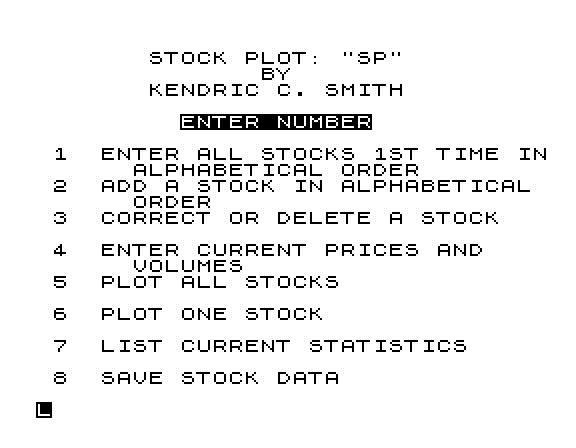
A stock portfolio tracker that charts 26 weeks of prices for up to 19 stocks.
Enter each stock's symbol, purchase price, shares, yearly high and low and P/E ratio, then update price and volume each week. The program keeps 26 weeks of history and rolls the oldest week off as you add a new one. You can plot all stocks or one by symbol, with price drawn in block graphics and volume marks laid over without hiding the price points. The statistics screens give total cost, current value, profit or loss and percentage gain. Stocks stay in alphabetical order when you add one.
SyncWare News reviewed it for readers who follow the Dow and P/E ratios. Tracking a portfolio by hand from the weekly paper was a common home-computer pitch in the US, and this program does it with charts on a 16K machine. The New York firm WMJ Data Systems sold it on cassette.
Try it: Download from timexsinclair.com and load in an emulator (e.g. EightyOne). Needs a 16K RAM pack.
Monthly Planner
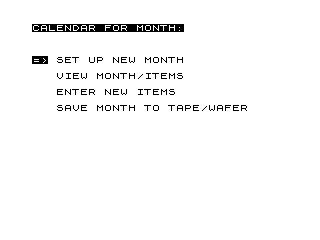
A calendar and appointment book with cursor-driven menus and stringy-floppy support.
Set up a month by giving its name, the weekday of the 1st and the number of days, and the planner draws the calendar grid. Move a highlight cursor to any day to see or edit its items, or enter appointments of up to 25 characters, up to 155 per month. You can search events by first letter. July 4th and December 25th show in inverse video. Menus use a moving inverse cursor and single keypresses instead of typed INPUT, which makes it quicker to use than most BASIC programs.
It saves each month to cassette or, through a machine-code call, to a Micro Wafer: the A&J stringy-floppy drive sold for the ZX81 and TS1000. Support for that drive in 1986 marks it as a late program from the hobbyist years. The hard-coded US holidays show who it was written for.
Try it: Download from timexsinclair.com and load in an emulator (e.g. EightyOne). Needs a 16K RAM pack; save to tape in the emulator (the wafer option needs the A&J drive).
Education, science and hobby
In North America the TS1000 went into classrooms, ham shacks and electronics benches as well as living rooms. Softsync sold drill programs for children, engineers wrote design calculators, and radio amateurs tracked satellites and logged contacts. The public-domain library tapes kept classroom and hobby programs circulating long after Timex left. Look for programs that do real work in their field, not just quizzes.
AMS-81
Amateur-satellite tracking from AMSAT: pass schedules and real-time pointing from Keplerian elements on a 16K TS1000.
AMS-81 has four parts: a pass scheduler, a real-time tracking display, an editor for the Keplerian element file, and QTH setup for your ground station. It solves Kepler's equation by iteration, rotates the orbit through inclination, ascending node and argument of perigee, and converts your station position to Earth-centred coordinates allowing for the Earth's flattening. A step-size setting trades accuracy against how fast the tracking screen updates. The AMSAT announcement says it handles Phase II and Phase III orbits, the low circular and high elliptical amateur satellites of the time.
This is serious orbital mechanics written by a radio amateur for AMSAT, the satellite organisation, and distributed for the cheapest computer on the market so any ham could aim an antenna at an OSCAR. Sinclair BASIC's slow floating point makes the tracking loop a real test, which is why the program lets you choose speed over precision.
Try it: Download from timexsinclair.com and load in an emulator (e.g. EightyOne). Needs a 16K RAM pack. You will need current-style element sets in the old format to make predictions mean anything.
Computer Tutor (AlphaTutor and VowelTutor)

Picture-matching letter and vowel drills for young children, drawn in block graphics.
Each round draws three pictures from block graphics, numbers them, and shows a letter in a box. The child presses the number of the picture whose name starts with that letter. AlphaTutor covers A to Z with a picture for each. VowelTutor asks about vowel sounds, with long and short vowel word sets you can choose or mix, and a little animation where a face sniffs and flips its hat.
Softsync of New York was one of the biggest US publishers for the TS1000, and this was part of its Computer Tutor series. Timex Sinclair User reviewed the series and found it fun but more drill than teaching. The pictures are what to look at: a whole alphabet of recognisable objects drawn with the ZX81's chunky graphic characters.
Try it: Download from timexsinclair.com and load in an emulator (e.g. EightyOne). Needs a 16K RAM pack.
Math Raiders 1000
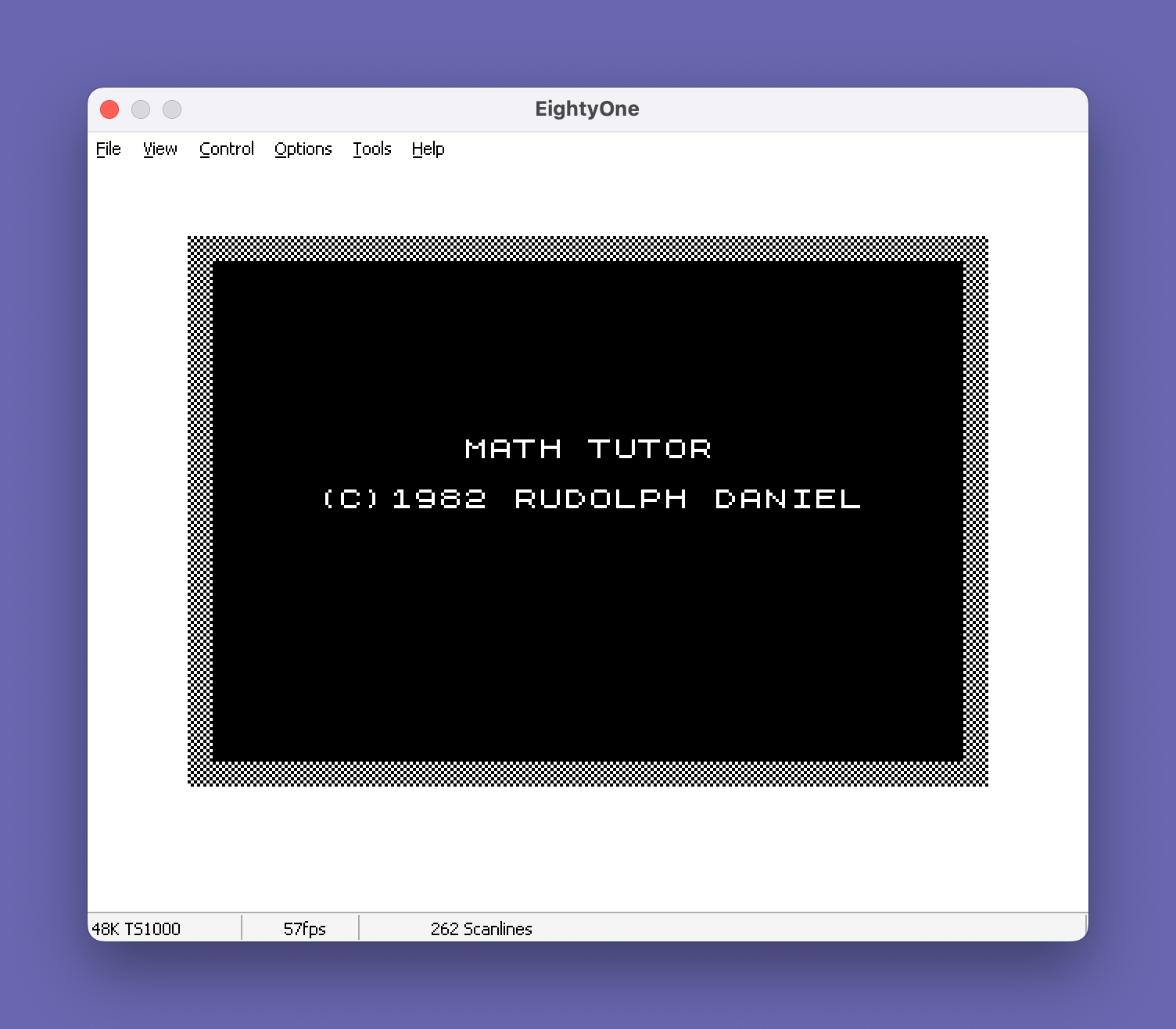
Arithmetic drill dressed as a space invasion: answer correctly to shoot down nine raiders.
You enter your name, get a mission briefing, then choose a weapon: addition, subtraction, multiplication or division, each at two levels. An "INTRUDER ALERT" flashes and a sum appears in inverse video. A right answer launches a missile at the invader; a wrong one shows an explosion and the correct answer. Destroy all nine and, with a printer attached, you get a printed Promotion Certificate signed by "Commander R Daniel".
Timex Sinclair User's review said the game idea motivates children well but the problems range too widely to teach step by step. That is a fair summary: it is a drill, and a lively one. It belongs with the Apple II and Atari math-game cartridges and disks of the same years, done in BASIC on a $99 machine. The printed certificate is a nice touch for the TS2040 printer.
Try it: Download from timexsinclair.com and load in an emulator (e.g. EightyOne). Needs a 16K RAM pack; a TS2040/ZX Printer for the certificate.
ZX81 Quiz Builder
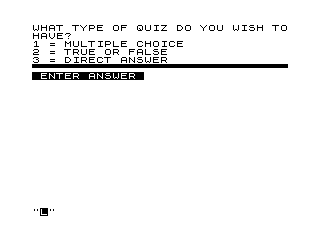
Write your own multiple-choice, true/false or direct-answer quizzes, then give them and get a score.
Pick the quiz type, the number of questions, whether wrong answers should be explained, and for multiple choice the number of options. Then type each question, its answer, an optional explanation and the choices. In quiz mode it asks each question, checks the reply, shows the explanation if you chose that, and ends with a percentage score. All the text goes into one large string with a table of pointers, so short answers do not waste memory the way fixed-length string arrays would.
Dale Lipinski published it as "Make-It-Yourself Quiz Program" in Syntax Quarterly, and Tim Ward later put it on the Timex Sinclair Public Domain Library tapes. It lets a parent or teacher build a test on any subject, which is what reviewers said most "educational" packages lacked. The packed-string technique is worth studying. Its storage array is large, and it saves as QUIZ-64K.
Try it: Download Public Domain Library Tape 1004 from timexsinclair.com (it has no separate file) and load it in an emulator (e.g. EightyOne). Set the emulator to 64K RAM.
Odell Lake

A TS1000 version of MECC's fish-ecology game: be a trout or salmon and decide whether to eat, flee or hide.
Choose one of six fish: Whitefish, Chub, Blueback Salmon, Rainbow Trout, Mackinaw Trout or Dolly Varden. Each turn something swims by or a hook appears, and you pick an action: eat it, chase it, ignore it, or escape. The right choice depends on which fish you are, since a Mackinaw Trout preys on others and an osprey or a fisherman can end any of them. Wasted energy builds up, and if it reaches 30 your fish starves. Text scrolls up from the bottom of the screen like a teletype.
Odell Lake was one of MECC's Apple II programs used in US schools, and this version brought it to the TS1000 as a text game. It teaches food chains by making you live in one. Tim Ward, who compiled the Timex Sinclair Public Domain Library, included it on Tape 1003.
Try it: Download Public Domain Library Tape 1003 from timexsinclair.com (it has no separate file) and load it in an emulator (e.g. EightyOne). Needs a 16K RAM pack.
EE1 Filter Design
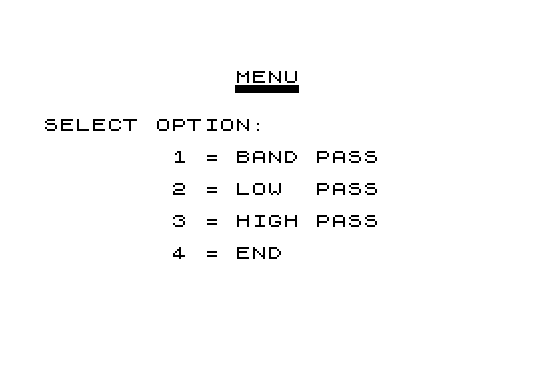
An active-filter design calculator that gives resistor values and plots the frequency response.
Pick band-pass, low-pass or high-pass. For low- and high-pass filters, choose a Butterworth response or a 0.1, 0.5 or 1 dB Chebyshev response. Enter the cutoff frequency, the gain you want and your capacitor values, and the program solves for resistors R1 to R4 of a second-order op-amp stage. It then plots gain in decibels across 50 frequency points, either against real frequency or normalised to the cutoff, with labelled axes.
It is a working bench tool for electronics hobbyists and engineers, the kind of calculation that otherwise meant filter tables and a slide rule. The Texas firm American Micro Products sold it as the first of an engineering series. The response plot is the feature to try: change the Chebyshev ripple and watch the curve change.
Try it: Download from timexsinclair.com and load in an emulator (e.g. EightyOne). Needs a 16K RAM pack.
Common-Emitter Transistor Amplifier

Designs a one-transistor amplifier stage and then analyses its bias stability, gain and bandwidth.
Start by entering data sheets for up to three transistors: beta, h-parameters, thermal resistance and frequency figures. The design section works out the Q-point, iterating to allow for base-emitter voltage changing with current and leakage rising with temperature, then rounds parts to standard values. It draws the circuit as a schematic in block graphics. The analysis checks stability across three beta values and reports voltage and current gain, input and output impedance, the low-frequency corners set by the three capacitors, and the high-frequency limit from the Miller effect.
Fred Nachbaur, the Canadian who later founded SyncWare and Silicon Mountain, was an electronics designer, and it shows: this is textbook amplifier design done properly, not a toy. Pair it with EE1 Filter Design for a small electronics bench on the TS1000.
Try it: Download from timexsinclair.com and load in an emulator (e.g. EightyOne). Needs a 16K RAM pack.
WAS/QSL

Two ham-radio programs: track the Worked All States award and print QSL cards on the TS2040.
WAS keeps a record for all 50 states across seven bands and modes (SSB, CW, 80, 40, 20, 15 and 10 metres): the date of each contact and whether you sent and received a QSL card. It lists states worked or not worked, states with no QSL yet, and totals worked, sent and received. QSL prints postcard-style confirmation cards on the TS2040 thermal printer with a block-graphic border, keeping fields like mode, band, RST, rig and antenna between cards so you only retype what changes. Both start with GOTO rather than RUN so your saved data survives.
Worked All States is the ARRL award most US hams chase first, so this is a very North American program. It shows the TS1000 as a station logbook. Pair it with Type DXCC for the overseas award.
Try it: Download from timexsinclair.com and load in an emulator (e.g. EightyOne). Needs a 16K RAM pack; a TS2040/ZX Printer for QSL cards. Start with GOTO 100 or GOTO 9000 as the program says, not RUN.
D&D Track

A Dungeon Master's combat tracker for hit points, regeneration and bleeding, with a dice roller.
Enter the creatures in a fight with their maximum hit points, then apply damage and healing round by round. TRACK handles the rules a referee tends to forget: trolls regenerate 10 points a round, other creatures can regenerate at their own rate after a delay, characters below zero bleed each round, and binding wounds stops the loss. A dice roller takes any die size and number of dice. Menus use a compact computed GOTO, so it stays small.
It is one of a set of Dungeons & Dragons aids by Tony Willing on Public Domain Library Tape 1004, alongside spell lists and a dungeon generator. Home computers sat next to the dice at many US gaming tables in the early 1980s, and this shows the TS1000 doing that job.
Try it: Download Public Domain Library Tape 1004 from timexsinclair.com (it has no separate file) and load it in an emulator (e.g. EightyOne). Needs a 16K RAM pack.
Hardware support, communications and data acquisition
North American owners hooked the TS1000 to modems, printers, analog interfaces and faster tape systems, often from small firms run by user-group regulars. Online services like CompuServe expected 40 or 80 columns, so terminal software had to work around the 32-column screen, and data-acquisition kits turned the machine into lab equipment. Most of these programs need the add-on they were written for, so an emulator shows the software but not the whole experience.
ZX-TERM*80

A full terminal program with 32, 64 or 80-column hi-res text and XMODEM file transfer, for a TS1000 with a modem.
ZX-TERM*80 is a configuration program wrapped around a 16K machine-code terminal. You pick your modem (Westridge or Byte-Back) and your printer interface from a list of eight, including Tasman, AERCO, Oliger, Memotech Centronics and RS232, and the loader patches in the right driver. You set stop bits, parity, word length and baud rate, can move the code away from its default address, and save the configured copy back to tape. The terminal shows 32, 64 or 80 columns using Wilf Rigter's WRX-16 hi-res routines, and uploads and downloads use code derived from Harvey Taylor's Mini-XMOD.
Computer Shopper's Sinclair column called it the full-featured terminal ZX81 owners had wanted for years, since online services expected 40 or more columns. It was reviewed in Time Designs and supported in ZX-Appeal by Nachbaur himself. It is the high point of TS1000 telecommunications, from the Canadian group that kept the machine developing into the late 1980s.
Try it: Download from timexsinclair.com and load in an emulator (e.g. EightyOne). It needs a SCRAM board or other 8K static RAM in the 8K-16K area and a supported modem; in an emulator you can see the setup screens and hi-res display but not go online.
ZComm

The terminal program for Byte-Back's MD-2 modem, which put many TS1000 owners on CompuServe.
ZComm is two BASIC lines: a REM holding about 2K of machine code and RAND USR 16514 to start it. Its menu has eleven choices: conversational mode, send and receive text, send and receive programs, send and receive the variables area, enter text, upper memory functions, change configuration, and return to BASIC. The code drives the modem's serial port directly and translates between the ZX81 character set and ASCII. Joseph Rampolla wrote in ZXir about POKEs to fill in characters ZComm leaves out, such as the exclamation mark.
Byte-Back of South Carolina sold the MD-2 assembled or as a kit, with two hours of CompuServe connect time in the box. Several user-group newsletters reviewed the modem and its software. Being able to send BASIC programs and variable areas between two TS1000s by phone was a real step in 1984, the same years Commodore was selling the VICmodem to VIC-20 and C64 owners.
Try it: Download from timexsinclair.com and load in an emulator (e.g. EightyOne). It needs a Byte-Back MD-2 modem to do anything beyond its menu; the emulator will show the program, not a connection.
VDAQ1-HR

Turns a TS1000 with a VOTEM voltage-to-frequency interface into a recording voltmeter with hi-res plots.
Calibrate first: apply a known voltage near full scale and check it with a digital meter, then time-calibrate the computer. After that you can capture up to 16 files of voltage readings at timebases from a tenth of a second upward, plot up to four files on one hi-res screen, print a two-column table of voltages, change plot limits, and save or COPY the results. The time-critical sampling runs in machine code, and the BASIC passes parameters to it through fixed memory locations.
Nachbaur developed the approach in a SyncWare News series on data acquisition with the VOTEM board, sold by Down East Computers and reviewed in Syntax. It is a good example of the TS1000 used as cheap lab equipment, the job many hobbyists bought it for. Pair it with V-F Data Acquisition, the program from the same SyncWare News series.
Try it: Download from timexsinclair.com and load in an emulator (e.g. EightyOne). It needs a VOTEM (or similar voltage-to-frequency) interface to collect real data; in an emulator you can explore the menus and plotting.
ZXLR8

A fast tape system that saves and loads at six to ten times normal speed, with error checking.
ZXLR8 installs itself from a BASIC loader. It checks that it loaded correctly, then asks for a timing value, a calibration value and where in memory to put itself. It patches the system variables, starts the machine code and wipes the loader with NEW, leaving the fast routines resident. The two settings let you tune it to your own tape recorder, which is why the speed-up is given as a range. Syntax noted that it handles arrays, graphics and machine code as well as programs.
Slow, unreliable cassette loading was the most common TS1000 complaint, and ZXLR8 tackled it before UK turbo loaders became common on the Spectrum. Bill Russell, a Central Pennsylvania user-group leader and maker of the Winky Board tape aid, sold it, and he wrote a four-part series in Synapse on its difficulties, use as a word processor, the TS1500, and corrections. Read those before you trust a precious file to it.
Try it: Download from timexsinclair.com and load in an emulator (e.g. EightyOne). Needs a 16K RAM pack. Real benefit needs a real tape deck; in an emulator, try saving and loading a program to a WAV file.
PrintScreen
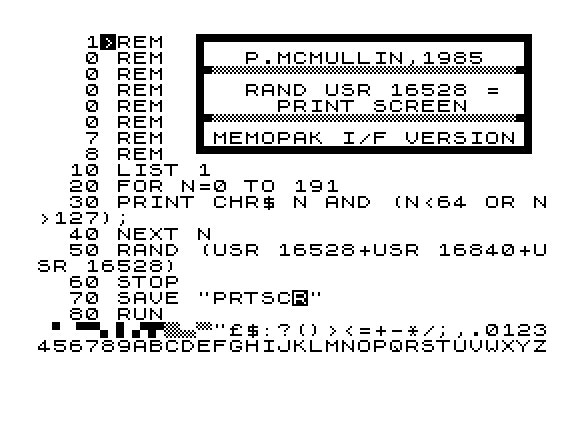
A short machine-code routine that dumps the TS1000 screen to a printer through a Memotech interface.
PrintScreen sits in a REM line and is called with RAND USR 16528. The demonstration program lists itself, prints the character set (skipping the codes that would turn into BASIC keywords), then calls the dump so you can see how each character comes out on paper. Its banner REMs explain how to use it in your own programs, and a final SAVE line makes it easy to keep a copy.
Many owners moved from the TS2040 thermal printer to a full-size printer through Memotech's Memopak interface. A screen dump was one of the first things such owners needed, and this routine from a Canadian user provides it. It is small and does one job, but it shows the kind of glue code owners wrote and traded to make mixed hardware work.
Try it: Download from timexsinclair.com and load in an emulator (e.g. EightyOne). Needs a 16K RAM pack and, for real output, a Memotech printer interface with a printer.
The community today
The TS1000 never really stopped. Its users kept publishing newsletters and library tapes into the 1990s, and the hardware projects in this guide, from static-RAM hi-res to floppy drives and colour video, came after Timex had already left the market.
Today the programs are being preserved and documented. timexsinclair.com keeps the tapes, the listings, the magazines and the user-group newsletters together, with each program linked to the articles that published or reviewed it. If you have tapes, disks, newsletters or memories from the Timex years, they belong in that record too.
Compiled from the timexsinclair.com archive, 2026. Program descriptions are based on the programs themselves, their listings and their original reviews.