
This program is a Morse code training and transmission utility that stores messages in a 22×32 character array (A$) and sends them as audio tones via machine code routines embedded in REM statements at lines 10, 20, and 40. The machine code, located at addresses 16758 and 16824, handles the actual timing-critical tone generation for Morse dots and dashes, with speed controlled by POKEing BC register values into specific memory locations (16703, 16704, 16717, 16718, 16742, 16743). The program calculates words-per-minute timing using the formula 620/WPM, splitting the result into high and low bytes for the Z80 BC register pair. Features include a message composer, random code generator (with six character-set options including all characters, letters only, numbers only, and user-specified sets), a TV tuning tone routine, and tape save functionality.
Program Analysis
Program Structure
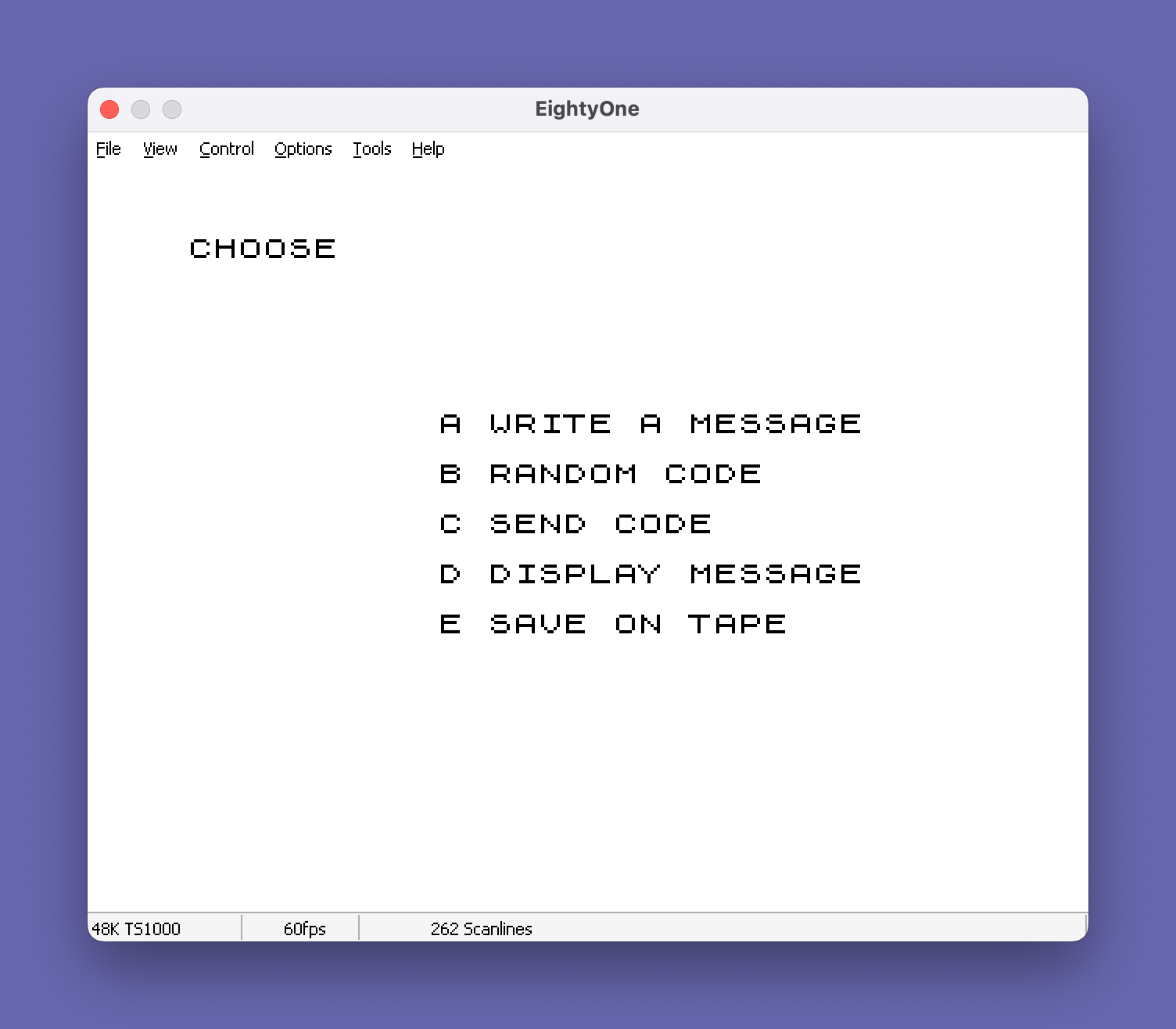
The program is organized into clearly delineated subroutines, each introduced by a REM comment banner. The main menu dispatches to five functional areas:
- Lines 200–400: Main menu and key polling loop
- Lines 500–520: Save to tape
- Lines 1000–1210: TV tuning tone (calls machine code at 16824)
- Lines 2000–2620: Code send routine — speed input, validation, POKE, machine code call at 16758
- Lines 2700–2770: Speed calculation subroutine
- Lines 2800–2920: Input validity check subroutine
- Lines 3000–4530: Random code generator with submenu
- Lines 6000–6150: Display message routine
- Lines 9000–9820: Write a message routine
Machine Code Routines
The timing-critical Morse tone generation is handled entirely in Z80 machine code stored in REM statements at lines 10, 20, and 40. Two entry points are used:
| Address | Purpose | Called from |
|---|---|---|
| 16758 (0x4176) | Main Morse code send loop | Line 2610 |
| 16824 (0x41B8) | TV tuning tone generator | Line 1070 |
Speed parameters are passed to the machine code by POKEing computed byte values into six specific memory locations before calling USR. These correspond to the Z80 BC register pair values that control loop timing for dots, dashes, and inter-element gaps in the Morse waveform.
Speed Calculation
The subroutine at lines 2700–2770 converts a words-per-minute value into a 16-bit loop count using the formula SN = 620 / WPM. The result is rounded and split into a high byte (C) and low byte (B) for the Z80 BC register pair. The Farnsworth timing method is partially implemented: character speed (CHSP) and overall code speed (TOTSP) are entered separately, and the effective inter-character spacing WPM is calculated as WPM = 35 / (100/TOTSP - 65/CHSP), allowing beginners to hear characters at full speed while having extra time between them.
Message Array
Messages are stored in A$(22,32), a two-dimensional string array representing 22 lines of 32 characters — exactly one ZX81 screen. Empty cells are pre-filled with the block graphic character ▝ (top-right quadrant block, escape \' ) to visually indicate unused space. The write routine at line 9000 fills the array character by character, advancing column counter C and line counter L, and automatically returns to the main menu when the screen is full (line 9610).
Random Code Generator
The generator at lines 4000–4530 builds five-character groups (standard Morse practice format) separated by spaces into the A$ array. The source string B$ is selected from a submenu offering six options. Random characters are chosen using INT(1 + SL * RND), and the loop variable N counts within each five-character group, with a space inserted at N=6 before resetting. Notably, the “All Characters” set at line 3405 includes £ and $, which have no standard Morse representation — this is a minor content anomaly.
Input Validation
The subroutine at lines 2800–2920 validates speed entries stored in C$(1,2) (a 1×2 string array used as a 2-character buffer). It checks that the first character is a digit ("0"–"9"), and if the second character is not a space, that it too is a digit. The flag variable WRONG is set to 0 (valid) or 1 (invalid), and an inverse-video error message is printed at row 19 on failure.
Key Polling Idiom
The program uses a repeated IF INKEY$="x" THEN GOTO nnnn pattern rather than PAUSE 0 followed by INKEY$. Multiple consecutive IF tests at lines 300–340 and 3100–3150 scan for different keys each pass, so the effective detection depends on the poll rate. The tight loop GOTO 300 at line 400 ensures continuous scanning.
Notable Techniques
GOTO MAINMENUandGOTO MAINMENUuse a named variable for the target line number (set to 200 at line 120), making it easy to relocate the main menu without hunting all jump targets.FAST/SLOWmode switching wraps all computationally intensive array-fill loops and machine code calls to maximize speed, then restores display output.- The tuning tone routine (line 1000) calls machine code in
FASTmode and exits on detecting a keypress, though the actual detection logic is inside the machine code itself — BASIC only callsUSRand checks the return. - A deliberate ten-second delay loop (
FOR N=1 TO 165at lines 2540–2550) gives the user time to position themselves before code transmission begins. - The copyright REM at line 9999 identifies the author as Gary Fox and publisher as Hawg Wild Software, Little Rock, AR, 1983.
Bugs and Anomalies
- Line 9545 references
B$(N)without first checking thatN <= LEN(B$). If the user enters an empty string or a string shorter than expected, a subscript error will occur before the length check at line 9705. - The
SLOWcall at line 2715 inside the speed calculation subroutine is misplaced — the subroutine is called during input processing which is already in SLOW mode, but it breaks the flow if called from a FAST context, potentially causing display artifacts. - Line 2154 computes Farnsworth spacing but the formula can produce a division-by-zero or negative value if
TOTSPis set too high relative toCHSP, which would crash without a guard check. - The “All Characters” string at line 3405 includes
$and£, which have no ITU Morse equivalents and would be silently skipped or mis-transmitted by the machine code.
Image Gallery
Source Code
  10 REM FF7FFFFFFFFFFFFFFFFFFFFFFFFFFFFFFFFFFFFFFFFFFFFFFFFFFFFF31F3CF34B34BFFFFFFFFFFFFFFFF37BFFFF76F3573333AB777877C77E77F77FF77F73F71F7F3FBFF7FF5F1F7F7FFFFDF1F3FFFF3FFFF8F1F5FFBF3F3F3F7F1F1FF9FF2F1FBF1FFF7F7F1FDFFEF1F9FF6FF4FF3F3B7
  20 REM E0E04F3E2FB9C8217E625E232212411DC81C1607B835F218240194E2346ED43A4121A41CB26382723CB26384263182261113FCD924110FBD20F82520F2113FCDA04110FB320F8C32C4123CB2638426618226211F0CDA04110FBD20F82520F2C3C41ED6B10403E8233D20FCC31441000000C31D41
  30 REM )%  COPY PEEK COPY +4 CLEAR <= RETURN 14 CLEAR TAN )%  COPY   +4 CLEAR <= RETURN 14 CLEAR TAN 90
  40 REM 1D1E140CD924110FBD20F84F3E2FB9C8140CDA04110FBD20F818E31E1F20212223
  80 REM %-%-%-%-%-%-%-%-%-%-%-%-%-%-%-%-%-%-%-%-%-%-%-A$ IS MESSAGE ARRAY.  C$ IS USEDTO INPUT DATA.  MAINMENU  IS    LINE NUMBER OF MAIN MENU. N IS ACOUNTER. C IS COLUMN AND L IS   LINE COUNTERS OF A$ ARRAY       %-%-%-%-%-%-%-%-%-%-%-%-%-%-%-%-%-%-%-%-%-%-%-%-%-%-%-%-%-%-%-%-
 100 DIM A$(22,32)
 110 DIM C$(1,2)
 120 LET MAINMENU=200
 150 FOR N=1 TO 22
 160 LET A$(N)="' ' ' ' ' ' ' ' ' ' ' ' ' ' ' ' ' ' ' ' ' ' ' ' ' ' ' ' ' ' ' ' "
 170 NEXT N
 200 REM %/%/%/%/%/%/MAIN MENU%/%/%/%/%/%/%/%/
 201 CLS
 205 PRINT "CHOOSE"
 210 PRINT AT 7,10;"A WRITE A MESSAGE"
 220 PRINT AT 9,10;"B RANDOM CODE"
 230 PRINT AT 11,10;"C SEND CODE"
 240 PRINT AT 13,10;"D DISPLAY MESSAGE"
 250 PRINT AT 15,10;"E SAVE ON TAPE"
 300 IF INKEY$="C" THEN GOTO 2000
 310 IF INKEY$="A" THEN GOTO 9000
 320 IF INKEY$="B" THEN GOTO 3000
 330 IF INKEY$="D" THEN GOTO 6000
 340 IF INKEY$="E" THEN GOTO 500
 400 GOTO 300
 500 REM %/%/%/%/%/SAVE ON TAPE%/%/%/%/%/%/
 510 SAVE "MORSE COD%E"
 520 GOTO MAINMENU
 1000 REM %/%/%/%/TUNE TELEVISIO%/%/%/%/%/
 1010 REM %-%-%-%-%-%-%-%-%-%-%-%-%-%-%-%-%-%-%-%-%-%-%-THIS ROUTINE MAKES A TONE TO ALLOW THE USER TO TUNE THE TELEVISIN FOR THE BEST TONE             %-%-%-%-%-%-%-%-%-%-%-%-%-%-%-%-%-%-%-%-%-%-%-%-%-%-%-%-%-%-%-%-
 1056 FAST
 1070 LET A=USR 16824
 1200 SLOW
 1210 RETURN
 2000 REM %-%-%-%-%-%-%-%-%-%-%-%-%-%-%-%-%-%-%-%-%-%-%-CODE SEND ROUTINE.  ADJUSTS SPEED OF MACHINE PROGRAM, THEN CALLS MACHINE PROGRAM.  C$ IS USED TO INPUT SPEEDS.  WRONG IS USED TO INDICATE IF INPUTED SPEE5 IS OK(0=OK,1=BAD)      INKEY$             %-%-%-%-%-%-%-%-%-%-%-%-%-%-%-%-%-%-%-%-%-%-%-%-%-%-%-%-%-%-%-%-
 2001 REM B,C OUTPUT OF CALCULATE SPEED SUBROUTINE.  BC,CC,BS,CS MACHINE CODE SPEEDS.  WPM= SPEED, OUTPUT OF VALITY CHECK SUBROUTINE.                            %-%-%-%-%-%-%-%-%-%-%-%-%-%-%-%-%-%-%-%-%-%-%-%-%-%-%-%-%-%-%-%-
 2005 REM MAKE SURE WANT TO SEND.
 2010 CLS
 2020 PRINT AT 10,0;"ARE YOU SURE YOU WANT TO SEND   CODE?"
 2030 PRINT AT 21,0;"% %P%R%E%S%S% %"%Y%"% %F%O%R% %Y%E%S%,% %"%N%"% %F%O%R% %N%O%.% "
 2040 IF INKEY$="N" THEN GOTO MAINMENU
 2050 IF INKEY$="Y" THEN GOTO 2100
 2060 GOTO 2040
 2100 REM INPUT, CALCULATE SPEEDS
 2105 CLS
 2110 PRINT AT 5,0;"CHARACTER SPEED?"
 2115 PRINT AT 21,0;"% % % % %P%R%E%S%S% %N%U%M%B%E%R%S% %T%H%E%N% %E%N%T%E%R% % % % "
 2120 INPUT C$(1)
 2121 GOSUB 2800
 2122 IF WRONG=1 THEN GOTO 2120
 2127 GOSUB 2700
 2128 LET BC=B
 2129 LET CC=C
 2130 PRINT AT 6,10;WPM;" WPM"
 2131 LET CHSP=WPM
 2140 PRINT AT 8,0;"CODE SPEED?"
 2150 INPUT C$(1)
 2151 GOSUB 2800
 2152 IF WRONG=1 THEN GOTO 2150
 2153 LET TOTSP=WPM
 2154 LET WPM=35/(100/TOTSP-65/CHSP)
 2156 GOSUB 2700
 2158 LET BS=B
 2159 LET CS=C
 2160 PRINT AT 9,10;TOTSP;" WPM"
 2170 POKE 16703,CC
 2180 POKE 16717,CC
 2190 POKE 16704,BC
 2400 POKE 16718,BC
 2410 POKE 16743,BS
 2420 POKE 16742,CS
 2500 LET A$(22,32)="' "
 2510 CLS
 2520 PRINT AT 7,0;"PRESS ""T"" TO TUNE YOUR TV FOR   THE BEST TONE"
 2521 PRINT
 2522 PRINT "PRESS ""B"" TO STOP THE TONE."
 2523 PRINT
 2524 PRINT "YOU WILL THEN HAVE ABOUT TEN    SECONDS BEFORE MORSE CODE STARTS"
 2525 PRINT
 2526 PRINT "PRESS ""B"" ONCE THE CODE HAS     STARTED TO STOP CODE AND RETURN TO THE MAIN MENU."
 2530 IF INKEY$<>"T" THEN GOTO 2530
 2532 GOSUB 1000
 2535 REM %/%/%/%/%/%/WASTE TIME%/%/%/%/%/%/%/
 2540 FOR N=1 TO 165
 2550 NEXT N
 2560 CLS
 2595 REM %/CALL MACHINE ROUTINE%/%/
 2600 FAST
 2610 LET A=USR 16758
 2615 SLOW
 2620 GOTO MAINMENU
 2700 REM %/%/%/CALCULATE SPEED%/%/%/%/%/
 2705 LET SN=620/WPM
 2710 LET B=INT (SN+0.5)
 2715 SLOW
 2720 IF B>256 THEN GOTO 2750
 2725 LET C=0
 2730 LET C=C+1
 2735 LET B=B+1
 2740 RETURN
 2750 LET C=INT (B/256)
 2760 LET B=B-C*256
 2770 GOTO 2730
 2800 REM %/%/INPUT VALIDITY CHECK%/
 2810 IF C$(1,1)<"0" OR C$(1,1)>"9" THEN GOTO 2900
 2820 IF C$(1,2)=" " THEN GOTO 2840
 2830 IF C$(1,2)<"0" OR C$(1,2)>"9" THEN GOTO 2900
 2840 LET WPM=VAL C$(1)
 2850 LET WRONG=0
 2855 PRINT AT 19,0;"                                "
 2860 RETURN
 2900 LET WRONG=1
 2910 PRINT AT 19,0;"% % % %I%N%C%O%R%R%E%C%T% %I%N%P%U%T%-%-%-%T%R%Y% %A%G%A%I%N% % "
 2920 RETURN
 3000 REM %-%-%-%-%-%-%-%-%-%-%-%-%-%-%-%-%-%-%-%-%-%-%-RANDOM CODE GENERATOR. B$ CONTAINS THE LETTERS TO BE RANDOMIZED.SL IS THE LENGTH OF B$.         %-%-%-%-%-%-%-%-%-%-%-%-%-%-%-%-%-%-%-%-%-%-%-%-%-%-%-%-%-%-%-%-
 3005 CLS
 3006 REM %/%/%/%/%/RANDOM MENU%/%/%/%/%/%/%/
 3010 PRINT AT 5,0;"% % % %Y%O%U% %H%A%V%E% %C%H%O%S%E%N% %R%A%N%D%O%M% %C%O%D%E% % "
 3020 PRINT AT 8,5;"A SPECIFIC CHARACTERS"
 3030 PRINT AT 10,5;"B ALL CHARACTERS"
 3040 PRINT AT 12,5;"C LETTERS ONLY"
 3050 PRINT AT 14,5;"D NUMBERS ONLY"
 3060 PRINT AT 16,5;"E LETTERS AND NUMBERS ONLY"
 3070 PRINT AT 18,5;"F I DO NOT WANT RANDOM CODE"
 3100 IF INKEY$="A" THEN GOTO 3200
 3110 IF INKEY$="B" THEN GOTO 3400
 3120 IF INKEY$="C" THEN GOTO 3500
 3130 IF INKEY$="D" THEN GOTO 3600
 3140 IF INKEY$="E" THEN GOTO 3700
 3145 IF INKEY$="F" THEN GOTO 200
 3150 GOTO 3100
 3200 REM %/%/SPECIFIC CHARACTERS%/%/
 3205 CLS
 3210 PRINT AT 5,0;"CHOOSE THE CHARACTERS YOU WANT  FROM THIS LIST"
 3220 PRINT AT 7,0;"ABCDEFGHIJKLMNOPQRSTUVWXYZ0123456789?/-.,;"""
 3221 PRINT AT 10,0;"USE """" FOR """
 3225 PRINT AT 13,0;"PRESS ENTER AFTER YOU HAVE MADE YOUR CHOICE"
 3226 PRINT
 3227 PRINT "A CHARCTER MAY BE ENTERED MORE  THAN ONCE TO GET EXTRA PRACTICE WITH IT."
 3230 INPUT B$
 3240 LET SL=LEN B$
 3250 GOTO 4000
 3400 REM %/%/%/%/%/ALL CHARACTERS%/%/%/%/
 3405 LET B$="0123456789?)-/;,.""$£ABCDEFGHIJKLMNOPQRSTUVWXYZ"
 3410 LET SL=LEN B$
 3420 GOTO 4000
 3500 REM %/%/%/%/%/LETTERS ONLY%/%/%/%/%/%/
 3505 LET B$="ABCDEFGHIJKLMNOPQRSTUVWXYZ"
 3510 LET SL=26
 3520 GOTO 4000
 3600 REM %/%/%/%/%/NUMBERS ONLY%/%/%/%/%/%/
 3605 LET B$="1234567890"
 3610 LET SL=10
 3620 GOTO 4000
 3700 REM %/%/NUMBERS AND LETTERS%/%/
 3705 LET B$="0123456789ABCDEFGHIJKLMNOPQRSTUVWXYZ"
 3710 LET SL=36
 4000 REM %-%-%-%-%-%-%-%-%-%-%-%-%-%-%-%-%-%-%-%-%-%-%-THIS ROUTINE CREATES 5 LETTER "WORDS" IN ARRAY A$ FROM THE LETTERS IN THE STRING B$.            %-%-%-%-%-%-%-%-%-%-%-%-%-%-%-%-%-%-%-%-%-%-%-%-%-%-%-%-%-%-%-%-
 4005 CLS
 4010 PRINT "IN APPROXIMATELY FIVE SECONDS   THE SCREEN WILL GO BLANK AND    AFTER A PERIOD OF TIME IT WILL  COME BACK WITH THE FIRST MENU."
 4020 FOR N=1 TO 80
 4030 NEXT N
 4040 FAST
 4050 LET L=1
 4060 LET C=1
 4065 LET N=1
 4070 IF N>5 THEN GOTO 4120
 4075 LET R=INT (1+SL*RND)
 4080 LET A$(L,C)=B$(R)
 4090 LET C=C+1
 4100 IF C>32 THEN GOTO 4500
 4110 LET N=N+1
 4115 GOTO 4070
 4120 LET A$(L,C)=" "
 4130 LET C=C+1
 4140 IF C>32 THEN GOTO 4500
 4145 LET N=1
 4150 GOTO 4070
 4500 LET C=1
 4510 LET L=L+1
 4520 IF L<23 THEN GOTO 4070
 4525 SLOW
 4530 GOTO MAINMENU
 6000 REM %-%-%-%-%-%-%-%-%-%-%-%-%-%-%-%-%-%-%-%-%-%-%-DISPLAY ROUTINE. PRINTS INSTRUCTIONS, THEN PRINTS MESSAGE ARRAY LINE BY LINE.                   %-%-%-%-%-%-%-%-%-%-%-%-%-%-%-%-%-%-%-%-%-%-%-%-%-%-%-%-%-%-%-%-
 6005 CLS
 6010 PRINT AT 5,10;"%I%N%S%T%R%U%C%T%I%O%N%S"
 6020 PRINT AT 7,0;"WHEN YOU HAVE FINISHED READING  THE MESSAGE PRESS ""C"" TO RETURN TO THE MAIN MENU."
 6030 PRINT AT 21,0;"% % % % % % %P%R%E%S%S% %"%C%"% %T%O% %C%O%N%T%I%N%U%E% % % % % "
 6040 IF INKEY$<>"C" THEN GOTO 6040
 6100 CLS
 6110 FOR L=1 TO 22
 6120 PRINT A$(L)
 6130 NEXT L
 6140 IF INKEY$<>"C" THEN GOTO 6140
 6150 GOTO MAINMENU
 9000 REM ---WRITE A MESSAGE ---
 9002 REM MAKE SURE WANT TO WRITE
 9010 CLS
 9020 PRINT AT 10,0;"ARE YOU SURE YOU WANT TO WRITE  A MESSAGE?"
 9030 PRINT AT 21,0;"% %P%R%E%S%S% %"%Y%"% %F%O%R% %Y%E%S%,% %"%N%"% %F%O%R% %N%O%.% "
 9040 IF INKEY$="N" THEN GOTO 200
 9050 IF INKEY$="Y" THEN GOTO 9090
 9060 GOTO 9040
 9090 REM %/%/INITILIZE THE ARRAY%/%/
 9095 PRINT AT 19,0;"     INITILIZING ARRAY"
 9100 FOR L=1 TO 22
 9110 LET A$(L)="' ' ' ' ' ' ' ' ' ' ' ' ' ' ' ' ' ' ' ' ' ' ' ' ' ' ' ' ' ' ' ' "
 9120 NEXT L
 9190 REM %/%/%/PRINT INSTRUCTIONS%/%/
 9200 CLS
 9210 PRINT AT 5,10;"%I%N%S%T%R%U%C%T%I%O%N%S"
 9220 PRINT AT 7,0;"ENTER ANY LENGTH OF MESSAGE UP  TO 1 SCREEN FULL.  YOU MAY ENTERANY CONVENIENT LENGTH PHRASE AT ONE TIME.  WHEN YOUR MESSAGE IS COMPLETE ENTER ""*""(SHIFTED B)."
 9230 PRINT
 9240 PRINT "FOR YOUR CONVIENCE ALL SPACES   WHICH HAVE NOT BEEN FILLED CON- TAIN ""' ""."
 9245 PRINT
 9250 PRINT "IF YOU FILL THE SCREEN THE PRO- GRAM WILL AUTOMATICALLY RETURN  TO THE INITIAL MENU."
 9260 PRINT AT 21,0;"% % % % % % %P%R%E%S%S% %"%C%"% %T%O% %C%O%N%T%I%N%U%E% % % % % "
 9270 IF INKEY$<>"C" THEN GOTO 9270
 9275 REM %/%/%/L IS LINE COUNTER%/%/%/
 9276 REM %/%/C IS COLUMN COUNTER%/%/
 9280 LET L=1
 9290 LET C=1
 9300 REM %/%/%/%/%/%/PRINT ARRAY%/%/%/%/%/%/
 9305 CLS
 9310 FOR M=1 TO 22
 9320 PRINT A$(M)
 9330 NEXT M
 9400 SLOW
 9500 REM %/%/%/%/%/INPUT MESSAGE%/%/%/%/%/
 9530 INPUT B$
 9535 FAST
 9540 LET N=1
 9545 IF B$(N)="*" THEN GOTO 9800
 9550 LET A$(L,C)=B$(N)
 9560 LET N=N+1
 9570 LET C=C+1
 9580 IF C<=32 THEN GOTO 9700
 9590 LET C=1
 9600 LET L=L+1
 9610 IF L=23 THEN GOTO 9815
 9700 REM %/%/%/%/%/ALL OF INPUT?%/%/%/%/%/
 9705 IF N>LEN (B$) THEN GOTO 9300
 9710 GOTO 9545
 9800 REM %/STOP - RETURN TO MENU%/
 9810 LET A$(L,C)="' "
 9815 SLOW
 9820 GOTO MAINMENU
 9999 REM "MORSE CODE"BY GARY FOXCOPYRIGHT(C)1983-EXCLUSIVE DIST-RIBUTION BY HAWG WILD SOFTWARE, P.O.BOX 7668,LITTLE ROCK,AR72217      -ALL RIGHTS RESERVED-
Note: Type-in program listings on this website use ZMAKEBAS notation for graphics characters.