
The T/S1000’s membrane keyboard has been called its worst feature, but it is part of the reason the T/S is so inexpensive. A few months ago Timex Sinclair User took a good hard look at add-on keyboards in the feature “6 Keyboards Compared.” Now we take a closer look at the assembly and operation of the dk’tronics keyboard.
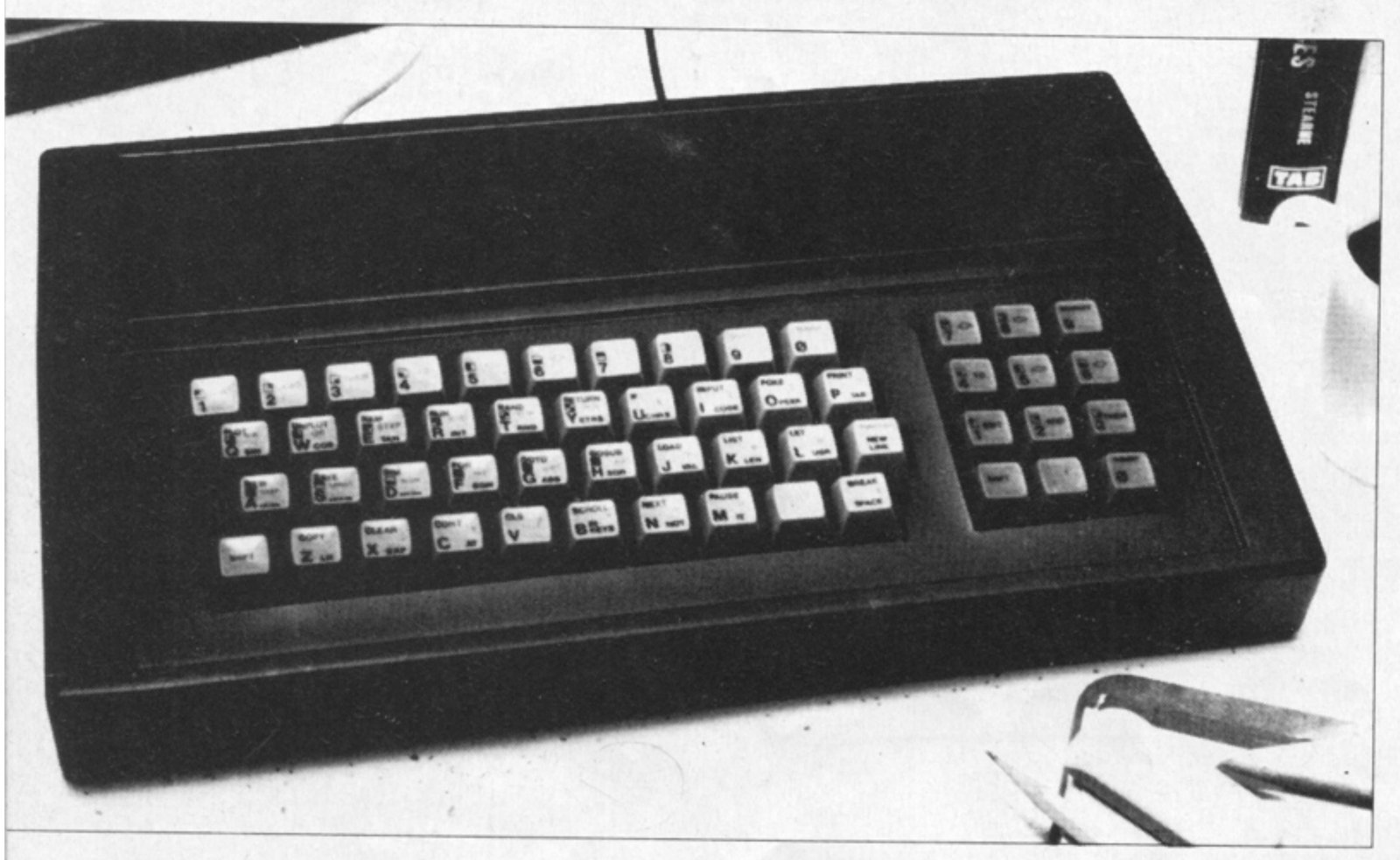
WHAT COULD BE BETTER than a full-stroke replacement keyboard for your Timex Sinclair computer? How about one with a separate numeric pad, plus room inside the case for RAM expansion, power supply and switch, and maybe a few other goodies as well? If that appeals to you, check out the dk’tronics ZX keyboard: it does much to overcome problems inherent in the ZX81 and T/S1000 original membrane keypad. Though it has some problems of its own, they are not insurmountable, and, depending on your facility with hand tools, your patience and your intended usage of the computer, this accessory keyboard may well be an improvement worth your money.
To start with the obvious, I must say that I’m very pleased with the feel and response of the dk’tronics keys. They are similar to the keys on my IBM Selectric typewriter, though they lack the IBM’s “snap,” which is due to the mechanical movements within the typewriter. And the 12-key numeric pad is a valuable boon for users who have business programs for their computers and who like to program in machine code as I do. The full-size keyboard allows the user to hold his fingers in touch-typing or calculator positions; that plus the full-stroke movement of the keys allows faster programming — not because the computer accepts input any more quickly, of course, but rather because the user is more confident and faster at supplying the input. The numeric pad is actually a repeat of the 10 number keys (with the corresponding cursor controls, other shift functions and graphics characters) plus an additional shift key (handy for right-hand use when shifting a left-hand character) and another period/comma key (for decimals, naturally, and dandy for POKEs too). One thing the ads do not mention is that the keys as supplied are unmarked. The legends are printed on a sheet of die-cut, pressure-sensitive clear plastic film which the purchaser must apply to the keys himself. The printing is on the sticky side of the sheet, so it is not likely to rub off with use.
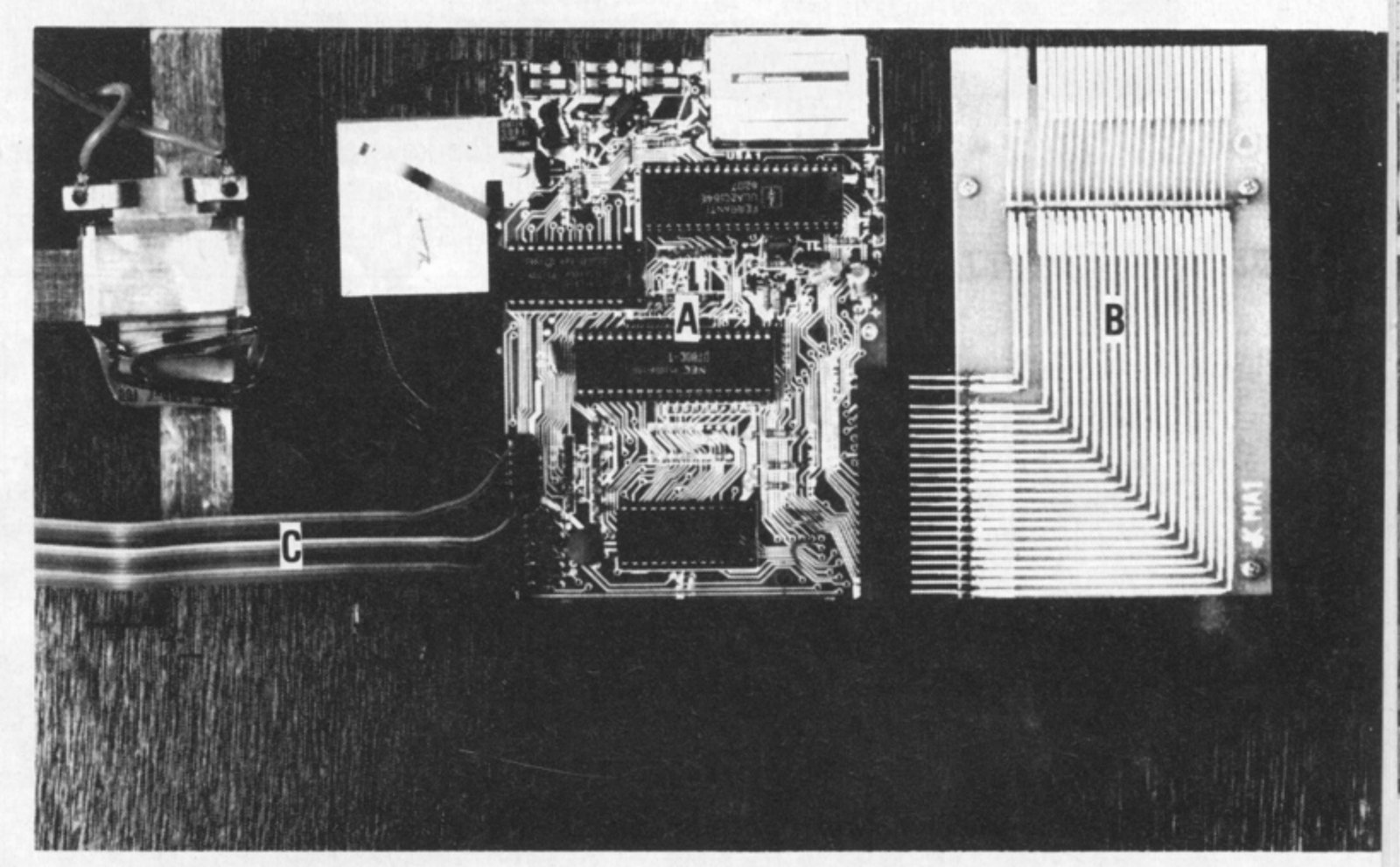
The case provided is considerably larger than the original (15-in. x 9.5-in. x 2.5-in.) which is an advantage in my opinion: it makes it easier to balance the computer on my lap for lazy use. The top and sides are molded from some sort of low-density plastic that appears to be quite sturdy — it survived the United States Mail from New York to Alaska, protected only by a flush-fitting corrugated cardboard box. The bottom of the case is plywood; inside is a motherboard, which connects to the computer’s printed circuit board at one end, a RAM expansion at the middle — joy and jubilation! no more wobbly RAM-pack! — and any other edge-connecting peripherals at the other end, through an opening at the back of the case. The keys are mounted on a printed circuit board of their own, which is attached to the upper part of the case. Their signal is sent to the computer via a dual ribbon connector that snaps simply into place.
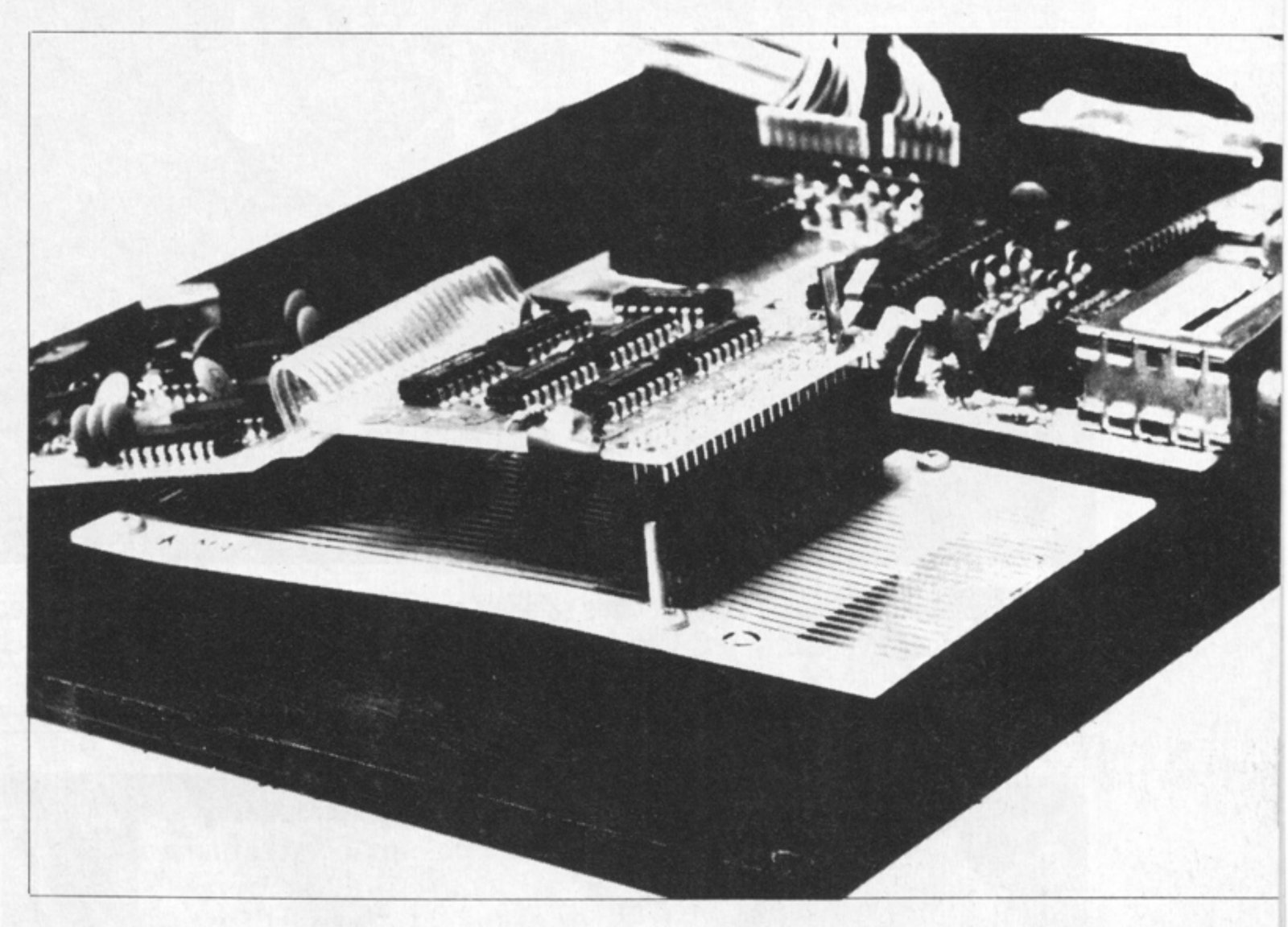
The computer printed circuit board attaches to the baseboard using three screws from the T/S,ZX case. Blocks are provided for mounting the board, but I didn’t find the hole markings mentioned in the ads. The screws are not woodscrews, so I had to drill pilot holes before mounting the board. The mounting screws should not be any more than barely snug — because of components located on the underside of the board, they are not meant to be tightened down flush to the baseboard. The channel selector switch becomes a support leg, and must be set to the desired position before closing the case; afterwards, it is virtually inaccessible. The computer board’s position is determined by the position of the motherboard, which it plugs into. In the case I received, the holes in the back did not align with their intended plugs, and I had to modify them to get the television and power jacks to fit the sockets. This was simple to do as the material of the case can be easily cut and filed.
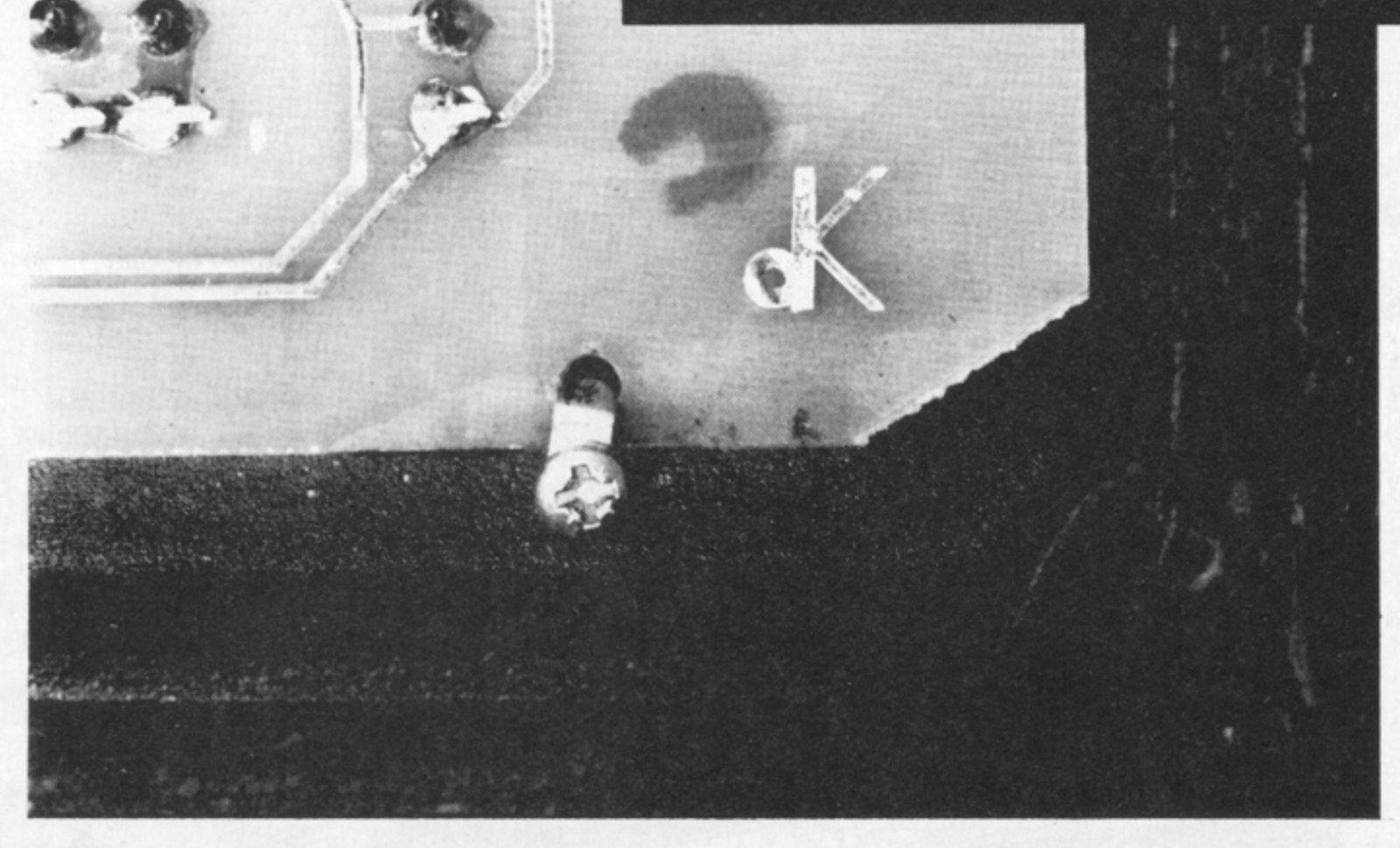
Further modification of my case was necessary to make the keyboard fully functional. The printed circuit board on which the keys are mounted was cut obliquely, resulting in a poor fit with the case. As first supplied, the shift key locked in place every time I pressed it. I found that this was due to the board being mounted crookedly, forcing the shift key hard against the edge of the cutout. After reopening the case and dismounting the board, I was able to quickly file the opening larger to accommodate the shift key without interference. However, the non-rectangularity of the board aggravated another problem: two of the eight mounting screws meant to hold the board to the case were absent due to their holes lining up with empty space instead of with the case as the designer had apparently intended. Thus, whenever I used the shift, A, S or Z keys, the keyboard would sag. The keys functioned properly, but it slowed me down a little, and I feared that continued bending might eventually cause damage to the board. I solved the problem by adding a retainer to a screw in the corner hole (a washer would work as well), which overlaps the board and holds it firmly.
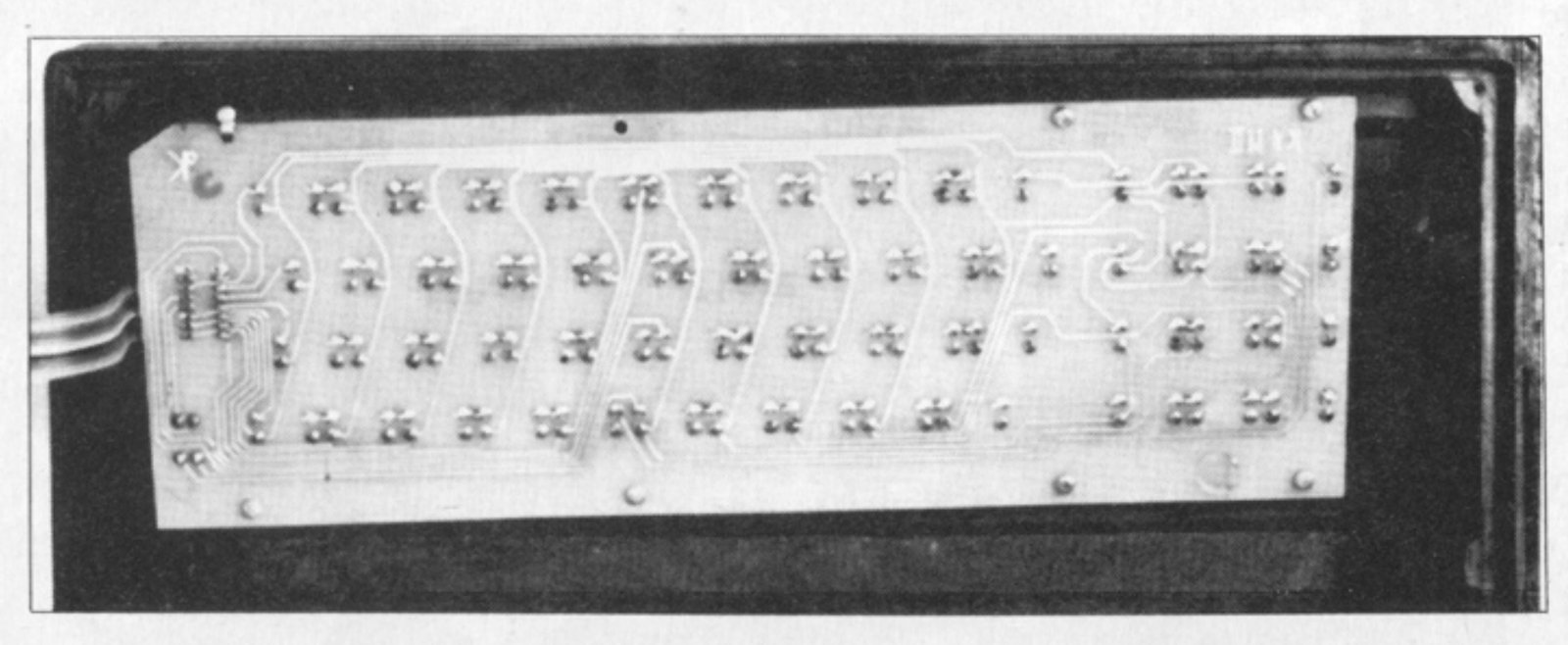
Altogether, the assembly as described in the instructions and my adaptations took me less than two hours, and that includes solving the problems outlined above, and applying the 52 small patches of plastic to identify the keys.
In many ways, the dk’tronics keyboard is an improvement on the original, but it could be vastly improved by more careful manufacture. It’s one of only a few keyboards for the Timex Sinclair computers that offers a separate numeric keypad, and that — plus the real typewriter keys — make it worth the price. Its value could be further enhanced by increasing the number of keys available on the numeric pad — the arithmetic functions (+,-,*,/ and=) for example, or the A through F keys for machine code hackers. Dk’tronics, are you listening?
What We Said
In TSU 1:3 our reviewer M.K. Wilson rated six keyboards, including the dk’tronics. “In all,” she concluded, “the dk’tronics keyboard is responsive and fast, though its lack of a space bar is a slight inconvenience.” The chart below shows how the dk’tronics keyboard rated with the others.
                       Does keyboard                                  Suggested
              Assembly sit apart from  Numeric  Space  Overall        retail
Keyboard      required? computer?      pad?     bar?   rating         price
dk Tronics    yes       No             Yes      No     ★★★            $81¹
E-Z Key 60    Yes       No             Yes      Yes    ★★★★           $85
Gladstone
Professional  Yes       No             No       Yes    ★★★½           $80
Kayde         Yes       Yes            No       No     ★              $75¹
Kempston Klik Yes       No             No       No     ★★             $50¹
Memotech      No        Yes            No       No     ★★             $100
¹ — Units sold by mail from U.K. Price does not include shipping charges.