
SYNC SOFTWARE PROFILE
Name: Go-fer II, version X
Type: Database
System: 8K ROM; 48K or 64K RAM
        with Aerco disk drive system
Format: 5 1/4" floppy disk; cassette
Summary: A professional information storage and retrieval
         system for the serious computer user in the
         office or home.
Price: $100. Visa/MC.
Manufacturer:
   Speedware
   PO Box 19138
   Austin, TX 78760
Now that disk drives are available for the ZX/TS computers (see SYNC 3:6 for my review of the Aerco Disk System), software in disk format is sure to follow. Go-fer is the first we have seen.
The tape version of Go-Fer can be directly transferred to disk. So you do not lose any data entry time in the upgrade.
It is a fast, flexible data handling system. Records can be selectively retrieved, displayed, or printed by either a TS2040 or a sophisticated dot-matrix printer. This powerful tool can be shaped into files such as a telephone directory, membership file, appointment calendar, library index, or label maker.
What You Get
The documentation can best be described as “handsome.” It is an 8 1/2 X 11 inch instruction booklet of 28 pages bound in an attractive glossy cover. The program is supplied on 5 1/4 inch floppy disk. You also get the telephone number for Speedware! Help is there if you get stuck with something or if you need advice in setting up a data base.
Hardware Required
The program requires at least 48K RAM plus the Aerco disk interface with at least one disk drive. Disk A contains the Aerco DOS and the Go-fer program. See Figure 1 for the first screen that comes up when you boot the disk. From this menu the Go-fer program is loaded. Disk B is now placed into your drive as your data disk. One disk provides 166,880 bites on one side.
The Program
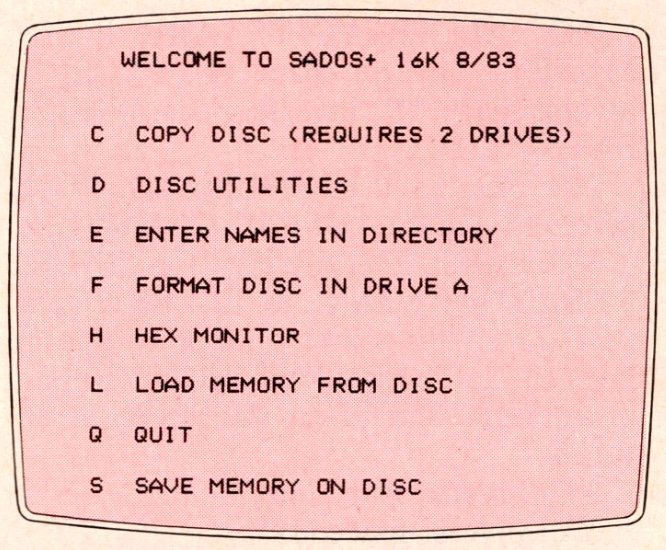
WELCOME TO SADOS+ 16K 8/83
C  COPY DISC (REQUIRES 2 DRIVES)
D  DISC UTILITIES
E  ENTER NAMES IN DIRECTORY
F  FORMAT DISC IN DRIVE A
H  HEX MONITOR
L  LOAD MEMORY FROM DISC
Q  QUIT
S  SAVE MEMORY ON DISC
Go-fer combines features of an open-ended heirarchal information system and a simple relational data base with compressed data storage. The program comes up running with the main menu displayed. The user has complete liberty to set up files tailored to his individual needs. Each record can contain as many as 253 characters which can spread over several lines. Data entry is fast and easy because previously created headings automatically appear on the screen as prompts for the next entry. If a particular heading does not apply to a record where data is being entered, the user can skip that particular heading.
The S-Search option calls an entirely new menu to the screen. The F-Form option in this menu allows the user to select or reject particular data for presentation to the video screen or printer. The search routine provides search by fields (headings) and by text scan (string search by which data is retrieved according to the information stored within any field). The logical operators AND, OR, NOT provide precise selection within a field. The TEXT SCAN and logical operator features are powerful and useful tools not found in many databases. Other approaches to searching are fully described in the manual. Helpful examples are provided for each function so the novice knows what to do and what is happening!
Print Out
An important concern in working with a database is hard copy. The program supports the use of the TS printers as well as sophisticated dot-matrix printers which allow you to send printer-specific code commands to the printer. You can choose type size, style, underlining, and the setting of line spacing during print-out. You can print out your data in formats of your choosing, e.g., a report, an invoice, a catalog list, or a membership directory.
The Go-fer data system also provides complete facilities for E-Editing a data base once it is created. Data may be deleted, replaced, and inserted.
Conclusion
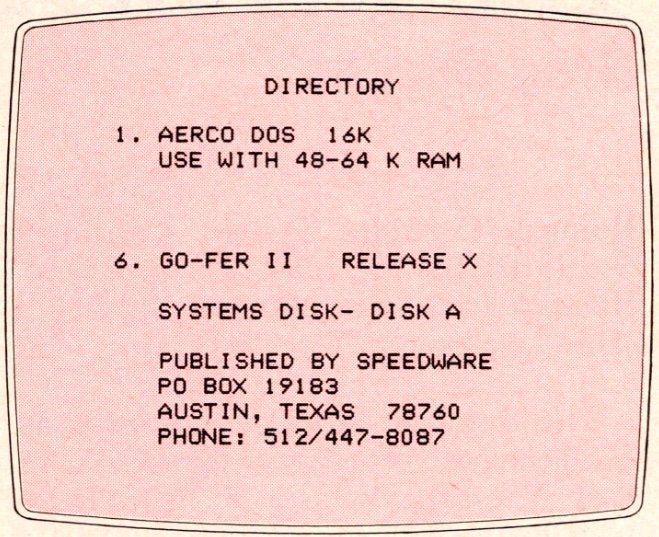
DIRECTORY
1. AERCO DOS  16K
   USE WITH 48-64 K RAM
6. GO-FER II   RELEASE X
   SYSTEMS DISK- DISK A
   PUBLISHED BY SPEEDWARE
   PO BOX 19183
   AUSTIN, TEXAS  78760
   PHONE: 512/447-8087
Go-fer solved three problems I had with the database I was previously using. First, Go-fer allows entering large chunks of data in each record—up to 253 characters. The amount of space for data is not set aside in advance so fields can be expanded as needed. This is extremely handy as well as space saving.
Second, Go-fer “prints out the memory.” Some information systems allow printing out only the screen. With a large mailing list, e.g., you spend most of time bringing up new screens for printing your labels. Not so with Go-fer. Start the printer, and in a flash you have your complete list in your label format and size.
Third, Go-fer gives full control of a dot-matrix printer from within the program. At the same time the ZX/TS printer can be used. This program is designed to make the best use of the Aerco disk system which many of us are using for fast, accurate data transfer. Go-fer is bound to make information storage and retrieval a very successful venture.