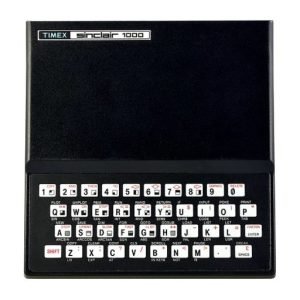
This program is used to help solve crossword puzzles. It can hold any word containing 2 to 31 characters. Total capacity is 35,000 characters!
When the program loads, most of the instructions you need will be seen on the main menu. What is not shown is that to exit the add or delete routines you can just press ENTER instead of entering M or adding or deleting a new word.
When using the add routine, if you try to add a word that is already in memory a beep will sound and the program will not add the word (this avoids wasting memory).
If you try to delete a non-existant word you will return to the menu.
To search for a word match just enter all the Known characters and use * for any unknown characters. For example, you are looking for a 5 letter word which has a “T” and an “R” in the second and fifth positions respectively. Just search for T#R and immediately the screen will show each possible match such as OTHER, STAIR, STEER, etc. Now you may see a word you recognize as the correct answer or at least some words whose definitions you may want to look up. If no match is found you return to the main menu.
Document