
Word 1.6 is a full-featured word processor that stores up to 10 pages of text, each 22 lines by 32 characters wide, in a three-dimensional string array declared as `DIM a$(11,22,32)`. The program uses the 2068’s extended keyword tokens — which appear as multi-character strings such as `”STOP “`, `” THEN “`, `”<=”`, `”NOT “`, `” TO “`, `” STEP “`, `”AT “`, `”>=”`, `” OR “`, `” AND “`, and `”<>”` — as INKEY$ return values to trigger editing functions like save, load, page navigation, erase, and line/character insert and delete. A toggle variable `t` (set to 32 when active) is used to subtract from character codes, implementing a caps-lock shift without relying solely on hardware; cursor movement is handled via control codes 8–12 detected through `CODE z$`. Printing supports single-page multiple-copy output as well as multi-page range printing in either forward or reverse page order, with the step direction determined dynamically. Tape save and load operations use `SAVE`/`LOAD` with the `DATA a$()` clause, and an ON ERR trap at line 5005 redirects tape-loading errors to a retry prompt.
Program Structure
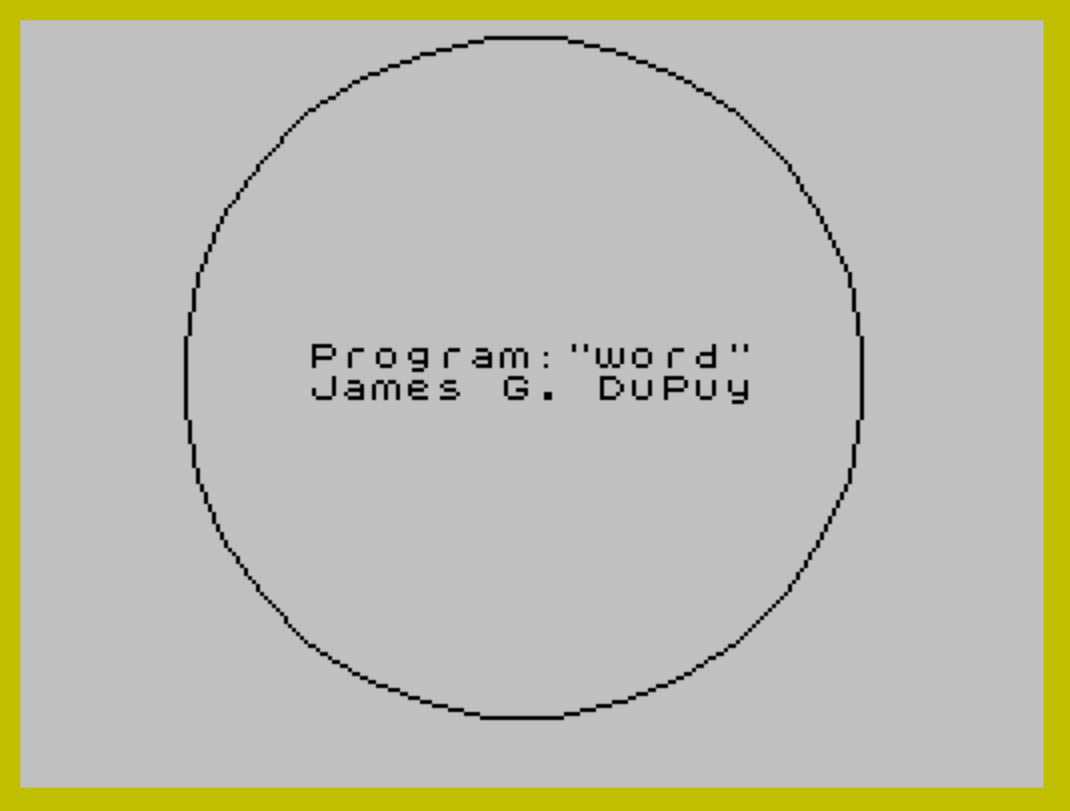
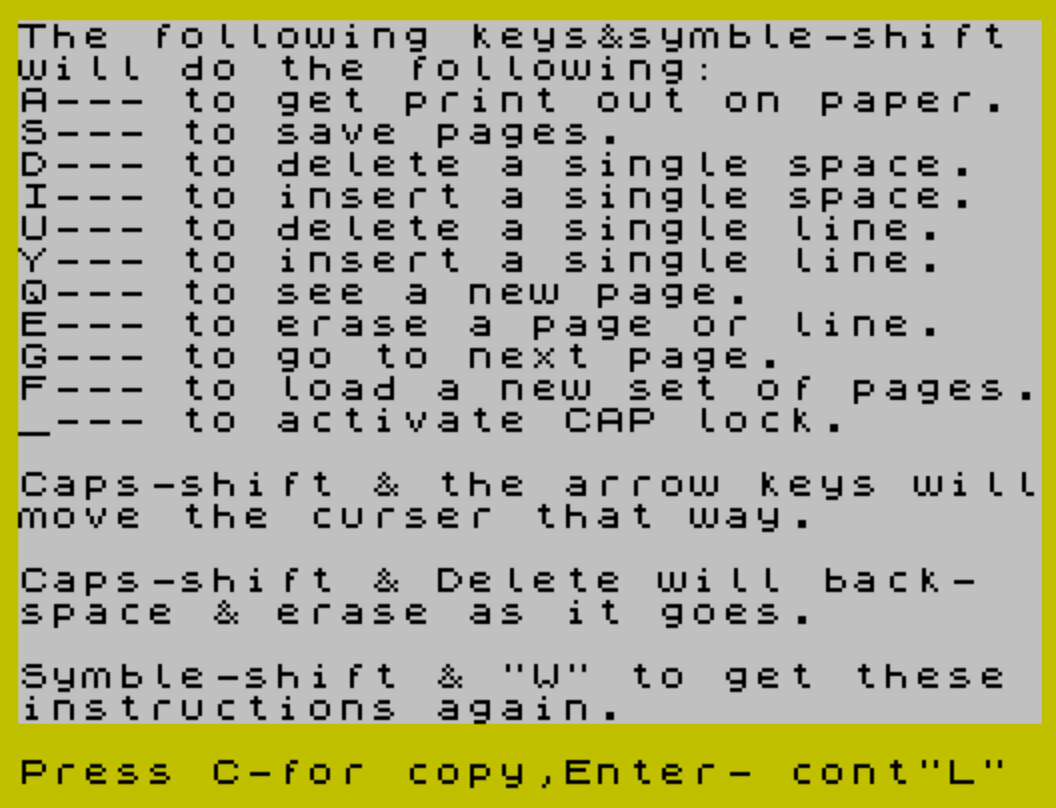
The program is organized into clearly delineated sections, most marked with REM banners. Execution starts at line 1 with initialization, shows a splash screen at line 50, prints the help screen via GO SUB 9800, then enters the main editing loop at line 100. Subroutines are clustered in the upper line numbers:
- Lines 100–200: Main key-detect and print loop
- Lines 500–1000: Function dispatch (cursor movement, special commands)
- Lines 1010–1030: Caps-lock toggle
- Lines 1100–1200: Page-advance confirmation loop
- Lines 2000–2240: Printer output (single page and multi-page)
- Lines 3000–3200: Page navigation and screen redraw
- Lines 4000–4020: Tape save
- Lines 5000–6000: Tape load with error trap
- Lines 7000–7100: Delete one character (space)
- Lines 7500–7600: Insert one character (space)
- Lines 8000–8200: Erase page or line
- Lines 9000–9100: Delete one line
- Lines 9500–9610: Insert one line
- Lines 9800–9920: Help/instructions screen
Data Storage
The entire document is held in DIM a$(11,22,32): 11 pages (page 11 is used as a scratch buffer in line/character operations), 22 rows, and 32 columns. This consumes 11 × 22 × 32 = 7,744 bytes of RAM just for the document array. The variable c is the current page index (1–10), a is the current row (0-based), and b is the current column (0-based); array accesses use a+1 and b+1 to convert to 1-based indices.
Key Detection and Dispatch
The main loop at line 100 polls INKEY$ and branches on the result. Ordinary printable characters (CODE 14–122) are written directly into the array at line 160, with t (0 or 32) subtracted from the character code to implement the caps-lock toggle. Control codes (CODE <14 or CODE >123) are routed to GO SUB 500 for function dispatch.
Inside the function dispatcher, the Spectrum’s tokenized keyword strings are compared against z$ using string equality. Because INKEY$ returns the full token string for symbol-shifted keys, comparisons like IF z$="STOP " or IF z$=" AND " map specific key combinations to editor functions:
| INKEY$ value | Function | Subroutine |
|---|---|---|
"STOP " | Print to paper | Line 2000 |
" THEN " | Go to next page | Line 3030 |
"<=" | New page (navigate) | GO SUB 3000 |
"NOT " | Save to tape | GO SUB 4000 |
" TO " | Load from tape | GO SUB 5000 |
" STEP " | Delete one space | GO SUB 7000 |
"AT " | Insert one space | GO SUB 7500 |
">=" | Erase page/line | GO SUB 8000 |
" OR " | Delete one line | GO SUB 9000 |
" AND " | Insert one line | GO SUB 9500 |
"<>" | Show instructions | GO SUB 9800 |
Cursor movement uses control codes: CODE 8 (left), 9 (right), 10 (down), 11 (up), and 12 (delete/backspace). Direct cursor positioning is available via CODE 7 (line 800), which prompts for row and column with INPUT.
Caps-Lock Toggle
The underscore character (_, line 125) toggles a software caps lock. The variable t is set to 32 when active and 0 when inactive; t1 is a secondary flag. At line 160, the printed character is derived from CHR$ (CODE z$ - t). Since uppercase letters have codes 32 lower than lowercase in ASCII, subtracting 32 converts lowercase input to uppercase. The flag t1=1 causes the shift to reset after the next non-letter character (line 150).
Character and Line Editing
Insert and delete operations at the character level (subroutines at 7000 and 7500) use a copy of the current row stored in t$ (declared implicitly as a 32-character string via DIM t$(32) at line 25). Deletion copies characters left starting from the cursor position; insertion shifts them right. Both routines reprint the entire row with PRINT AT a,0;a$(c,a+1).
Line insert and delete operations (subroutines at 9000 and 9500) use page 11 of the a$ array as a scratch buffer, copying the current page into a$(11,...) before rearranging rows. This avoids the need for a separate temporary array.
Printing
The print routine at line 2000 handles two modes. Single-page output loops from row 1 to a+1 (only the used portion of the page), supporting multiple copies with a pause between each. Multi-page printing at line 2100 accepts a first and last page, determines step direction dynamically (s=1 or s=-1), and prints all 22 rows of each page, allowing reverse-order printing.
Error Handling
ON ERR is used in two places. At line 100, ON ERR GO TO 100 catches any runtime error in the main loop and simply retries — a broad but practical safety net. At line 5005, ON ERR GO TO 6000 intercepts tape-loading errors and redirects to a retry prompt. Line 9800 resets the error handler with ON ERR RESET before displaying instructions.
Anomalies and Notable Details
- Line 9500 has stray inverse-video characters before the
REMkeyword — likely a display artifact from the editor rather than functional code. - Line 162 sets
t=32ift1=1after every character printed, keeping the caps-lock active across keystrokes; combined with line 150 resettingt=0on non-letter input, this implements a partial sticky-caps behavior. - The
POKE 23609,15at line 10 sets the border color attribute byte, ensuring a clean white border with theBORDER 6at line 2. - Line 7062 restores the character at the cursor position from
g$after a delete — this is intended to preserve the character under the cursor rather than delete it, implementing a “remove character to the right” semantic rather than a backspace. - The word “curser” (line 9840) is a misspelling of “cursor” in the on-screen help text.
- Line 9999 uses
VERIFY ""after theSAVE, which will attempt tape verification but with an empty filename — this may not behave as intended on all configurations.
Image Gallery
Source Code
    1 REM \{20}\{1}Program "WORD 1.6" by James G. DuPuy 1/28/84\{20}\{0}
    2 CLS :BORDER 6
   10 POKE 23609,15
   20 DIM a$(11,22,32)
   25 DIM t$(32)
   26 LET u$=""
   27 LET t=0:LET t1=0
   30 LET a=0:LET b=0:LET c=1
   50 PRINT AT 10,8; FLASH 1;" Program:""word"" "; AT 11,8;" James G. DuPuy ":CIRCLE 125,86,85:PAUSE 200:CLS
   60 GO SUB 9800
   99 REM \{20}\{1}Key detect & print\{20}\{0}
  100 ON ERR GO TO 100:PRINT AT a,b; FLASH 1;a$(c,a+1,b+1)
  110 LET z$= INKEY$
  115 IF \{16}\{0}z$ <>"" THEN BEEP .005,40
  120 IF z$="" THEN GO TO 100
  125 IF z$="_" THEN GO TO 1010
  130 IF z$ <>"" AND b >=30 THEN BEEP .02,20
  140 IF CODE z$>123 OR CODE z$<14 THEN GO SUB 500
  150 IF t1=1 AND CODE z$<97 THEN LET t=0
  160 IF CODE z$>13 AND CODE z$<123 THEN LET a$(c,a+1,b+1)= CHR$ ((CODE z$)-t):PRINT AT a,b;a$(c,a+1,b+1):LET b=b+1
  162 IF t1=1 THEN LET t=32
  165 IF INKEY$ <>"" THEN PAUSE 10
  170 IF b>31 THEN LET b=0:LET a=a+1:IF a>21 THEN INPUT FLASH 1;"ENTER-next page,x-correct:";u$:IF u$="" THEN LET c=c+1:GO SUB 3030
  175 IF u$="x" THEN LET a=21:LET b=31:LET u$="":LET a$(c,22,32)=" ":GO TO 165
  180 IF u$ <>"" THEN GO TO 1100
  200 GO TO 100
  499 REM \{20}\{1}Function select\{20}\{0}
  500 PRINT AT a,b;a$(c,a+1,b+1)
  505 IF CODE z$=13 THEN LET a=a+1:LET b=0:IF a>21 AND c<10 THEN LET c=c+1:CLS :GO SUB 3030
  507 IF a>21 AND c >=10 THEN INPUT FLASH 1;"OUT OF PAGES!(Enter page1-10):";c:GO SUB 3030
  510 IF CODE z$=8 THEN LET b=b-1:IF b<0 THEN LET b=0
  520 IF CODE z$=9 THEN LET b=b+1:IF b>31 THEN LET b=31
  530 IF CODE z$=10 THEN LET a=a+1:IF a>21 THEN LET a=21
  540 IF CODE z$=11 THEN LET a=a-1:IF a<0 THEN LET a=0
  550 IF CODE z$=12 THEN LET b=b-1:IF b >=0 THEN LET a$(c,a+1,b+1)=" "
  551 IF b<0 AND a>0 THEN LET b=31:LET a=a-1:LET a$(c,a+1,b+1)=" "
  552 IF b<0 THEN LET b=0
  560 IF z$="STOP " THEN GO TO 2000
  570 IF z$=" THEN " THEN LET c=c+1:GO SUB 3030
  580 IF z$="<=" THEN GO SUB 3000
  590 IF z$="NOT " THEN GO SUB 4000
  600 IF z$=" TO " THEN GO SUB 5000
  620 IF z$=" STEP " THEN GO SUB 7000
  640 IF z$="AT " THEN GO SUB 7500
  700 IF z$=">=" THEN GO SUB 8000
  720 IF z$=" OR " THEN GO SUB 9000
  740 IF z$=" AND " THEN GO SUB 9500
  780 IF z$="<>" THEN GO SUB 9800
  800 IF CODE z$=7 THEN INPUT "Enter LINE# & column#:";a;"-";b:IF a>21 OR a<0 OR b>31 OR b<0 THEN GO TO 800
 1000 RETURN
 1010 IF t=32 THEN LET t=0:LET t1=0:GO TO 1030
 1020 IF t=0 THEN LET t=32:LET t1=1
 1030 BEEP .3,50:GO TO 100
 1100 INPUT "ENTER-next page,x-correct:";u$:IF u$="x" THEN LET a=21:LET b=31:LET u$="":LET a$(c,22,32)=" ":GO TO 165
 1120 IF u$="" THEN LET c=c+1:GO SUB 3030:GO TO 100
 1200 GO TO 1100
 1997 REM \{20}\{1}Paper print out \{20}\{0}
 1998 REM
 1999 REM \{20}\{1}1 page ,multiple copies\{20}\{0}
 2000 INPUT "Print THIS page only?(Y/N):";y$:IF y$="n" OR y$="no" THEN GO TO 2100
 2007 INPUT "If more than 1 copy Enter #:";m$:IF m$="" THEN LET m=1:GO TO 2010
 2008 LET m= VAL m$
 2010 FOR o=1 TO m
 2019 FOR n=1 TO a+1
 2020 LPRINT a$(c,n)
 2040 NEXT n
 2044 IF o=m THEN GO TO 2050
 2045 LPRINT ''':INPUT "Press ENTER for next Print";r$
 2050 NEXT o
 2060 IF m>1 THEN LPRINT '''
 2070 GO TO 3000
 2099 REM \{20}\{1}\{20}\{1}2 pages or more print\{20}\{0}
 2100 INPUT "FIRST page to be printed:";f:INPUT "LAST page to be printed:";l:IF f>l THEN LET s=-1:GO TO 2110
 2105 LET s=1
 2150 FOR p=f TO l STEP s
 2170 FOR n=1 TO 22
 2190 LPRINT a$(p,n)
 2200 NEXT n
 2220 NEXT p
 2240 LPRINT '''
 2999 REM \{20}\{1}New page to screen\{20}\{0}
 3000 CLS
 3020 INPUT "Enter Page (1-10):";c
 3030 LET a=0:LET b=0
 3035 IF c<1 OR c>10 THEN GO TO 3020
 3040 CLS :PRINT AT 0,5;"You are now at page:";c:PAUSE 60:CLS
 3050 FOR n=1 TO 22
 3100 PRINT AT n-1,0;a$(c,n)
 3150 NEXT n
 3200 RETURN
 3999 REM \{20}\{1}Save to tape\{20}\{0}
 4000 INPUT "Enter File Name:";n$:IF LEN n$>10 THEN GO TO 4000
 4010 SAVE n$ DATA a$()
 4020 RETURN
 4999 REM \{20}\{1}Load another 10 pages\{20}\{0}
 5000 CLS :INPUT "Enter file to be loaded. (NAME):";f$:IF LEN f$>10 THEN GO TO 5000
 5005 ON ERR GO TO 6000
 5010 CLS :LOAD f$ DATA a$()
 5050 CLS :PRINT AT 12,10; FLASH 1;" STOP TAPE ":PAUSE 100
 5100 GO TO 3000
 5999 REM \{20}\{1}Error trap\{20}\{0}
 6000 CLS :PRINT "Tape loading error. Rewind tape and try again.":ON ERR RESET :PAUSE 100:GO TO 5000
 7000 REM \{20}\{1}Delete one space\{20}\{0}
 7010 LET t$=a$(c,a+1)
 7020 LET a$(c,a+1,32)=" "
 7025 PRINT AT a,31;" "
 7027 LET g$=t$(b+1)
 7030 FOR n=b+1 TO 31
 7040 LET a$(c,a+1,n)=t$(n+1)
 7060 NEXT n
 7062 LET a$(c,a+1,b+1)=g$
 7064 PRINT AT a,0;a$(c,a+1)
 7100 RETURN
 7500 REM \{20}\{1}Insert one space\{20}\{0}
 7510 LET t$=a$(c,a+1)
 7525 LET a$(c,a+1,b+1)=" "
 7530 FOR n=b+1 TO 31
 7540 LET a$(c,a+1,n+1)=t$(n)
 7560 NEXT n
 7570 PRINT AT a,0;a$(c,a+1)
 7600 RETURN
 7990 STOP
 7999 REM \{20}\{1}Erase routine\{20}\{0}
 8000 INPUT "P-Page/L-Line,else resume";s$:IF s$="p" THEN GO TO 8020
 8005 IF s$="l" THEN GO TO 8100
 8010 RETURN
 8015 REM \{20}\{1}Erase page\{20}\{0}
 8020 CLS
 8030 FOR n=1 TO 22
 8040 LET a$(c,n)="                                "
 8050 NEXT n
 8060 GO TO 3030
 8099 REM \{20}\{1}Erase line\{20}\{0}
 8100 INPUT "Cursor at the correct line?";s$:IF s$="n" THEN CLS :PRINT AT 20,0;"Move cursor to correct line,"'"then goto erase again.":PAUSE 100:GO TO 3035
 8150 LET a$(c,a+1)="                                "
 8200 GO TO 3035
 9000 REM \{20}\{1}Delete one line\{20}\{0}
 9005 FOR n=1 TO 22
 9010 LET a$(11,n)=a$(c,n)
 9015 NEXT n
 9020 LET a$(c,22)="                                "
 9030 FOR n=a+1 TO 21
 9040 LET a$(c,n)=a$(11,n+1)
 9050 NEXT n
 9070 FOR n=1 TO 22
 9080 PRINT AT n-1,0;a$(c,n)
 9090 NEXT n
 9100 RETURN
 9500 \{20}\{1}\{20}\{0} REM \{20}\{1}Insert one line\{20}\{0}
 9505 FOR n=1 TO 22
 9510 LET a$(11,n)=a$(c,n)
 9515 NEXT n
 9530 FOR n=a+1 TO 21
 9540 LET a$(c,n+1)=a$(11,n)
 9550 NEXT n
 9560 LET a$(c,a+1)="                                "
 9570 FOR n=1 TO 22
 9580 PRINT AT n-1,0;a$(c,n)
 9590 NEXT n
 9610 RETURN
 9799 REM \{20}\{1}Print instructions\{20}\{0}
 9800 ON ERR RESET :CLS :PRINT "The following keys&symble-shift will do the following:"
 9810 PRINT "A--- to get print out on paper. S--- to save pages."
 9820 PRINT "D--- to delete a single space.  I--- to insert a single space.  U--- to delete a single line.   Y--- to insert a single line."
 9830 PRINT "Q--- to see a new page.         E--- to erase a page or line.   G--- to go to next page.        F--- to load a new set of pages."
 9835 PRINT "_--- to activate CAP lock."
 9840 PRINT '"Caps-shift & the arrow keys willmove the curser that way."
 9850 PRINT '"Caps-shift & Delete will back-  space & erase as it goes."
 9860 PRINT '"Symble-shift & ""W"" to get these instructions again."
 9900 INPUT "Press C-for copy,Enter- cont";x$
 9910 IF x$="c" THEN COPY
 9920 GO TO 3035
 9998 SAVE "WORD 1.6" LINE 1
 9999 BEEP 1,9:VERIFY ""
Note: Type-in program listings on this website use ZMAKEBAS notation for graphics characters.