
VHSBold is a VHS movie collection manager that maintains an alphabetically sorted, numbered list of up to 50 titles stored as a string array on cassette. The program offers a menu-driven interface covering initial data entry with an insertion-sort algorithm, incremental additions or deletions without a full re-sort, cassette load/save of the data string, and output via both screen and printer. A machine-code routine (“BOLD.COD”) is loaded at address 56576 and activated by POKEing 23607 to produce bold printer output through the TS2040. The program can optionally delete its own setup and title-screen subroutines using DELETE statements to produce a streamlined re-use version saved as “BREFVHSLST.”
Program Analysis
Program Structure
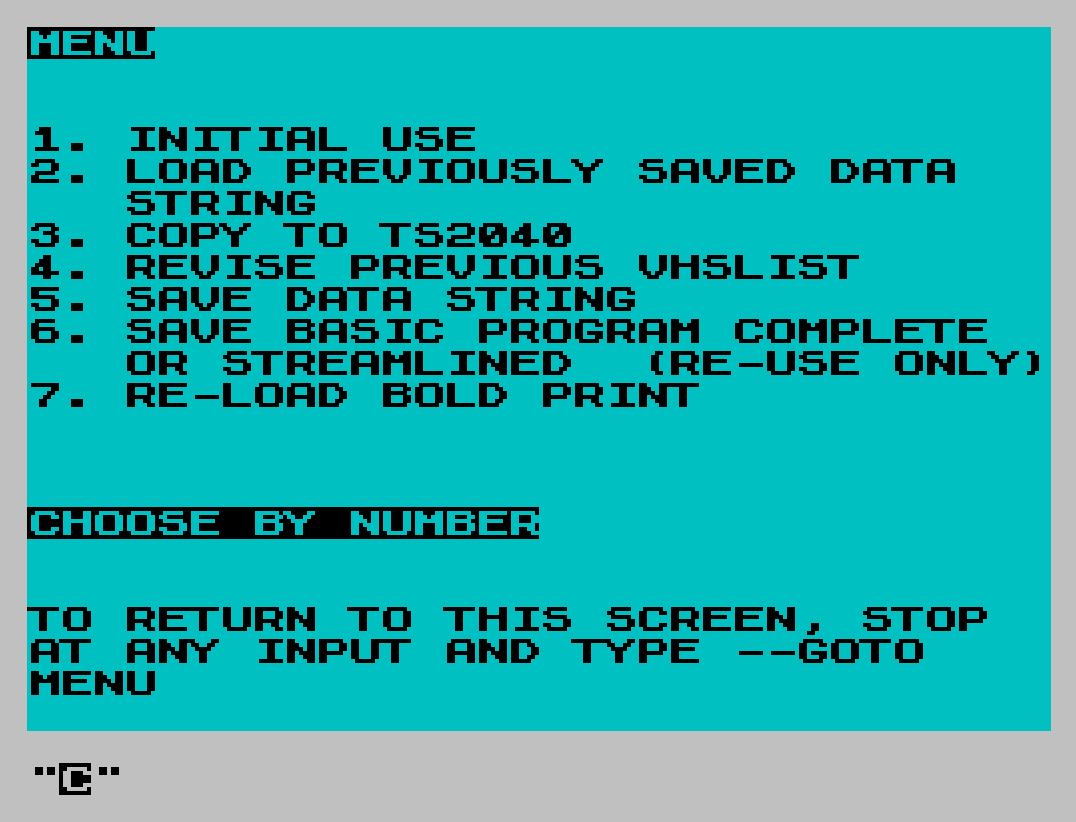
The program is organized around a top-level menu (line 2) that dispatches to numbered subroutines. The main flow after menu selection falls through lines 12–70, which offer add/review/finish prompts before looping back. The major functional blocks are:
- Lines 1–10: Startup, POKE for caps lock, menu display and dispatch
- Lines 12–70: Post-menu task loop (add, review, finish)
- Lines 300–360: Load data from cassette, optionally print via bold machine code
- Lines 600–880: Insertion/deletion logic for incremental list maintenance
- Lines 8000–8088: Initial data entry with insertion sort and save
- Lines 8200–8204: Program self-pruning via DELETE for a streamlined saved copy
- Lines 9000–9045: Title screen subroutine (loads SCREEN$ from tape)
- Lines 9500–9562: Reload bold-print machine code from tape
- Lines 9900–9920: MENU subroutine referenced by the program header comment
- Lines 9996–9999: Save routines for full and brief program versions plus SCREEN$
Data Storage
The collection is held in a two-dimensional string array A$(50,25) declared at line 8010, storing up to 50 titles of up to 25 characters each. This array is saved and loaded as a DATA file named “VHS.DAT” (lines 300 and 870). The fixed dimensions mean the program must be edited at lines 8008, 8010, 8015, 8030, 8070, and 8087 to accommodate more than 50 titles, as the program itself notes.
Insertion Sort (Initial Use)
Lines 8030–8065 implement a straightforward insertion sort over the populated array. The outer loop at line 8030 iterates J from 2 to 50; the current element is saved to T$ at line 8035. The inner loop at line 8040 walks backwards from J-1 to 1, shifting elements right until the correct position is found, then places T$ at A$(I+1). This is the standard O(n²) insertion sort and will be slow for 50 entries on this hardware, as the comments acknowledge.
Incremental Insertion and Deletion
The key design goal is avoiding a full re-sort after adding or removing a single title. Lines 670–685 handle insertions: the user specifies the alphabetically correct slot N and the current last-used index L; the program increments L by 1, then shifts all elements from L down to N upward by one position using a reverse FOR loop (line 680). Lines 770–780 handle deletions by shifting elements upward from position E to L.
There is a subtle guard at line 678: IF N=1 THEN LET N=N+1. This prevents the reverse loop from running with the slot set to position 1, which would otherwise attempt to copy A$(0) — an invalid index. However, this means slot 1 insertions are actually placed at slot 2, which could be a minor anomaly for collections where slot 1 needs to be replaced.
Machine Code Bold Printing
A machine-code routine is loaded from tape at address 56576 (768 bytes) with CLEAR 56575 protecting it from BASIC. Activating it requires POKE 23607,220, which redirects the system variable CURCHL to point to the machine-code output channel, causing subsequent LPRINT statements to produce bold output on the TS2040 printer. Lines 350–360 load this code and then print the entire list. Line 9530 provides a standalone reload path for the machine code without reloading the data.
Self-Modifying Save Mechanism
Lines 8200–8204 implement a program self-pruning feature. If the user elects to purge extra lines, three DELETE statements remove the introductory menu block (lines 1–9), the initial-sort block (lines 8000–8202), and the title screen subroutine (lines 9000–9996), followed by the deletion of lines 8203–8204 themselves. The result is a compact re-use program saved as “BREFVHSLST” at line 9997. This is an unusual but practical technique for distributing a dual-mode program on a single tape.
Notable BASIC Idioms
PAUSE 0followed by input or a subsequent PAUSE is used as a keypress barrier throughout (lines 300, 322, 9040).- Busy-wait loops like
IF R$="" THEN GO TO 15guard against accidental ENTER presses on INPUT statements. POKE 23658,8(line 1 and 8008) forces caps-lock on so that single-character menu inputs are consistently uppercase, simplifying comparisons.POKE 23692,255at line 8068 resets the scroll counter to suppress the “scroll?” prompt during the list printout.- Line 842 calls
GO SUB 330, branching into the middle of a FOR loop at line 330 rather than via a subroutine entry point — this works but relies on the FOR loop at 330 not needing initialization from line 300.
Menu Navigation Design
The program’s menu instruction at line 3 tells the user to type GOTO MENU at any INPUT prompt to return to the menu. The variable MENU is set to 9900 at line 2, so entering GOTO MENU as a direct command would evaluate MENU and jump to line 9900, the menu-return subroutine. This is a clever use of a BASIC variable as a documented shorthand for direct-mode navigation rather than requiring the user to remember a line number.
Tape File Organization
| Filename | Type | Purpose |
|---|---|---|
| VHS.DAT | DATA A$() | Saved title array |
| BOLD.COD / BOLDCOD | CODE 56576,768 | Bold printer machine code |
| VHSTITLSCR | SCREEN$ | Title screen graphic |
| VHSBOLD | BASIC LINE 9505 | Full program (auto-starts at bold-code reload) |
| BREFVHSLST | BASIC LINE 10 | Streamlined re-use version |
Image Gallery
Source Code
    1 PAPER 5: CLS : POKE 23658,8: PRINT "YOUR CAPS HAVE BEEN TURNED ON.  KEEP TAPE RUNNING FOR SCREEN$": PAUSE 290: CLS : GO SUB 9000: REM PROGRAM TO ADD TO PREVIOUSLY ALPHASORTED LISTS WHEN ONLY A FEW ADDITIONS ARE NEEDED PERIODICALLY.  SORTS ARE SLOW AND RETYPING ALL FOR A FEW ADDITIONS IS TIME-CONSUMING.
    2 LET MENU=9900: CLS : PRINT "MENU";'''"1. INITIAL USE";'"2. LOAD PREVIOUSLY SAVED DATA      STRING";' "3. COPY TO TS2040";'"4. REVISE PREVIOUS VHSLIST";'"5. SAVE DATA STRING";'"6. SAVE BASIC PROGRAM COMPLETE     OR STREAMLINED  (RE-USE ONLY)";'"7. RE-LOAD BOLD PRINT";''''"CHOOSE BY NUMBER"
    3 PRINT ''"TO RETURN TO THIS SCREEN, STOP  AT ANY INPUT AND TYPE --GOTO    MENU": INPUT C$: IF C$="" THEN GO TO 2
    4 IF C$="1" THEN GO SUB 8000
    5 IF C$="2" THEN GO SUB 300
    6 IF C$="3" THEN GO SUB 350
    7 IF C$="4" THEN GO SUB 600
    8 IF C$="5" THEN GO SUB 8088
    9 IF C$="6" THEN GO SUB 8200
   10 IF C$="7" THEN GO SUB 9500
   12 INPUT "ADDING TITLES TO VHSLIST?",R$
   15 IF R$="" THEN GO TO 15
   20 IF R$="Y" OR R$="y" THEN GO SUB 600
   25 INPUT "REVIEW TITLES CURRENTLY LISTED?",Q$
   26 IF Q$="" THEN GO TO 26
   30 IF Q$="Y" OR Q$="y" THEN GO SUB 300
   45 INPUT "TASK FINISHED?",G$
   50 IF G$="" THEN GO TO 50
   60 IF G$="y" OR G$="Y" THEN STOP
   70 GO SUB 600
  300 CLS : PRINT "BE SURE CASSETTE IS READY TO    LOAD PREVIOUS DATA.";''' "PRESS ANY KEY": PAUSE 0: LOAD "VHS.DAT" DATA A$()
  322 PRINT "NEW TOTAL FOR COLLECTION  (J    line 330) MAY BE NEEDED": FLASH 1: PRINT "PRESS ANY KEY IF YOU KNOW TOTAL PERMITS  ADDITIONS.": PAUSE 0
  325 FLASH 0
  330 FOR J=1 TO 50: PRINT J;" ";A$(J): NEXT J
  335 INPUT "WANT A COPY FROM TS2040?",B$
  340 IF B$="" THEN GO TO 340
  342 IF B$="Y" THEN GO TO 350
  345 IF B$="N" OR B$="n" THEN INPUT "MORE ADDITIONS? Y/N",R$
  346 IF R$="" THEN GO TO 345
  347 IF R$="Y" THEN GO SUB 650
  348 IF R$="N" THEN GO TO 45
  350 CLEAR 56575: LOAD "BOLD.COD"CODE 56576,768: POKE 23607,220
  355 FOR J=1 TO 50: LPRINT J;" ";A$(J): NEXT J
  360 RETURN
  600 CLS : REM INSTRUCTIONS FOR INSERTION OF NEW TITLES INTO EXISTING LIST
  605 INPUT "DO YOU NEED A COPY OF THE MOST  RECENT VHSLIST? Y/N",C$
  610 IF C$="" THEN GO TO 605
  620 IF C$="Y" OR C$="y" THEN GO SUB 300
  650 PRINT "INSTRUCTIONS:TO MAKE A SLOT FOR";" NEW MOVIE, YOU WILL HAVE TO     MOVE SUBSEQUENT TITLES DOWN     ONE SUCCESSIVELY ",'"OR LESS LIKELY, ","YOU MAY NEED TO MOVE TITLES ";"UP     SUCCESSIVELY."
  660 PRINT '"DOWN...DETERMINE BEGINNING AND ";" ENDING POSITIONS EFFECTED.      REMEMBER:THE 1ST INPUT IS SLOT  WHERE NEW PURCHASE WILL FIT     ALPHABETICALLY.  THE SECOND     INPUT WANTS PRIOR TOTAL...THE   LAST NUMBER ON YOUR REVIEW LIST"
  665 INPUT "DATA LOADED?",H$
  666 IF H$="" THEN GO TO 666
  667 IF H$="Y" OR H$="y" THEN GO TO 669
  668 IF H$="n" OR H$="N" THEN GO SUB 300
  669 INPUT "IF YOU NEED DELETIONS INSTEAD OF ADDITIONS, PRESS <D>--OTHERWISE <ENTER>",D$: IF D$="D" THEN GO TO 700: CONTINUE
  670 INPUT "ADDITIONS-VACANT SLOT NEEDED AT #?",N
  673 PRINT "PROCEED IF YOU HAVE ROOM OTHERWISE STOP AND GOTO 8008"
  675 INPUT "LAST NUMBER TO BE EFFECTED(OLD  TOTAL)?",L
  677 LET L=L+1
  678 IF N=1 THEN LET N=N+1
  680 FOR J=L TO N STEP -1: LET A$(J)=A$(J-1): NEXT J
  685 GO SUB 800
  700 CLS : PRINT "OR ALTERNATELY FOR A DELETION:  ";''"UP...DETERMINE 1ST AND LAST ";"POSITIONS TO BE AFFECTED BY ";"SHIFTING EACH TITLE UPWARD."
  710 INPUT "CAN YOU SKIP THIS PORTION Y/N?";Q$: IF Q$="" THEN GO TO 710
  720 IF Q$="Y" THEN GO TO 345
  770 INPUT "EARLIEST NUMBER EFFECTED?",E
  775 INPUT "LAST NUMBER TO BE EFFECTED?",L
  780 FOR J=E TO L: LET A$(J)=A$(J+1): NEXT J
  800 INPUT "HAVING MADE AN OPEN SPACE FOR A NEW TITLE, YOU CAN FILL SPACE IN IMMEDIATE MODE OR PROCEED. STOP OR PROCEED?",D$
  805 IF D$="" THEN GO TO 805
  810 IF D$="S" OR D$="s" THEN STOP
  820 IF D$="P" OR D$="p" THEN INPUT "NEW TITLE?",N$,"NUMBER POSITION?",P
  830 LET J=P
  835 LET A$(J)=N$
  836 INPUT "WANT TO CHECK RESULT?",E$
  840 IF E$="" THEN GO TO 840
  842 IF E$="Y" OR E$="y" THEN GO SUB 330
  845 INPUT "MORE ENTRIES?",F$
  850 IF F$="" THEN GO TO 850
  855 IF F$="Y" OR F$="y" THEN GO SUB 650
  860 IF F$="N" THEN INPUT "WANT TO SAVE NEW TITLE STRING?",S$
  865 IF S$="" THEN GO TO 865
  870 IF S$="Y" THEN SAVE "VHS.DAT" DATA A$()
  880 RETURN
 8000 CLS : REM SIMPLE, SLOW ALFASORT
 8001 REM "ALPHABETICAL SORTING" FROM BYTEING DEEPER INTO YOUR T/S1000P. 45
 8002 REM CHALLENGE WRITE M/C ALPHASORT USING TIMACHINE
 8006 PRINT AT 10,5;"ALPHASORT ALPHASORT"
 8007 PRINT AT 18,2;"YOU WILL BE CREATING A DATA      STRING FOR FUTURE USE NOW."
 8008 PAUSE 300: CLS : POKE 23658,8: PRINT "NUMBER OF ENTRIES SET AT 50": PRINT ''"STOP PROGRAM AND CORRECT LINES  8008, 8010, 8015, 8030, 8070 &  8087  IF LARGER NUMBER OF TITLES IN   YOUR COLLECTION."
 8009 PRINT ''"IF YOUR COLLECTION NOT VASTLY   SMALLER THAN 50, JUST PRESS <Z>  TWICE AND <ENTER> AT LAST      INPUTS TO HOLD VACANT SPACES    FOR LATER PURCHASES."
 8010 DIM A$(50,25)
 8015 FOR J=1 TO 50
 8020 INPUT "TITLE ENTRY AND PRESS <ENTER>  ";A$(J)
 8025 NEXT J
 8030 FOR J=2 TO 50
 8035 LET T$=A$(J)
 8040 FOR I=J-1 TO 1 STEP -1
 8045 IF A$(I)<T$ THEN GO TO 8060
 8050 LET A$(I+1)=A$(I)
 8055 NEXT I
 8060 LET A$(I+1)=T$
 8065 NEXT J
 8068 POKE 23692,255
 8070 FOR J=1 TO 50
 8075 PRINT J;"  ";A$(J)
 8080 NEXT J
 8085 INPUT "WANT TO LPRINT? <Y> OR <N>",R$
 8086 IF R$="" THEN GO TO 8085
 8087 IF R$="Y" THEN FOR J=1 TO 50: LPRINT J;"  ";A$(J): NEXT J
 8088 INPUT "WANT TO SAVE DATA STRING? Y/N",S$: GO TO 865
 8200 INPUT "WANT TO PURGE BASIC PROGRAM OF  EXTRA LINES FOR QUICKEST USE?   Y/N?";Q$
 8201 IF Q$="" THEN GO TO 8200
 8202 IF Q$="N" THEN PRINT "SAVING ORIGINAL": GO TO 9998
 8203 IF Q$="Y" THEN DELETE 1,9: DELETE 8000,8202: DELETE 9000,9996
 8204 DELETE 8203,8204
 9000 REM TITLE SCREEN IN "3D WORDS"BY JOHN HUNTON IN TRIANGLE TSUG NEWSLETTER MAY/JUNE 1985
 9010 LOAD "VHSTITLSCR"SCREEN$
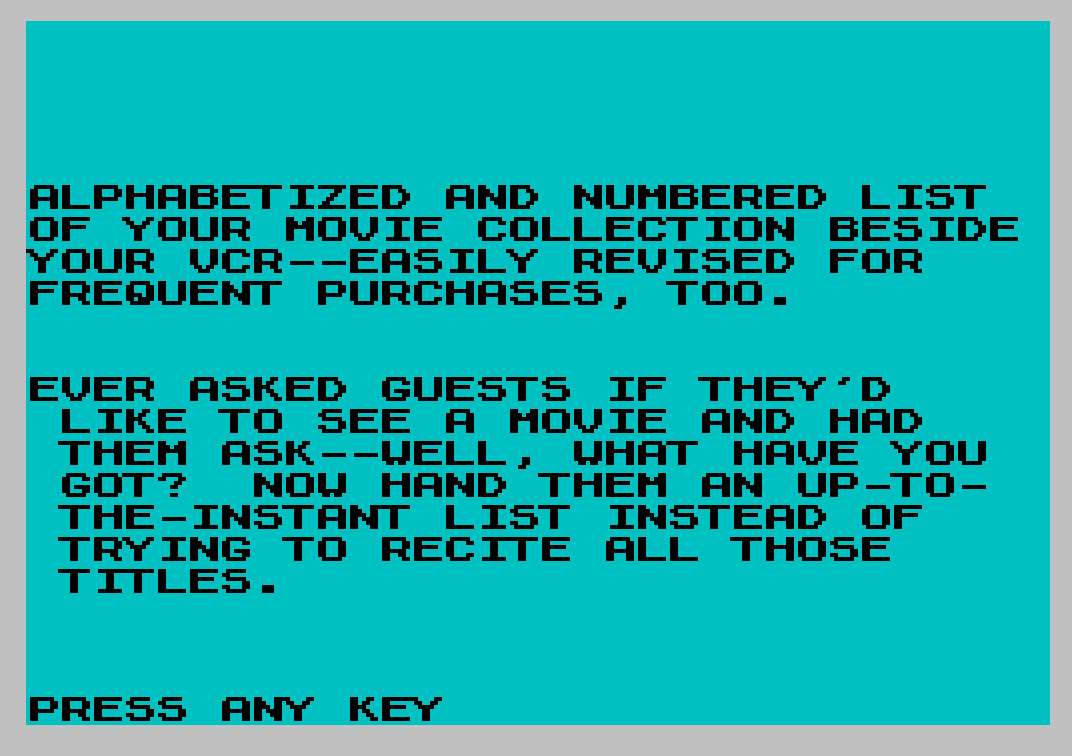
 9020 PAUSE 240: CLS : PRINT AT 5,0;"ALPHABETIZED AND NUMBERED LIST  OF YOUR MOVIE COLLECTION BESIDE YOUR VCR--EASILY REVISED FOR    FREQUENT PURCHASES, TOO."
 9030 PRINT ''"EVER ASKED GUESTS IF THEY'D      LIKE TO SEE A MOVIE AND HAD     THEM ASK--WELL, WHAT HAVE YOU   GOT?  NOW HAND THEM AN UP-TO-   THE-INSTANT LIST INSTEAD OF     TRYING TO RECITE ALL THOSE      TITLES."
 9040 PRINT AT 21,0;"PRESS ANY KEY": PAUSE 0
 9045 RETURN
 9500 PRINT "POSITION TAPE FOR LOADING       ""BOLDCOD""CODE .";''''"PRESS ANY KEY WHEN READY.": PAUSE 0
 9504 REM BOLDCODE FROM LIST
 9505 CLEAR 56575
 9530 LOAD "BOLDCOD"CODE : POKE 23607,220
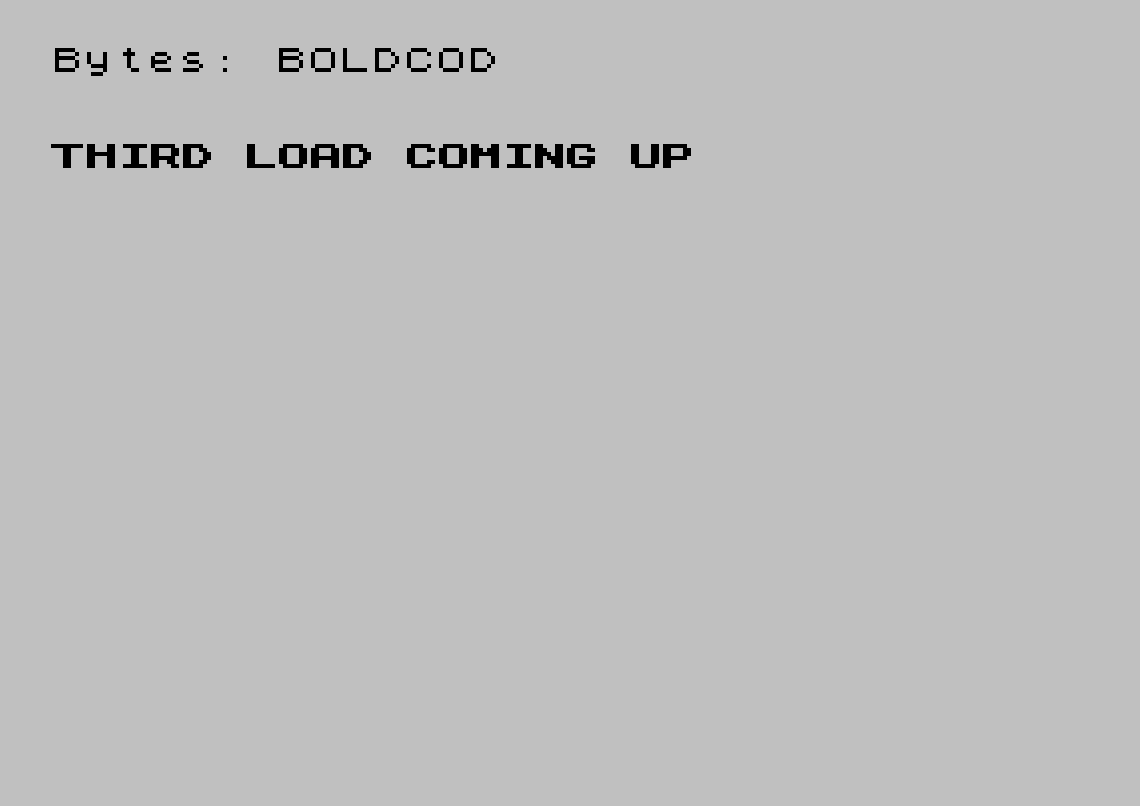
 9562 PRINT ''"THIRD LOAD COMING UP": PAUSE 240: GO TO 1
 9900 INPUT "RETURN TO MENU? Y/N?";R$: IF R$="" THEN GO TO 9900
 9910 IF R$="Y" THEN GO TO 2
 9920 RETURN
 9996 STOP
 9997 CLS : PRINT "THIS SAVES BRIEF PROGRAM": SAVE "BREFVHSLST" LINE 10: STOP
 9998 CLS : PRINT "THIS SAVES FULL PROGRAM LESS    SCREEN$--2 SAVES THEN DIRECTIONS": SAVE "VHSBOLD" LINE 9505: SAVE "BOLDCOD"CODE 56576,768: PRINT "RE-LOAD ""VHSTITLSCR""SCREEN$ .";''"WHEN READY GOTO 9999.": STOP
 9999 SAVE "VHSTITLSCR"SCREEN$
Note: Type-in program listings on this website use ZMAKEBAS notation for graphics characters.