
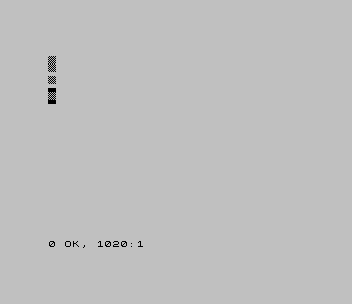
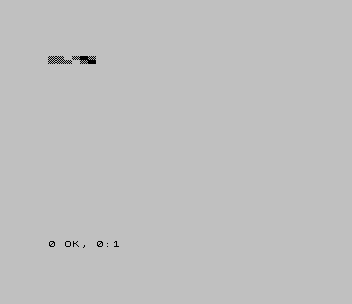
Makes six of the TS 1000 (ZX81) graphic characters that the TS2068 lacks, the grey checkerboard blocks (codes 8, 9, 10, 136, 137 and 138), as user-defined graphics on keys A to F, so TS 1000 programs with those characters can be typed in and listed on the 2068. RUN it once: it pokes the six patterns and prints them; NEW then removes the program and the six keys keep their new shapes until the power is switched off. Type them with CAPS SHIFT 9 (graphics mode) and the letter.
In the printed listing lines 140 to 190 read PRINT CS9;”A” and so on: as REM 1020 says, plain letters were put in for printing. The download has the graphics characters themselves (PRINT followed by the user-defined graphic A to F in quotes); the listing here is as printed.
Published in The Plotter April 1992 (Duplicating the TS 1000 Graphic Symbols).
Image Gallery
Source Code
 100 FOR N=65368 TO 65368+47
 110 READ A
 120 POKE N,A
 130 NEXT N
 140 PRINT CS9;"A"
 150 PRINT CS9;"B"
 160 PRINT CS9;"C"
 170 PRINT CS9;"D"
 180 PRINT CS9;"E"
 190 PRINT CS9;"F"
 200 DATA 85,170,85,170,85,170,85,170
 210 DATA 170,85,170,85,170,85,170,85
 220 DATA 0,0,0,0,170,85,170,85
 230 DATA 170,85,170,85,0,0,0,0
 240 DATA 255,255,255,255,85,170,85,170
 250 DATA 85,170,85,170,255,255,255,255
1000 REM after RUN graphic keys A, B, C, D. E. and F are set in their new graphic forms. Use NEW to delete the program, leaving the 6 keys properly coded.
1010 REM just use CS9 with the appropriate key. If you need a reminder of the character. in direct mode just key in CS9 and the lettered key to display the character.
1020 REM in order to LLIST the program for printing, non-graphic letters were used in the program after testing it.
Note: Type-in program listings on this website use ZMAKEBAS notation for graphics characters.