
This program demonstrates the ZX81/TS1000 “split screen” technique, allowing a defined number of display lines at the bottom of the screen to remain frozen while the upper portion scrolls or is cleared normally. The subroutine at line 900 reads the display file address from system variables at addresses 16400–16401 (D_FILE), calculates the position 25 bytes before the end of the file, and POKEs NEWLINE characters (118, the ZX81 HALT opcode used as a line terminator) to create a boundary that pins those lines. A DIM A$(N) at line 50 is used to pad the last frozen line to a full 32-character width before the boundary is set. The subroutine at line 1000 restores those POKEd locations to zero (NUL bytes), effectively releasing the frozen lines and returning to a normal full-screen display.
Program Analysis
Program Structure
The program is organized into a linear demonstration sequence with two utility subroutines:
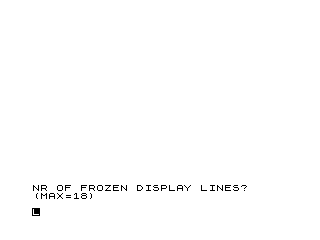
- Lines 10–30: Title remarks and user input — prompts for the number of lines to freeze (up to 18).
- Lines 40–100: Initialization — clears screen, dimensions a string to pad the last frozen line, prints placeholder text, then calls the freeze subroutine.
- Lines 110–250: Demo loop — prints several scrolling messages with pauses to show the frozen lines remaining in place, then calls the unfreeze subroutine and stops.
- Line 260: A
SAVEcommand with an inverse-video filename character. - Lines 900–940: Freeze subroutine — calculates the freeze boundary and POKEs NEWLINE tokens.
- Lines 1000–1040: Unfreeze subroutine — restores POKEd bytes to zero.
The Split-Screen Technique
The ZX81/TS1000 display file (D_FILE) is a variable-length area in RAM pointed to by the system variable pair at addresses 16400 (low byte) and 16401 (high byte). Each display line is terminated by a HALT byte (value 118, also the NEWLINE token). The display driver renders lines until it finds the terminating NEWLINE of the last row.
The freeze mechanism exploits this structure. Line 900 computes:
S = PEEK 16400 + 256 * PEEK 16401 - 25
This points to the start of the last N line terminators in the display file, offset 25 bytes back from the end (one NEWLINE per line plus a guard byte). The subroutine at lines 910–930 then POKEs value 118 (NEWLINE/HALT) into those positions. Because CLS and PRINT operations rebuild the display file from the top but leave these pre-set terminators intact, the bottom N lines appear frozen.
The unfreeze subroutine at lines 1000–1040 restores those bytes to 0 (NUL), removing the artificial terminators and allowing the display file to return to its normal state.
Role of DIM A$(N)
Line 50 dimensions a string A$ of length N. Its key use is in line 90:
PRINT "FROZEN LINE ";N-1;A$
Printing A$ (a string of N spaces) after the label pads the last printed line to fill its full 32-character width. This ensures the display file for that line is fully materialized before the freeze subroutine calculates the boundary, avoiding an off-by-one in the NEWLINE positions.
Key BASIC Idioms and Techniques
- System variable access via PEEK: Addresses 16400–16401 are the D_FILE pointer — a standard idiom for display file manipulation on this platform.
- Magic constant −25: The offset accounts for the fact that N display rows each occupy 33 bytes (32 characters + 1 NEWLINE), and the calculation targets the NEWLINE terminators of the bottom N lines. The value 25 here assumes the user enters values close to the documented maximum of 18 and that the display file ends at a predictable offset.
- PAUSE 1000 as a delay: Used to give the viewer time to observe each stage of the demonstration. At 50 Hz, 1000 frames = 20 seconds. The comments say “(PRESS ENTER)” but there is no
INKEY$check — the pauses are purely time-based. - GOSUB to subroutine blocks: Both utility routines are placed above line 1000, well away from the main program flow, as was common practice.
Variables
| Variable | Purpose |
|---|---|
N | Number of lines to freeze (user input, max 18) |
A$ | N-character space string used to pad the last frozen line |
L | Loop counter for printing frozen line labels |
S | Calculated RAM address of the first NEWLINE to POKE |
I | Loop counter for POKEing/restoring bytes |
Potential Issues and Anomalies
- The −25 offset is fragile: The correct offset to the start of the last N line terminators should depend on N and the exact display file length. Using a hardcoded −25 works only for a specific value of N and may malfunction for other inputs or if the display file has been modified. A more robust formula would use N directly in the offset calculation.
- No input validation: The program accepts any value of N at line 30. Values greater than 18 (or less than 1) could corrupt memory or cause incorrect display behavior. The MAX=18 note in the prompt is advisory only.
- S is a global variable: The unfreeze subroutine at line 1000 relies on
Sbeing set by the earlier call to the freeze subroutine at line 900. If line 1000 were called independently,Swould be undefined or stale. - “PRESS ENTER” prompts are cosmetic: Lines 150, 160, 180, and 190 display “(PRESS ENTER)” but use
PAUSE 1000rather than waiting for actual keyboard input, so the Enter key has no effect. - Line 270
RUN: After theSAVEat line 260, a bareRUNrestarts the program. This line is only reachable if execution somehow falls through to 260 after theSTOPat 250, which cannot happen in normal execution — it exists solely as part of the saved-file auto-run pattern.
Image Gallery
Source Code
  10 REM SPLIT N SAVE DEMO
  11 REM JAN/FEB 84 SYNC P 51
  20 PRINT AT 20,0;"NR OF FROZEN DISPLAY LINES?     (MAX=18)"
  30 INPUT N
  40 CLS
  50 DIM A$(N)
  60 FOR L=0 TO N-2
  70 PRINT "FROZEN LINE ";L
  80 NEXT L
  90 PRINT "FROZEN LINE ";N-1;A$
 100 GOSUB 900
 110 PRINT AT 0,0;"THIS"
 120 PRINT "SHALL"
 130 PRINT "PASS"
 140 PRINT
 150 PRINT "(PRESS ENTER)"
 160 PAUSE 1000
 170 CLS
 180 PRINT AT 3,0;"THIS TOO SHALL PASS(PRESS ENTER)"
 190 PAUSE 1000
 200 CLS
 210 PRINT "PRESS ENTER TO CLEAR ENTIRE SCREEN"
 220 PAUSE 1000
 230 GOSUB 1000
 240 CLS
 250 STOP
 260 SAVE "1014%2"
 270 RUN
 900 LET S=PEEK 16400+256*PEEK 16401-25
 910 FOR I=0 TO N-1
 920 POKE S+I,118
 930 NEXT I
 940 RETURN
 1000 CLS
 1010 FOR I=0 TO N-1
 1020 POKE S+I,0
 1030 NEXT I
 1040 RETURN
Note: Type-in program listings on this website use ZMAKEBAS notation for graphics characters.