
Converts a SCREEN$ into a compressed block of code that draws itself. You give a screen file to load, a title of up to 16 characters and a name to save under. The program writes the title into the bottom pixel row of the screen, compresses the whole display and attributes, and shows the file name and length. You can then save the result as CODE. The saved block holds its own decompressor, so it can be loaded at any address and shown with RANDOMIZE USR at that address. When the program starts it lists its own instruction REMs; type RUN to use it.
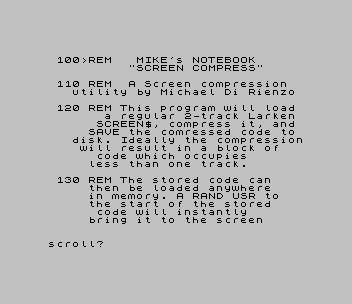
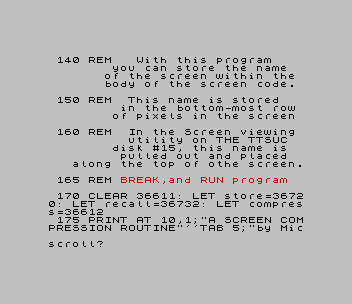
The REMs are headed "MIKE’s NOTEBOOK" and credit the utility to Michael Di Rienzo. They say the title in the bottom pixel row is read by the screen-viewing utility on TTSUC disk #15, which displays it across the top of the screen.
Program Analysis
Program Structure
- Line 50 (the auto-run line):
LIST 100to show the instructions. - Lines 170–177:
CLEAR 36611, thenPOKE132 bytes of machine code fromDATAinto 36612–36743. - Lines 200–260: ask for the file names and title, load the screen, and centre the title in a 19-character string. The program pokes its character codes into 22498–22516, the bottom pixel row of the display.
- Lines 270–290: call the routines, then compute the coded length
lfrom the end address returned byUSR 40192. - Lines 330–380: show the result, save on
Y, redraw the screen from the compressed block withRANDOMIZE USR 40246, and loop for the next screen.
Machine Code
The routine at 36612 copies a 98-byte block to 40192 and runs it as the compressor. The compressor reads 16384–23295 and copies most bytes unchanged, but stores each run of 0 or 255 bytes as the value followed by a count. The output starts 100 bytes past the routine’s entry address, which it takes from BC. The saved file begins at 40246 with a short decompressor (the last 44 bytes of the copied block), followed by the data. The decompressor also takes its own address from BC and indexes the data from IX 46 bytes beyond it, so the block runs wherever it is loaded. Two further 12-byte routines copy the 6144-byte bitmap to 40192 and back.
Notable Techniques
- The compressed screen is self-displaying and position-independent because it uses the
BCvalue thatUSRpasses in. - Putting a text label in the bottom pixel row lets a separate viewer recover a title from the image itself.
- Auto-running into
LISTturns theREMblock into an on-screen help page.
Potential Issues
- Lines 300–320 copy nine characters of the load file name into memory from 45326. A name shorter than nine characters stops the program with a subscript error, and a compressed block longer than about 5,000 bytes would be overwritten at that point.
- The
REMtext and the save suffix.C$still describe the Larken two-track disk format.
This program comes from a Larken disk in the TS User Group collection. For tape, the LKDOS prefixes and the drive-number prompts were removed, so screens now load and save by name from tape. It was tested in ZEsarUX.
Image Gallery
Source Code
   10 GO TO 170
   50 CLS : LIST 100
  100 REM   MIKE's NOTEBOOK                "SCREEN COMPRESS"
  110 REM  A Screen compression     utility by Michael Di Rienzo
  120 REM This program will load        a regular 2-track Larken       SCREEN$, compress it, and      SAVE the comressed code to    disk. Ideally the compression    will result in a block of         code which occupies            less than one track.
  130 REM The stored code can         then be loaded anywhere         in memory. A RAND USR to        the start of the stored          code will instantly            bring it to the screen
  140 REM   With this program            you can store the name         of the screen within the        body of the screen code.
  150 REM  This name is stored            in the bottom-most row         of pixels in the screen
  160 REM  In the Screen viewing           utility on THE TTSUC          disk #15, this name is           pulled out and placed     along the top of othe screen.
  165 REM BREAK,and RUN program
  170 CLEAR 36611: LET store=36720: LET recall=36732: LET compress=36612
  175 PRINT AT 10,1;"A SCREEN COMPRESSION ROUTINE"''TAB 5;"by Michael Di Rienzo"
  177 GO SUB 390
  180 INPUT "LOAD from Drive #? ";org: RANDOMIZE USR 100: GO TO org
  190 INPUT "SAVE to Drive #? ";dest
  200 RANDOMIZE USR 100: GO TO org: CLS : ON ERR GO TO 210: RANDOMIZE USR 100: CAT "",
  210 ON ERR RESET : INPUT "File name to LOAD? ";n$
  220 DIM r$(19): INPUT "Program name on Screen"'"(16 chars max.)";g$
  230 INPUT "File name to SAVE?(6) ";t$
  240 RANDOMIZE USR 100: LOAD n$SCREEN$
  250 LET start=(19-LEN g$)/2: LET r$(start TO )=g$
  260 LET q=1: FOR n=22498 TO 22516: POKE n,CODE r$(q): LET q=q+1: NEXT n
  270 RANDOMIZE USR store
  280 RANDOMIZE USR 100: GO TO dest
  290 RANDOMIZE USR compress: LET l=USR 40192: LET l=l-40246
  300 LET x=1: FOR n=45326 TO 45334
  310 POKE n,CODE n$(x)
  320 LET x=x+1: NEXT n
  330 PRINT INK 2; PAPER 5;AT 10,0;"File:""";n$;""" CODE 40246,";l; FLASH 1;AT 11,5;"Press ""Y"" key to SAVE"''TAB 5;"OR ""N"" Key to BYPASS SAVE": PAUSE 0
  340 IF INKEY$<>"Y" AND INKEY$<>"y" THEN GO TO 370
  350 RANDOMIZE USR 100: SAVE t$+".C$"CODE 40246,l
  360 RANDOMIZE USR 40246: PRINT INK 1; PAPER 7;AT 10,0;"To resolve the compressed file  back to the screen in the futureRANDOMIZE USR  (Starting address  where code is LOADed!)"
  370 PAUSE 40
  380 GO TO 200
  390 RESTORE 440
  400 FOR n=36612 TO 36743
  410 READ a: POKE n,a
  420 NEXT n: REM IF t<>12070 THEN PRINT FLASH 1;"Data Error! Recheck data Line": STOP
  430 RETURN
  440 DATA 17,0,157,33,16,143,1,98,0,237,176,201,197,209,33,100,0,25,235,33,0,64,14,1,126,167,40,9,254,255,40,5,237,160,3,24,21,71,121,60,35,40,7,126,184,32,3,12,24,243,120,18,19,121,18,19,14,1,124,254,91,32,217,213,193,201,17,0,64,221,33,46,0,221,9,122,254,91,200,221,126,0,167,40,10,254,255,40,6,18,19,221,35,24,236,221,70,1,18,19,16,252,221,35,221,35,24,223
  450 DATA 17,0,157,33,0,64,1,0,24,237,176,201,17,0,64,33,0,157,1,0,24,237,176,201
 9000 PRINT USR 100: SAVE "cmpres.B5" LINE 50
Note: Type-in program listings on this website use ZMAKEBAS notation for graphics characters.