
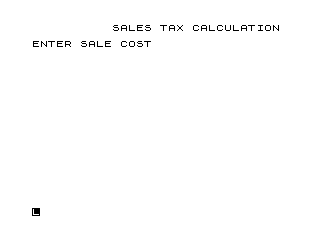
This program calculates sales tax and total sale amount for a given purchase price. It applies a fixed tax rate of 5.25% (stored in variable T at line 30), computes the tax amount and final total, then prompts the user to perform another calculation or stop. The loop at line 110 returns to the input prompt if the user enters “Y”, while any input other than “N” also falls through to the STOP at line 130. The SAVE and RUN statements at lines 140–150 follow the main logic and would only execute if somehow reached past the STOP.
Program Analysis
Program Structure
The program is a straightforward single-file utility with no subroutines. It flows linearly from input through calculation to output, with a simple loop controlled by a yes/no prompt.
- Lines 5–8: Title display and blank line formatting.
- Lines 10–25: Prompt for and accept sale cost input (
S), echoing the entered value. - Lines 30–70: Core calculation — tax rate set, tax amount (
X) computed, final total (F) derived and displayed. - Lines 90–110: Loop control — accepts
Q$and branches back to line 10 if “Y”. - Lines 120–130: Handles “N” with a redundant branch to
STOP(line 120 jumps to 130, which is itself the next line). - Lines 140–150:
SAVEandRUNare unreachable during normal execution due to theSTOPat line 130.
Key Variables
| Variable | Purpose |
|---|---|
S | Input sale cost entered by the user |
T | Fixed tax rate (0.0525 = 5.25%) |
X | Calculated tax amount (S × T) |
F | Final total (S + X) |
Q$ | User’s yes/no response string |
Notable Techniques and Idioms
- The tax rate is stored in a named variable (
T) rather than used as a literal in the formula, making it easy to update for different jurisdictions. - Line 21 echoes the entered value of
Sback to the screen — a common pattern to confirm input on systems where the INPUT prompt may not display the accepted value clearly. - Blank lines are inserted using bare
PRINTstatements (lines 8, 25, 65, 80) to improve output readability.
Bugs and Anomalies
- The branch at line 120 (
IF Q$="N" THEN GOTO 130) is redundant — if “N” is entered, execution would naturally fall through from line 120 to line 130 anyway. TheGOTO 130adds no functional effect. - If the user enters anything other than “Y” or “N” (e.g. a lowercase letter), neither branch at lines 110 nor 120 fires, and execution still reaches
STOPat line 130 — which is acceptable behaviour, though unintentional. - The currency output uses a hard-coded dollar sign in the
PRINTstrings, so the tax and total values are not formatted to two decimal places; floating-point results may display with many decimal digits.
Image Gallery
Source Code
   5 REM SALES TAX CALCULATION
   6 PRINT TAB (10);"SALES TAX CALCULATION"
   8 PRINT
  10 PRINT "ENTER SALE COST"
  20 INPUT S
  21 PRINT S
  25 PRINT
  30 LET T=.0525
  40 LET X=S*T
  50 PRINT "SALES TAX IS $ ";X
  60 LET F=S+X
  65 PRINT
  70 PRINT "TOTAL SALE IS $ ";F
  80 PRINT
  90 PRINT "WANT ANOTHER? Y/N"
 100 INPUT Q$
 101 PRINT
 110 IF Q$="Y" THEN GOTO 10
 120 IF Q$="N" THEN GOTO 130
 130 STOP
 140 SAVE "1012%4"
 150 RUN
Note: Type-in program listings on this website use ZMAKEBAS notation for graphics characters.