
This is the Larken edition of Stan Lemke’s Pixel Print Professional v5.0, a desktop publishing suite. It needs a TS2068 with the Larken disk interface and a Larken RAMdisk with at least one memory chip, and it is set up for two drives: the program disk in drive 0 and a data disk in drive 1. It has not been converted for tape.
A BOOT menu ties the suite together. From it you can lay out columns of text and graphics with loadable fonts and icons, assemble those columns into page documents, and print them in draft or near-letter quality. The suite also converts Tasword and Mscript text files into columns in newsletter or 64-column style, and includes a pixel art editor, a single-page print mode and a printer customization program. The drive numbers are POKEd into 26666 and 26667, which every module reads to find the master and data disks. Files are named by type: .Cg for columns, .Ci for icons, .C$ for screens, .Cf for fonts and .Cd for document definitions.
Modules
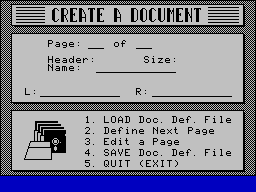
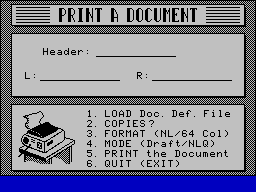
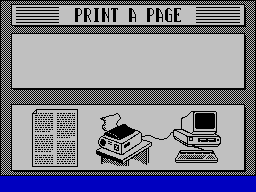
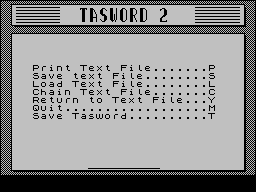
BOOT.B1: main menu and fairware notice (“$15 to S D Lemke, 2144 White Oak, Wichita, Ks.”). On first run it saves RAMdisk bank A to the data disk asrd.C1, and option 9 restores the bank afterwardsPIXELP.B1: Pixel Print, the column editor with font, icon and screen loading and savingC_DOC.B1: Create a Document, which defines the pages and columns of a documentP_DOC.B1: Print a DocumentTASWRD.BA: Tasword 5.0 adapted for Pixel Print Professional by R.H. Mitchell (dated 900816)T/M_PP.B1: Tasword/Mscript to DTP, which converts text files to columns and shows free disk tracksARTIST.B1: Pixel Artist, which saves the RAMdisk to the data disk asTEMP.Cxwhile it runsP_PAGE.B1: Print a Page, with draft or NLQ output and newsletter or 64-column modeCUSTOM.B1: Customize, which patches the print code inP_DOC.C1andPIXELP.C1for your printer
The disk also holds RBAKUP.B1 (Larken’s RAMdisk-to-disk backup), the IBM.Cf font, the $NLQ.C1 NLQ code, the 40-byte FreBlk.C1 free-track routine, and screen files for the module title pages.
Larken Adaptation
The suite came to the Toronto Timex Sinclair Users Club on tape, set up for the Aerco disk system. Larry Crawford, Bob Mitchell and George Chambers adapted it for Larken DOS and the RAMdisk in July and August 1990. Crawford’s changes to BOOT.B1 switch RAMdisk bank A into the top 32K (OUT 244,240, OUT 7,71). A flag byte at 26660 makes sure the bank is saved only once per session, and the bank is restored when you quit. Crawford also patched bytes in P_DOC.C1 to fix a bank-switching crash when printing a document. Larry Kenny supplied the routine that shows the free tracks on the data disk. The supplement also gives POKEs that center the printout on an 8.5-inch page.
The documentation warns that switching off without returning through BOOT option 9 leaves the RAMdisk corrupted. Reloading the suite after that saves the damaged bank over the good copy, so Chambers recommends keeping a second copy of rd.C1 on the protected master disk. The supplement gives commands for restoring bank A by hand.
Documentation
- “An Introduction to Pixel Print Professional” by G. Chambers (
pixel.CT), included as text - “Pixel Print Professional – Larken Version” supplement (
ppsupM.CT), included as text. It is a set of notes to read alongside Lemke’s printed manual, which is not part of this disk - Larry Crawford’s notes on the Larken RAMdisk version (
pp(l).CT, 30 Jul 90), in the disk files as a Tasword TAP
This package comes from a Larken disk in the TS User Group collection (disk l-28). It is archived as the raw LKDOS disk image, with every disk file also provided as a TAP and the Tasword documents converted to text. It was not converted for tape, and the separate data disk described in the documentation is not part of the collection.
Image Gallery
Note: Type-in program listings on this website use ZMAKEBAS notation for graphics characters.