
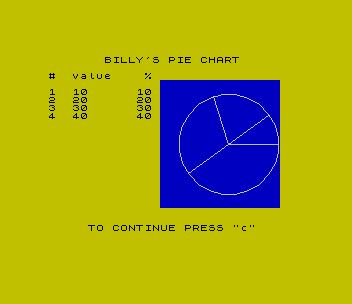
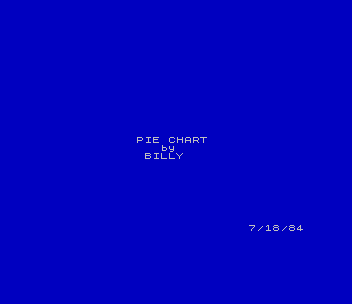
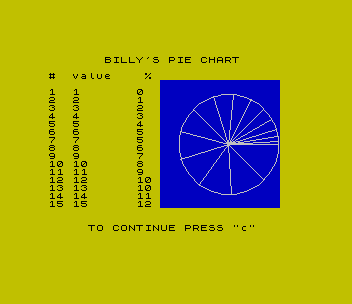
Draws a pie chart of up to fifteen values and lists each value with its whole-number percentage. The title screen is signed Billy and dated 7/18/84.
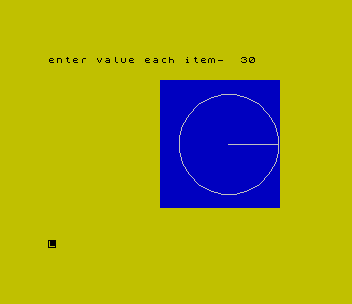
RUN it, enter how many items and then each value, and press a lower-case c for another chart. The first value must not be zero.
First printed in Time Designs, January/February 1985. Its title screen is dated 7/18/84.
Published in LISTing November 1990 (Pie Chart).
Image Gallery
Source Code
   5 DIM n(15)
   6 GO SUB 200
   7 BORDER 6: PAPER 6: INK 0: CLS
  10 LET x=180: LET y=87: LET z=50
  15 FOR i=3 TO 18: PAPER 1: PRINT AT i,14;"               ": NEXT i
  17 INK 7
  20 CIRCLE x,y,z
  30 PLOT x,y: DRAW z,0
  35 PAPER 6: INK 0
  40 PRINT AT 0,0;"enter number of items"
  50 INPUT t
  60 PRINT AT 0,0;"enter value each item- "
  65>LET s=0
  70 FOR i=1 TO t
  80 INPUT n(i)
  82 PRINT AT 0,24;n(i);"    "
  85 LET s=s+n(i)
  90 NEXT i
  92 PRINT AT 0,0;"       BILLY'S PIE CHART       "
  95 LET j=0
 100 FOR i=1 TO t
 110 LET d=s/(n(i)+j)
 115 LET j=j+n(i)
 120 LET d=(2*PI)/d
 130 LET a=COS d*z: LET b=SIN d*z
 135 INK 7
 140 PLOT x,y: DRAW a,b
 145 INK 0
 150 PRINT AT i+3,0;i
 151 PRINT AT i+3,3;n(i)
 152 PRINT AT 2,0;"#  value    %"
 153>PRINT AT i+3,11;INT ((n(i)/s)*100)
 160 NEXT i
 165 PRINT AT 21,5;"TO CONTINUE PRESS ""c"""
 170 IF INKEY$="c" THEN GO TO 7
 180 GO TO 170
 200 BORDER 1: PAPER 1: INK 7
 205 CLS
 210 PRINT AT 10,11;"PIE CHART"
 220 PRINT AT 11,14;"by"
 230 PRINT AT 12,12;"BILLY"
 240 PRINT AT 21,25;"7/18/84"
 250 PAUSE 100: CLS : RETURN
Note: Type-in program listings on this website use ZMAKEBAS notation for graphics characters.