
Nest Egg is a retirement savings calculator that models the growth and depletion of a capital sum over multiple years, accounting for variable interest rates and variable monthly withdrawal schedules. The program allows up to five user-specified years in which new capital injections can be added, and supports an optional accumulation period before withdrawals begin. Interest rates can be set as a constant or varied across four time bands (year 1, years 2–3, years 4–6, and all remaining years), while withdrawals similarly step through four bands (2, 3, 5, and remaining years). The core calculation at line 1240 applies annual compound interest and deducts twelve months of withdrawals in a single integer expression: INT(A*Q/100+A-12*E). Originally published in Sync magazine (January/February 1984, pages 42–50).
Program Analysis
Program Structure
The program is organized into a main flow with several subroutines and detour sections reached by GOTO. Initialization occupies lines 2–27, data entry runs from line 30 to around line 940, a summary display covers lines 950–1170, and the main calculation loop runs from line 1180 to 1270. Helper subroutines are grouped at lines 2500, 3000, and 3500. Two short input detours live at lines 1500 and 2000.
| Line range | Purpose |
|---|---|
| 2–27 | Variable initialization |
| 30–530 | Input: capital, new-capital years, interest rates, accumulation period, withdrawals |
| 540–930 | Branching input for varying vs. constant interest and withdrawal rates |
| 950–1170 | Summary printout of chosen parameters |
| 1180–1270 | Main year-by-year calculation loop |
| 1280–1380 | End-of-run prompt and restart option |
| 1500–1520 | Constant interest rate input detour |
| 2000–2020 | Constant withdrawal input detour |
| 2500–2560 | Subroutine: apply new capital injection for current year |
| 3000–3040 | Subroutine: select interest rate band for current year |
| 3500–3540 | Subroutine: select withdrawal band for current year |
| 4000–4010 | SAVE and auto-restart |
Variable Usage
| Variable | Role |
|---|---|
A | Current capital balance |
B$ | General yes/no input string |
C | Constant interest rate |
D | Constant monthly withdrawal amount |
E | Active monthly withdrawal for current year |
F,G,H,I | Varying interest rates (4 time bands) |
J | Accumulation years (no withdrawals) |
K,L,M,N | Varying monthly withdrawals (4 time bands) |
Q | Active interest rate for current year |
S | Counter for new-capital years entered |
W | Number of new-capital injection years (max 5) |
WA–WE | Year numbers for capital injections |
XA–XE | Amounts of capital injections |
X | Current year’s capital injection amount |
Y | Current year counter (starts at 1) |
Main Calculation Loop
The loop at lines 1180–1270 calls subroutines conditionally to set the active rate Q and withdrawal E, then applies the core formula at line 1240:
LET A=INT(A*Q/100+A-12*E)
This computes one year’s end balance by adding interest (A*Q/100) to the principal and subtracting twelve months of withdrawals (12*E). INT truncates to whole dollars. The loop terminates when A drops to zero or below.
Capital Injection Subroutine (lines 2500–2560)
The subroutine at 2500 checks whether the current year Y matches any of the five stored injection years (WA–WE). If so, it sets X to the corresponding amount. The compound OR condition at line 2550 then adds X to A. A subtle issue exists: X is only updated when a match is found, but it is never reset to zero between years. If no match occurs on a given year, X retains its last value; however, the OR guard at line 2550 prevents a spurious addition because it only fires on a matching year.
Stepped Rate and Withdrawal Bands
Both the interest rate subroutine (3000–3040) and the withdrawal subroutine (3500–3540) use explicit year comparisons to implement stepped time bands. The withdrawal bands are offset by J (accumulation years), so, for example, the first withdrawal band applies during years J+1 and J+2. The accumulation guard at line 1200 sets E=0 during the accumulation period regardless of what the withdrawal subroutine returned.
New-Capital Entry Loop
Rather than a true loop, the program uses a linear sequence of input pairs (lines 160–530) with a counter S and early exits via IF S=W THEN GOTO 550 to skip unused entries. This allows from one to five injection years to be collected without array variables, at the cost of duplicated code for each of the five possible entries.
Notable Techniques and Idioms
- Re-use of
B$for all yes/no questions, pre-initialized to"YES"at line 70 as a default. - Conditional
PRINTstatements (lines 970–1130) useIF variable>0to display only parameters that were actually set, producing a clean summary without branching to separate print blocks. - The
\' /\ .sequences in lines 1000–1040 render as a percent sign composed of block graphics — a common workaround since%is not directly available in the character set. - All variables are explicitly initialized to zero at lines 2–27, ensuring a clean state on restart via
GOTO 2at line 1340.
Bugs and Anomalies
- Line 80 contains a typo: “CPITAL” instead of “CAPITAL”.
- Line 410 is missing from the listing (the sequence jumps from 400 to 420), though this does not affect execution.
- When the user chooses a constant interest rate (branch to line 1500),
Cis set butQis only assigned at line 1230 inside the loop. If the varying-rate subroutine is also invoked (it isn’t, sinceFremains 0),Qcould be overwritten; the conditional guards prevent this correctly. - The program terminates the loop when
A<=0but prints the negative balance without a special message, which could be confusing to the user. - The maximum of five new-capital years is enforced only by the program structure (five hard-coded input pairs), not by validating the user’s entry for
W; enteringW>5would cause the counter never to reachW, and the fifth pair would still be the last collected.
Image Gallery
Source Code
   1 REM NEST EGG(SYNC JAN/FEB 84 PP 42-50)
   2 LET C=0
   3 LET D=0
   4 LET E=0
   5 LET F=0
   6 LET G=0
   7 LET H=0
   8 LET I=0
   9 LET J=0
  10 LET K=0
  11 LET L=0
  12 LET M=0
  13 LET N=0
  14 LET S=0
  15 LET W=0
  16 LET X=0
  17 LET Y=1
  18 LET WA=0
  19 LET WB=0
  20 LET WC=0
  21 LET WD=0
  22 LET WE=0
  23 LET XA=0
  24 LET XB=0
  25 LET XC=0
  26 LET XD=0
  27 LET XE=0
  30 CLS
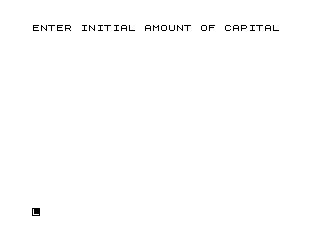
  40 PRINT "ENTER INITIAL AMOUNT OF CAPITAL"
  50 INPUT A
  60 CLS
  70 LET B$="YES"
  80 PRINT "WILL THERE BE ANY YEARS IN WHICH YOU INTRODUCE NEW CPITAL?"
  90 INPUT B$
 100 IF B$<>"YES" THEN GOTO 540
 110 CLS
 120 PRINT "HOW MANY YEARS WILL SEE NEW ADDITIONS OF CAPITAL?(MAXIMUM OF 5 YEARS)"
 130 INPUT W
 140 CLS
 150 PRINT "FIRST ENTER THE YEAR NUMBER AT THE BEGINNING OF WHICH YOU WILL ADD NEW CAPITAL, AND THEN ENTER THE AMOUNT OF NEW CAPITAL"
 160 INPUT WA
 170 INPUT XA
 180 CLS
 190 LET S=S+1
 200 IF S=W THEN GOTO 550
 210 PRINT "YEAR ";WA;" NEW CAPITAL $";XA
 220 PRINT
 230 PRINT
 240 PRINT "ENTER THE NEXT YEAR NUMBER AT THE BEGINNING OF WHICH YOU WILL ADD NEW CAPITAL, AND THEN ENTER THE AMOUNT OF NEW CAPITAL"
 250 INPUT WB
 260 INPUT XB
 270 CLS
 280 LET S=S+1
 290 IF S=W THEN GOTO 550
 300 PRINT "YEAR ";WB;" NEW CAPITAL $";XB
 310 PRINT
 320 PRINT
 330 PRINT "ENTER THE NEXT YEAR AND THEN ENTER THE CAPITAL."
 340 INPUT WC
 350 INPUT XC
 360 CLS
 370 LET S=S+1
 380 IF S=W THEN GOTO 550
 390 PRINT "YEAR ";WC;" NEW CAPITAL $";XC
 400 PRINT
 420 PRINT "ENTER THE NEXT YEAR AND THEN ENTER THE NEW CAPITAL."
 430 INPUT WD
 440 INPUT XD
 450 CLS
 460 LET S=S+1
 470 IF S=W THEN GOTO 550
 480 PRINT "YEAR ";WD;" NEW CAPITAL $";XD
 490 PRINT
 500 PRINT
 510 PRINT "ENTER THE NEXT YEAR AND THEN ENTER THE NEW CAPITAL."
 520 INPUT WE
 530 INPUT XE
 540 CLS
 550 PRINT "DO YOU WISH TO VARY THE INTEREST RATE OVER THE YEARS?"
 560 INPUT B$
 570 CLS
 580 IF B$<>"YES" THEN GOTO 1500
 590 PRINT "WHAT INTEREST RATE DO YOU WANT FOR THE FIRST YEAR?"
 600 INPUT F
 610 PRINT
 620 PRINT "WHAT INTEREST RATE FOR THE NEXT 2 YEARS?"
 630 INPUT G
 640 PRINT
 650 PRINT "AND FOR THE SUBSEQUENT 3 YEARS?"
 660 INPUT H
 670 PRINT
 680 PRINT "FINALLY, WHAT SINGLE INTEREST RATE FOR ALL REMAINING YEARS?"
 690 INPUT I
 700 CLS
 710 PRINT "DO YOU WISH TO ACCUMULATE INTEREST FOR A NUMBER OF YEARS BEFORE YOU BEGIN TO WITHDRAW MONEY?"
 720 INPUT B$
 730 CLS
 740 IF B$<>"YES" THEN GOTO 780
 750 PRINT "HOW MANY YEARS DO YOU WISH TO ACCUMULATE INTEREST WITHOUT WITHDRAWALS?"
 760 INPUT J
 770 CLS
 780 PRINT "DO YOU WISH TO VARY THE RATE OF WITHDRAWALS OVER THE YEARS?"
 790 INPUT B$
 800 CLS
 810 IF B$<>"YES" THEN GOTO 2000
 820 CLS
 830 PRINT "HOW MUCH WILL YOU WITHDRAW MONTHLY IN THE FIRST 2 YEARS?"
 840 PRINT
 850 INPUT K
 860 PRINT "HOW MUCH MONTHLY IN THE NEXT 3 YEARS?"
 870 INPUT L
 880 PRINT
 890 PRINT "AND MONTHLY IN THE NEXT 5 YEARS?"
 900 INPUT M
 910 PRINT
 920 PRINT "AND FINALLY, MONTHLY  FOR ALL THE REMAINING YEARS?"
 930 INPUT N
 940 CLS
 950 PRINT "  BASED ON AN INITIAL CAPITAL OF $ ";A
 960 PRINT
 970 IF W>0 THEN PRINT "  SOME NEW CAPITAL IN"
 980 IF W>0 THEN PRINT W;" YEARS "
 990 PRINT
 1000 IF C>0 THEN PRINT "  A CONSTANT INTEREST RATE OF   ";C;" ' / ."
 1010 IF F>0 THEN PRINT "  A VARYING INTEREST RATE OF   ";F;" ' / .  IN THE FIRST YEAR"
 1020 IF F>0 THEN PRINT G;" ' / . IN THE NEXT TWO YEARS"
 1030 IF F>0 THEN PRINT H;" ' / . IN THE NEXT THREE YEARS"
 1040 IF F>0 THEN PRINT I;" ' / . FOR REMAINING YEARS"
 1050 PRINT
 1060 IF J>0 THEN PRINT "  INTEREST GROWTH FOR THE FIRST ";J;" YEARS"
 1070 PRINT
 1080 IF K>0 THEN PRINT "  AND VARYING WITHDRAWALS OF  $ ";K;" MONTHLY FOR TWO YEARS"
 1090 IF K>0 THEN PRINT "$";L;" MONTHLY FOR THREE YEARS"
 1100 IF K>0 THEN PRINT "$";M;" MONTHLY FOR FIVE YEARS"
 1110 IF K>0 THEN PRINT "$";N;" MONTHLY FOR OTHER YEARS"
 1120 IF K=0 THEN PRINT "  AND CONSTANT MONTHLY WITHDRAWALS OF"
 1130 IF K=0 THEN PRINT "$";D
 1140 PRINT
 1150 PRINT
 1160 PRINT
 1170 PRINT
 1180 IF K>0 THEN GOSUB 3500
 1190 IF D>0 THEN LET E=D
 1200 IF J>=Y THEN LET E=0
 1210 IF W>0 THEN GOSUB 2500
 1220 IF F>0 THEN GOSUB 3000
 1230 IF C>0 THEN LET Q=C
 1240 LET A=INT (A*Q/100+A-12*E)
 1250 PRINT "YEAR ";Y;" CAPITAL LEFT $ ";A
 1260 LET Y=Y+1
 1270 IF A>0 THEN GOTO 1180
 1280 PRINT
 1290 PRINT
 1300 PRINT
 1310 PRINT
 1320 PRINT "THAT ENDS THE CALCULATIONS. WOULD YOU LIKE TO CHANGE ANY OF YOUR ESTIMATES?"
 1330 INPUT B$
 1340 IF B$="YES" THEN GOTO 2
 1350 PRINT
 1360 PRINT
 1370 PRINT "OK. THAT ENDS THE RUNNING OF THE PROGRAM. TRY IT AGAIN IF YOU HAVE MORE QUESTIONS."
 1380 STOP
 1500 PRINT "WHAT CONSTANT INTEREST RATE WOULD YOU LIKE TO USE?"
 1510 INPUT C
 1520 GOTO 700
 2000 PRINT "WHAT CONSTANT AMOUNT DO YOU WISH TO WITHDRAW EVERY MONTH?"
 2010 INPUT D
 2020 GOTO 940
 2500 IF Y=WA THEN LET X=XA
 2510 IF Y=WB THEN LET X=XB
 2520 IF Y=WC THEN LET X=XC
 2530 IF Y=WD THEN LET X=XD
 2540 IF Y=WE THEN LET X=XE
 2550 IF Y=WA OR Y=WB OR Y=WC OR Y=WD OR Y=WE THEN LET A=A+X
 2560 RETURN
 3000 IF Y=1 THEN LET Q=F
 3010 IF Y=2 OR Y=3 THEN LET Q=G
 3020 IF Y=4 OR Y=5 OR Y=6 THEN LET Q=H
 3030 IF Y>6 THEN LET Q=I
 3040 RETURN
 3500 IF Y=1+J OR Y=2+J THEN LET E=K
 3510 IF Y=3+J OR Y=4+J OR Y=5+J THEN LET E=L
 3520 IF Y=6+J OR Y=7+J OR Y=8+J OR Y=9+J OR Y=10+J THEN LET E=M
 3530 IF Y>10+J THEN LET E=N
 3540 RETURN
 4000 SAVE "1014%3"
 4010 RUN
Note: Type-in program listings on this website use ZMAKEBAS notation for graphics characters.