
This program calculates the mid-range of a set of numbers entered by the user. It collects values one at a time, tracking the highest and lowest seen so far, and stops when 0 is entered. The mid-range is computed at line 90 as L + ((H−L)/2), which is equivalent to the arithmetic mean of the minimum and maximum values. After displaying the result, the program loops back to line 10 to reset all variables and accept a new dataset. The REM statement at line 5 stores the program title in inverse video characters.
Program Analysis
Program Structure
The program is organized into three logical phases:
- Initialization (lines 10–25): Resets all working variables —
N(count),M(mid-range result),H(highest value), andL(lowest value) — to zero. - Data entry loop (lines 27–80): Prompts the user repeatedly for numbers, updates the running high/low, and exits when 0 is entered.
- Result and restart (lines 90–130): Computes and displays the mid-range, then jumps back to line 10 to start a fresh session.
Variable Usage
| Variable | Purpose |
|---|---|
N | Count of numbers entered so far |
Z | Most recently entered value |
H | Running maximum value |
L | Running minimum value |
M | Computed mid-range result |
Key BASIC Idioms
Lines 55 and 60 use the common idiom of checking IF N=1 to seed both H and L with the first entered value, avoiding a false comparison against the initial zero. This is necessary because valid input could include values less than or equal to zero (though the termination sentinel of 0 complicates such cases — see Bugs section).
The mid-range formula at line 90 uses L+((H-L)/2) rather than the simpler (H+L)/2. Both are mathematically equivalent for real numbers, but the chosen form avoids potential overflow on platforms with limited numeric range — a prudent choice.
Program Flow
The main input loop runs from line 30 back to line 30 via GOTO 30 at line 80. The loop exits at line 40 when Z=0, jumping to the calculation block at line 90. After displaying the result, GOTO 10 at line 130 resets all variables and restarts the program for a new dataset without requiring a manual RUN.
Note that line 45 prints each entered number back to the screen as confirmation, providing a simple running list of inputs.
Notable Techniques
- The title at line 27 is rendered in inverse video using
%-escaped characters, making it visually distinct as a heading. - The
REMat line 5 mirrors the title text also in inverse video, serving as an in-listing label. - A
CLSat line 100 clears the screen before the result is shown, giving a clean presentation after potentially many lines of echoed input.
Bugs and Anomalies
- Zero as input: The program uses
0as a sentinel to terminate input. This means it is impossible to include 0 as a data value in the set being analyzed, which is an undocumented limitation. - Negative numbers: If the first entered number is negative,
HandLare both correctly set to it via theN=1guards. However, subsequent negative entries will be caught by theZ<LandZ>Hchecks correctly, so negative data generally works as expected. - Single value entered: If exactly one number is entered before 0,
HandLare both set to that value, so the mid-range correctly returns that value itself. - No entries before 0: If the user immediately enters 0,
HandLremain 0, and the reported mid-range is 0 — a silent edge case with no error or warning message. - Unreferenced lines: Lines 150 and 160 (
SAVEandRUN) are never reached during normal execution; they are utility lines intended to be run manually or as part of a save/autostart workflow.
Image Gallery
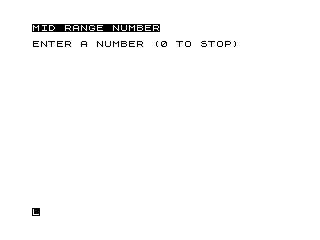
Source Code
   5 REM %M%I%D% %R%A%N%G%E% %C%A%L%C%U%L%A%T%I%O%N
  10 LET N=0
  15 LET M=0
  20 LET H=0
  25 LET L=0
  27 PRINT "%M%I%D% %R%A%N%G%E% %N%U%M%B%E%R"
  28 PRINT
  30 PRINT "ENTER A NUMBER (0 TO STOP) ";
  35 INPUT Z
  40 IF Z=0 THEN GOTO 90
  45 PRINT Z
  50 LET N=N+1
  55 IF N=1 THEN LET H=Z
  60 IF N=1 THEN LET L=Z
  65 IF Z<L THEN LET L=Z
  70 IF Z>H THEN LET H=Z
  80 GOTO 30
  90 LET M=L+((H-L)/2)
 100 CLS
 110 PRINT "THE MID RANGE NUMBER IS ";M
 120 PRINT
 130 GOTO 10
 150 SAVE "1005%4"
 160 RUN
Note: Type-in program listings on this website use ZMAKEBAS notation for graphics characters.