
This program calculates the compound annual growth rate (CAGR) of an investment given a beginning amount, an ending amount, and a number of years. The core formula at line 100 uses the nth-root exponentiation `(E/B)**(1/N)` to derive the periodic rate, which is then rounded to two decimal places via the `INT((I*10000)+.5)/100` idiom at line 110. The program branches at line 130 to display either “POSITIVE GROWTH” or “NEGATIVE GROWTH” with the corresponding percentage change, and a shared GOSUB subroutine at line 400 prints the common summary fields. A loop at lines 280–300 allows repeated calculations without restarting.
Program Analysis
Program Structure
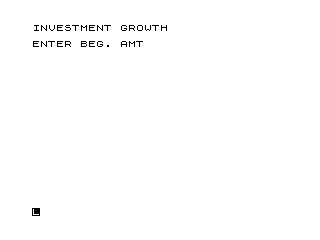
The program is organized into three logical regions:
- Input phase (lines 10–81): Prompts the user for beginning amount (
B), ending amount (E), and number of years (N), echoing each entered value immediately after input. - Calculation and output phase (lines 90–270): Computes the compound annual growth rate, determines sign, and prints the appropriate result block via a shared subroutine.
- Loop / exit (lines 270–310): Asks whether to run another calculation; a “Y” response branches back to line 20, skipping the initial title print at line 10.
The subroutine at lines 400–440 prints the four summary fields (beginning amount, ending amount, absolute change, and years) and is called from both the positive-growth path (line 150) and the negative-growth path (line 220), avoiding code duplication.
Core Formula
Line 100 computes the compound annual growth rate using the standard CAGR formula:
I = ((E/B)**(1/N)) - 1
The ** operator raises E/B to the power 1/N, equivalent to taking the Nth root of the total return ratio. The result is the per-period rate as a decimal (e.g., 0.05 for 5%).
Rounding Technique
Line 110 applies the classic two-decimal-place rounding idiom:
I = INT((I * 10000) + 0.5) / 100
Multiplying by 10000 and dividing by 100 shifts the value so that rounding to the nearest integer (via adding 0.5 before truncation) gives a result accurate to two decimal places expressed as a percentage. Note that this converts the decimal fraction directly to a percentage figure — for example, 0.0523 becomes 5.23.
Sign-Based Branching
Line 130 tests whether I is negative and routes to line 210 for the decline branch. The positive branch falls through to line 140. Both branches call the shared subroutine and then print the rate label (PC INCREASE or PC DECLINE) with the value of I. Control then converges at line 270 for the repeat-prompt logic.
Variable Summary
| Variable | Purpose |
|---|---|
B | Beginning (initial) investment amount |
E | Ending investment amount |
N | Number of years |
I | Calculated CAGR (as a percentage after rounding) |
C | Absolute change (E - B) |
Q$ | User response for repeat loop (“Y” or “N”) |
Notable Techniques and Idioms
- The repeat loop branches back to line 20 rather than line 10, so the “INVESTMENT GROWTH” title is printed only once per program run.
- Each
INPUTstatement is immediately followed by aPRINTof the entered variable (lines 41, 61, 81), providing confirmation of the entered value — a common pattern when input is not automatically echoed visibly. STOPat line 500 is used as a clean program terminator on the “N” path, with lines 510–520 following as utility lines for saving and re-running.
Potential Anomalies
- If
Bis entered as zero, line 100 will cause a division-by-zero error (E/B). No input validation is present. - If
Nis zero, the expression1/Nalso produces a division-by-zero error. - When
Iis negative and the rounding at line 110 is applied, theINT(...+0.5)rounding method does not round symmetrically for negative numbers (it rounds toward negative infinity rather than away from zero), so negative rates may be off by one unit in the last digit. - The label printed for a negative rate is
PC DECLINEfollowed by the already-negative value ofI, so the sign is implicit in both the label and the number — users must interpret the negative sign themselves.
Image Gallery
Source Code
   5 REM POSNEG GROWTH(INVESTMENT)
  10 PRINT "INVESTMENT GROWTH"
  20 PRINT
  30 PRINT "ENTER BEG. AMT"
  40 INPUT B
  41 PRINT B
  50 PRINT "ENTER END.AMT"
  60 INPUT E
  61 PRINT E
  70 PRINT "ENTER NR OF YEARS"
  80 INPUT N
  81 PRINT N
  90 PRINT
 100 LET I=((E/B)**(1/N))-1
 110 LET I=INT ((I*10000)+.5)/100
 120 LET C=E-B
 130 IF I<0 THEN GOTO 210
 140 PRINT "      POSITIVE GROWTH"
 150 GOSUB 400
 190 PRINT "PC INCREASE  ";I
 200 GOTO 270
 210 PRINT "NEGATIVE GROWTH"
 220 GOSUB 400
 260 PRINT "PC DECLINE";I
 270 PRINT
 280 PRINT "ANOTHER CALCULATION? ENTER Y OR N"
 290 INPUT Q$
 300 IF Q$="Y" THEN GOTO 20
 310 GOTO 500
 400 PRINT "BEG.AMT.  ";B
 410 PRINT "END AMT.  ";E
 420 PRINT "CHANGE    ";C
 430 PRINT "YRS.      ";N
 440 RETURN
 500 STOP
 510 SAVE "1012%2"
 520 RUN
Note: Type-in program listings on this website use ZMAKEBAS notation for graphics characters.