
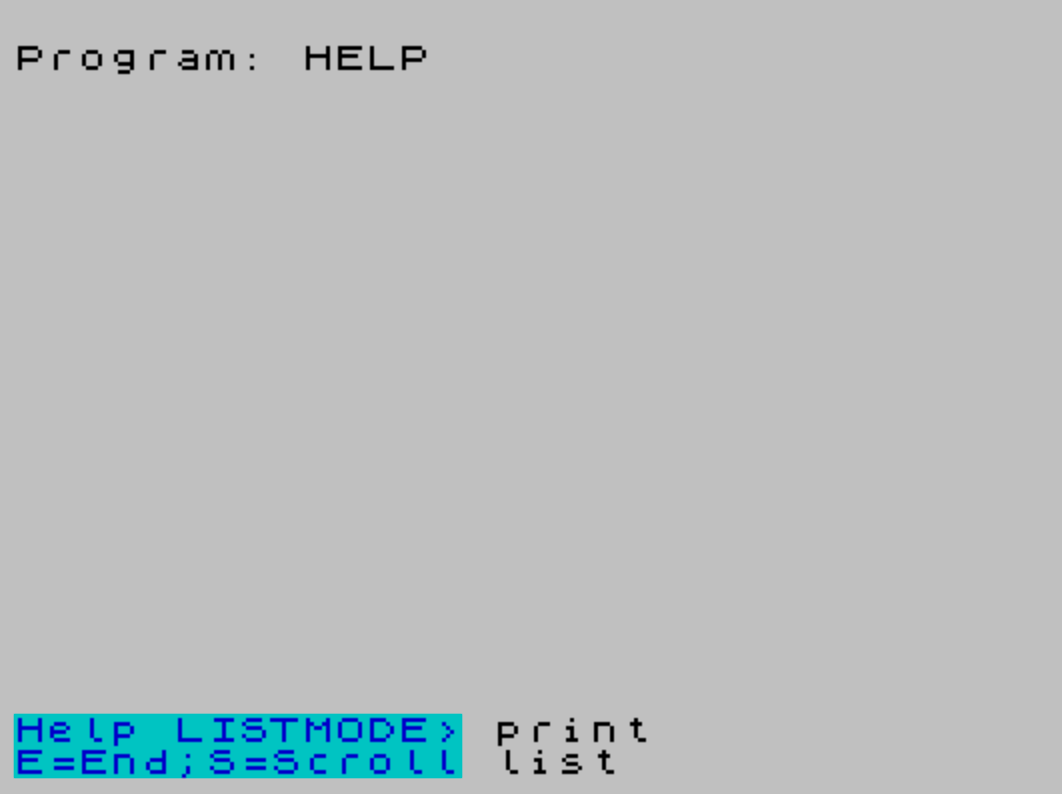
HELP is an interactive command-reference utility that provides two browsing modes for a built-in list of option commands: a scrollable list mode and a keyword query mode. In list mode, the program displays paired primary and secondary DATA entries side by side using the lower screen areas (PRINT #0 and PRINT #1), advancing on a keypress. In query mode, the user types a command name, and the program searches the primary DATA entries by comparing the first three characters, then retrieves the matching secondary description from a parallel DATA block offset by 100 line numbers (e.g., RESTORE data+100). The DATA is split into two separate blocks starting at lines 3800 and 3900, with the primary block terminated by a dummy space-filled string at line 3815 to mark the end of the list.
Program Analysis
Program Structure
The program is organized into a set of clearly delineated routines, all residing in the 3000–3999 line range, with data from 3800 onward and a save statement at 9999. The top-level menu loop runs from lines 3001–3007, dispatching to one of two help modes or exiting.
| Line Range | Purpose |
|---|---|
| 3001–3007 | Main menu: L = List, Q = Query, X = Exit |
| 3010–3085 | List mode — scrollable primary/secondary pair display |
| 3110–3175 | Query mode — keyword search and description retrieval |
| 3690–3720 | Screen-clear subroutine (PRINT #0 blanking) |
| 3800–3815 | Primary DATA block (command names) |
| 3900–3914 | Secondary DATA block (command descriptions) |
Dual-Screen Output
The program makes deliberate use of both the upper screen (PRINT #1) and the lower two-line area (PRINT #0) to separate status/prompt information from content. The clear-screen subroutine at line 3700 uses PRINT #0; AT 0,0,,,, — printing four empty items — to blank the lower area without disturbing the main display.
List Mode Technique
List mode (lines 3010–3085) uses a sliding window approach: it pre-reads two adjacent DATA items into p$ and b$, displaying them as a pair. When the user presses S to scroll, p$ is assigned the value of b$ and a new b$ is read, effectively advancing the window by one entry without needing to re-RESTORE from the beginning. The loop bound is computed as (endata-data), i.e., 3815-3800 = 15 iterations.
Query Mode and the DATA Offset Trick
Query mode (lines 3110–3175) performs a linear search through the primary DATA block by incrementing a variable data from 3800 to 3815 and using RESTORE data before each READ. Only the first three characters of both the input and each DATA entry are compared (via string slicing v$( TO 3) and p$( TO 3)), making the match prefix-based rather than exact.
Once a match is found at line data, the secondary description is retrieved with RESTORE data+100. This works because the secondary DATA block starts exactly 100 lines after the primary block (line 3800 → 3900, 3801 → 3901, etc.), forming a parallel structure that is navigated purely by arithmetic on line numbers.
Key BASIC Idioms
PAUSE 0followed byINKEY$checks — used in list mode (lines 3045–3060) as a keypress-wait loop.RESTORE datawith a variable — unconventional use of RESTORE with a numeric variable holding a line number, enabling dynamic repositioning within the DATA stream.GO SUB 3700before mode transitions — consistently called to clear the lower screen before returning to the menu.- Line 3003 uses the standard
IF INKEY$="" THEN GO TO 3003wait idiom before lines 3004–3006 re-read INKEY$ for the actual keypress value. This introduces a potential race condition: a very fast keypress could be missed between lines 3003 and 3004.
Bugs and Anomalies
- INKEY$ race condition: Lines 3003–3006 each call
INKEY$independently. After the wait at 3003 detects a non-empty key, lines 3004, 3005, and 3006 each re-sampleINKEY$. If the key has been released by then, all three conditions fail and the program falls through toGO TO 3001, effectively ignoring the keypress. - Line 3035 syntax:
PRINT #0; AT 0,15,, AT 0,15;p$— the double comma afterAT 0,15prints two null items (effectively two spaces or separators) before repositioning, which is an unusual construction likely intended to clear a portion of the line before reprinting. - Line 3160 capitalization:
PRINT #0; AT 0,0;"OPTION QUERY>";P$uses uppercaseP$, which in Spectrum BASIC refers to the same variable as lowercasep$— not a bug, but inconsistent style with the rest of the program. - Secondary DATA misalignment: The secondary block has 15 entries (lines 3900–3914) but the primary block’s loop limit is
endata-data = 15. Line 3902 describes “MOVES n PIXELS LEAVING NO LINE” but corresponds to primary entry “turn d” at line 3803 — the secondary descriptions appear shifted by one relative to the primary entries, suggesting a DATA entry was inserted or deleted inconsistently between the two blocks. - Unused line 9900:
STOPat line 9900 is never reached by normal program flow and serves no functional purpose.
Data Design
The primary DATA block documents commands for what appears to be a turtle-graphics or Logo-like interpreted language (commands such as turn d, draw n, go to x y d, object name-end, repeat n(options)). The HELP utility is therefore designed as an embedded reference system for a separate application, not a standalone program — it is intended to be merged into or called from that application’s line number space.
Image Gallery
Source Code
   10 REM       HELP- A Memory jogger           taken from       POPULAR COMPUTING       FEB-1984 VOL 3 #4Entered by J R Mills
 3001 PRINT #0; AT 0,0; BRIGHT 1;"option List/option Query/eXit"
 3002 PRINT #1; AT 1,0; BRIGHT 1;"PRESSL/Q/X for help required"
 3003 IF INKEY$="" THEN GO TO 3003
 3004 IF INKEY$="L" OR INKEY$="l" THEN GO SUB 3700:GO TO 3010
 3005 IF INKEY$="Q" OR INKEY$="q" THEN GO SUB 3700:GO TO 3110
 3006 IF INKEY$="X" OR INKEY$="x" THEN GO SUB 3700:STOP
 3007 GO TO 3001
 3008 REM OPTION COMMANDLIST
 3010 PRINT #0; AT 0,0; INK 1; PAPER 5;"Help LISTMODE>"
 3015 PRINT #1; AT 1,0; INK 1; PAPER 5;"E=End;S=Scroll"
 3020 LET data=3800:LET endata=3815
 3025 RESTORE data:READ p$,b$
 3030 FOR H=1 TO (endata-data)
 3035 PRINT #0; AT 0,15,, AT 0,15;p$
 3040 PRINT #0; AT 1,15,, AT 1,15;b$
 3045 PAUSE 0
 3050 IF INKEY$="S" OR INKEY$="s" THEN GO TO 3065
 3055 IF INKEY$="E" OR INKEY$="e" THEN GO TO 3001
 3060 GO TO 3045
 3065 LET p$=b$:READ b$
 3070 NEXT H
 3075 GO SUB 3700
 3080 PRINT #1; AT 1,0;"--End of Command Word List--"
 3085 PAUSE 40:GO SUB 3700:GO TO 3001
 3090 REM  OPTION COMMAND QUERY
 3110 LET data=3800:LET endata=3815
 3115 INPUT AT 0,0;"What Option command do you need HELP with?>";v$
 3120 IF LEN v$<3 THEN PRINT #0; AT 0,0;"Under 3 letters please RE-TYPE":BEEP .2,-26:PAUSE 50:GO TO 3115
 3125 PRINT #1; AT 1,0; FLASH 1; BRIGHT 1;"--SEARCHING--"
 3130 LET v$=v$( TO 3)
 3135 RESTORE data:READ p$:LET p$=p$( TO 3)
 3140 IF v$=p$ THEN GO TO 3155
 3145 IF data=endata THEN PRINT #1; AT 1,0; FLASH 1; PAPER 2; INK 7;" -NO SUCH OPTION COMMAND- ":PAUSE 70:GO TO 3001
 3150 LET data=data+1:GO TO 3135
 3155 RESTORE data:READ p$:RESTORE data+100:READ b$
 3160 PRINT #0; AT 0,0;"OPTION QUERY>";P$
 3165 PRINT #1; AT 1,0;b$
 3170 PAUSE 0
 3175 GO SUB 3700:GO TO 3001
 3690 REM CLEAR 'Help Screen'
 3700 PRINT #0; AT 0,0,,,,
 3720 RETURN
 3770 REM ********************
 3775 REM *      PRIMARY     *
 3780 REM * DATA STATEMENTS  *
 3790 REM ********************
 3800 DATA "stop"
 3801 DATA "size n"
 3803 DATA "turn d"
 3804 DATA "draw n"
 3805 DATA "go to x y d"
 3806 DATA "object name-end"
 3807 DATA "repeat n(options)"
 3808 DATA "erase"
 3809 DATA "print"
 3810 DATA "list"
 3811 DATA "copy"
 3812 DATA "help"
 3813 DATA "save filename"
 3814 DATA "load filename"
 3815 DATA "             ":REM A dummy string
 3817 REM THE LAST PRIMARYDATA -STATEMENT SHOULD ALWAYS BE A DUMMY STRING FILLED WITH SPACES SO THAT IT IS EQUAL IN LENGTH TO THE PRIMARYDATA STATEMENT BEFORE IT
 3870 REM *********************
 3880 REM *   SECONDARY       *
 3885 REM *  DATA STATEMENTS  *
 3890 REM *********************
 3900 DATA "TERMINATES PROGRAM EXECUTION"
 3901 DATA "INCREASES SIZE VARIABLE BY n"
 3902 DATA "MOVES n PIXELS LEAVING NO LINE"
 3903 DATA "CHANGES DIRECTION BY d DEGREES"
 3904 DATA "DRAWS LINE n PIXELS LONG"
 3905 DATA "GOTO x,y & POINT d DEG TO HORIZN"
 3906 DATA "STORE OPTION COMMANDS UNDER name"
 3907 DATA "REPEAT OPTIONS WITHIN () n TIMES"
 3908 DATA "CLEARS SCREEN"
 3909 DATA "PRINT DEFINED OBJECTS TO PRINTER"
 3910 DATA "LISTS DEFINED OBJECTS TO SCREEN"
 3911 DATA "COPIES SCREEN DISPLAY TO PRINTER"
 3912 DATA "OPTION Query & List System"
 3913 DATA "SAVES DEFINED OBJECTS ON TAPE"
 3914 DATA "LOADS DEFINED OBJECTS FROM TAPE"
 3925 REM      *   END OF ROUTINE   *
 9900 STOP
 9999 SAVE "HELP" LINE 1
Note: Type-in program listings on this website use ZMAKEBAS notation for graphics characters.