
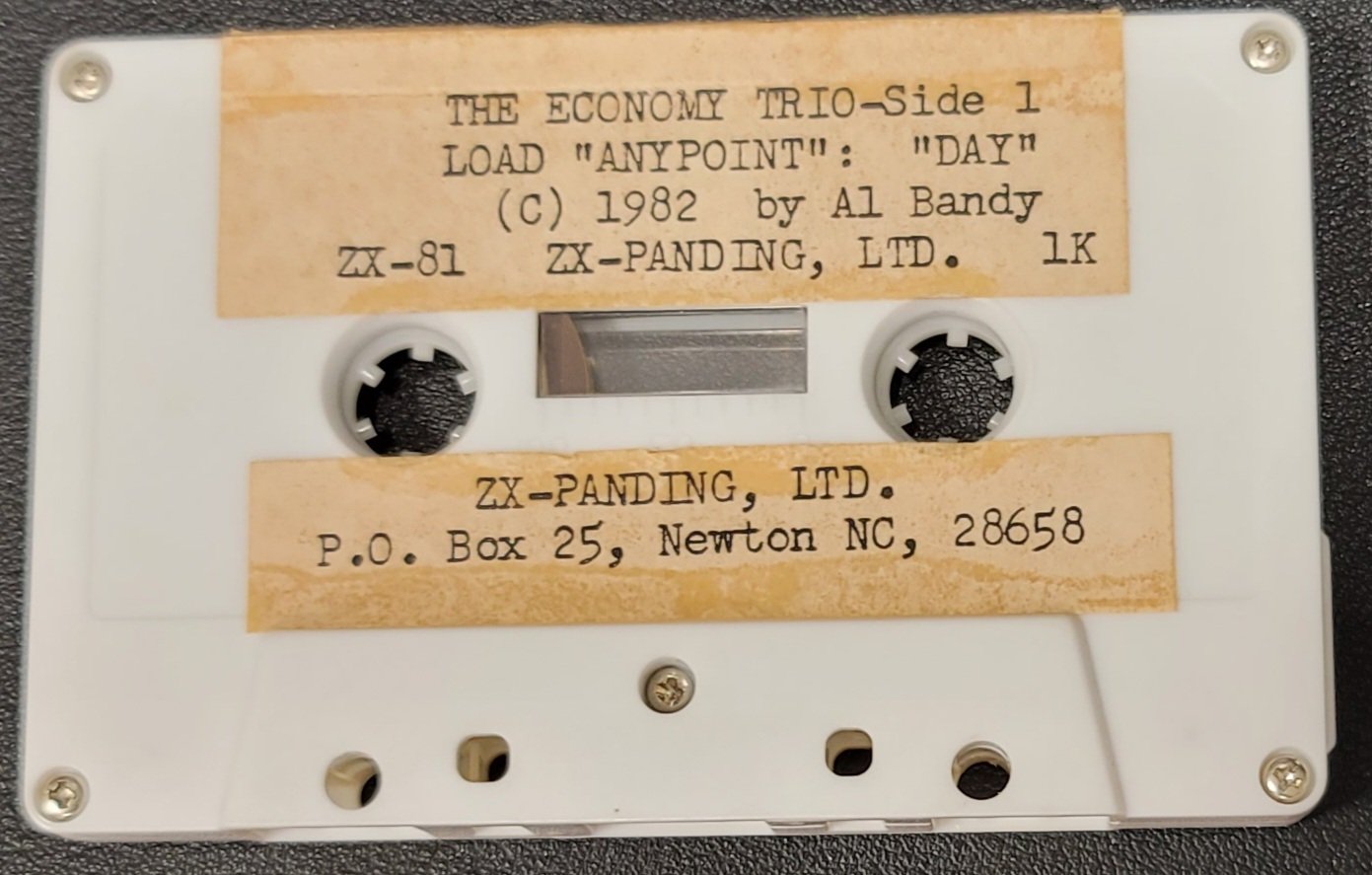
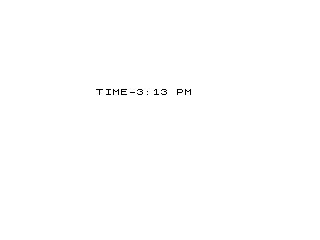
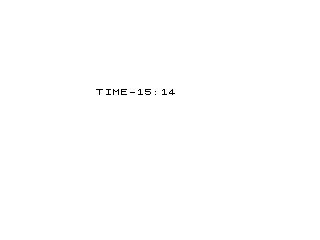
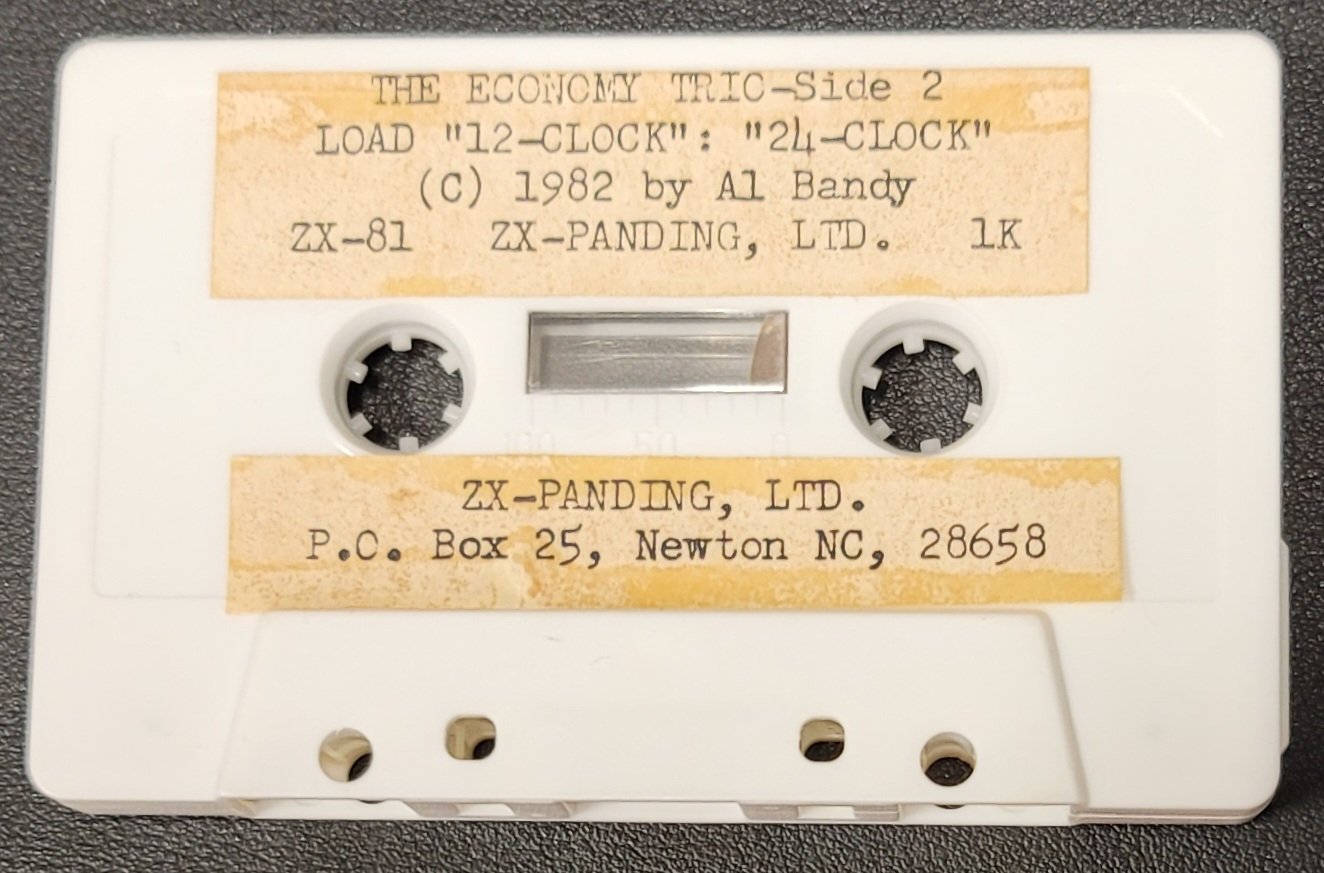
The first two programs implement a software clock: they accept a starting time (with optional AM/PM selection) and use PAUSE 3550/3551 as a one-minute timer, updating the display each iteration and supporting both count-up (mode 1/2) and count-down (mode 3) operation.
Anypoint, the third program, is a bar-chart plotter that accepts a data range and up to 20 values, scaling the X axis dynamically to fit 22–34 columns and using PLOT to draw points on screen.
Day calculator is a day-of-week calculator that converts a Gregorian date into a day number using the formula D + INT(365.25×Y), applies a leap-year correction for January/February, then finds the remainder mod 7 to print the abbreviated day name.
Software Clock with AM/PM and Countdown
This program simulates a real-time clock by relying on PAUSE 3550 (approximately 60 seconds at 50 Hz on a ZX81) as its timing loop. The user selects a mode via C and enters a starting hour H and minute M.
C=1: 12-hour AM/PM display. The user is also asked forQ(1=AM, 2=PM); if PM,His incremented by 12.C=2(implied): 24-hour count-up with no AM/PM suffix.C=3: Countdown mode — each iteration doesM=M+1then immediatelyM=M-2, net effectM=M-1; whenM=-1the hour is decremented andMreset to 59.
The AM/PM logic at lines 19–20 contains a subtle anomaly: line 20 uses IF C=1 AND H<=11 OR H=24 without proper parenthesisation. On the ZX81, AND binds tighter than OR, so this evaluates as (C=1 AND H<=11) OR (H=24), meaning midnight (H=24) would always print ” AM” regardless of C. Midnight wrapping is handled at line 32 by resetting H from 25 to 1, skipping 0 entirely, which means H=24 is a transient state only briefly seen before the next iteration.
The leading-zero idiom for minutes (lines 17–18) uses paired IF M<10 / IF M>=10 rather than an IF…THEN…ELSE construct, which is typical ZX81 BASIC.
Simplified 24-Hour Clock
This is a stripped-down variant of Program 1 with AM/PM display removed. PAUSE 3551 is used (one frame longer). The hour-wrap logic differs: line 27 resets H to 0 when H=24 AND M=1, which is slightly off — it triggers one minute into the new hour rather than immediately. Line 31 lacks the IF H=25 THEN LET H=1 reset present in Program 1, so the clock rolls through H=0 correctly for a 24-hour cycle but would count past 23 indefinitely without the countdown termination at line 28.
Anypoint – Bar Chart / Scatter Plotter
This program collects N data values in the range [L, H] and plots them using the ZX81’s PLOT command. The X axis is drawn using a row of block-graphic characters (\: = ▌, repeated 20 times) followed by a ruler string with tick labels at 1, 10, 20, 30, 40, 50, 60.
Axis Scaling Logic
The scaling loop (lines 21–28) attempts to normalise the range X=H-L to fall within 22–34 units, suitable for the ZX81’s 64-column graphics resolution. It multiplies or divides both X and D (the adjusted data value) by 1.5 repeatedly until the range fits. This is a simple iterative rescaler with no termination guard — if the range cannot converge it would loop indefinitely (though in practice, repeated ×1.5 or ÷1.5 will eventually satisfy the condition).
PLOT I+1, INT(D+2) at line 30 maps the entry index to the X coordinate and the scaled, offset data value to Y. The +2 offset shifts the plot slightly off the axis baseline. The running sum and mean are displayed at line 20 with trailing spaces to clear previous longer values.
Day-of-Week Calculator
This implements a compact Gregorian day-of-week algorithm. The cumulative day-of-year offset D is set by a series of IF M=n THEN LET D=… statements for months 2–12 (January has no statement, defaulting to D=0).
| Month | D offset |
|---|---|
| Jan | 0 |
| Feb | 31 |
| Mar | 59 |
| Apr | 90 |
| May | 120 |
| Jun | 151 |
| Jul | 181 |
| Aug | 212 |
| Sep | 243 |
| Oct | 273 |
| Nov | 304 |
| Dec | 334 |
The day-of-year is completed by adding E (day of month), then the year contribution INT(365.25*Y) is added. A leap-year correction at line 23 subtracts 1 when the year is divisible by 4 and the month is before March, correctly handling the case where the extra leap day has not yet occurred in the current year. The epoch anchor (X=0 → Friday) implies the formula is anchored to a reference date of approximately 1 January 1 AD using a proleptic Gregorian convention, though no documentation is provided in the listing. The program loops continuously via GOTO 1 after each result, allowing repeated queries.
General Idioms Across All Programs
FASTmode used in Programs 1 and 2 to suppress display refresh overhead during timing-sensitivePAUSEloops.- Inverse-video characters (e.g.
%S%T%A%R%T%I%N%G) used for prompts — each%Xrepresents the inverse video version of the letter in zmakebas notation. - Paired
IF cond THEN/IF NOT cond THENused throughout in lieu ofIF…THEN…ELSE, which ZX81 BASIC does not support. - Line numbers are non-contiguous (gaps at 3, 4, 11–13, etc.), suggesting the programs were edited after initial entry.
Image Gallery
Source Code
   1 LET Q=0
   2 FAST
   3 PRINT "SELECT"
   5 INPUT C
   6 PRINT "%S%T%A%R%T%I%N%G% %T%I%M%E"
   7 INPUT H
   8 INPUT M
   9 IF C=1 THEN PRINT "1:AM 2:PM"
  10 IF C=1 THEN INPUT Q
  11 IF Q=2 THEN LET H=H+12
  14 PRINT AT 8,8;"TIME-";
  15 IF H>12 THEN PRINT H-12;":";
  16 IF H<=12 THEN PRINT H;":";
  17 IF M<10 THEN PRINT "0";M;
  18 IF M>=10 THEN PRINT M;
  19 IF C=1 AND H>11 AND H<=23 THEN PRINT " PM"
  20 IF C=1 AND H<=11 OR H=24 THEN PRINT " AM"
  21 PAUSE 3550
  23 LET M=M+1
  24 IF C=3 THEN LET M=M-2
  25 CLS
  26 IF C=3 AND M=-1 THEN LET H=H-1
  27 IF C=3 AND M=-1 THEN LET M=59
  28 IF C=3 AND H=0 AND M=0 THEN GOTO 40
  29 IF M<60 THEN GOTO 14
  30 LET M=0
  31 LET H=H+1
  32 IF H=25 THEN LET H=1
  33 GOTO 14
  40 PRINT AT 8,8;"%D%O%N%E"
  41 PAUSE 20
  42 GOTO 40

   1 LET Q=0
   2 FAST
   3 PRINT "SELECT"
   5 INPUT C
   6 PRINT "%S%T%A%R%T%I%N%G% %T%I%M%E"
   7 INPUT H
   8 INPUT M
  14 PRINT AT 8,8;"TIME-";
  15 PRINT H;":";
  17 IF M<10 THEN PRINT "0";M;
  18 IF M>=10 THEN PRINT M;
  21 PAUSE 3551
  23 LET M=M+1
  24 IF C=3 THEN LET M=M-2
  25 CLS
  26 IF C=3 AND M=-1 THEN LET H=H-1
  27 IF H=24 AND M=1 THEN LET H=0
  28 IF C=3 AND H=0 AND M=0 THEN GOTO 40
  29 IF M<60 THEN GOTO 14
  30 LET M=0
  31 LET H=H+1
  33 GOTO 14
  40 PRINT AT 8,8;"%D%O%N%E"
  41 PAUSE 15
  42 GOTO 40

   1 LET V=0
   2 PRINT "NO."
   3 INPUT N
   4 PRINT "LOW"
   5 INPUT L
   6 PRINT "HIGH"
   7 INPUT H
   8 CLS
   9 PRINT L;" TO ";H
  10 FOR Q=1 TO 20
  11 PRINT ": "
  12 NEXT Q
  13 PRINT "''1''''''10''''''20''''''30''''''40''''''50''''''60"
  14 FOR I=1 TO N
  15 PRINT AT 2,2;"ENTER ";I
  16 INPUT D
  17 LET X=H-L
  18 LET V=V+D
  19 LET D=D-L
  20 PRINT AT 1,0;"SUM=";V;" MEAN=";V/I;"       "
  21 IF X>34 THEN GOTO 26
  22 IF X>=22 AND X<=34 THEN GOTO 30
  23 LET X=X*1.5
  24 LET D=D*1.5
  25 GOTO 21
  26 LET X=X/1.5
  27 LET D=D/1.5
  28 GOTO 21
  30 PLOT I+1,INT (D+2)
  31 NEXT I

   1 PRINT AT 8,3;"%M%O%N%T%H %D%A%Y %Y%E%A%R"
   2 LET D=0
   3 INPUT M
   4 IF M=2 THEN LET D=31
   5 IF M=3 THEN LET D=59
   6 IF M=4 THEN LET D=90
   7 IF M=5 THEN LET D=120
   8 IF M=6 THEN LET D=151
   9 IF M=7 THEN LET D=181
  10 IF M=8 THEN LET D=212
  11 IF M=9 THEN LET D=243
  12 IF M=10 THEN LET D=273
  13 IF M=11 THEN LET D=304
  14 IF M=12 THEN LET D=334
  17 INPUT E
  18 LET D=D+E
  20 INPUT Y
  22 LET D=D+INT (365.25*Y)
  23 IF INT (Y/4)=Y/4 AND M<3 THEN LET D=D-1
  27 LET W=INT (D/7)
  28 LET X=D-(7*W)
  29 PRINT M;"/";E;"/";Y
  30 IF X=0 THEN PRINT "%F%R%I"
  31 IF X=1 THEN PRINT "%S%A%T"
  32 IF X=2 THEN PRINT "%S%U%N"
  33 IF X=3 THEN PRINT "%M%O%N"
  34 IF X=4 THEN PRINT "%T%U%E%S"
  35 IF X=5 THEN PRINT "%W%E%D"
  36 IF X=6 THEN PRINT "%T%H%U%R"
  50 INPUT K$
  51 CLS
  53 GOTO 1
Note: Type-in program listings on this website use ZMAKEBAS notation for graphics characters.