
This program implements a digital clock display for the ZX81/TS1000, accepting a starting time from the user in a compact numeric format (e.g., 352 for 3:52, 1107 for 11:07) along with an AM/PM indicator. The clock ticks by looping through a PAUSE delay of approximately P=3572 units, which approximates a one-minute interval on this hardware, then increments the minutes counter each loop. Lines 110–130 implement real-time keyboard adjustments: pressing F slows the clock, D speeds it up, and J jumps back two minutes, compensating for timing drift. AM/PM switching is handled at the 12:01 boundary by comparing and toggling the M$ string. The POKE 16437,255 at line 220 resets the system’s frame counter to prevent the display from blanking during the clock’s main loop.
Program Analysis
Program Structure
The program is divided into two phases: an initialisation phase (lines 10–80) that collects the starting time and AM/PM indicator, and a main clock loop (lines 100–230) that increments minutes, handles rollovers, and refreshes the display. Line 90 jumps directly into the display/pause portion at line 200, bypassing the minute-increment on the very first iteration so the entered time is shown immediately.
- Lines 10–80: User input and variable setup.
Tis split into hoursHand minutesMby integer division. - Line 80:
CLSclears the screen before entering the loop. - Lines 100–190: Minute increment, keyboard adjustment, rollover logic, and AM/PM toggle.
- Lines 200–230: Display, pause, watchdog POKE, and loop-back.
Time Input Parsing
The user enters the time as a plain integer (e.g., 352 for 3:52 or 1107 for 11:07). Line 50 extracts the hours with INT(T/100) and line 60 recovers minutes as M = T - H*100. This avoids any string-parsing overhead and is a common ZX81 space-saving idiom.
Timing Mechanism
The clock “ticks” once per minute. The delay is implemented with PAUSE P at line 210, where P is initialised to 3572 at line 70. On a standard ZX81/TS1000 running at 3.25 MHz, each PAUSE unit corresponds to one 50 Hz frame (approximately 20 ms), so 3572 frames ≈ 71.4 seconds. The intended period is 60 seconds, suggesting the value may need tuning or was empirically chosen to account for the overhead of the BASIC interpreter executing the loop body.
Keyboard Adjustment Controls
Lines 110–130 poll INKEY$ during each loop iteration (after the PAUSE has already elapsed) to allow manual correction of drift:
| Key | Effect |
|---|---|
F | Decreases P by 1 (speeds up ticking — shorter pause) |
D | Increases P by 1 (slows down ticking — longer pause) |
J | Subtracts 2 from M (steps time back 2 minutes) |
Because INKEY$ is read after the PAUSE, only one keypress is registered per minute cycle. The J key subtracts 2 (not 1) because line 100 has already added 1 before line 130 is reached, so a net correction of −1 minute results.
Rollover and AM/PM Logic
Minute rollover is handled in two consecutive IF statements at lines 140 and 150: line 140 increments H when M reaches 60, then line 150 resets M to 0. Hour rollover at line 160 wraps H from 13 back to 1, implementing a 12-hour clock.
AM/PM toggling (lines 170–190) uses an intermediate variable C$ to capture the current value of M$ before any change. The toggle fires when H=12 and M=1 (one minute past noon/midnight). Using M=1 rather than M=0 is an artefact of the increment happening at line 100 before the check: when the clock ticks from 11:59 to 12:00, M becomes 60 → reset to 0 and H becomes 12, but the AM/PM check sees M=0 that cycle; the following cycle gives M=1 which triggers the toggle. This means the AM/PM indicator flips one minute late.
Display and Watchdog POKE
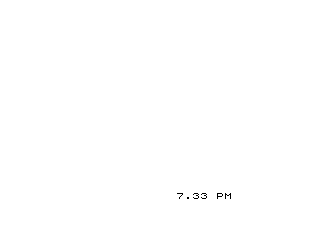
Line 200 uses PRINT AT 21,18 to position the clock output at the bottom-right of the screen, formatting it as H.M M$ with trailing spaces to overwrite any residual characters. Line 220 executes POKE 16437,255, which writes to the ZX81 system variable FRAMES (the lower byte of the two-byte frame counter at 16436–16437). This prevents the BASIC interpreter’s display-blank watchdog from blanking the screen during long PAUSE calls — a standard ZX81 technique.
Bugs and Anomalies
- No lower bound on M from J key: Pressing J can drive
Mbelow 0 (to −1), because there is no guard against a negative minute value. SubsequentIF M=60checks will never fire, and the display will show a negative minutes value until the user presses J again or a natural rollover occurs. - AM/PM toggle one minute late: As described above, the switch happens at H=12, M=1 rather than H=12, M=0.
- PAUSE value not calibrated for 60 seconds: P=3572 produces roughly 71 seconds at 50 Hz, so the clock will run slow without manual F-key correction.
- Lines 240–250 are unreachable: The
GOTO 100at line 230 creates an infinite loop;SAVEandRUNat lines 240–250 are never executed during normal program flow.
Image Gallery
Source Code
   1 REM "DIGITAL CLOCK"
  10 PRINT "AM OR PM"
  20 INPUT M$
  30 PRINT " INPUT TIME IN FORM 352 OR 1107"
  40 INPUT T
  50 LET H=INT  (T/100)
  60 LET M=T-H*100
  70 LET P=3572
  80 CLS
  90 GOTO 200
 100 LET M=M+1
 110 IF INKEY$="F" THEN LET P=P-1
 120 IF INKEY$="D" THEN LET P=P+1
 130 IF INKEY$="J" THEN LET M=M-2
 140 IF M=60 THEN LET H=H+1
 150 IF M=60 THEN LET M=0
 160 IF H=13 THEN LET H=1
 170 LET C$=M$
 180 IF H=12 AND M=1 AND C$="AM" THEN LET M$="PM"
 190 IF H=12 AND M=1 AND C$="PM" THEN LET M$="AM"
 200 PRINT AT 21,18;H;".";M;" ";M$;"  "
 210 PAUSE P
 220 POKE 16437,255
 230 GOTO 100
 240 SAVE "1016%6"
 250 RUN
Note: Type-in program listings on this website use ZMAKEBAS notation for graphics characters.