
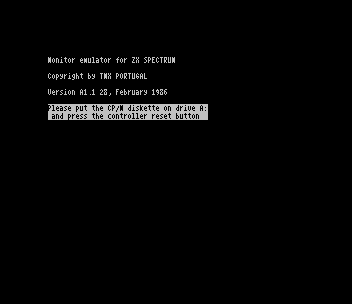
This is CP/M 2.2 as Timex Computer of Portugal supplied it for the FDD 3000 drive, together with the Monitor Emulator that turns the computer into the CP/M console. CP/M runs on the FDD 3000’s own Z80 and memory. The computer loads the Monitor Emulator from a TOS disk, which tells you to “put the CP/M diskette on drive A: and press the controller reset button”, and then works as the system’s screen and keyboard.
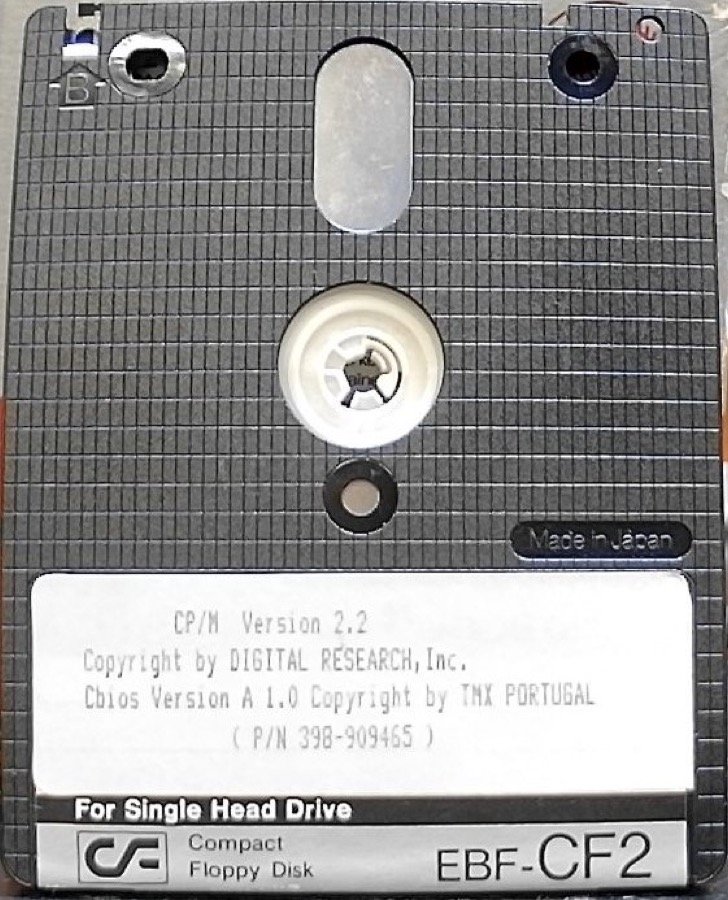
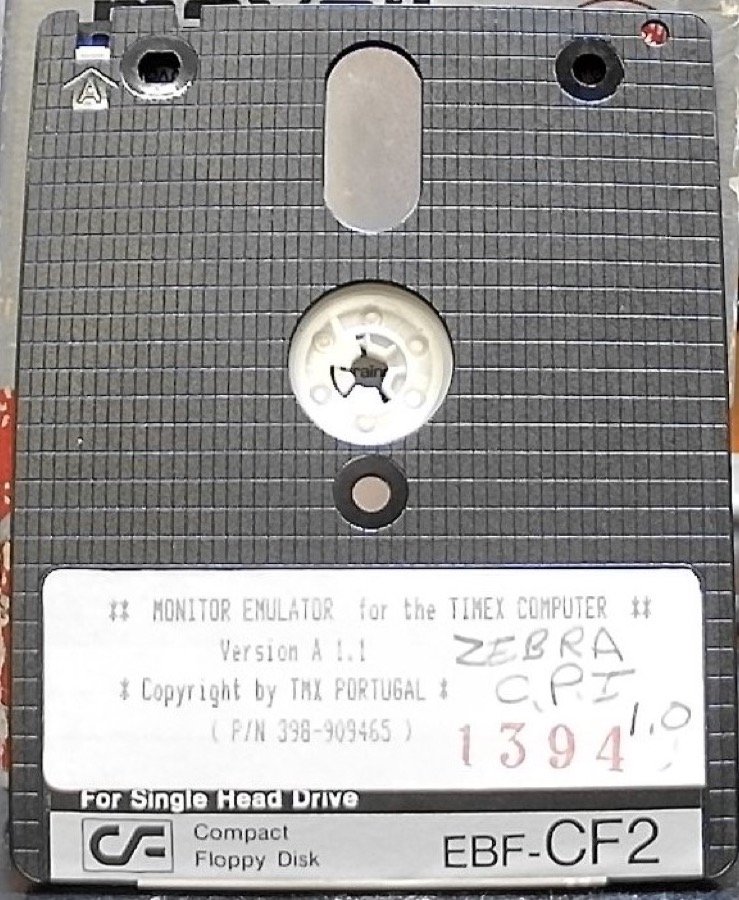
The system disk is labelled “CP/M Version 2.2, Copyright by DIGITAL RESEARCH, Inc., Cbios Version A 1.0 Copyright by TMX PORTUGAL”. It has the standard Digital Research tools (STAT, PIP, ED, ASM, DDT, DUMP, LOAD, SUBMIT, XSUB, MOVCPM) plus Timex’s FORMAT, COPY (“TC COMPUTERS CP/M COPY Version 1.0”) and CONFIGUR (“Version 1.2”, which sets up RS232 channels A and B). The Monitor Emulator disk is labelled “MONITOR EMULATOR for the TIMEX COMPUTER, Version A 1.1, Copyright by TMX PORTUGAL”; both labels carry part number 398-909465, and a Zebra copy is marked “ZEBRA C.P.I.”. Zebra Systems included CP/M with the FDD 3000 it sold in the United States.
The download
CPM 2.2 system disk.DSK, plus its 13 files. Four copies of this disk were imaged and all are identical.Monitor Emulator disk.DSK, plus its files as TAPs.startchooses a build:monitor.zxson a ZX Spectrum; on a TC 2048/2068,monitor.tcfor a printer on the drive’s RS232 port ormonitor.codfor a Centronics interface (AERCO, A&J or Tasman C). All three are “Version A1.1 28, February 1986”.monitor.t48andmonitor.t68are earlier “Version P1.0” builds for the TC 2048 and TC 2068.monitor.intandmonitor.itrare the interrupt code loaded with them.
Both disks need the FDD 3000 itself, or FUSE with the FDD3000 interface (fdd3000e). In ZEsarUX the Spectrum build loads and shows its banner and the request for the CP/M diskette; nothing more can be tested without the drive. Jon’s 2026 recreation of CP/M for the TS2068 is a separate project, listed here as CP/M 2.2 2068.
Image Gallery
Note: Type-in program listings on this website use ZMAKEBAS notation for graphics characters.