
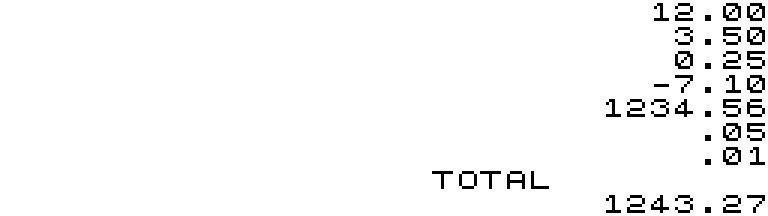
Turns the ZX81 or TS1000 into a printing adding machine. Type each amount at the INPUT prompt and press ENTER: the amount is printed on the ZX printer (or TS2040) with the decimal points lined up, whole numbers with .00 added and one-place decimals with a 0. Press ENTER on its own to print TOTAL and the running total.
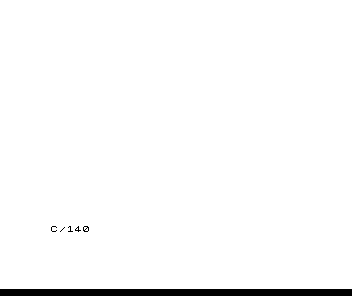
Needs the printer: nothing but the INPUT prompt appears on the screen. After the total the program stops with report C/140 (VAL of the empty entry); RUN starts a new tape. The article suggests saving paper by turning the printer paper round and using it again. One correction: line 15 was printed IF .1>ABS E AND ABS E>=1, which can never be true, so amounts from .01 to .099 printed one column out of line; the download has ABS E>=.01.
The Plotter reprinted this program from ZX Computing, the British magazine; the issue is not given.
Published in The Plotter December 1984 (Adding Machine).
Image Gallery

Source Code
   1 REM "ADDING MACHINE"
   2 GOTO 60
   3 LET B=0
   6 IF E=0 THEN GOTO 21
   9 LET B=INT (LN (ABS E)/LN 10)
  12 IF 1>ABS E AND ABS E>0 THEN LET B=0
  15 IF .1>ABS E AND ABS E>=.01 THEN LET B=-1
  18 IF E<0 THEN LET B=B+1
  20 IF E$="" THEN LPRINT TAB 21-B;"TOTAL"
  21 IF E=INT E THEN LPRINT TAB 28-B;E;".00"
  23 IF E=INT E THEN RETURN
  25 LET W=10*E-INT ((E*10)+.5)
  27 IF -1E-8<W AND W<1E-8 THEN LPRINT TAB 28-B;E;"0"
  29 IF -1E-8<W AND W<1E-8 THEN RETURN
  31 LPRINT TAB 28-B;E
  33 RETURN
  60 LET W=0
  70 LET E=0
  80 LET T=0
 100 INPUT E$
 120 IF E$="" THEN LET E=T
 130 IF E$="" THEN GOSUB 3
 140 LET E=VAL E$
 150 LET T=T+E
 200 GOSUB 3
 300 GOTO 100
Note: Type-in program listings on this website use ZMAKEBAS notation for graphics characters.