
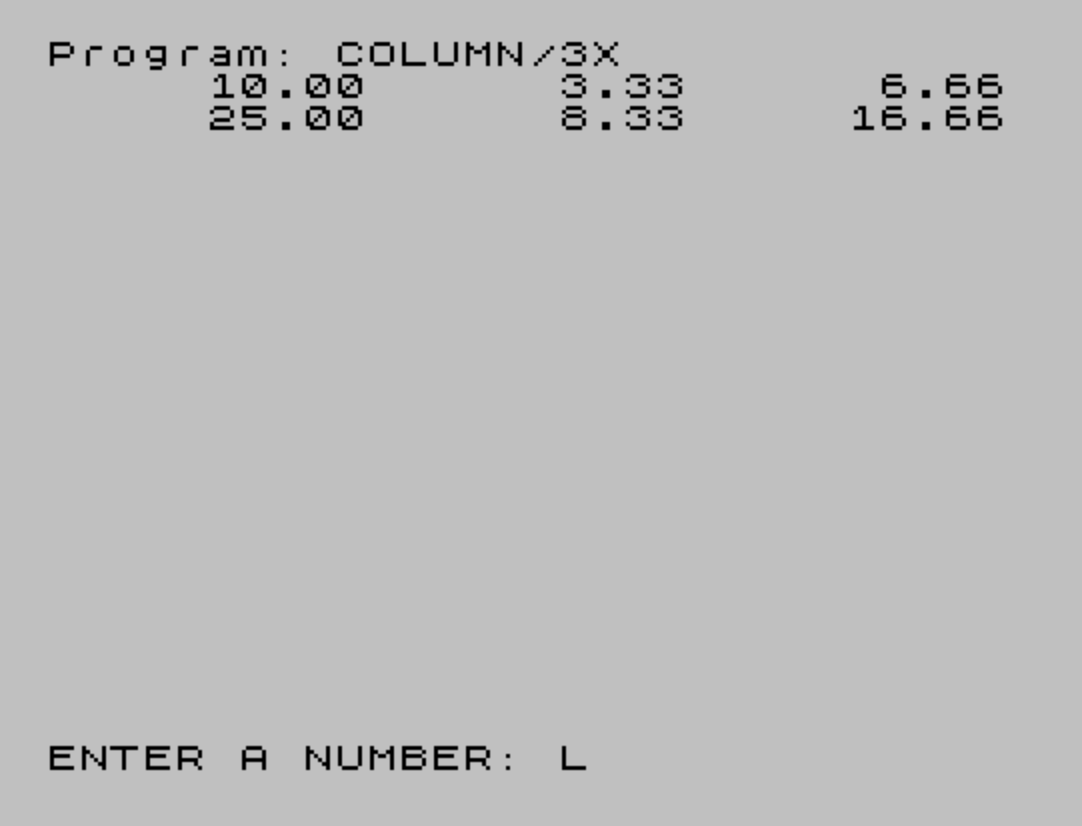
This program prints numbers in up to three columns with decimal formatting, using a subroutine at line 9000 to round and format numeric values as strings. The formatting logic relies on two user-defined functions: FN K rounds a number to two decimal places using integer arithmetic (INT(100*K+0.5)/100), and FN K$ appends “.00” or a trailing “0” as needed to ensure consistent decimal display. TAB positioning is calculated by subtracting the length of the formatted string from a fixed column stop (10, 20, or 30), right-aligning each value within its column. Lines 106–109, which divide and multiply the input to generate related values for columns two and three, are noted as optional for single-column use.
Program Structure
The program is organized into three logical sections: a brief REM header (lines 1–3), the main input/print loop (lines 100–110), and a reusable formatting subroutine with its supporting function definitions (lines 9000–9010). Lines 9500 and 9600 serve as extended inline documentation. The main loop at line 100 accepts a number, calls the subroutine, and prints it right-aligned in column one; lines 106–109 compute and print derived values (K/3 and K*2/3) in columns two and three.
The Formatting Subroutine (Lines 9000–9010)
Line 9000 is the entry point called via GO SUB 9000. It applies two user-defined functions in sequence and then returns:
FN K(K)— rounds the input to two decimal places usingINT(100*K+0.5)/100.FN K$(K,K$)— converts the rounded number to a properly formatted string with exactly two decimal places.
The string function at line 9010 uses BASIC’s conditional string expression idiom. The expression (".00" AND K=INT K) appends .00 when the number is a whole integer. The expression ("0" AND ("0"+K$)(LEN K$)=".") detects when the last character before the end of the string is a decimal point (i.e., only one digit follows it) and appends a trailing 0. This handles cases like 1.5 → 1.50.
Column Alignment Technique
Right-alignment within each column is achieved with TAB 10-LEN K$, TAB 20-LEN K$, and TAB 30-LEN K$. By subtracting the string length from the column stop, the cursor is placed so the last character of the number lands exactly at position 10, 20, or 30 respectively. The trailing semicolons on lines 105 and 107 suppress newlines so all three values appear on the same line.
Key BASIC Idioms
- AND as a conditional string selector: In Sinclair BASIC,
"string" AND conditionreturns the string if the condition is true, or""if false — used here to selectively append decimal suffixes. - STR$ passed as a function argument:
FN K$(K, STR$ K)converts the rounded number to a string before passing it, allowing string operations inside the DEF FN. - Semicolon-terminated PRINT: Lines 105 and 107 use trailing semicolons to keep the print position on the same line for subsequent column output.
Notable Anomaly
The string index expression in line 9010 — ("0"+K$)(LEN K$) — prepends a "0" to the string and then takes the character at position LEN K$ (one-based). This effectively reads the second-to-last character of "0"+K$, which corresponds to the last character of the original K$. This is the mechanism for detecting a lone decimal point at the end of the string (e.g., "2."), triggering the "0" suffix. It is a compact but somewhat opaque technique.
Optional Sections
The author explicitly notes in the REM statements that lines 106–109 can be removed for single-column output, and that all REM lines can be deleted to save memory. The precision of rounding can be increased by changing 100 to 1000 in FN K (line 9005), yielding three decimal places instead of two.
Line Reference Table
| Line(s) | Purpose |
|---|---|
| 1–3 | REM documentation header |
| 100 | INPUT and first column subroutine call |
| 105 | Print column 1 (right-aligned at position 10) |
| 106–109 | Compute and print columns 2 and 3 (optional) |
| 110 | Loop back to input |
| 9000 | Formatting subroutine entry/exit |
| 9005 | DEF FN K — rounding function |
| 9010 | DEF FN K$ — decimal string formatting function |
| 9500–9600 | Extended REM documentation |
| 9998 | SAVE with auto-run |
Image Gallery
Source Code
    1 \{20}\{0}\{20}\{0}\{20}\{1} REM \{20}\{0}SETING UP FOR NUMBER PRINT-OUT IN DIFFERENT COLUMNS
    2 \{20}\{1} REM \{20}\{0}\{20}\{1}\{20}\{0}LINES 106 THROUGH 109 CAN BE ELIMINATED FOR ONE COLUMN PRINTOUT
    3 \{20}\{1} REM \{20}\{0} ALL \{20}\{1} REM \{20}\{0} STATEMENTS CAN BE ELIMINATED.
  100 INPUT "ENTER A NUMBER: ";K:GO SUB 9000
  105 PRINT TAB 10- LEN K$;K$;
  106 \{20}\{1} LET K=K/3:GO SUB 9000\{20}\{0}
  107 \{20}\{1} PRINT TAB 20- LEN K$;K$;\{20}\{0}
  108 \{20}\{1} LET K=K*2:GO SUB 9000\{20}\{0}
  109 \{20}\{1} PRINT TAB 30- LEN K$;K$\{20}\{0}
  110 GO TO 100
 9000 LET K= FN K(K):LET K$= FN K$(K, STR$ K):RETURN
 9005 DEF FN K(K)= INT (100*K+0.5)/100
 9010 DEF FN K$(K,K$)=K$+(".00" AND K= INT K)+("0" AND ("0"+K$)(LEN K$)=".")
 9500 \{20}\{1} REM \{20}\{0}IN LINE 9005 THE NUMBER "100" DIFINES THAT ONLY TWO SIGNIFICANT NUMBERS WILL BE SHOWN.CHANGING 100 TO 1000 (TWO PLACES) WILL GIVE THREE SIGNIFICANT NUMBER PRINTOUT.
 9600 \{20}\{1} REM \{20}\{0}LINE 9010 ADDS .00; (.5)0 AND "." TO THE NUMBER.
 9998 SAVE "COLUMN/3X" LINE 1
 9999 \{20}\{1} REM \{20}\{0} G O O D    L U C K !!!WRITE ME IF YOU HAVE A PROBLEM, OR BETTER SEND ME YOUR PROGRAM I WILL TRY TO INCORPORATE FOR YOU      ALGIS E. GEDRIS                 355 ROYAL OAK BLVD.,            RICHMOND HEIGHTS, OHIO          44143-1709                      (216) 481-8205
Note: Type-in program listings on this website use ZMAKEBAS notation for graphics characters.