
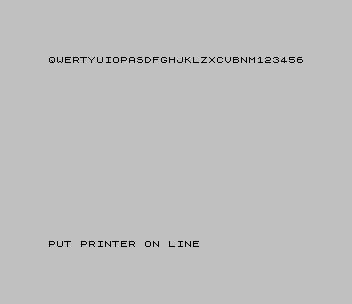
Prints the top line of the screen on a 24-pin or bubble-jet printer in Epson emulation, in 24-pin double-density bit-image graphics. For each of the 256 pixel columns it reads eight pixels with POINT and spreads them over the 24 pins as three bytes, following the conversion chart in the article, so the print comes out in proportion; the bytes go to the printer with OUT 127 on a Centronics interface at port 127 (Aerco/Oliger type).
The article explains the changes for a whole screen (loaded from a Larken disk) and for triple density. Type the program without the bracketed comments printed inside the listing. Line 9999 saves to a Larken disk and is not needed from tape.
Published in Sinc-Link November-December 1993 (2068 24-Pin Bit Image Graphics for 24-Pin or Bubble Jet Printers in Epson Emulation).
Image Gallery
Source Code
5 REM 24-pin bit-image demo
10 CLS: PRINT "QWERTYUIOPASDFGHJKLZXCVBNM123456"
20 IF IN 127<>236 THEN INPUT;: PRINT #0;"PUT PRINTER ON LINE": PAUSE 2: GO TO 20
30 RESTORE 30: GO SUB 500: DATA 27,65,8,999
40 LET y=175: RESTORE 40: GO SUB 500: FOR x=0 to 255: DATA 27,42,33,0,2,999
50 LET b1=224*POINT (x,y)+28*POINT (x,y-1)+3*POINT (x,y-2)
60 LET b2=128*POINT (x,y-2)+112*POINT (x,y-3)+14*POINT (x,y-4)+POINT (x,y-5)
70 LET b3=192*POINT (x,y-5)+56* POINT (x,y-6)+7*POINT (x,y-7)
80 RESTORE 80: GO SUB 500: NEXT x: DATA b1,b2,b3,b1,b2,b3,999
90 INPUT;: PRINT #0;x: NEXT x
100 RESTORE 100: GO SUB 500: STOP: DATA 13,10,999
500 READ a: IF a=999 THEN RETURN
510 IF IN 127<>236 THEN GO TO 510
520 OUT 127,a: GO TO 500
9999 RANDOMIZE USR 100: SAVE "11dem.B1"
Note: Type-in program listings on this website use ZMAKEBAS notation for graphics characters.