Ed.—A WORD OF CAUTION: Any hardware project for your computer must be approached with extreme caution. SYNC cannot be responsible for any problem that may arise from attempting hardware projects. Obviously, any damage to your computer can be costly in time and money.
A repeat key option is relatively simple to build and install. In addition to IC sockets, wire, and a suitable mounting board, one of each of the following parts is required:
- 555 timer IC.
- 74LS244 octal non-inverting tri-state bus driver.
- 100uF miniature electrolytic capacitor rated 15v or greater.
- 1K ohm resistor rated 1/4 watt.
- 5 or 10K miniature POT.
- SPDT miniature switch.
The steps in construction are as follows:
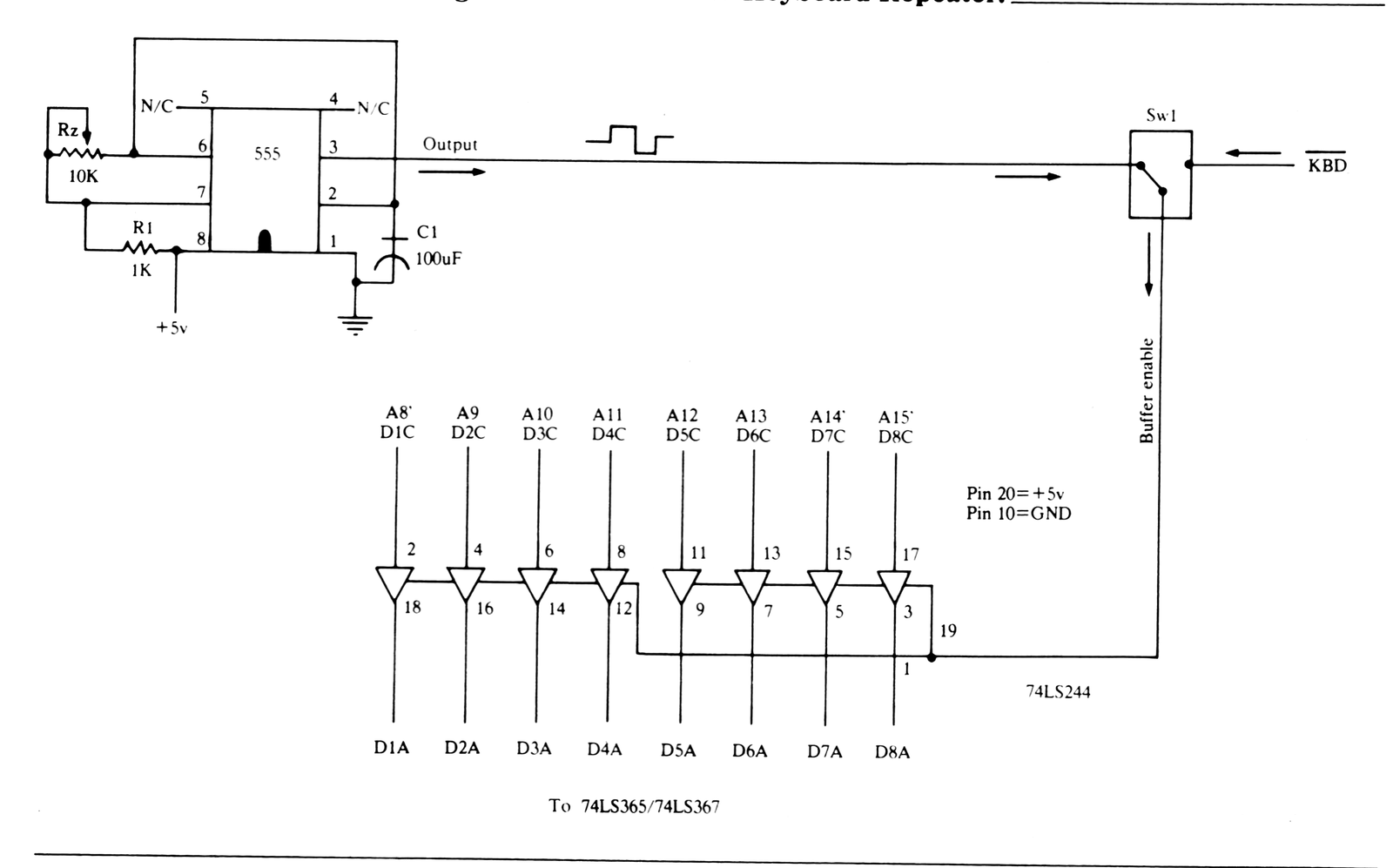
1) Connect all components. Lead lengths and component placement are not critical. Good soldering practices should be followed, as usual. See Figure 1.
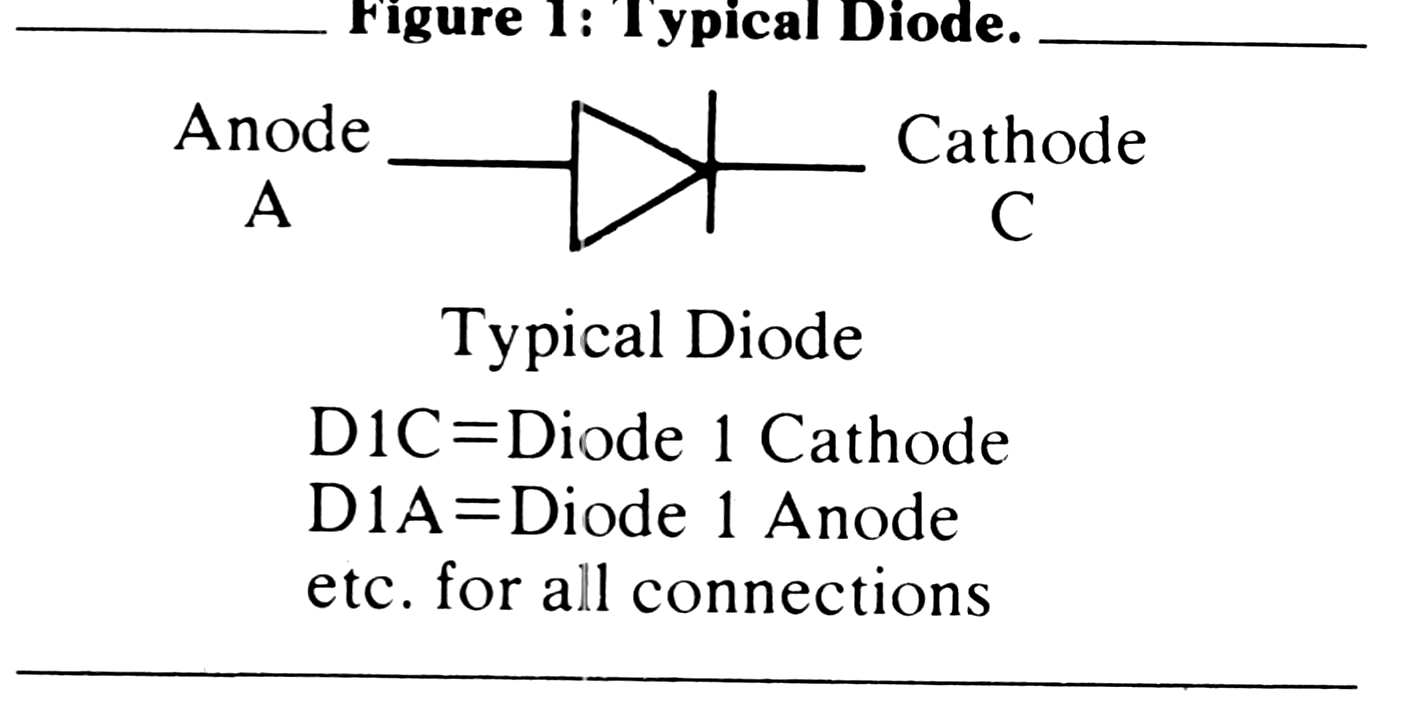
2) Carefully de-solder and remove the eight 1n4148 diodes in series with the keyboard contacts. These diodes are soldered to the computer printed circuit board in plated-through holes. You must be very careful not to damage the signal line connects to these holes. On the Sinclair these diodes are numbered D3 through D10; on the MicroAce, D1 through D8.
3) Carefully solder the wires to the diode holes as shown. Make sure that solder flows through the holes and makes a good connection.
4) Connect the chip grounds and 5v pins to a place on the circuit board. Just about any connection supplying the necessary voltages can be used except the 5v input to the VHF/UHF modulator. This would result in unwanted “noise” created by the 555 timer being sent to the TV and causing distortion in the display.
5) Install and connect the switch. This switch allows you to select the repeat function or to return the keyboard to its normal operating state. The logic low KBD signal can be tapped at pin 1 on IC 10 for the Sinclair or pin 1 on IC 11 for the MicroAce. This keyboard signal, when connected to the 74LS244 allows normal operation of the keyboard. See Figure 2.
6) Set the repeat rate or frequency by adjusting the 5 or 10K POT. The repeat rate selected will remain stable, but keep in mind that the repeat rate will be slower on a ZX81 or MicroAce equipped with the video upgrade operated in the slow mode since these machines insert additional delays generated by the retiming character display frequency. Too high a repeat rate will make you “outrun” the keyboard scan frequency used by the Z80 during an IORQ and RD. This will not be a problem since the rate at which this occurs is very difficult to follow with your eyes!