
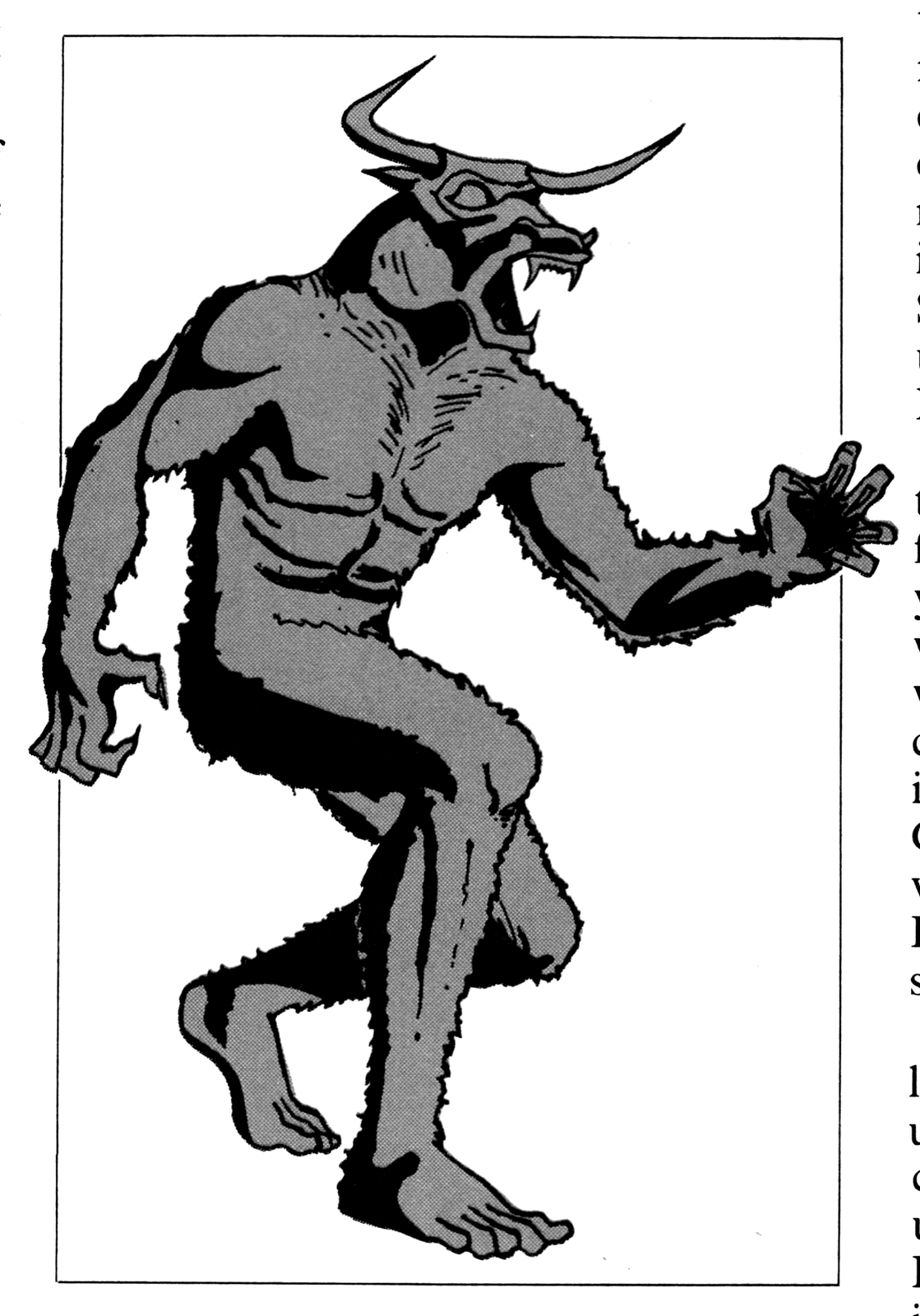
This active-animation program displays a full-screen picture of a maze, and shows your progress through it to its only exit. Meanwhile, the Minotaur (a mythical half-man, half-bull creature which inhabited the Labyrinth at Minos) is on the prowl and determined to have you for lunch!
This program, as originally written, used a technique common to many such maze games–storing the game “field” in a string array. Each location in the array corresponded to a point on the screen, allowing the computer to keep track of the GO/NO-GO areas, as well as the locations of “you” and the “Minotaur.”
In order to make this game fit into 2K RAM, however, a different approach must be used; a 20 by 30 string array takes up about 600 bytes of memory. When this is added to the memory required by the display file and the system variables (about 850 bytes), all we would have left is about 600 bytes for program and variables–hardly enough memory for even a rudimentary maze game.
Notice that when you use an array to provide the playing field, the data on the screen is duplicated in the array. So why not use the display file itself as the playing field? We could thus get rid of the array and have effectively twice the memory to put our program and variables into.
Fortunately, this is quite possible even on the ZX81/TS1000 with its flexible display file. Since we will be displaying a full-screen, the display file will be “padded out” to 24 lines of 33 characters each (32 columns plus the ENTER character CHR$118 that marks the end of each line). We will use only the 22 lines usually used for output display, and will reserve the first and last lines and the first and last columns for our boundary, resulting in a 20 by 30 playing field.
Since the display file is located directly above the program area, it does not have a fixed starting address. Instead, one of the system variables (at 16396 and 16397) gives the starting address of the display file.
More exactly, it gives the last byte of the program area; the first byte of the display file is thus the value in D-FILE plus one. To get the value of D-FILE, use the expression
PEEK 16396 + 256 * PEEK 16397The program does this in line 90, assigning the value to the Basic variable DF.
The starting address of the display file is “looked up” each time the program is used, so even if you change the program length (altering the location of the display file) the program will still work.
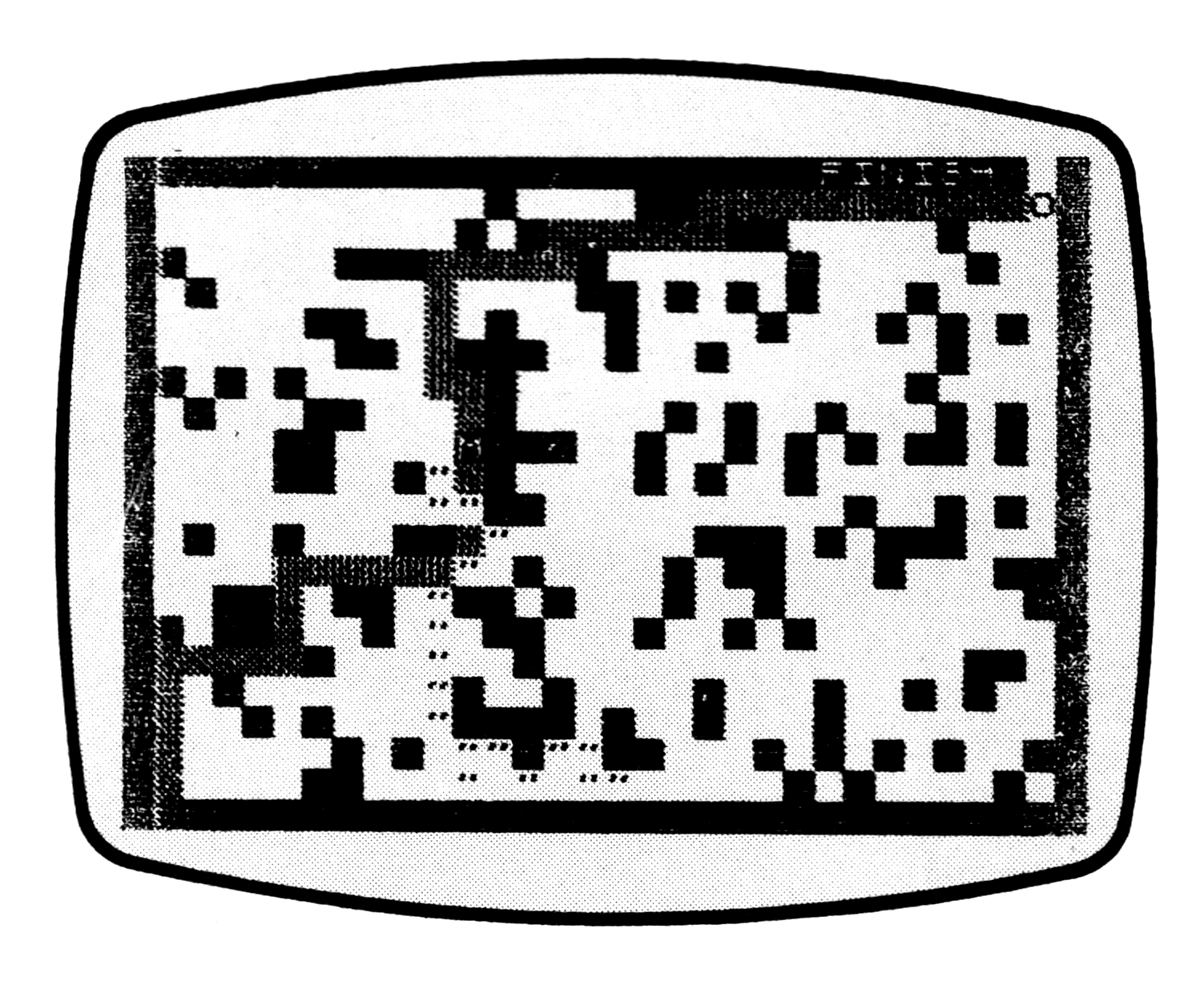
Lines 100 to 150 “fill” the maze picture, sequentially filling each location with either 0 (CHR$ 0 = space) or 128 (CHR$ 128 = inverse space) to define the GO/NO-GO areas. Which character is inserted depends on whether RND is less than density variable DN or not; if DN is set to, say 0.25, then 25% of the screen locations (on the average) will be blacked in.
By now you may have noticed a conspicuous absence of numbers within the program; the arguments of functions and operations are single-letter numeric variables containing a fixed integer in most cases. For example, instead of saying PRINT AT 1,5; we accomplish the same result by LET P=1 and LET S=5, then saying PRINT AT P,S;.
This might seem like a terribly awkward way to write a program; it certainly makes it more difficult to follow when reading, but it saves memory. Every number in a program line takes six bytes of memory that: 1) tell the computer it is a number (1 byte), and 2) give the floating-point binary representation (5 bytes).
If many numbers are used, it will therefore take a good number of bytes more than the number of keystrokes in the program. Numeric variables, however, are stored beyond the program area and display file, and their representations within the program take only as many bytes as there are letters in the name of the variable.
So, while it takes 11 bytes to store the number 16396, it takes only 1 byte to store K, where we have previously LET K = 16396 in the immediate mode (no line number). Of course, it takes 6 bytes to store K in the variables area, so not much is saved if the number is only used once. Frequently used numbers, on the other hand, will save a good amount of memory since the binary representation is stored only once, in the variables area. Similarly, instead of “16397” we could use “K+P”, where K=16396 and P=1, and still save memory.
For maximum memory conservation, these constant variables should be defined in the immediate mode; that way, you do not use up space defining them within the body of the program. One warning, though: this technique will cure you of compulsively using RUN, as it first clears all variables. Use only GOTO to start the program after all the variables have been manually entered; RUN (and CLEAR, of course) are strictly off limits.
Back to the program. If we call the line number of our maze H, and the column number I, then we can address the corresponding point in the display file using the expression DF+H*33+I (or DF+H*L+I where L=33). Note that in this case, H ranges from 1 to 20 (taking into account the top border) and I ranges from 2 to 31 (taking into account the left border and the fact that DF points to the last byte before the first display file element). To change a specified element in the display, we can POKE DF+H*33+I, (code of desired character); PEEKing the expression gives the code of the character at position H,I.
Note the analogy between this way of addressing the screen and PRINT AT H,I;”(character)”. In this game, the actual locations do not correspond (“I” is off by one location but this can be easily modified if it is useful to have the PRINT positions match the POKE positions, for example, POKEing DF+H*33+I+1.
You thus have an alternative display method to PRINT AT; the charm of it is that POKEing a character into the display file does not change the PRINT position, and is quite useful where it might take considerable extra steps to set the PRINT position back to its original value. Just be careful you do not POKE out the ENTER character at the end of the line (go off the screen on the right) or POKE values into the variables area (go off the screen on the bottom). Either bug can cause the system to crash, or at best goof up the display file and variable values. Also beware of using it unless the display file is padded out, i.e., you either padded it out previously if you have 1 or 2K, or if it is automatically padded by using 4K or greater RAM.
Lines 210-220 initialize your position (D,E), and 380-390 randomly initialize the Minotaur’s position (H,I) making sure he is no closer than five spaces to your starting position. These respective positions are then stored in B,C and F,G in case the proposed move is illegal (i.e., a NO-GO area) in lines 400-440. At line 450 it is decided whether the Minotaur’s proposed move will be random, or directed towards your position. In lines 620-640 the player’s proposed move (or bail-out) is made.
If either move is illegal, the positional variables are restored to their original values (lines 532-550 and 680-710.) Lines 670-675 POKE (“print”) the previous positions (leaving a path or track), and 720-725 display the current position of you (CHR$ “O” = 52) and the Minotaur (CHR$ “M” = 178). If your position matches the Minotaur’s (line 730), you get eaten; if you escape (line 728), you win. A new maze is set up (same density) when you press “P”.
After typing in the program and insuring against errors, type in the values of the numeric variables used as constants (J,K,L,O,P,Q,R,S,T,U,V). Then SAVE the program to tape by typing GOTO 1100. After the program has SAVEd, it will display the title page. The screen then goes blank for about 40 seconds while the computer sets up the maze. The game begins when the maze appears.
You start out in the lower left-hand corner of the maze, represented by a flashing “O”. Somewhere in the maze (but at least five steps away) lurks the Minotaur, shown as a flashing inverse “M”. To move, hold down the appropriate “arrow” key (“5” through “8”). You cannot penetrate the dark portions of the maze, nor can you recross your own path or back up. If you happen to get an insoluble maze, or if you wish to bail out, press “1” and the computer will set up a new game.
To exit, press “BREAK”. (But do not use CONTinue, as this will cause strange things to happen when the display file is compacted and the POKEs change bytes in the variables area on a 2K machine; there would be no use for this anyway, as the screen is cleared when CONT is entered.)
If you wish to change the density of the maze, type GOTO P (or GOTO any number less than 11). Then enter a number between 0 (no obstructions) and 1 (completely filled in)—.5 is the practical maximum and often results in insoluble mazes. Changing the density also changes the Minotaur’s tactic (see line 450). At higher densities his motion becomes more random to keep him from getting stuck. At lower densities you cannot miss a step, as he will usually go straight towards you. Densities in the vicinity of .25 to .3 seem to give the best game.
To restart the game after a BREAK with the same density (but a new maze), type GOTO T (or GOTO any number between 11 and 20).
If you use your taped copy of the program on 2K machines, be sure to SAVE it from a 2K machine (or RAMTOP variable 16389 POKEd at 72). If you SAVE after entering the program into a 4K or greater machine, the whole display file is recorded and will not load into a 2K machine in the future.
Modifications
To make it possible to re-trace your path, change line 680 to:
680 IF PEEK (DF+D*L+E)<V THEN GOTO 720For the ultimate challenge, play “Diagonal Minotaur,” in which your only allowed moves are the four diagonal directions represented by “T”, “Y”, “G”, and “H”. Make the following deletions if you do not have a RAM pack.
 10 (delete) (set DN in immediate mode.)
 70 (delete)
 80 (delete) (to make room)
620 LET D=D-(INKEY$="T" OR INKEY$="Y")+(INKEY$="G" OR INKEY$="H")
630 LET E=E-(INKEY$="T" OR INKEY$="G")+(INKEY$="Y" OR INKEY$="H")
Since doing all these INKEY$s takes time, you can “panic” when you get stuck by rapidly jabbing the buttons, and eventually get through to an “illegal” position. This is possible even with the “normal” version–it is possible, for instance, to go diagonally up and to the right if you are stuck, by alternately pushing “7” and “8” as fast as you can.
If you have a RAM pack, the possibilities are only limited by your imagination and the machine’s speed. If you have the room, you will probably want to translate all the GOTO’s, etc. to numbers instead of variable letters to make it easier to work with, and provide more complex win/lose displays.
Have fun on your journey through your display file!
([inv …] = inverse characters, as given in the graphics line notes below.)
  10 INPUT DN
  20 CLS
  30 FAST
  40 FOR A=P TO V-T-T
  50 PRINT "[inv space x8]";
  60 NEXT A
  70 PRINT AT S,U-T;"""MINOTAUR""";AT U-T,U-T;"[inv BY F.NACHBAUR]"
  80 PAUSE V+V
  90 LET DF=PEEK K+Q*V*PEEK (K+P)
 100 FOR H=P TO T
 110 FOR I=Q TO U
 120 POKE DF+H*L+I,(RND<DN)*V
 130 IF (H<R+P AND I>U-Q) OR (H>T-R AND I<S) THEN POKE DF+H*L+I,O
 140 NEXT I
 150 NEXT H
 160 SLOW
 200 PRINT AT O,T+R;"[inv FINISH ]"
 210 LET D=T
 220 LET E=Q
 380 LET H=INT (RND*T+P)
 390 LET I=INT (RND*T+S)
 400 LET B=D
 410 LET C=E
 430 LET F=H
 440 LET G=I
 450 IF RND>(P-DN) THEN GOTO J-T
 460 LET H=H+SGN (D-H)
 470 LET I=I+SGN (E-I)
 480 GOTO J+T
 492 LET H=H+INT (RND*R-P)
 500 LET I=I+INT (RND*R-P)
 510 LET H=H+(H=O)
 532 IF PEEK (DF+H*L+I)<V THEN GOTO T*U
 540 LET H=F
 550 LET I-G
 620 LET D=D-(INKEY$="7")+(INKEY$="6")
 630 LET E=E-(INKEY$="5")+(INKEY$="8")
 640 IF INKEY$="1" THEN GOTO T
 670 POKE DF+B*L+C,R+S
 675 POKE DF+F*L+G,U-T
 680 IF PEEK (DF+D*L+E)<V AND PEEK (DF+D*L+E)<>R+S THEN GOTO 720
 700 LET D=B
 710 LET E=C
 720 POKE DF+D*L+E,52
 725 POKE DF+H*L+I,178
 728 IF D=O AND E=U THEN GOTO U*U
 730 IF D=H AND E=I THEN GOTO T*T*Q
 740 GOTO T*T
 820 PRINT AT T+P,O;"[inv YOU WERE EATEN. ]";
 830 GOTO U*L
 961 PRINT AT T+P,O;"[inv ***YOU ESCAPED**]";
1023 PRINT "[inv PRESS P TO PLAY]"
1030 IF INKEY$<>"P" THEN GOTO J*Q
1050 GOTO T
1100 SAVE "MINOTAUR"
1105 GOTO T
Graphics line notes:
- 50: Inverse space (8)
- 70: In inverse letters “BY F. NACHBAUR”
- 200: In inverse letters “FINISH(inverse space)”.
- 820: In inverse letters “YOU WERE EATEN.(inverse space)”.
- 961: In inverse letters “***YOU ESCAPED**”.
- 1023: In inverse letters “PRESS P TO PLAY”.
Media
Note: Type-in program listings on this website use ZMAKEBAS notation for graphics characters.