
PARALLEL – SERIAL INTERFACES:
SERIAL INTERFACES send information to the printer one bit (0 or 1) at a time, one right after the other.
PARALLEL INTERFACES send information to the printer eight bits (one byte) at a time.
You can’t connect a parallel interface to a serial printer, or vice versa. No damage will result – it just will not work!
SERIAL is also referred to as RS232.
PARALLEL is also referred to CENTRONICS.
DOT MATRIX – DAISY WHEEL:
DAISY WHEEL PRINTERS provide LETTER QUALITY printing, equal to, if not better than an electric typewriter.
The term “DAISY WHEEL” relates to the print wheel which has “petal-like” elements which stem from its hub. The individual characters are embossed on the petal ends and when activated, will print those characters on paper.
DOT MATRIX PRINTERS:
The DOT MATRIX process is an ingenious method of forming the character a column at a time on the print head and transferring it to paper. The print head has a set of electronically activated thin rods (needles) arranged in a vertical column. On the PROWRITER 8510 printer, characters are built on either a 8 x 8 or 7 x 9 matrix, much the same way that characters are built up on a CRT tube.
As the printer carriage moves horizontally, the needles needed for that matrix column are fired. With a five-column matrix the needles must fire five times to create a character.
PRINTING SPEEDS:
DAISY WHEEL printers usually print between 10 and 30 CPS.
DOT MATRIX printers usually print between 80 and 180 CPS.
CPS = CHARACTERS PER SECOND.
Printing speeds vary from one printer to another. DAISY WHEEL printers are relatively slow as compared to the DOT MATRIX printers. However the letter quality print more than justifies the slower printing speed.
ASCII CHARACTER AND CONTROL CODES:
One thing that all 80 column printers seem to have in common is that they use the standard ASCII codes for control code commands to instruct the printer to do something; like change fonts, change from the normal print mode to a graphics mode.
Codes 0 to 32 are unprintable characters and are used as printer commands such as line feed and carriage return.
Codes 33 to 127 (and beyond) are the standard character codes as we are used to and are also used by printers as control codes to underline characters, back space to slash a zero or to change from pica pitch to elite pitch or to double strike characters to print bold.
If you intend to program your printer without using a word processor such as TASWORD II or MSCRIPT, then there will be several ASCII codes you will become familiar with:
ESC – ESCAPE CHR$ 27 – This command is the kingpin of all printer codes. Escape advises the printer that a control code ia about to follow.
CR – CARRIAGE RETURN CHR$ 13 – This code commands the printer to return to the left most position after printing a line of text.
LF – LINE FEED CHR$ 10 – This code commands the printer to rotate the platen which will move the paper up one line.
Your printer user manual has charts indicating which codes are used as control commands and their respective functions.
Learning to use these commands takes time and patience and I personally feel that it is easier to program your printer from a word processor such as TASWORD II and MSCRIPT which provide the means with which to activate the hidden functions in your printer. This method is called embedding control codes by using graphic characters or using a graphics format line.
PRINTER SWITCHES:
Most printers have one or more banks of DIP switches for the printer operator to set printer functions instead of using ASCII control characters to program the printer to do the same thing.
Some switches select character sets, provide a slashed zero, change character pitch or perform a line feed and change bidirectional printing to unidirectional printing.
Switches are placed in an accessable location for the operator to activate.
PRINTER PAPER:
Most printers can handle either or a combination of the following paper types:
FAN FOLD – Sprocket feed, clean perf paper or forms.
SINGLE SHEET – Common 9 x 11, 9 x 14, or letter head.
ROLL PAPER – Pulp variety as used for TELEX machines.
I use roll paper for all my rough drafts then switch to either fan fold or single sheet paper for a final copy.
CARRAIGE SIZE: 10 inch to 15 inch
This depends on YOUR requirements. If you intend to print out spread sheets, then the 15 inch carriage should be considered before you purchase a printer, otherwise a 10 inch carriage should be adequate.
TIMEX COMMANDS:
LPRINT and LLIST – All printers respond to these commands.
COPY – Most EPSON and EPSON COMPATABLE printers and OLIVETTI printers will respond to a COPY command from the keyboard.
NOISE:
Large printers are noisy! Some make more noise than others. This should not turn you off towards using a printer. Placing your printer on a foam pad will absorb lots of noise and if it really bothers you, enclose the printer within an acoustical enclosure.
COMMERCIAL PRINTER INTERFACES AND PRINTER DRIVER SOFTWARE.
PARALLEL INTERFACE      PRINTER DRIVER SOFTWARE LOCATION

AERCO                   HIGH MEMORY
OLIGER                  PRINTER BUFFER
TASMIN B                HIGH MEMORY

          ZPRINT-80     HIGH AND LOW MEMORY

for SPECTRUM I use:
AERCO                   HIGH MEMORY
KEMPSTON E              EPROM

SERIAL INTERFACE
BYTE-BACK               have no information at hand
PIN DOT GRAPHICS – PROWRITER

  5 POKE 64256,0
  6 LPRINT "PIN DOT GRAPHICS - PROWRITER"
  7 LPRINT CHR$ (13);CHR$ (10);
  8 LPRINT CHR$ (13);CHR$ (10);
 10 FOR x=1 TO 60
 20 LPRINT CHR$ (27);CHR$ 83;"0010";
 30 FOR i=1 TO 10
 40 READ B: LPRINT CHR$ (B);
 50 NEXT i
 60 RESTORE
 70 NEXT x
 80 LPRINT
 90 DATA 64,64,64,127,115,115,127,64,64,0
100 POKE 64256,1
105 LPRINT CHR$ (13);CHR$ (10);
106 LPRINT CHR$ (13);CHR$ (10);
110 LLIST
PIN DOT GRAPHICS 2 – PROWRITER

90 DATA 96,96,96,96,127,127,3,3,127,127SILVER-REED PRINTER DEMO
SILVER-REED PRINTER DEMO
   3 REM [illegible] s[illegible].bas
   5 POKE 64256,0
   6 LPRINT "SILVER-REED PRINTER DEMO"
   7 LPRINT CHR$ 13;CHR$ 10;
   8 LPRINT CHR$ 13;CHR$ 10;
   9 LPRINT
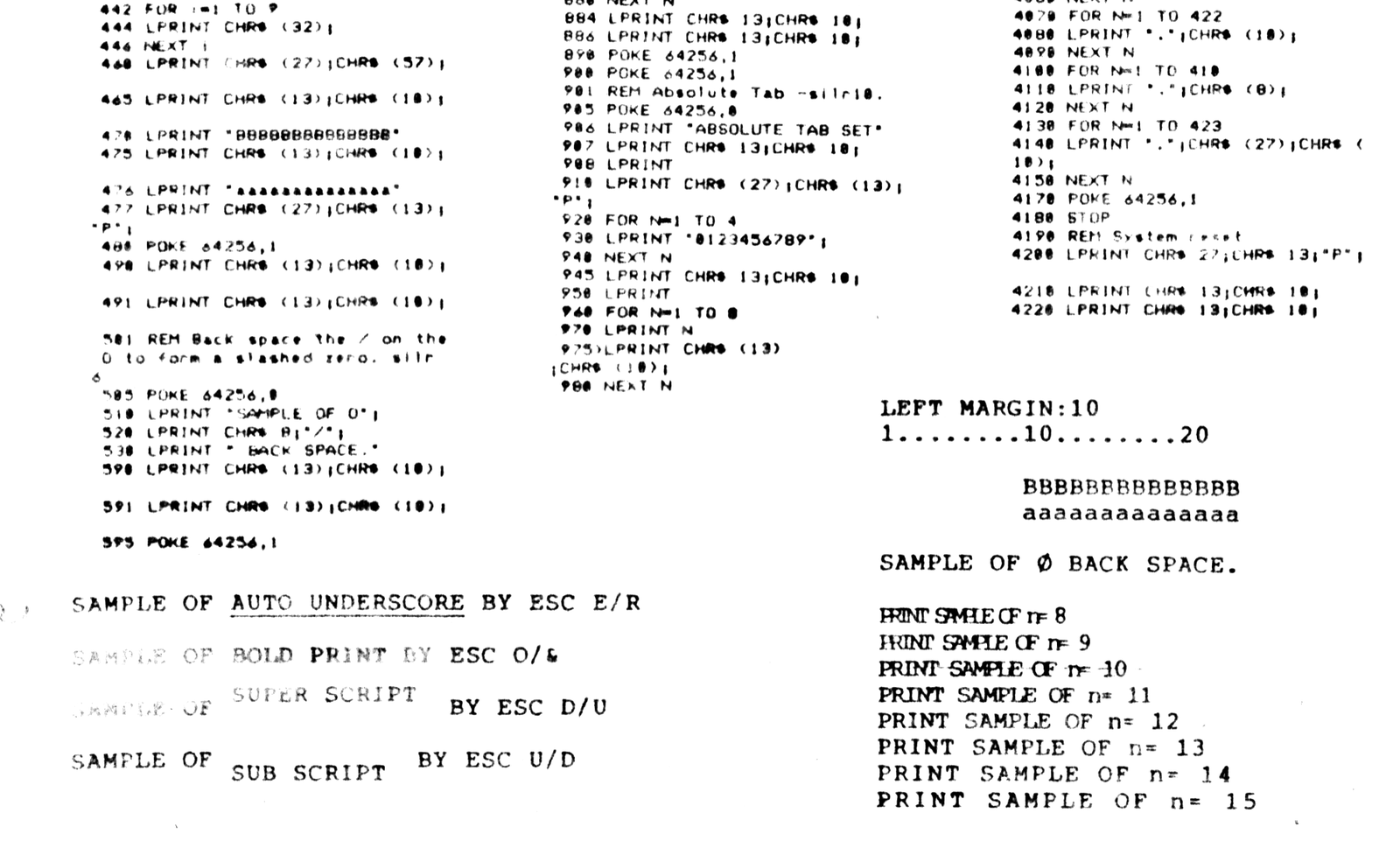
  10 LPRINT "SAMPLE OF ";
  20 LPRINT CHR$ (27);"E";
  30 LPRINT "AUTO UNDERSCORE";
  40 LPRINT CHR$ (27);"R";
  50 LPRINT " BY ESC E/R";
  55 LPRINT CHR$ 13;CHR$ 10;
  56 LPRINT CHR$ 13;CHR$ 10;
  60 POKE 64256,1
 100 REM BOLD PRINT - silr2.bas
 105 POKE 64256,0
 110 LPRINT "SAMPLE OF ";
 120 LPRINT CHR$ (27);"O";
 130 LPRINT "BOLD PRINT";
 140 LPRINT CHR$ (27);"&";
 150 LPRINT " BY ESC O/&";
 160 LPRINT CHR$ (13);CHR$ (10);
 170 LPRINT CHR$ (13);CHR$ (10);
 200 REM SUPER SCRIPT - silr3.bas",
 205 POKE 64256,0
 210 LPRINT "SAMPLE OF ";
 220 LPRINT CHR$ (27);"D";
 230 LPRINT "SUPER SCRIPT ";
 240 LPRINT CHR$ (27);"U";
 250 LPRINT " BY ESC D/U";
 255 LPRINT CHR$ 13;CHR$ 10;
 256 LPRINT CHR$ 13;CHR$ 10;
 260 POKE 64256,1
 300 REM SUB SCRIPT - silr4.bas
 305 POKE 64256,0
 310 LPRINT "SAMPLE OF ";
 320 LPRINT CHR$ (27);"U";
 330 LPRINT "SUB SCRIPT ";
 340 LPRINT CHR$ (27);"D";
 350 LPRINT " BY ESC U/D";
 360 LPRINT CHR$ 13;CHR$ 10;
 365 LPRINT CHR$ 13;CHR$ 10;
 370 POKE 64256,1
 401 REM Set left-hand margin to 10 & reset to zero- silr5a.bas
 402 REM Set FOR-NEXT LOOP 1 less than required margin width.
 404 LPRINT
 405 POKE 64256,0
 410 LPRINT "LEFT MARGIN:10": LPRINT
 420 LPRINT CHR$ (13);CHR$ (10);
 430>LPRINT "1";"........10";"........20";
 440 LPRINT CHR$ (13);CHR$ 10;
 442 FOR i=1 TO 9
 444 LPRINT CHR$ (32);
 446 NEXT i
 460 LPRINT CHR$ (27);CHR$ (57);
 465 LPRINT CHR$ (13);CHR$ (10);
 470 LPRINT "BBBBBBBBBBBBBB"
 475 LPRINT CHR$ (13);CHR$ (10);
 476 LPRINT "aaaaaaaaaaaaaa"
 477 LPRINT CHR$ (27);CHR$ (13);"P";
 480 POKE 64256,1
 490 LPRINT CHR$ (13);CHR$ (10);
 491 LPRINT CHR$ (13);CHR$ (10);
 501 REM Back space the / on the O to form a slashed zero. silr6
 505 POKE 64256,0
 510 LPRINT "SAMPLE OF O";
 520 LPRINT CHR$ 8;"/";
 530 LPRINT " BACK SPACE."
 590 LPRINT CHR$ (13);CHR$ (10);
 591 LPRINT CHR$ (13);CHR$ (10);
 595 POKE 64256,1
 6[illegible] REM Setting horizontal spacing pitch - silr7.bas
 605 POKE 64256,0
 610 FOR N=[illegible] TO 1[illegible]
 620 LPRINT CHR$ (27);CHR$ (3[illegible]);CHR$ (N)
 630 LPRINT "PRINT SAMPLE OF n=";N
 635 LPRINT CHR$ 13;CHR$ 10;
 640 NEXT N
 650 LPRINT CHR$ (27);CHR$ (31);CHR$ (12)
 660 LPRINT CHR$ (13);CHR$ (10);
 661 LPRINT CHR$ (13);CHR$ (10);
 670 POKE 64256,1
 701 REM Tab setting and tab clear - silr8.bas",
 705 POKE 64256,0
 706 LPRINT "TAB SETTING AND CLEAR"
 707 LPRINT CHR$ 13;CHR$ 10;
 708 LPRINT
 710>FOR N=1TO 4
 720 LPRINT "0123456789";
 730 NEXT N
 735 LPRINT CHR$ 13;CHR$ 10;
 736 LPRINT CHR$ 13;CHR$ 10;
 740 LPRINT
 750 FOR N=1 TO 3
 755 FOR I=1 TO 10: LPRINT CHR$ (32);: NEXT I: LPRINT CHR$ (27);"1";
 760 NEXT N
 780 LPRINT
 790 LPRINT CHR$ (9);"X";CHR$ (9);"X";CHR$ (9);"X"
 791 LPRINT CHR$ (9);CHR$ (9);CHR$ (27);"B"
 792 LPRINT CHR$ (9);"X";CHR$ (9);"X"
 795 POKE 64256,1
 796 LPRINT CHR$ (13);CHR$ (10);
 798 LPRINT CHR$ 13;CHR$ 10;
 801 REM Setting line feed amount - silr9.bas
 805 POKE 64256,0
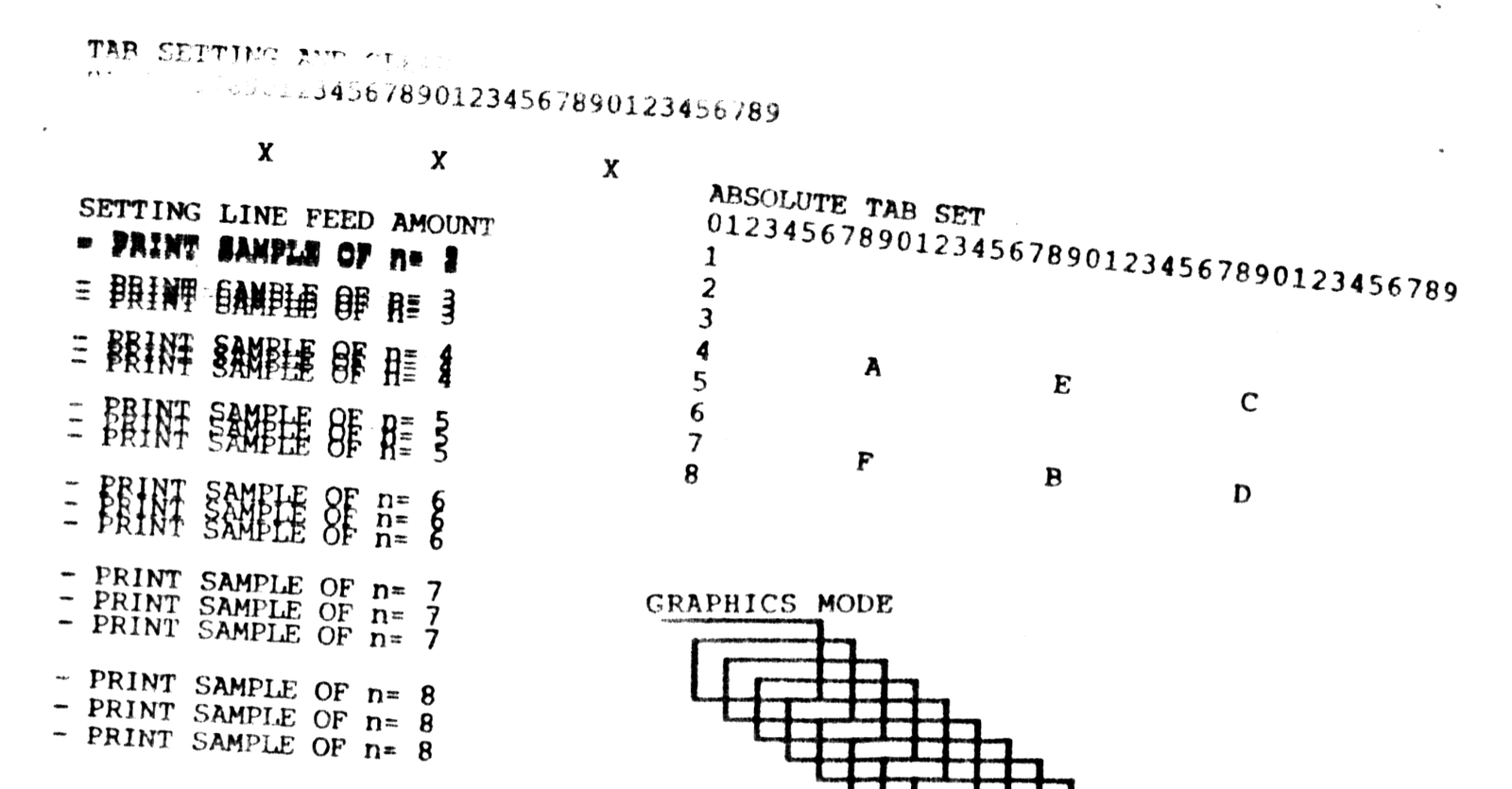
 806 LPRINT "SETTING LINE FEED AMOUNT"
 807 LPRINT CHR$ 13;CHR$ 10;
 808 LPRINT
 810 FOR N=2 TO 8
 820 LPRINT CHR$ (27);CHR$ (30);CHR$ (N);
 830 FOR K=1 TO 3
 840 LPRINT "- PRINT SAMPLE OF n= ";N
 845 LPRINT CHR$ 13;CHR$ 10;
 850 NEXT K
 860 LPRINT CHR$ (27);CHR$ (30);CHR$ (9);
 870 LPRINT CHR$ (10);
 880 NEXT N
 884 LPRINT CHR$ 13;CHR$ 10;
 886 LPRINT CHR$ 13;CHR$ 10;
 890 POKE 64256,1
 900 POKE 64256,1
 901 REM Absolute Tab -silr10.
 905 POKE 64256,0
 906 LPRINT "ABSOLUTE TAB SET"
 907 LPRINT CHR$ 13;CHR$ 10;
 908 LPRINT
 910 LPRINT CHR$ (27);CHR$ (13);"P";
 920 FOR N=1 TO 4
 930 LPRINT "0123456789";
 940 NEXT N
 945 LPRINT CHR$ 13;CHR$ 10;
 950 LPRINT
 960 FOR N=1 TO 0
 970 LPRINT N
 975>LPRINT CHR$ (13);CHR$ (10);
 980 NEXT N
 990 LPRINT CHR$ (27);CHR$ (9);CHR$ (10);
1000 LPRINT CHR$ (27);CHR$ (11);CHR$ (5);"A";
1010 LPRINT CHR$ (27);CHR$ (9);CHR$ (20);
1020 LPRINT CHR$ (27);CHR$ (11);CHR$ (8);"B";
1030 LPRINT CHR$ (27);CHR$ (9);CHR$ (30);
1040 LPRINT CHR$ (27);CHR$ (11);CHR$ (5);"C";
1050 LPRINT CHR$ (27);CHR$ (9);CHR$ (30);
1060 LPRINT CHR$ (27);CHR$ (11);CHR$ (8);"D";
1070 LPRINT CHR$ (27);CHR$ (9);CHR$ (20);
1080 LPRINT CHR$ (27);CHR$ (11);CHR$ (5);"E";
1090 LPRINT CHR$ (27);CHR$ (9);CHR$ (10);
1200 LPRINT CHR$ (27);CHR$ (11);CHR$ (8);"F";
2010 LPRINT CHR$ (27);CHR$ (13);"P";
2020 LPRINT CHR$ 13;CHR$ 10;
2025 LPRINT CHR$ 13;CHR$ 10;
3001 REM Graphics Mode - silr11.bas
3005 POKE 64256,0
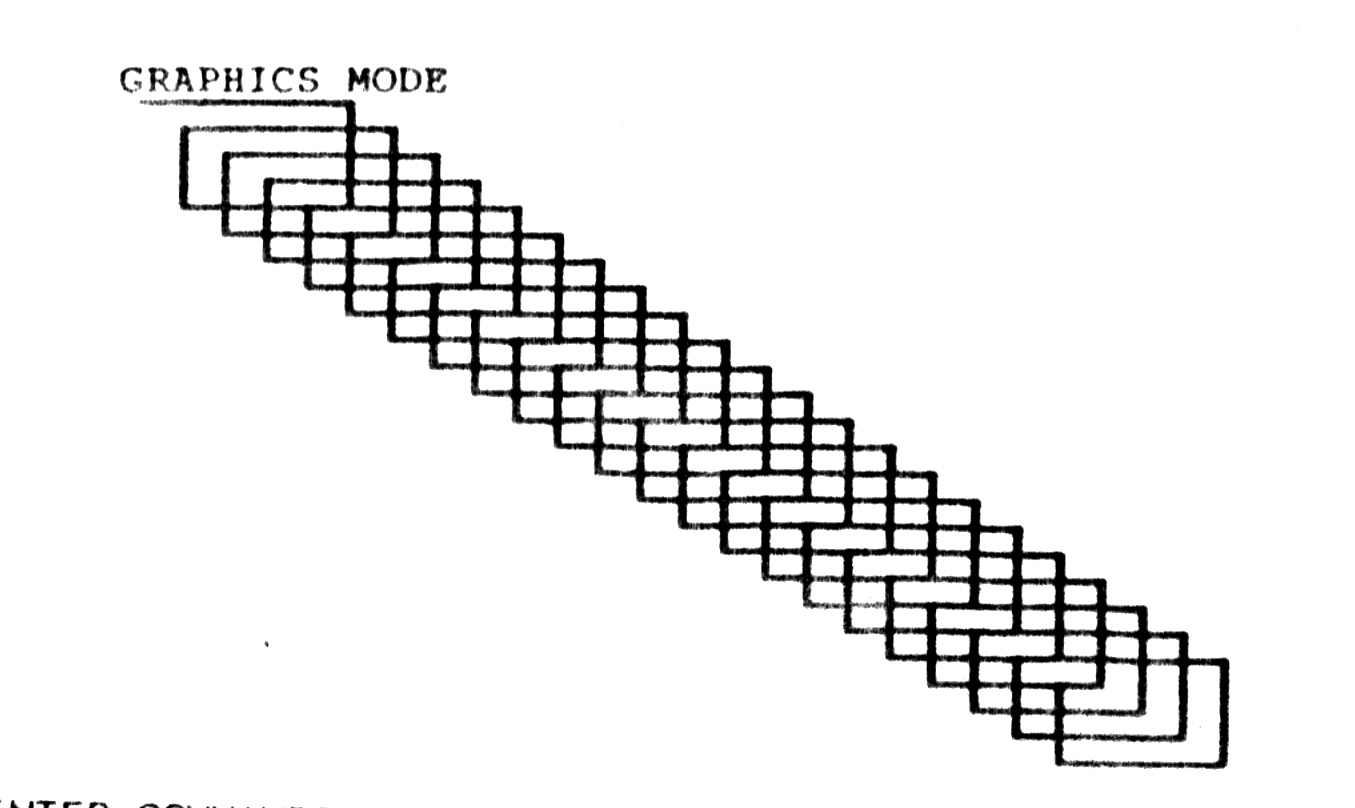
3006 LPRINT "GRAPHICS MODE"
3007 LPRINT CHR$ 13;CHR$ 10;
3008 LPRINT
3009 LPRINT
3010 REM
3020 LPRINT CHR$ (27);"3";
3030 FOR M=1 TO 50
3040 FOR N=1 TO 50
3050 LPRINT ".";" ";
3060 NEXT N
3070 FOR N=1 TO 20
3080 LPRINT ".";CHR$ (10);
3090 NEXT N
3100 FOR N=1 TO 40
3110 LPRINT ".";CHR$ (8);
3120 NEXT N
3130 FOR N=1 TO 15
3140 LPRINT ".";CHR$ (27);CHR$ (10);
3150 NEXT N
3160 NEXT M
3170 POKE 64256,1
3190 REM System reset
3200 LPRINT CHR$ 27;CHR$ 13;"P";
3210>LPRINT CHR$ 13;CHR$ 10;
3220 LPRINT CHR$ 13;CHR$ 10;
4001 REM Graphics Mode - silr11.bas
4005 POKE 64256,0
4010 REM
4020 LPRINT CHR$ (27);"3";
4040 FOR N=1 TO 410
4050 LPRINT ".";" ";
4060 NEXT N
4070 FOR N=1 TO 422
4080 LPRINT ".";CHR$ (10);
4090 NEXT N
4100 FOR N=1 TO 410
4110 LPRINT ".";CHR$ (8);
4120 NEXT N
4130 FOR N=1 TO 423
4140 LPRINT ".";CHR$ (27);CHR$ (10);
4150 NEXT N
4170 POKE 64256,1
4180 STOP
4190 REM System reset
4200 LPRINT CHR$ 27;CHR$ 13;"P";
4210 LPRINT CHR$ 13;CHR$ 10;
4220 LPRINT CHR$ 13;CHR$ 10;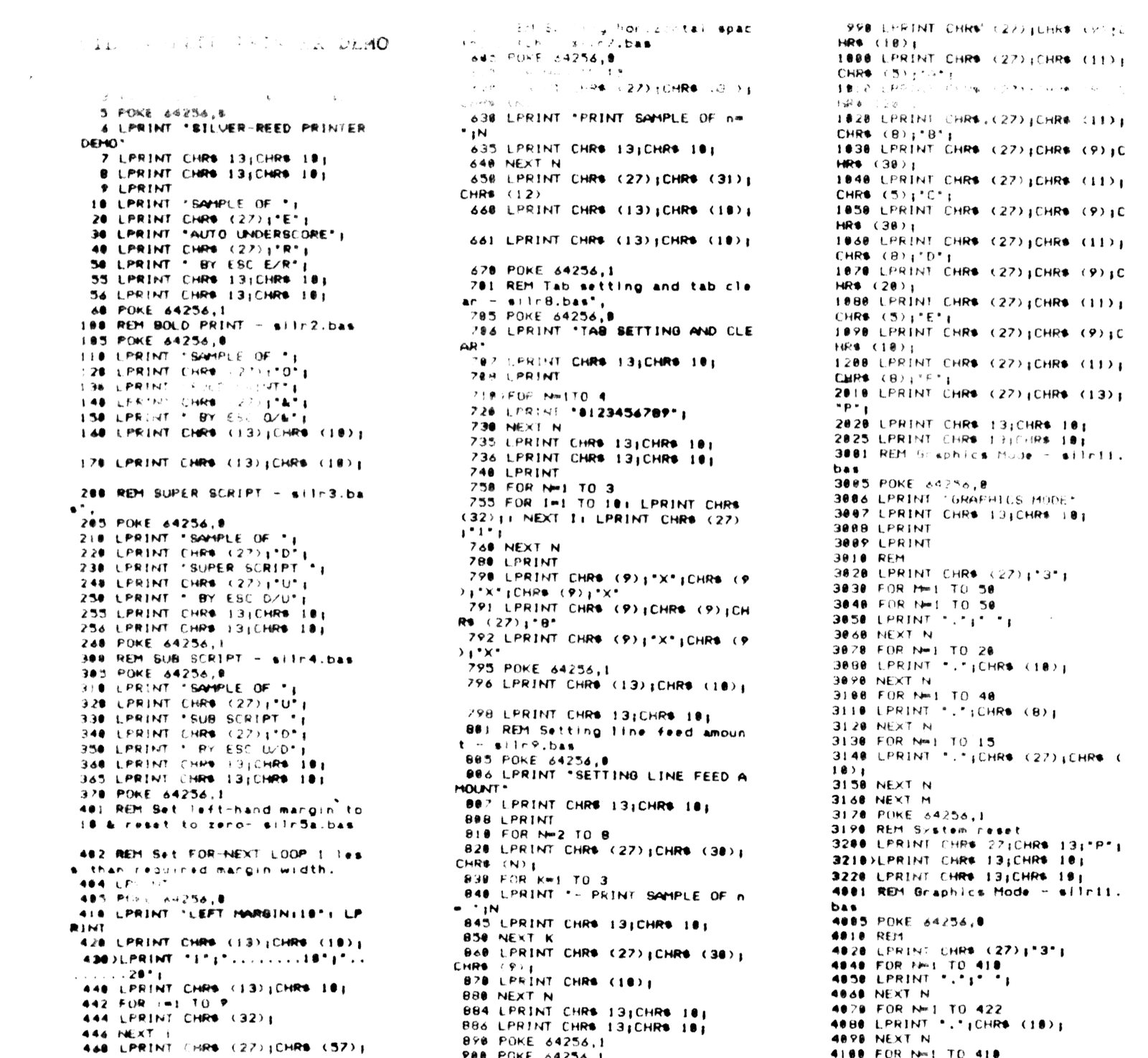
ADDING GRAPHIC PRINTER COMMANDS TO MSCRIPT FOR PROWRITER
>0=14/0,#2=15,0 ELONGATED ON/OFF

>#5=27/0 ESCAPE must be added before any of following commands

>#!=33/0,#"=34/0 BOLD ON/OFF

>#E=69/0,#X=88/0,#Y=89/0 ELITE and UNDERLINE ON/OFF

>#N=78/0PICA PITCH and #Q=81/0is COMPRESSED PITCH
MSCRIPT allows you to define up to ten (10) special printer codes at a time. This is done in a format line:
>#0=14/1,#!=33/0,#2=15/0 and so on…..
The “>” tells MSCRIPT that we are giving it a printer command. The “#0=” tells it we are defining a code that will follow <FUNCT>-G as the number “0” (it could be any number from 0 through 9 and/or an ASCII character). “33” is the decimal value of the character ! on the PROWRITER printer. “/1” tells MSCRIPT that the code “33” produces a printable character. Non-printable characters will be followed by “0” and MSCRIPT will ignore them when justifying text.
PROWRITER 8510 TYPE STYLES
  1 POKE 64256,0: LPRINT CHR$ (27);CHR$ (78);"THIS IS PICA PITCH....Pica pitch"
  2 LPRINT CHR$ (13);CHR$ (10);CHR$ 10;
  3 LPRINT CHR$ (27);CHR$ (69);"THIS IS ELETE PITCH....Elete pitch"
  4 LPRINT CHR$ (13);CHR$ (10);CHR$ 10;
  5 LPRINT CHR$ (27);CHR$ (81);"THIS IS COMPRESSED TYPE....Compressed type"
  6 LPRINT CHR$ (13);CHR$ (10);CHR$ 10;
  7 LPRINT CHR$ (27);CHR$ (80);"PROPORTIONAL SPACING BETWEEN CHARACTERS....Proportional spacing"
  8 LPRINT CHR$ (13);CHR$ (10);CHR$ 10;
  9 LPRINT CHR$ (14);"ELONGATED TYPE IS QUITE USEFUL....Elongated"
 10 LPRINT CHR$ (13);CHR$ (10);CHR$ 10;
 11 LPRINT CHR$ (15)
 12 LPRINT CHR$ (27);CHR$ (33);"THIS IS BOLDFACE TYPE....Boldface"
 13 LPRINT CHR$ (27);CHR$ (34)
 14 LPRINT CHR$ (13);CHR$ (10);CHR$ 10;
 15 LPRINT CHR$ (27);CHR$ (88);"SEE--IT REALLY IS UNDERLINED!"
 16 LPRINT CHR$ (27);CHR$ (89)
 17 LPRINT CHR$ (13);CHR$ (10);CHR$ 10;
 18 LPRINT CHR$ (27);CHR$ (82);"100";"*"
 19 LPRINT CHR$ (13);CHR$ (10);CHR$ 10;
 22 LPRINT CHR$ (27);CHR$ (35);
 23 LPRINT CHR$ (13);CHR$ (10);CHR$ 10;
 24 FOR I=27 TO 92
 25 LPRINT CHR$ (I);
 26 NEXT I
 28 LPRINT CHR$ (13);CHR$ (10);CHR$ 10;
 30 LPRINT CHR$ (27);CHR$ (38);
 31 LPRINT CHR$ (13);CHR$ (10);CHR$ 10;
 32 FOR I=27 TO 95
 33 LPRINT CHR$ (I);
 34 NEXT I
 35 LPRINT CHR$ (13);CHR$ (10);CHR$ 10;
 36 LPRINT CHR$ (27);CHR$ (36)
 40 STOP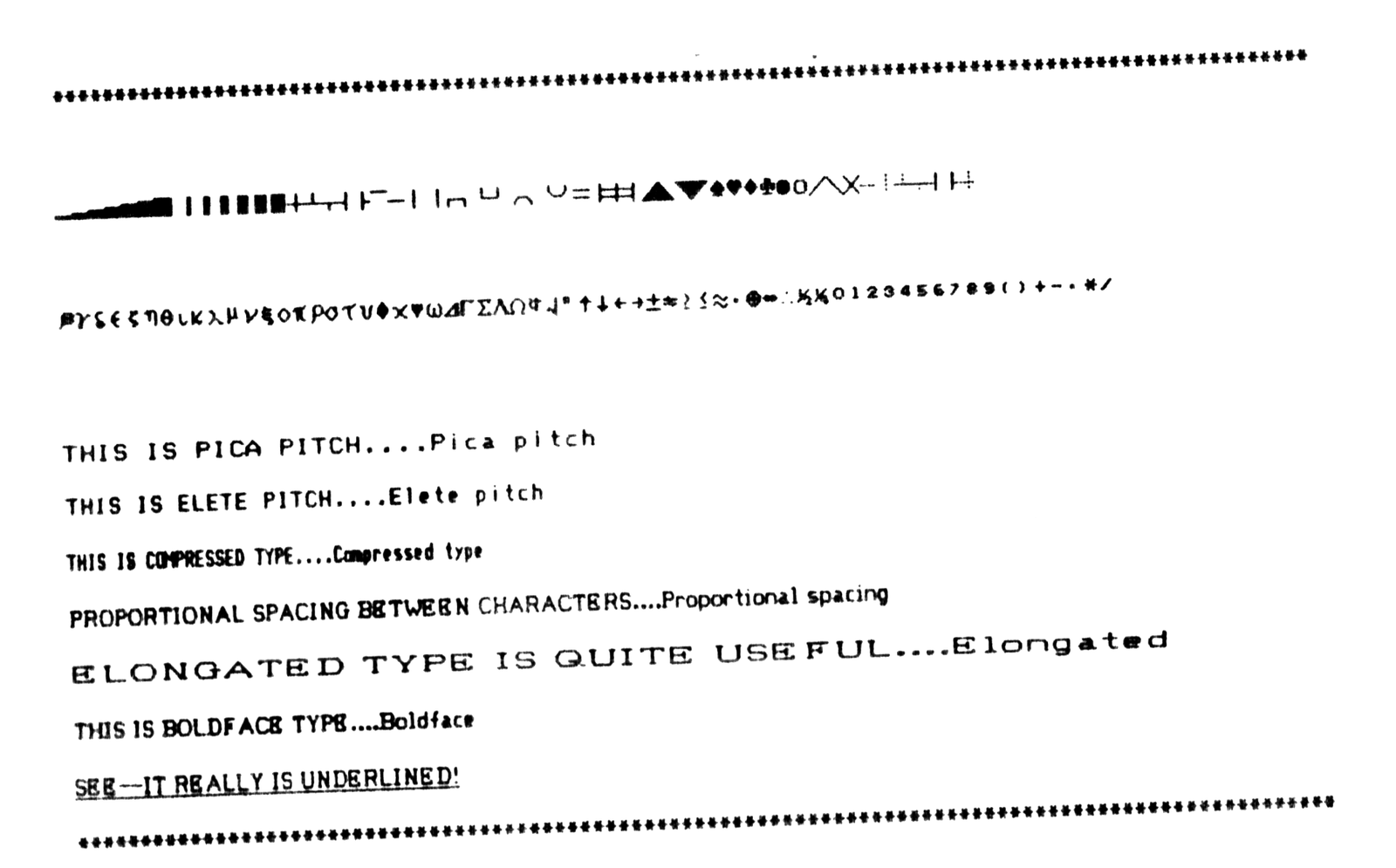
TASWORD II CUSTOMIZED GRAPHICS
C/S KEY  ASCII  PROWRITER 8510        ASCII  KEY

   1       14   ELONGATED TYPE          15    1
   2       33   BOLDFACE  TYPE          34    2
   3       88   UNDERLINE TEXT          89    3
   4       78   PICA PITCH           .........
 ..........     ELITE PITCH             69    4
   5       81   COMPRESSED           .........
 ..........     PROPORTIONAL            80    5
   6       91   INCREMENTAL          .........
 ..........     BACKSPACE               08    6
   7       35   PRINT GRAPHICS       .........
 ..........     ALPHANUMERICS           36    7
   8       93   LOGIC SEEKING        .........
 ..........     UNASSIGNED                    8
TASWORD TWO CUSTOMIZED GRAPHICS – SILVER-REED EXP400
ASCII   PRINTER CODE & FUNCTION             KEY

 128    27,30,8     LINE FEED CHANGE          8
 129    27,79       BOLD PRINT ON             1
 130    27,69       UNDERLINE ON              2
 131    27,68       SUPER SCRIPT ON           3
 132    27,85       SUB SCRIPT ON             4
 133    27,31,15    HORIZ PITCH ON            5
 134    27,3        GRAPHICS ON               6
 135    8,47        BACK SPACE - 0            7
 136    27,13,80    RESET PRINTER           C/S 7
 137    27,4        GRAPHICS OFF            C/S 6
 138    27,31,12    HORIZ PITCH OFF         C/S 5
 139    27,68       SUB SCRIPT OFF          C/S 4
 140    27,85       SUPER SCRIPT OFF        C/S 3
 141    27,82       UNDERLINE OFF           C/S 2
 142    27,38       BOLD PRINT OFF          C/S 1
 143    27,30,9     LINE FEED NORMAL        C/S 8
Note: Type-in program listings on this website use ZMAKEBAS notation for graphics characters.