
It’s hard to come by a good drawing program with the capabilities represented in this one.
This program was originally written for my uncle’s Atari 400 but, after many modifications, I converted it for the 2068 and thought I would share it with other users. I worked on this program two years off and on, so I hope you like it.
Type it in just as is and when you type in the last line, type in RUN 9988. Once this is done compare the output to the output at the end of this article. If they are not the same, find which line or lines the error(s) are in and fix them. (For more information on the “Linecheck” program, see TS Horizons no. 12, page 10.)
Once this is done DELETE lines 9988 through 9999 and then CLEAR and SAVE “etcher” LINE 0. At this point it would be wise to VERIFY the program as well.
HOW THE PROGRAM WORKS: Put a joystick in the left port of your computer and RUN the program. After a STOP THE TAPE intro followed by a fanfare with credits on a yellow screen (for color TV) For black-and-white TV’s, change state- ment 4 to “BORDER 7: PAPER 7” ;it cuts down on glare. You will see a flashing dot in the “center” of the screen with a X,Y coordinate at the bottom.
The numbers at the bottom of the screen represents the location of the cursor (flashing dot) on the screen. The number after the “TO:” represents how long the cursor is set by the W key.
Move the joystick in the direction you wish to go and if you wish to leave a dot or line behind, press the button on your joystick. To erase a line,retrace it without pressing the button.
The INKEY$ letters are decribed below:
A->Draws an ellipse on the screen.
     This may take a while depending on
     how small the ellipse is.
B->This copies the picture to the
     printer, if one is attached.
C->This clears the screen but don't
     worry if you accidently hit it
     because it asks if you're sure you
     want to do it.
D->This draws a verticle or horizontal
     or an angled line and places the
     cursor at the end of it.
F->This fills in a certain area but make
     sure that the cursor is at the lower
     left or upper left of the area to be
     filled.
I->This changes the ink color.
M->This pauses the cursor so it can't be
     moved unless another key is hit.
O->This draws a circle using the circle
     command built into the computer.
P->This enables you to print something
     to the screen. Anything, anywhere.
     Flashing or not.
Q->This quits the program. *(See note
     below).
R->This loads a picture from a tape.
S->This saves a picture to a tape.
W->This changes the width of the cursor.
Z->This "Centers" the cursor i.e. X=128,
     Y=88.
4->This sets the increments of the arrow
     keys. This is set at 8 at the
     beginning of the program.
ARROW KEYS->Go in respective directions
     incremented by the four key.
* NOTE: After hitting the Q key the program is still in the memory of the computer and a poke 23635,86 is needed to restore the program followed by an INK 0. You will see only a “2>” at the top of the screen. You need to edit the line.
LINE CHECK
1     163    66   26     134   399
2     -84    68   455    136   363
4     638    70   372    138   -318
6     556    72   188    140   -57
8     93     74   -17    142   3
10    -303   76   -559   144   2
12    310    78   186    146   551
14    -151   80   137    148   36
16    136    82   -17    150   -736
17    102    84   222    152   159
18    56     86   200    154   241
19    293    88   241    156   214
20    262    89   198    158   2
21    114    90   251    160   85
22    86     92   231    163   67
24    -91    94   119    164   217
26    254    96   126    166   245
28    273    98   -64    167   204
30    154    100  298    168   121
32    94     102  76     169   -51
34    348    104  -10    170   178
36    -320   106  232    180   241
38    -323   108  241    190   -172
40    -326   110  175    200   -536
42    -325   112  101    9988  210
44    340    114  1804   9989  236
46    -264   116  96     9990  188
48    164    118  41     9991  -71
50    286    119  7      9992  176
52    80     120  202    9993  322
54    -522   122  116    9994  29
56    158    124  241    9995  146
58    262    126  740    9996  111
60    80     128  -232   9997  113
62    52     130  71     9998  178
64    -57    132  884    9999  169
PROGRAM
   1 REM ©[inverse ETCHER]                           CREATED BY R.E. WATTS
   2 ON ERR GO TO 4
   4 POKE 23561,20: POKE 23609,10: POKE 23562,1: POKE 23658,8: FOR Q=0 TO 2: CLS : BORDER 6: PAPER 6: NEXT Q
   6 PRINT AT 11,9; FLASH 1;"STOP THE TAPE:": FOR X=0 TO 100: BEEP .005,32: NEXT X: PAUSE 60: CLS
   8 GO SUB 110
  10 LET H=0: LET I=8: LET X=128: LET Y=88: LET W=0
  12 LET ST= STICK (-1,1)
  14 IF ST=8 THEN LET X=X+1
  16 IF INKEY$="M" THEN PAUSE 0
  17 IF INKEY$=CHR$ 33 THEN GO TO 190
  18 IF INKEY$="P" THEN GO SUB 90
  19 IF INKEY$="F" THEN GO SUB 162
  20 IF INKEY$="B" THEN GO SUB 132
  21 IF INKEY$="W" THEN INPUT "WIDTH OF LINE ?";W
  22 IF ST=9 THEN LET X=X+1: LET Y=Y+1
  24 IF INKEY$="I" THEN INPUT "WHAT INK COLOR ?";I: INK I
  26 IF INKEY$="D" THEN GO SUB 116
  28 IF INKEY$="A" THEN GO SUB 138
  30 IF ST=1 THEN LET Y=Y+1
  32 IF INKEY$="4" THEN INPUT "INCREMENTS OF ? ";I
  34 IF INKEY$="Q" THEN GO TO 200
  36 ON ERR GO TO 44: IF INKEY$="5" THEN LET X=X-I
  38 ON ERR GO TO 44: IF INKEY$="6" THEN LET Y=Y-I
  40 ON ERR GO TO 44: IF INKEY$="7" THEN LET Y=Y+I
  42 ON ERR GO TO 44: IF INKEY$="8" THEN LET X=X+I
  44 IF ST=10 THEN LET X=X+1: LET Y=Y-1
  46 IF INKEY$="S" THEN GO SUB 134
  48 IF ST=4 THEN LET X=X-1
  50 IF INKEY$="R" THEN GO SUB 136
  52 IF ST=5 THEN LET X=X-1: LET Y=Y+1
  54 IF INKEY$="Z" THEN LET X=128: LET Y=88
  56 IF ST=2 THEN LET Y=Y-1
  58 IF INKEY$="C" THEN GO SUB 126
  60 IF ST=6 THEN LET X=X-1: LET Y=Y-1
  62 IF INKEY$="O" THEN GO SUB 86
  64 IF X>255 THEN LET X=0
  66 IF Y>175 THEN LET Y=0
  68 IF X<0 THEN LET X=255
  70 IF Y<0 THEN LET Y=175
  72 OVER 0
  74 PLOT X,Y: DRAW W,0
  76 PRINT #1;AT 0,0;"X=";ABS (X);TAB 10;"TO:";X+W;TAB 1;AT 1,0;"Y=";ABS (Y);TAB 10;" "
  78 OVER 1
  80 IF STICK (2,1)=1 THEN OVER 0
  82 PLOT X,Y: DRAW W,0
  84 GO TO 12
  86 INPUT "RADIUS OF CIRCLE ";R: CIRCLE X,Y,R
  88 RETURN
  89 GO TO 2
  90 INPUT "WHAT DO YOU WISH TO BE PRINTED  ";A$
  92 INPUT "WHAT LINE(0-21) ";L
  94 INPUT "DO YOU WANT IT TO FLASH ";B$
  96 IF B$="Y" OR B$="YES" THEN FLASH 1: GO TO 102
  98 IF B$="N" OR B$="NO" THEN GO TO 102
 100 GO TO 94
 102 INPUT "DO YOU WANT IT CENTERED (Y/N) ?";B$: IF B$="Y" THEN GO TO 106
 104 IF B$="N" THEN GO TO 156
 106 PRINT AT L,(32-INT (LEN A$))/2;A$: FLASH 0
 108 RETURN
 110 DIM Z$(14): LET Y=9: LET Z$="ETCH-AH-SCETCH": FOR X=1 TO 14: PRINT AT 11,Y;Z$(X);: LET Y=Y+1: BEEP .005,20+(X-1): PAUSE 1: NEXT X
 112 PRINT AT 15,11;"CREATED BY": PAUSE 60: BEEP .1,0: PAUSE 3: BEEP .1,0: BEEP .1,0: BEEP 1.5,7
 114 PRINT AT 19,10; FLASH 1;"ELVIN  MAGIC": PAUSE 30: BEEP .2,0: BEEP .15,7: BEEP .2,12: BEEP .2,7: BEEP .2,0: BEEP 1.5,12: PRINT AT 21,8;"©  EPS MCMLXXXV": PAUSE 240: CLS : RETURN
 116 LET M=0: INPUT "DRAW FOWARD/(-)BACKWARD ";M
 118 LET N=0: INPUT "DRAW UP/(-)DOWN ";N
 119 LET ANG=0: INPUT "ANGLE ";ANG
 120 OVER 0: PLOT X,Y: DRAW M,N,ANG
 122 LET X=X+M: LET Y=Y+N: PLOT X,Y
 124 RETURN
 126 PRINT #1;AT 0,0;"CLEAR SCREEN (Y/N)";AT 1,0;"           ": IF INKEY$="Y" THEN CLS : GO TO 10
 128 IF INKEY$="N" THEN PRINT #1;AT 0,0;"                  ": RETURN
 130 GO TO 126
 132 PRINT #1;AT 0,0;"COPYING PICTURE ";AT 1,0;"      ": COPY : PRINT #1;AT 0,0;"               ": RETURN
 134 INPUT "SAVE AS ? ";N$: PRINT #1;AT 0,0;"SAVING AS ";N$: SAVE N$ SCREEN$ : RETURN
 136 INPUT "LOAD WHAT PICTURE ? ";N$: PRINT #1;AT 0,0;"LOADING PICTURE ";N$: LOAD N$ SCREEN$ : RETURN
 138 OVER 0: INPUT "X  DIALATION FACTOR ";A: INPUT "Y  DIALATION FACTOR ";B
 140 FOR T=0 TO 6.3 STEP .01
 142 LET Q=A*COS (T)
 144 LET R=B*SIN (T)
 146 LET Q=1.10*Q
 148 PLOT Q+X,R+Y
 150 PRINT #1;AT 0,0;"X=";ABS ((INT (Q)+X));TAB 10;AT 1,0;"Y=";ABS ((INT (R)+Y));TAB 10;" "
 152 NEXT T
 154 RETURN
 156 INPUT "WHAT COLUMN (0-31) ?";C
 158 PRINT AT L,C;A$: FLASH 0
 160 GO TO 108
 163 INPUT "FILL HOW MANY SPACES TO THE     (+)RIGHT ?";LR
 164 INPUT "FILL HOW MANY SPACES (+)UP/     (-)DOWN ?";UD
 166 IF LR<0 THEN LET INC=-1
 167 LET INC=1
 168 FOR A=X TO X+(LR*INC) STEP INC
 169 PLOT A,Y: DRAW 0,UD
 170 NEXT A
 180 RETURN
 190 ON ERR RESET : STOP
 200 ON ERR RESET : FOR X=0 TO 2: CLS : BORDER 7: PAPER 7: NEXT X: PAUSE 30: OUT 255,1: PAUSE 60: OUT 255,0: PRINT #1;AT 0,0;"© 1983 Sinclair Research Ltd";AT 2,0;"© 1982 Timex Computer Corp": POKE 23635,0: INK 7: PAUSE 0: CLEAR
9988 REM [inverse LINE CHECK]
9989 REM by John Bell
9990 LET loc=26710
9991 LET total=0: LET linum=PEEK loc*256+PEEK (loc+1)
9992 LET length=PEEK (loc+2)+PEEK (loc+3)*256
9993 FOR a=(loc+4) TO (loc+length+2) STEP 2
9994 LET total=total+PEEK (a)-PEEK (a+1)
9995 NEXT a
9996 LPRINT linum;TAB 6;total
9997 LET loc=loc+length+4
9998 IF linum=9999 THEN STOP
9999 GO TO 9991
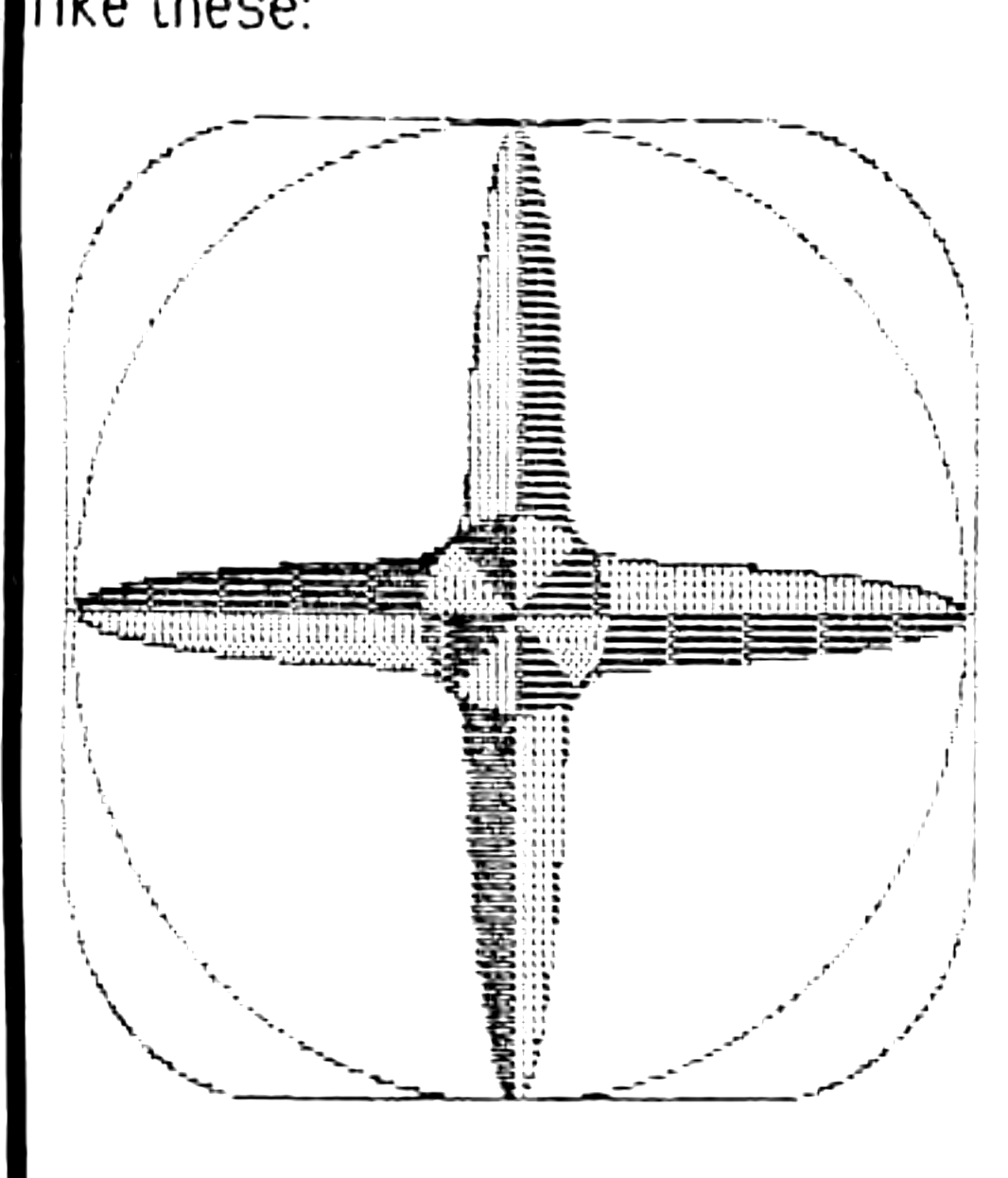
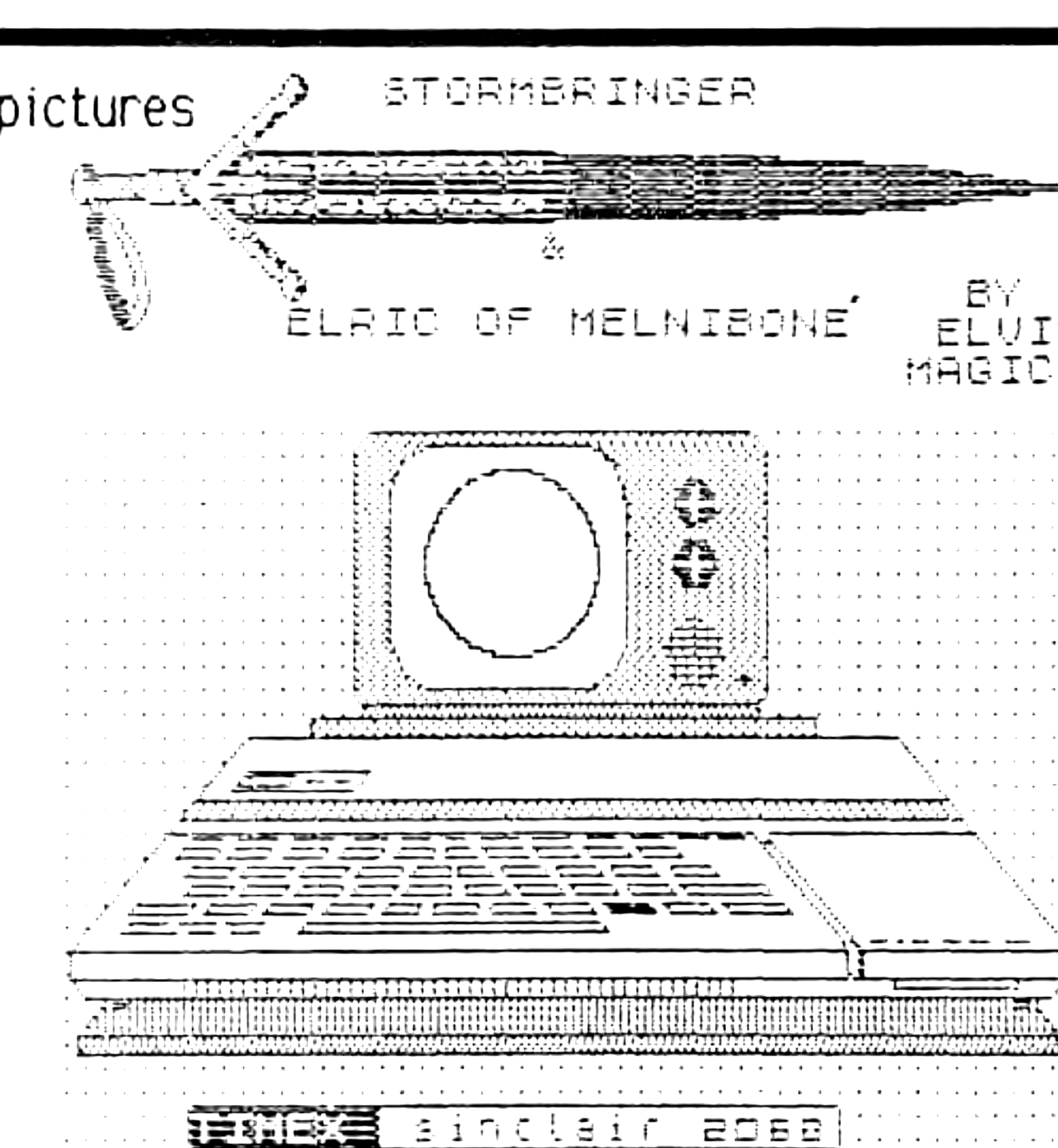
With this program you can draw pictures like these:
Note: Type-in program listings on this website use ZMAKEBAS notation for graphics characters.