
Mark Jones with a program which makes his 3D rotator published in the July 1983 issue up to eight times faster.
Table 1.
Offset  No of Bytes  Parameter  Description                           Range
  0         1        NUMB       Number of sets of data.               1-255
  1         2        ADDR       Start address of data.
  3         2        PX         X co-ord (+VE LEFT)
  5         2        PY         Y co-ord (+VE UP)
  7         2        PZ         Z co-ord (+VE FORWARD)
  9         2        PHI        Angle about X axis                    0-359°
 11         2        THETA      Angle about Y axis                    0-359°
 13         2        PSI        Angle about Z axis                    0-359°
 15         2        DRAWS      Address of free memory after
                                3D data
 17         2        DRAWP      6*NUMB + DRAWS
 19         1        STFLG      Poke this with 0 the first time       0 or 255
                                you use the 3D image.
IN JULY OF LAST YEAR, I wrote a program for Your Computer called 3D Rotator. This program allowed the Basic programmer to manipulate simply defined 3D figures at machine-code speeds. A typical time was 0.5 seconds for a cube. Though this was extremely fast relative to Basic it was not fast enough for practical dynamic games. With this in mind I have speeded up the 3D routine by as much as eight times and made it more versatile. The speeds achieved now are as fast as those seen in commercial games such as 3D Tank Duel, with the advantage that they can be called from Basic.
Data is stored as blocks of code at any memory location that you specify. The data should be followed by a blank area which = 12 * (number of sets of data). Therefore the total memory required for any one image = 19 * (number of sets of data). The data itself is made up of three 2’s complement numbers and one 1 byte number. A 2’s complement number is a 2 byte number where the negative form is 65536-number, e.g., -5 =65536-5 and +5=5: A 2 byte number is Poked into memory as described on page 173 of the Spectrum manual.
The numbers stored are as follows: x co-ordinate, y co-ordinate, z co-ordinate and the 1 byte number 0 to indicate a plot at x, y, z or 1 to draw a line from the last point plotted to x, y, z. I include a Basic program – program A – which will handle conversion of data into a suitable form for the machine-code program. The Basic program will also store the essential parameters such as the pointer to the data, number of sets of data etc., for that figure.
Producing the data for a simple 3D figure is relatively easy. I refer you for further information to my article 3D Rotator of July 1983 and Ian Angell’s article BBC 3D Graphics in the February 1984 edition of Your Computer.
The 3D program allows the parameters for up to 16 3D images. These parameters are stored in fixed areas from 65032 onwards and in blocks of 20 bytes. Thus the start of the parameter area for figure 4 = 4*20 + 65032 – see table 1.
Each 3D image stored in memory should have a separate set of parameters though they might share a common set of data. Draws need not point to a memory area after your 3D data but I find I keep track of my memory state better by doing so. For example, fig.0 and fig.1 might both be pyramids and so use the same data. Draws for fig.0 is as normal, after the data, but draws for fig.1 points at another section of free memory and its ADDR points to the fig.0 data.
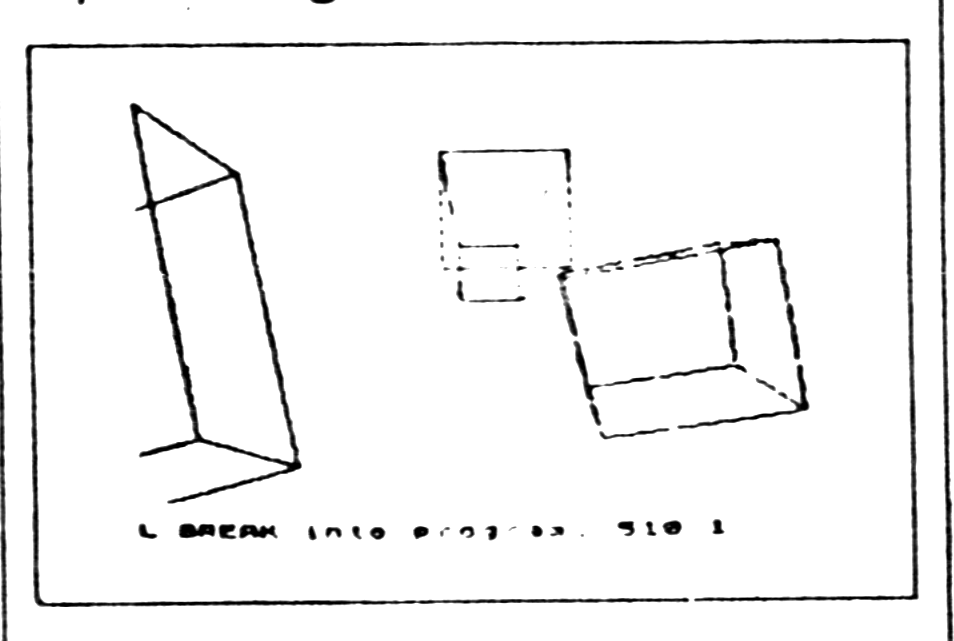
If it has all seemed rather complicated so far, do not worry – it is really quite easy to use these 3D routines. Here is an example:
To set up fig.0 as a cube first of all work out your data and then store it in data statements in Basic program A. For a cube there are 16 sets of data so adjust line 15 accordingly. The data is going to be stored at 40000 onwards so first of all ensure this area is free from the Basic system with a
CLEAR 39999
and then adjust line 10 accordingly. Finally, this is going to be figure 0 so adjust line 5. Now run program A.
Once the program is complete it will give you a print-out of the next free memory available for data, 40316, and also the position of the parameters area, 65032. If you now wished to have another cube that could move independently of fig.0 then simply make line 10 read
LET ADDR = 40316
Line 5 should read
LET FIG = 1
and run the program again.
This is, of course, an example and actual addresses will depend on the number of sets of data you use. Program A as printed will set up fig.0 as a cube as in the above example.
Now to actually produce a 3D image on the screen there are a number of steps:
- Select the current figure by Poking 64976 with the required figure number 0-15.
- RAND USR 64234 actually converts your data to a list of plots and draws stored in the figure’s associated free area of memory, pointed to by Draws.
- RAND USR 64692 produces the 3D image on the screen from the list of plots and draws.
- RAND USR 64679 deletes the last image drawn by the above routine.
Therefore using various sequences of these routines you can produce 3D images from within your Basic programs. As an added feature I have included a machine-code demonstration program which will put the current figure indicated by
PEEK 64976
through its paces. The number of steps, and so speed of this demonstration, can be altered by Poking 63501 with a number between 1 and 150.
The routine is called with
RAND USR 63500
Finally, to alter a given figures position on the screen, distance from you or angle simple alter the 2’s complement numbers PX, PY, PZ, Phi, Theta and Psi in the parameters for that figure.
To run a demonstration of the routines from Basic load with program A and then Goto 5000. This sets up three cubes, shows off the machine-code demonstration and then leaves the three cubes to float around in space spinning.
If you remember the 3D Rotator routine in my last article you may be interested to compare it with these new routines. The routine to handle the 3D conversions is written more efficiently, uses 2 byte x, ,y,z co-ordinates and does not draw the figure straight away. This allows a number of figures to be produced in memory but not drawn until needed.
This routine also handles calculations for lines partially off screen ensuring that the line eventually produced for the draw routine does not go off screen.
The routines to draw and delete figures use a draw routine specially written for this program which is extremely fast. The routine does not draw a line by plotting but by manipulating screen addresses and rotating a mask.
To use the plot/ routine for yourself use the following method:
- Set up an unused figure e.g., fig 15 by Poking both DrawS and DrawP with the same value, the address of an unused area of memory. Next Poke STFLG with 255.
- Store your plots and draws at this address in the following form:
P,x,y where P = 0 to plot at x,y
P = 1 to draw from the last point plotted to x,y
P = 255 to end the data
x is a normal x co-ordinate
Y has the range 0-191 where 0 is the bottom line of the edit area.
e.g. To draw a frame around the screen the data would be: 0,0,0, 1,255,0, 1,255,191, 1,0,191, 1,0,0, 255
Type program A into your computer and then Save it. Never try to run this program without the 3D machine-code routines in memory. For the 3D routines type in program B and then Save it. Now try running it. If an error is reported correct your error, resave the program and try again. Once the program has run successfully save the code as instructed in line 9999.
You now no longer need program B. You now have a machine-code program saved as code and a Basic program. Do not try and run the machine code without a valid set of parameters and data in memory. To see the various demonstrations load up with the Basic and then the code and then Goto 5000. Or to store an image type Run.
   1 REM "Data Storage Program"
   2 CLS : CLEAR 39999
   4 REM
   5 LET fig=0: REM "Figure 0-15"
   9 REM
  10 LET addr=40000: REM "data storage address"
  14 REM
  15 LET No=16: REM "Number of sets of data"
  16 GO SUB 17: STOP
  17 LET store=65032+fig*20: POKE store,No: LET addr1=store+1: LET c=addr: GO SUB 500
  18 LET addr1=addr
  20 FOR f=1 TO No
  30 READ x,y,z,p
  40 LET c=x: GO SUB 500
  45 LET c=y: GO SUB 500
  50 LET c=z: GO SUB 500
  55 POKE addr1,p
  60 LET addr1=addr1+1
  75 NEXT f
  80 LET spare=12*(No+1)
  82 LET free=spare+addr1
  85 LET c=addr1: LET addr1=store+15: GO SUB 500: LET c=spare/2+c: GO SUB 500: POKE addr1,0
  95 PRINT "Data stored for figure ";fig
 100 PRINT "data at ";addr
 105 PRINT "next free memory at ";free
 110 PRINT "Parameters at ";store;" to ";store+19
 120 RETURN
 500 IF c<0 THEN  LET c=65536+c
 505 POKE addr1+1,INT (c/256)
 510 POKE addr1,INT (256*(c/256-INT (c/256)))
 515 LET addr1=addr1+2
 520 RETURN
 999 REM cube data
1000 DATA 20,-20,20,0,20,-20,-20,1,-20,-20,-20,1,-20,-20,20,1,20,-20,20,1,20,20,20,1,20,20,-20,1,-20,20,-20,1,-20,20,20,1,20,20,20,1,20,-20,-20,0,20,20,-20,1,-20,-20,-20,0,-20,20,-20,1,-20,-20,20,0,-20,20,20,1
4997 REM
4998 REM  Demonstration
4999 REM
5000 RESTORE : LET fig=0: LET addr=40000: LET No=16: GO SUB 17
5010 RESTORE : LET fig=1: LET addr=free: GO SUB 17: RESTORE : LET fig=2: LET addr=free: GO SUB 17
5011 POKE 63501,10:  CLS : POKE 64976,1: RANDOMIZE USR 63500: POKE 64976,0: RANDOMIZE USR 63500: POKE 64976,2: RANDOMIZE USR 63500
5012 FOR f=5  TO 95 STEP 10: POKE 63501,f: RANDOMIZE USR 63500: NEXT f
5015 FOR f=65081 TO 65086: POKE f,0: NEXT f
5016 POKE 63501,10
5019 POKE 65075,40: POKE 65079,200: POKE 65036,0: POKE 65056,0: POKE 65038,0: POKE 65037,0: POKE 65058,0: POKE 65057,0: POKE 65039,150: POKEEE 65040,0: POKE 65059,20: POKE 65060,0
5020 FOR f=170 TO -170 STEP -30: LET c=f: LET addr1=65035: GO SUB 500: LET addr1=65077: GO SUB 500: LET c=-f: LET addr1=65055: GO SUB 500: LET g=ABS (f): POKE 65041,g: POKE 65063,g
5025 FOR h=0 TO 2: GO SUB 6000: NEXT h
5040 NEXT f
5041 RANDOMIZE USR 63500: GO TO 5015
6000 POKE 64976,h: RANDOMIZE USR 64234: RANDOMIZE USR 64679: RANDOMIZE USR 64692: RETURN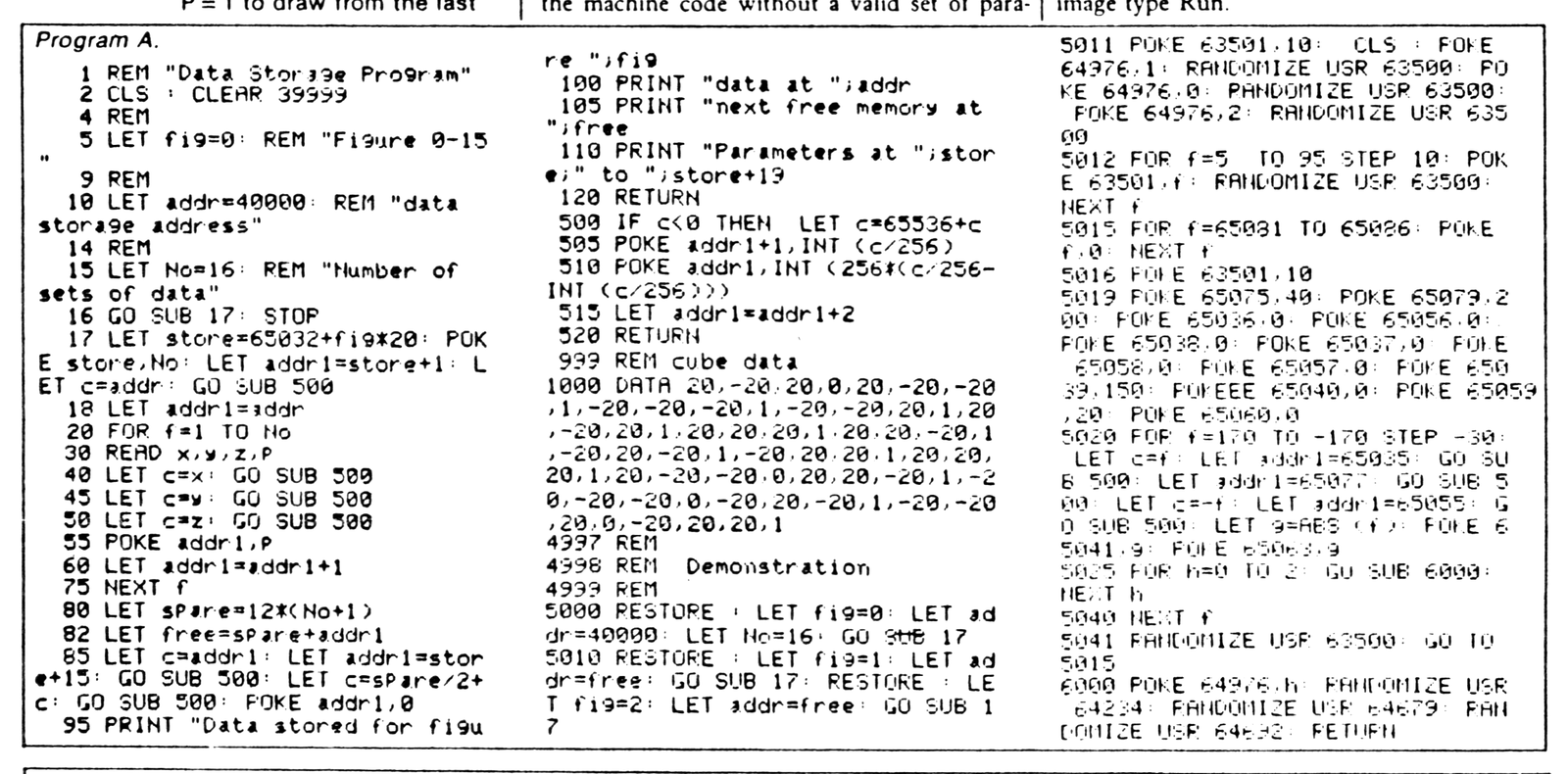
  10 DATA "3e0afefa38023efa06004f21fe00c5e5dde1e5cdd7fae5d5c5edb0dde5e122d8fd22defd22dcfd22dafd11ff00ebed52cb3ccb1dcb3ccb1d22d4fd22d6fdc1e1d1edb0cdeafacda7fccdb4fce1c1ed427ccb7f2008fe0020b579bd38b1fbc9c1c1c9c5ed"
  11 DATA 16344
  20 DATA "4beffdc53ebf9038f2cdb02247043e010f10fde5d9e1d908e1c1ed43effd11010178943004ed4416ff4779953004ed441eff4fb8300969d5d9d1d9af5f180bb128666841d5d9d1d9160060781f853803bc3807944fd94b4218044fd5d9c1cb402829cb78"
  21 DATA 11938
  30 DATA "20153e07a4280325181d257dd6206f38167cc608671810243e07a4200a7dc6206f38047cd6086708cb41280ecb7920060f30072c18040730012d4700b6777808d97910a5c9fdcb45862a05fe110001ed52ed5bd8fd19cb7cc43dfafd7e452205fe22e5fd"
  31 DATA 91400
  40 DATA "2a01fe2929ed5bd4fd19f5cd6af9118000cda1f92201fe2a03fe2929ed5bd6fd19f1fd7745cd6af9115700cda1f92203fec9cb7cc43dfaeb2ae5fde5ed52e13801eb444daf08af086f67cb38cb19200508b9280b08300319ce00eb29eb18eb08300319ce"
  41 DATA 12206
  50 DATA "00456c67c9ebfdcb4546280619fdcb4586c9ed52c9e57cb52814cdf9f922f3fde1cd05fa22f1fd21f1fd010400c9e13e8032f1fd21f1fd010100c92adcfdcdb1f911f5fdedb02adefdcdb1f911f9fdedb02adafdcdb1f911fdfdedb0c9015a0009016801"
  51 DATA 14865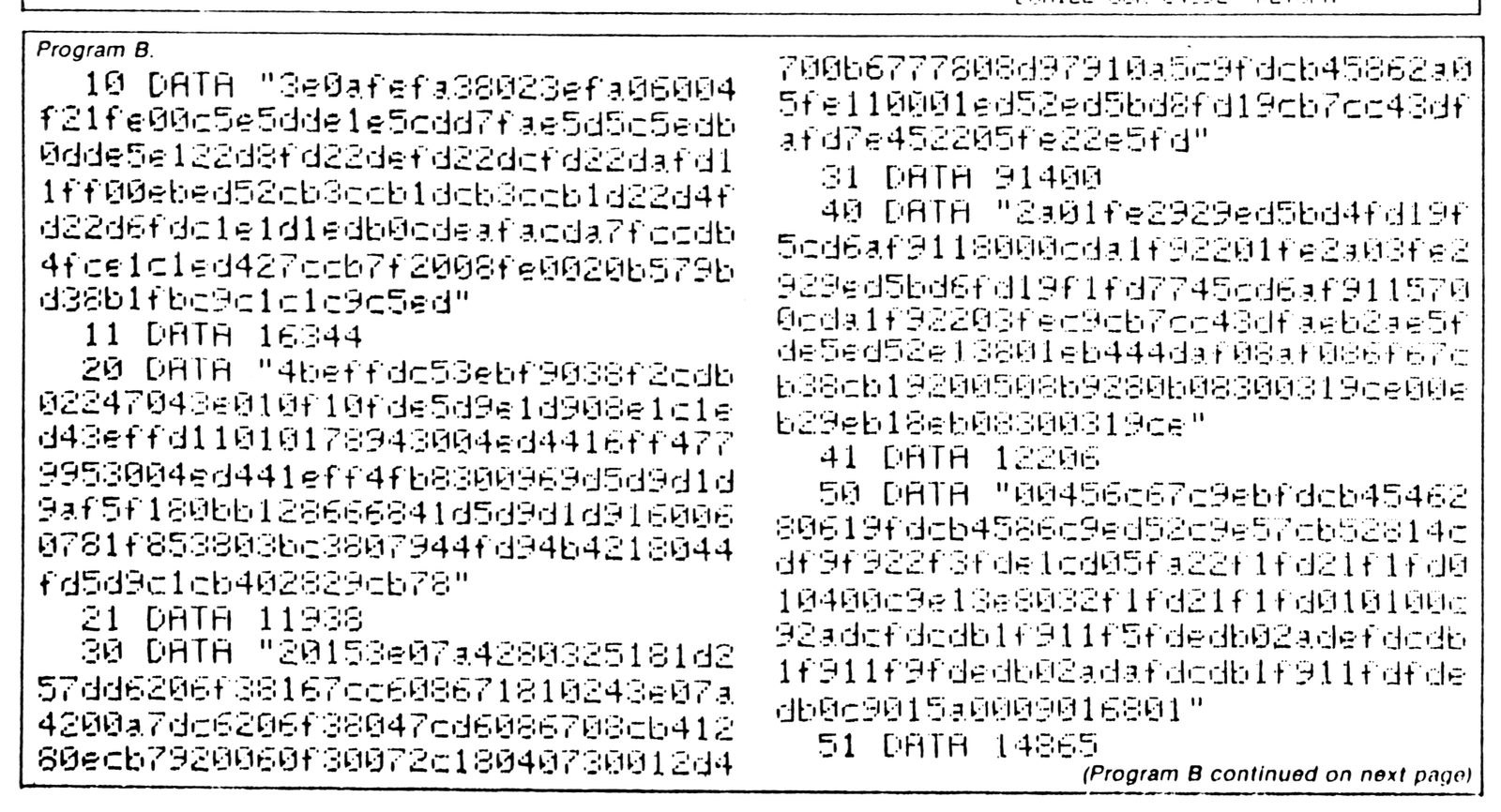
  60 DATA "ed42300109af3c01b400ed4230023d09011afd0956eb6fc9fdcb47462808dd6e03dd7e021806dd6e01dd7e00260022e5fdfd7745ebcd6af9fdcb4546c8af575febed52fd3445c9ddcb007ec0c5cd18fafd3447d1e5cd18fad1fdcb4746280319afc9ebed"
  61 DATA 12663
  70 DATA "52afc9dd21f5fded5b01feed4b05fefdcb47c6cd47fa2013ed5b01fe2201feed4b05fecd47fa2205fe444ddd21fdfded5b03fefdcb47c6cd47fa2011ed5b03fe2203feed4b05fecd47fa2205feed4b03fedd21f9fded5b01fefdcb47c6cd47fac0ed5b01"
  71 DATA 14664
  80 DATA "fe2201feed4b03fecd47fa2203fec93ad0fd2108fe11d1fd011400a7c8093d20fcc9cdd7faedb03ae4fda720083eff2b772ae0fd77af3207fecdd7f9ed5be2fd3ad1fd472ad2fdc5d55e2356ed5301fe235e2356ed5303fe235e2356ed5305fe23e5cd67"
  81 DATA 13798
  90 DATA "facd19f9e17e23d1e5f5d53a07fe4f2a01feed5b03feafb4b220073ebfbb3e0030023e013207feb1201b22ebfded53edfdc1f102037d02037b02035950e1c110a23eff12c97ca7280b3aecfda72805ac17d29bfc7aa7280d3aeefda72807aa17d29bfc18"
  91 DATA 12207
 100 DATA "0d7bfec038083aedfdfec0d29bfce5d5e52aedfda7ed5222e7fdd12aebfda7ed5222e9fdebed5b03fecde9fbe5d52aebfded5bedfdcde9fb6322e9fdd1e1c1ed43edfdc1ed43ebfdc1af02033ae9fd02033aeafd0203c35efbd5cb7c2806cd47fc210000"
 101 DATA 16381
 110 DATA "7ca7280c11ff00a7ed52cd47fc21ff00e52ae9fded5be7fded53e9fd22e7fdd1e1d5cb7c2806cd47fc2100007ca720057dfec0380c11bf00a7ed52cd47fc21bf00e52ae9fded5be7fded5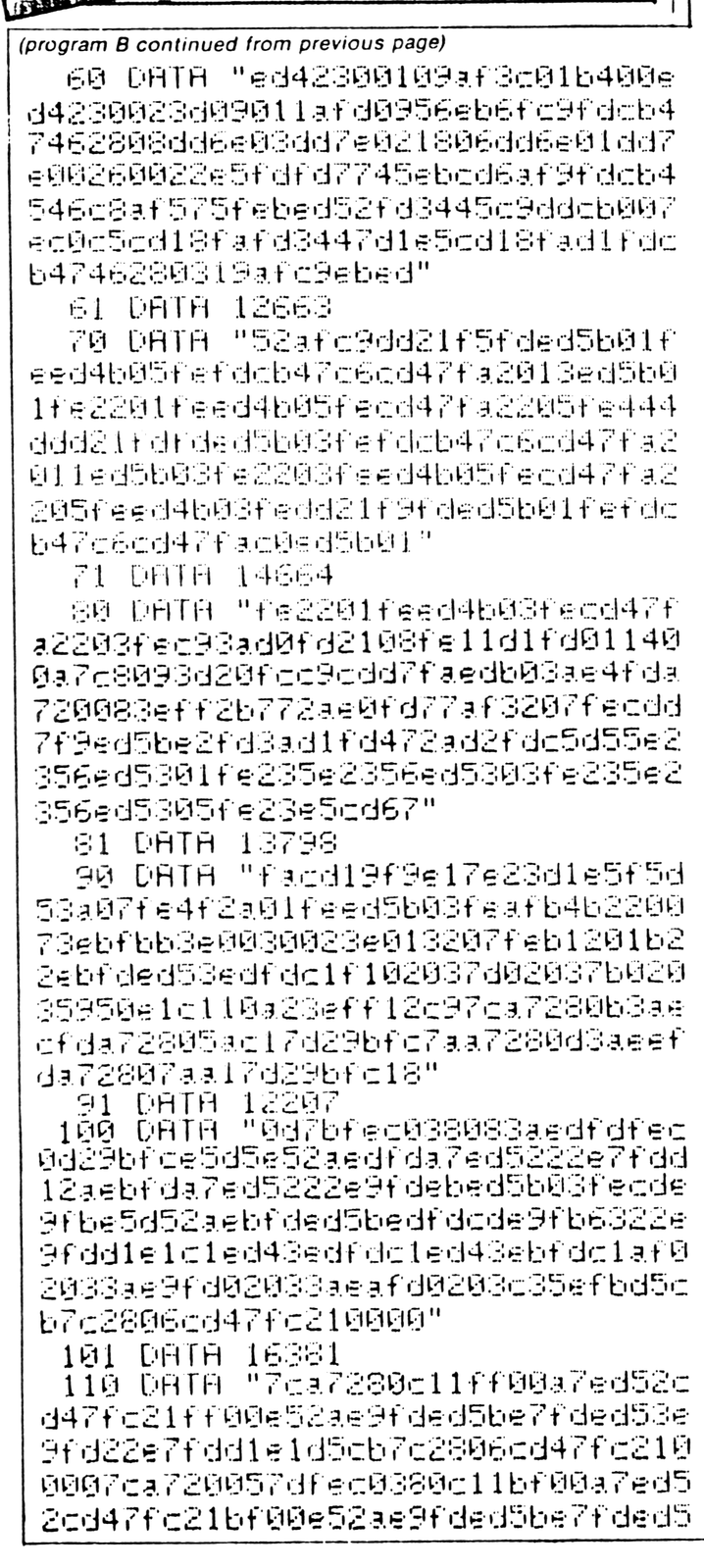
3e9fd22e7fdd1e1c9fdcb4586ed5be7fdcd8dfc6568ed5be9fd"
 111 DATA 15420
 120 DATA "cd63fcc1d1cda1f9e5c5c9ebcb7cc487fceb7ab32815010000a7ed5238030318f91929ed523801036960c9210000c9d5cd3dfad1c9cb7cc487fcebcb7cc487fcc373f922ebfded53edfdd1f1c369fbcdf6fce50e2f06a62ae0fd1816cdf6fce50e0006b6"
 121 DATA 14795
 130 DATA "2ae2fded5be0fd22e0fded53e2fded430ff9d9e5d97e23feff28124e234623e51f3804ed43effdcd6ef8e118e8d9e1d9d121e0fd010400edb0c9cdd7fa010f000911e0fd010500e5edb03ae4fda7200c2b3eff772ae0fd772ae2fd77e1c90004080d1116"
 131 DATA 13804
 140 DATA "1a1f23282c3035393d42464a4f53575b5f64686c7074787c7f83878b8f92969a9da1a4a7abaeb1b5b8bbbec1c4c6c9cccfd1d4d6d9dbdddfe2e4e6e8e9ebedeef0f2f3f4f6f7f8f9fafbfcfcfdfefefffffffffffffffffffffffefefdfcfcfbfaf9f8f7"
 141 DATA 18475
 150 DATA "f6f4f3f2f0eeedebe9e8e6e4e2dfdddbd9d6d4d1cfccc9c6c4c1bebbb8b5b1aeaba7a4a19d9a96928f8b8783807c7874706c68645f5b57534f4a46423d3935302c28231f1a16110d0804000000"
 151 DATA 10715
4990 CLEAR 59999
5000 LET c=0: LET f=63500
5010 FOR h=1 TO 15: READ a$
5020 FOR s=1 TO LEN a$ STEP 2
5030 LET a=CODE a$(s): LET b=CODE a$(s+1)
5050 IF a>96 THEN  LET a=a-39
5060 IF b>96 THEN  LET b=b-39
5070 LET a=a-48
5080 LET b=b-48
5090 POKE f,a*16+b
5091 LET c=c+PEEK f
5100 LET f=f+1
5110 NEXT s
5111 PRINT h
5120 READ tot: IF tot<>c THEN  PRINT "Error at line ";h*10: STOP
5125  LET c=0
5130 NEXT h
5131 REM
9999 CLS : BEEP .2,0: PRINT "CODE STORED CORRECTLY": PRINT "SAVE CODE 63500,1478"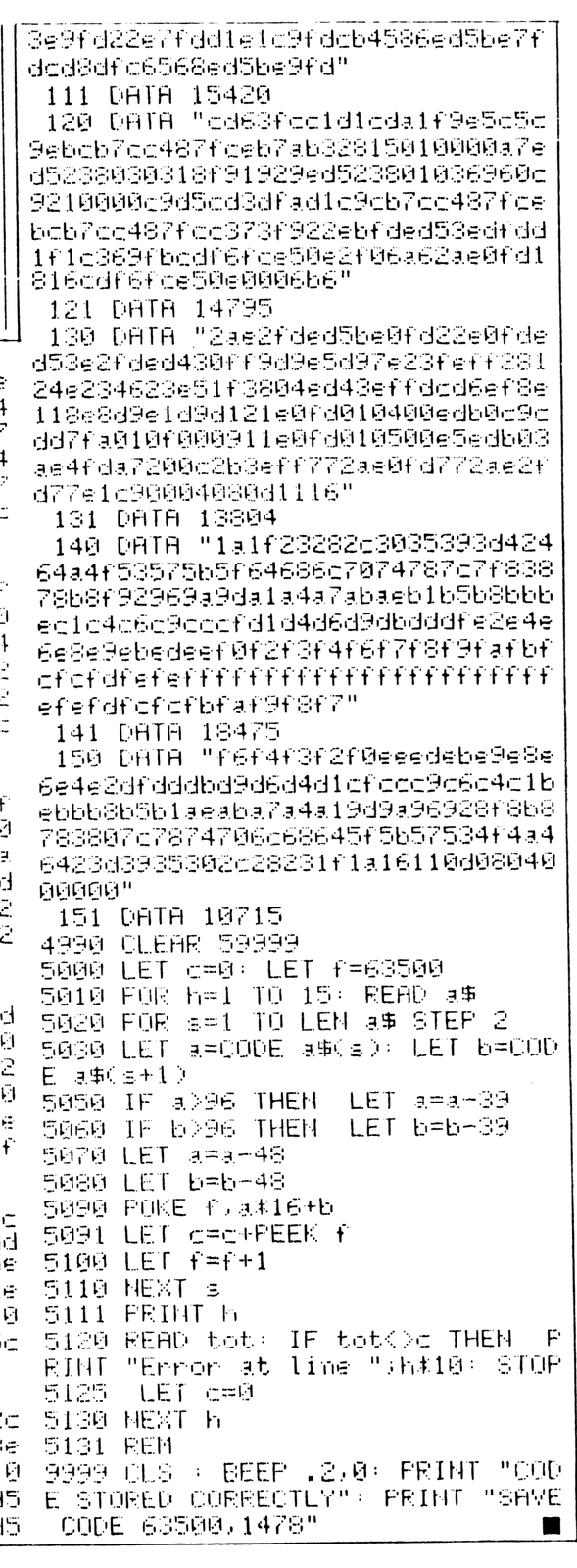
Transcription note: Line 31 prints 91400, but its data adds up to 9140. The SAVE length is 1478, and the data holds 1477 bytes.
Note: Type-in program listings on this website use ZMAKEBAS notation for graphics characters.