The text for this tutorial is included in the program itself, and is displayed on the screen as the program is run. The various printouts are reproduced here. The program gives an interesting insight into the way the TS2068 handles the various “attributes” (color, flash, etc.) of the screen display.
Unfortunately, the black-and-white printout of the LISTing does not begin to do it justice. The LISTing is so crammed with embedded instructions, themselves dealing with the attributes of the display, that one is inevitably reminded of the elegant and baffling complexity of the last act of Der Rosenkavalier.
Introduction
Window is a screen utility written in machine code and stored above RAMTOP. It enables the user to change the attributes behind a section of screen, with the original attributes being saved for future recall.
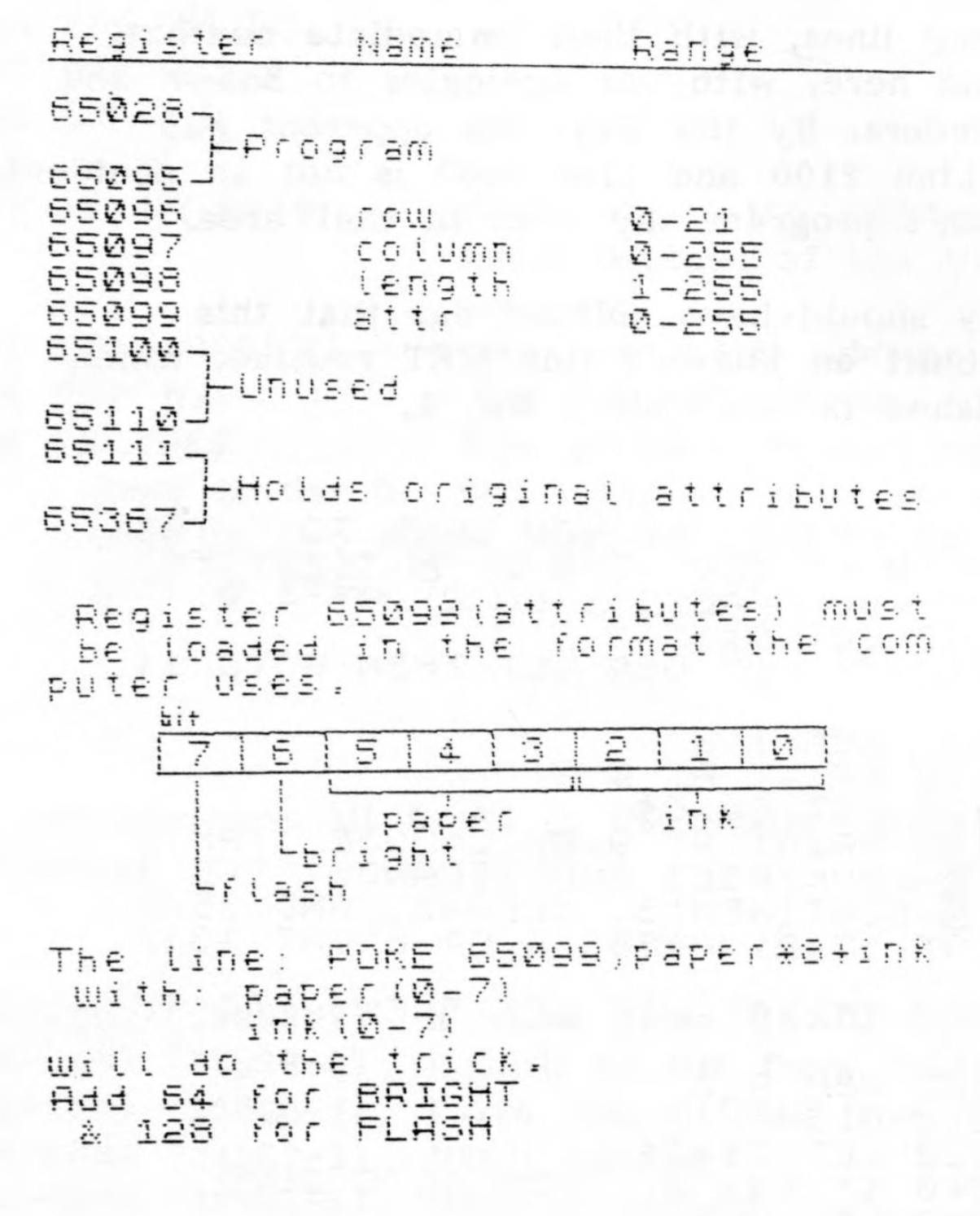
The user pokes the row, column, length, and attribute information to certain addresses and then “turns on” the routine with a USR 65036. The Basic command USR 65028 will return the screen area to its original condition, assuming that none of the parameters have been changed.
Program Details
Machine code USR calls:
- USR 65036 (display) – Loads a user-defined section of the display with new attributes. The attributes previously stored there are stored elsewhere for safekeeping. Row, column, length, & attribute information must already be stored in the appropriate registers.
The routine returns with the present row # if o.k. or with the length if the requested area would run off the screen. - USR 65028 (normalize) – Returns the displayed area to its original attributes. If any of the registers (except attributes) has been changed, then the routine will load back to the new area.
As with the display routine the normalize routine will return with the current row # or length depending on whether or not the area fits on the screen.