
ZTalker 1.2 is a phoneme-based text-to-speech editor designed to drive the Zebra-Talker 2068 speech synthesizer hardware via I/O port 191.
The program maintains a buffer of up to 100 phoneme codes starting at memory address 60016, storing each as a single byte index into a 68-entry phoneme table encoded in the string P$, where each entry occupies exactly three characters (e.g., “EH3”, “AH2”, “SH “, “NG “).
An operator navigates the phoneme sequence using a cursor-based interface controlled by single-key commands (5/6/7/8 for directional movement, A/D/I/K/R/X for edit operations), with the display arranged in rows of eight phonemes each.
The SPEAK routine at line 3400 sends phonemes to the hardware using OUT 191 combined with an INF (inflection) value derived from phonemes with codes above 63, followed by a terminating OUT 191,3. The program supports printing the phoneme list to both screen (LIST) and printer (LPRINT/COPY), and can save itself to tape with auto-run via SAVE “ZPE” LINE 0.
Program Analysis
Program Structure
The program is organized into clearly delineated subroutines and named sections, entered from a main loop at line 2000. Execution flows as follows:
- Lines 10–50: REM headers, uppercase lock (
POKE 23658,8), display setup, andCLEAR 59999to protect the phoneme buffer above that address. - Line 110:
GO TO 2000— skips all subroutines to reach the main routine. - Lines 1230–1255: Display buffer contents on screen.
- Lines 1400–1460: Cursor erase and redraw logic.
- Lines 1500–1530: Key dispatch table (single-letter commands).
- Lines 1550–1720: Cursor movement handlers (up/down/left/right, beginning/end).
- Lines 1800–1830: On-screen help/legend display.
- Lines 2000–2060: Main initialization and event loop.
- Lines 2110–2200: Append (ADD) phoneme operation.
- Lines 2300–2325: Single-cell display update subroutine.
- Lines 2500–2540: Delete last phoneme.
- Lines 2600–2670: Kill (clear all phonemes).
- Lines 2700–2760: Replace phoneme at cursor.
- Lines 2800–2865: Excise (delete at cursor, shift remaining left).
- Lines 2900–2998: Insert phoneme at cursor (shift right).
- Lines 3005–3025, 3050–3060: Phoneme lookup and invalid-input handler.
- Lines 3100–3110: Print (screen copy via
COPY). - Lines 3200–3265: LIST — paginated on-screen phoneme listing.
- Lines 3300–3325: LLIST — printer output of phoneme listing.
- Lines 3400–3440: SPEAK — send phonemes to hardware via
OUT 191. - Lines 9900–9920: Tape SAVE with
LINE 0.
Phoneme Table Encoding
The entire phoneme dictionary is packed into a single string P$ at line 2008, initialized to a 204-character literal (68 phonemes × 3 characters each). Examples of entries include EH3, PA0, DT , AH2, NG , OO1, TH , VTH, ER , PA1, ST , PIN, IN0–IN3. Lookup is performed by iterating I from 0 to 67 and comparing T$ to P$((I*3)+1 TO (I*3)+3) (lines 3005–3025). Display uses the same arithmetic: P$(W*3-2 TO W*3), where W is 1-based. Note that there is a minor index inconsistency between the lookup (1-based slice starting at I*3+1) and the display (slice W*3-2 where W=I+1); both are equivalent and correct.
Phoneme Buffer and Memory Layout
The phoneme buffer begins at address BUF = 60016 (set at line 2003), safely above the CLEAR 59999 boundary. Each phoneme is stored as a single byte: its 0-based index into P$. Up to MAXL = 100 phonemes can be held. The buffer is accessed directly with PEEK and POKE throughout.
Cursor and Display Model
The display arranges phonemes in rows of 8, with each cell occupying 4 character columns. Screen position is computed as AT INT(I/8)+1, 4*(I - 8*INT(I/8)). The cursor is represented by a ">" character printed in the cell to the left of the phoneme (the cell column is offset by one space before the 3-character phoneme code). The cursor is 1-based and initialized to -8 before the first render, which combined with NCURSOR=CURSOR at line 2015 means the initial cursor draw call at 2021 references position -8 — a potential off-screen print, though it is harmless in practice since the AT calculation produces a large negative column that wraps or is ignored.
Hardware Speech Output
The SPEAK routine (lines 3400–3440) iterates over the buffer and sends bytes to the Zebra-Talker 2068 via OUT 191, value. Bytes with value ≥ 64 are treated as inflection prefix codes: INF = (X-64)*64. Bytes below 64 are phoneme codes, sent as OUT 191, INF+X, followed immediately by IN 191 to handshake with the hardware. The sequence is terminated by OUT 191, 3 plus a final IN 191. The variable p (lowercase) holds the IN result and is otherwise unused — it serves purely as a hardware synchronization read.
Edit Operations
| Key | Operation | Entry Point |
|---|---|---|
| A | Add (append) phoneme | 2100 |
| D | Delete last phoneme | 2500 |
| I | Insert at cursor (shift right) | 2900 |
| K | Kill all phonemes | 2600 |
| R | Replace phoneme at cursor | 2700 |
| X | Excise phoneme at cursor (shift left) | 2800 |
| 5/6/7/8 | Move cursor left/down/up/right | 1610/1570/1550/1590 |
| B | Move to beginning | 1630 |
| E | Move to end | 1645 |
| L | List phonemes (screen, paginated) | 3200 |
| P | Print (COPY to printer) | 3100 |
| S | Speak via hardware | 3400 |
| W | Save to tape | 9900 |
| Q | Quit (STOP) | — |
Key BASIC Idioms
- The main event loop (lines 2030–2060) polls
INKEY$in a tight loop, jumping back if the result is empty — a standard keypress-wait pattern. - The key dispatch at lines 1505–1521 is a chain of
IF D$="x" THEN GO TOstatements rather than a computed jump, which is typical for Sinclair BASIC where noON ... GO TOwith string keys is available. DIM P$(68*3)at line 2007 pre-allocates the phoneme table with a computed size, keeping the code self-documenting.- The LIST routine uses a line counter
Jto pause every 18 lines, a standard pagination technique.
Bugs and Anomalies
- Line 2300–2325 subroutine structure: Lines 2300–2325 contain both a
FORloop and aRETURNstatement. TheRETURNat line 2325 is inside theFORloop body; it exits the subroutine on the first iteration. The loop itself is never completed as a loop — this is effectively dead code for iterations beyond 1. The actual single-cell update use (from line 2195 viaGO SUB 2315) jumps directly into line 2315, bypassing theFORat 2300, so that path works correctly. However, line 2310 references an undefined variableE, meaning any call that enters at line 2300 would error. - Initial cursor value of -8:
CURSORis set to-8at line 2001, and the cursor draw at line 2021 uses this value, producingAT INT(-8/8)+1 = AT 0,...which prints in row 0 — likely harmless but unintentional. - Append loop re-entry: The ADD routine (line 2110) uses
GO TO 2120at line 2200 to loop for additional phonemes, but the entry point from the key dispatch isGO TO 2100(line 1512), which falls through to line 2115 — these are consistent. - Line 3265 GO TO 2990: After the LIST routine finishes, it jumps to line 2990 (
CLS/ redraw), effectively re-entering the tail of the INSERT routine’s cleanup. This is a deliberate reuse of the redraw sequence rather than a bug.
Image Gallery
Source Code
    1 REM !VAL \~!CODE \ RETURN ( RETURN ( THEN '. THEN AND *U\>"PEEK #( IF RESTORE !LEN \N!@ RESTORE !VAL \~ NEW o>& THEN % THEN gSTR$ RESTORE !VAL \~ LLIST RETURN 8 RETURN "TAB \ LLIST RESTORE ~= OR RETURN a8paSTR$ X COPY OR  ao> THEN % THEN gSTR$ RESTORE !ATTR \~ LLIST RETURN (j CAT OR RESTORE ~W!ATTR \~ RETURN z(u*TAB \r#s+ OR STR$ "TAB \ LLIST #STR$ OR RESTORE x RETURN  !!CODE \ THEN F PI GO SUB B"TAB \*TAB \ LPRINT PI GO SUB B"TAB \ LLIST STR$ !CODE \ THEN F*TAB \(PI GO SUB BAePI GO SUB B\ RETURN  #"TAB \ LLIST #>"PEEK >= DATA :'! THEN ? THEN THEN - THEN ? THEN THEN ,T]!ATTR \~ RETURN ( FLASH OR RESTORE ~ VERIFY *TAB \r#s+"TAB \ LLIST #STR$ *TAB \ RETURN PI GO SUB B"TAB \ LLIST #>"PEEK >=b LLIST #>"PEEK >=bxxxxxxxxxxxxxxxxxxxxxxxxxxxxxxxxxxxxxxxxxxxxxxxxxxxxxxxxxxxxxxxxxxxxxxxxxxxxxxxxxxxxxxxxxxxxxxxxxxxxxxxxx
    2 DEF FN a()=PEEK 23635+256*PEEK 23636+5
   10 BORDER 1: PAPER 1: INK 4: CLS
   12 PRINT INK 5;AT 4,0;"                                "
   14 PRINT INK 5;AT 5,0;"                                 "
   20 POKE 23728,4: POKE 23729,2
   30 POKE 23723,3
   40 RANDOMIZE USR FN a()
   50 REM "*Zebra Talker*"
   60 PRINT AT 6,2;"----------------------------"
   62 PRINT AT 9,7;"Copyright * 1985"
   70 POKE 23728,11: POKE 23729,6: POKE 23723,2
   80 RANDOMIZE USR FN a()
   90 REM "ZEBRA SYSTEMS, INC."
  100 PRINT INK 6; PAPER 2;AT 18,4; FLASH 1;"                      "
  110 POKE 23728,18: POKE 23729,4: POKE 23723,1
  120 RANDOMIZE USR FN a()
  130 REM "NOW LOADING"
  140 INK 1: LOAD ""CODE : CLEAR 58999 : RANDOMIZE USR 59206
  141 INK 5: CLS
  145 POKE 23728,5: POKE 23729,6: POKE 23723,2
  150 RANDOMIZE USR FN a()
  160 REM "Type ENTER to RUN"
  161 PRINT #4;"Type ENTER to RUN"
  175 POKE 23728,8: POKE 23729,14: POKE 23723,2
  180 RANDOMIZE USR FN a()
  190 REM "or"
  191 PRINT #4;"or"
  195 POKE 23728,11: POKE 23729,8: POKE 23723,2
  200 RANDOMIZE USR FN a()
  210 REM "Type B to make"
  211 PRINT #4,"Type B to make"
  215 POKE 23728,15: POKE 23729,7: POKE 23723,2
  220 RANDOMIZE USR FN a()
  230 REM "a Backup copy..."
  231 PRINT #4;"ayBackup copy..."
  240 LET i$=INKEY$: IF i$="" THEN GO TO 240
  245 IF i$="s" OR i$="S" THEN STOP
  250 IF i$="b" OR i$="B" THEN GO TO 9900
  270 CLS
  272 PRINT "Hello, my name is Zebra Talker  and I can speak english"
  280 PRINT #4;"hello  my name is zeebra talker and i can speek inglish"
  282 CLS : PRINT "I can talk because I am a voice synthesizer"
  290 PAUSE 50: PRINT #4;"i can talk because i am a voice synthesizer"
  292 CLS : PRINT "I can count numbers"
  295 PAUSE 70: PRINT #4;"i can cawnt numbers"
  300 PAUSE 60: PRINT #4;"one  two  three  fore  five  six  seven  eight  nine  ten"
  301 CLS : PRINT "I can say letters"
  302 PAUSE 50: PRINT #4;"i can say letters"
  310 PAUSE 60: PRINT #4;"  ay   b   c   d   e   f   g   h   i   j  "
  315 PAUSE 70
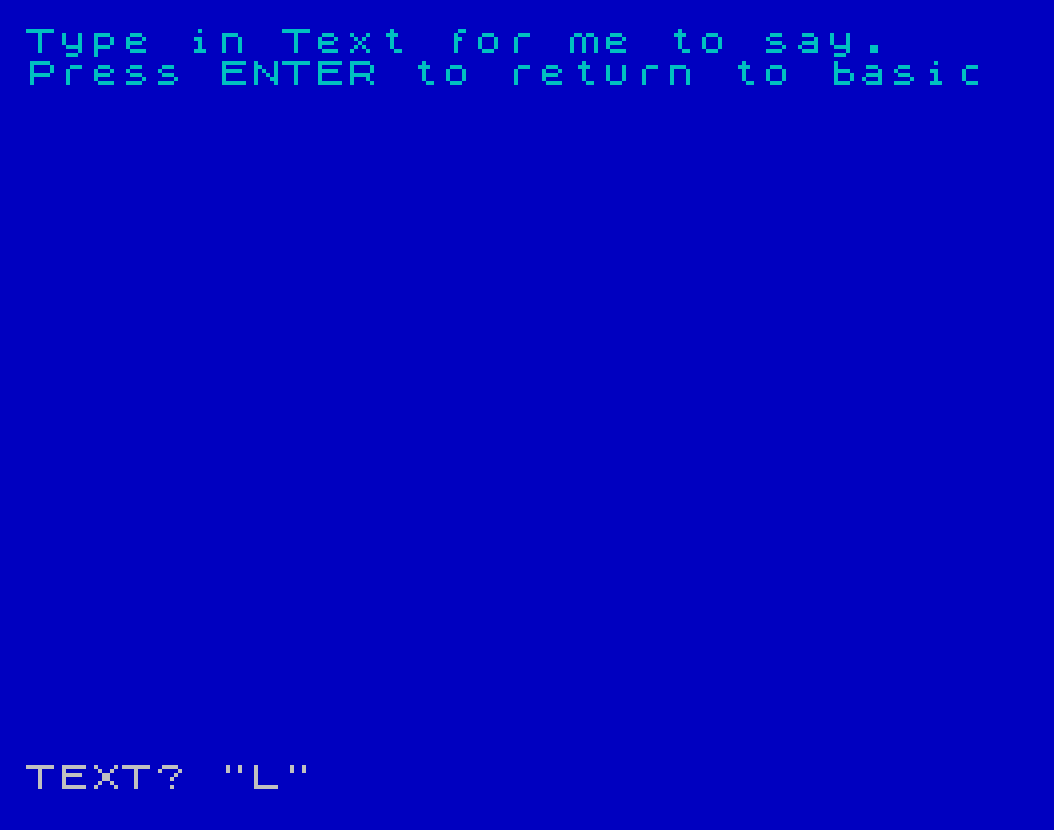
  320 CLS : PRINT "Type in Text for me to say.","Press ENTER to return to basic"
  330 PRINT #4;"type in text for me to say   press enter to return to basic"
  340 PAUSE 70
  350 INPUT "TEXT? ";a$
  355 IF a$="" THEN STOP
  360 PRINT #4;a$
  370 GO TO 350
 9899 STOP
 9900 REM SAVE tape
 9910 CLS : PRINT AT 5,9; FLASH 1;"Saving ""ztalker""": PRINT #4;"Press enter to save the first part": SAVE "ztalker" LINE 0
 9920 PRINT AT 7,9; FLASH 1;"Saving ""ZTALK"" CODE": PRINT #4;"Press enter to save the second part": SAVE "ZTALK"CODE 59000,6000
 9930 GO TO 141
Note: Type-in program listings on this website use ZMAKEBAS notation for graphics characters.