
This program configures “Zprint80,” a machine code Centronics printer driver for the TS2068, developed by Zebra Systems, Inc. in 1985. It allows the user to select from two memory-resident versions of the driver (base address 27000 or 64000), choose from seven supported dot-matrix printers (Gemini, Memotech, Panasonic, Epson, Spirit-80, Prowriter), and select from four printer interfaces (Aerco, Tasman, A&J). The configuration process patches specific bytes within the loaded machine code block at address 64000 — including linefeed mode, output width, interface jump vectors, and printer control (Pcontrl) blocks — before saving the customized code back to tape. A custom character set is loaded from tape at address 51200, and a user-defined function using PEEK 23635/23636 computes the start address of the BASIC program area to invoke machine code routines via RANDOMIZE USR.
Program Analysis
Program Structure
The program is organized into clearly delineated subroutines separated by REM comments. Execution begins at line 100 after an auto-run, proceeding through an introductory splash screen, tape load of the target machine code, and a series of interactive configuration menus. The main flow is linear with subroutine calls for display management, configuration patching, and tape save/verify.
| Line Range | Purpose |
|---|---|
| 1–2 | Embedded machine code (REM line), DEF FN for program area address |
| 10–90 | Display utilities: header bars, screen clear subroutine (line 60) |
| 100–210 | Startup, character load, version selection, Zprnt code load |
| 220–390 | Printer and interface selection menus |
| 410–555 | Linefeed query, patch application, tape save, verify, completion |
| 800–836 | Unused interface POKE subroutines (Aerco, Tasman, A&J) |
| 900–940 | Page-flip / “press any key” subroutine |
| 1000–1200 | Address declarations and version-dependent jump vector values |
| 1300–1360 | DATA blocks: Pcontrl main and GRAF512 blocks per printer model |
| 1500–1650 | Configuration mod application (calls 1000, 2000, 2200) |
| 2000–2070 | Load main Pcontrl block from DATA into memory |
| 2200–2250 | Load GRAF512 block from DATA into memory |
| 2400–2440 | Save-error handler with retry |
| 2600–2670 | Copyright splash screen with machine code calls |
| 9900–9920 | Developer save routine (program + char set to tape) |
Machine Code Integration
Line 1 is a REM statement containing an embedded machine code routine. The function FN a() defined at line 2 computes the address of this code as PEEK 23635 + 256*PEEK 23636 + 5, which reads the PROG system variable (the start of the BASIC program area) and adds 5 bytes to skip past the line header into the body of the REM. The code is invoked repeatedly via RANDOMIZE USR FN a() at lines 26, 45, 2630, and 2644, with different parameters pre-loaded into system variables 23728, 23729, and 23723 before each call. This parameterized calling convention allows the single embedded routine to perform multiple display functions (likely text rendering using the custom character set loaded at 51200).
The Zprnt80 machine code module itself is always loaded to address 64000 regardless of which version is selected; only during the final SAVE step are the correct base-address bytes POKEd at offsets 64169–64170 to relocate the saved image to 27000 or 64000 as appropriate.
Configuration Patching via POKE
After loading the Zprnt code, the subroutine at line 1500 patches specific bytes at fixed offsets within the 64000-based image:
LNFDaddr(64647): linefeed character (10 or 0)WDTHaddr(64012): output column width (1–80)jmplo/jmphi(65128–65129): low/high bytes of the interface dispatch jump vectorport(65136): port selection byte (set to 251 for Tasman-c variant)
Jump vector values differ between the lo (27000-base) and hi (64000-base) versions and are set by the declaration block at lines 1060–1086, conditioned on v$.
Pcontrl DATA Block Loading
Lines 1300–1360 define printer control block DATA using a simple sentinel protocol: value 254 signals the end of one sub-record (advance to the next 8-byte slot within the Mreset region), and 255 terminates the entire block. The main block loader at lines 2010–2070 iterates m from Mreset (64599) in steps of 8, POKEing bytes until sentinel 255 is reached. The GRAF512 block loader at lines 2210–2250 is simpler, writing sequentially from Mreset+32 until 255. Different DATA lines are selected via RESTORE before calling these subroutines, enabling per-printer customization without duplicating the loader logic.
Key BASIC Idioms and Techniques
- The display clear subroutine at line 60 uses
DIM a$(544+32)to create a string of spaces, then prints it starting at row 4, efficiently blanking the lower portion of the screen. ON ERR GO TO 2400at line 501 traps tape verify failures, withON ERR RESETused to clear the handler after success or within the error handler itself.- Input validation at lines 260 and 335 uses
CODE k$comparisons against ASCII values rather than string comparisons, which is typical for tight key-range checks. - Line 435 converts lowercase to uppercase via
CHR$ (CODE k$-32), providing case-insensitive Y/N input. - The variable name
If(line 340) shadows the BASIC keywordIF; this is legal in Spectrum BASIC since variable names can begin with keyword letters as long as they are not standalone keywords — hereIFas an identifier stores the interface number.
Unused Subroutines
The subroutines at lines 800–836 (Aerco, Tasman, A&J POKE routines) are defined but never called from the main flow; the equivalent logic is inlined directly in the configuration mod routine at lines 1530–1560. Line 820 contains GO TO 810 which falls into the Tasman block — this appears to be a vestige of an earlier structure where separate entry points were used.
Developer Save Routine
Lines 9900–9920 form a developer-only section that saves the BASIC program itself with LINE 100 auto-run and separately saves the custom character data from address 51200 (2000 bytes). These lines are not reachable from the normal program flow and serve purely as the authoring/mastering tool.
Anomalies and Notes
- Lines 190 and 200 both load the selected Zprnt version to address 64000 regardless of choice — the distinction between lo and hi versions is deferred to the SAVE step (lines 480–490), where different relocation bytes are POKEd before saving.
- Line 50 contains a bare
RETURNthat is unreachable in normal flow, sitting between the flashing-prompt logic and theGO SUB 60subroutine. It appears to be a leftover fragment. - The
PAUSE 4e4at line 49 (approximately 444 seconds at 50 Hz) is effectively a very long wait rather than a true indefinite pause, functioning as a timeout before resetting the flash flag.
Image Gallery

Source Code
    1 REM !VAL \\ FREE !CODE \\ RETURN ( RETURN ( THEN \'. THEN AND *U\\>"PEEK #( IF RESTORE !LEN \\N!@ RESTORE !VAL \\ FREE NEW o>& THEN % THEN gSTR$ RESTORE !VAL \\ FREE LLIST RETURN 8 RETURN "TAB \\ LLIST RESTORE FREE = OR RETURN \a8p\aSTR$ X COPY OR  \ao> THEN % THEN gSTR$ RESTORE !ATTR \\ FREE LLIST RETURN (j CAT OR RESTORE FREE W!ATTR \\ FREE RETURN z(u*TAB \\r#s+ OR STR$ "TAB \\ LLIST #STR$ OR RESTORE x RETURN  !!CODE \\ THEN F PI GO SUB B"TAB \\*TAB \\ LPRINT PI GO SUB B"TAB \\ LLIST STR$ !CODE \\ THEN F*TAB \\(PI GO SUB BA\ePI GO SUB B\\ RETURN  #"TAB \\ LLIST #>"PEEK >= DATA \:'! THEN ? THEN THEN - THEN ? THEN THEN ,T]!ATTR \\ FREE RETURN ( FLASH OR RESTORE FREE VERIFY *TAB \\r#s+"TAB \\ LLIST #STR$ *TAB \\ RETURN PI GO SUB B"TAB \\ LLIST #>"PEEK >=\b LLIST #>"PEEK >=\bxxxxxxxxxxxxxxxxxxxxxxxxxxxxxxxxxxxxxxxxxxxxxxxxxxxxxxxxxxxxxxxxxxxxxxxxxxxxxxxxxxxxxxxxxxxxxxxxxxxxxxxxx
    2 DEF FN a()=PEEK 23635+256*PEEK 23636+5
   10 BORDER 6: PAPER 6: CLS
   12 LET x=4
   18 PRINT AT 0,0; PAPER x;"                                "
   20 PRINT AT 1,0; PAPER x;"                                "
   22 PRINT AT 2,0; PAPER x;"                                "
   23 PRINT AT 3,0; PAPER x;"                                "
   24 POKE 23728,1: POKE 23729,1: POKE 23723,2
   26 RANDOMIZE USR FN a()
   28 REM "Zprint80 Customization Program"
   30 PLOT 0,175: DRAW 255,0
   40 PLOT 0,144: DRAW 255,0
   42 LET f=1: GO SUB 60
   44 POKE 23728,11: POKE 23729,3: POKE 23723,3
   45 RANDOMIZE USR FN a()
   46 REM "STOP THE TAPE"
   47 FOR n=1 TO 6: BEEP .1,-30: PAUSE 5: NEXT n
   48 PRINT AT 14,0; FLASH f;"     Press ENTER to proceed"
   49 PAUSE 4e4: LET f=0
   50 RETURN
   60 DIM a$(544+32)
   70 PRINT AT 4,0; FLASH f;a$
   80 PRINT AT 5,0;
   90 RETURN
  100 REM  main start
  101 GO SUB 2600: INK 2: LOAD "chars"CODE 51200: POKE 23607,199: INK 0
  110 GO SUB 10
  115 IF INKEY$>"" THEN GO TO 115
  120 GO SUB 60
  130 PRINT "    The purpose of this program is to allow you to configure    the 'Zprnt80' machine code to   work with your particular       printer and printer interface,  and set LPRINT/LLIST output     width appropriately for your    desired application."
  140 PRINT ,,"    'Zprnt80' comes in two      versions; one resides in low    memory at address 27000, the    other in high memory at address 64000.  Both versions are 1300  bytes long."
  150 GO SUB 900
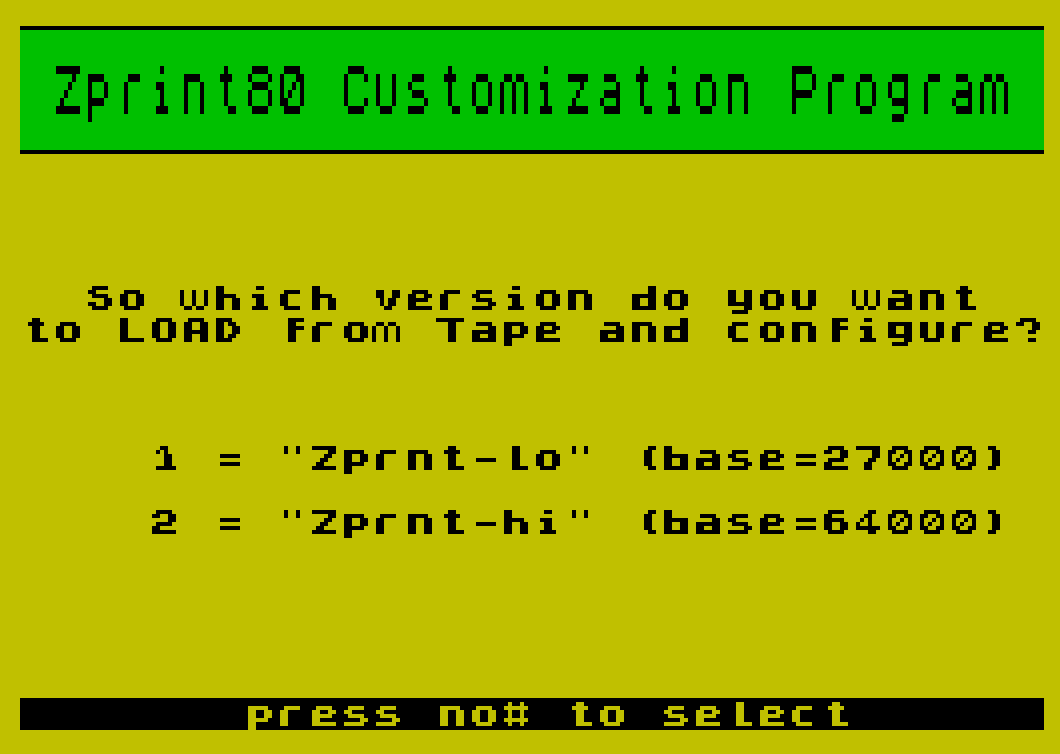
  160 PRINT ,,,,,,"  So which version do you want  to LOAD from Tape and configure?",,,,,,"    1 = ""Zprnt-lo"" (base=27000)",,,"    2 = ""Zprnt-hi"" (base=64000)"
  170 PRINT AT 21,0; INVERSE 1;"       press no# to select      "
  180 LET k$=INKEY$: IF k$="" THEN GO TO 180
  181 IF k$<>"1" AND k$<>"2" THEN GO TO 180
  182 GO SUB 60
  184 PRINT AT 10,0;"     Start the tape so your","    selected 'Zprnt' machine","      code module can load"
  190 IF k$="1" THEN LOAD "Zprnt-lo"CODE 64000
  200 IF k$="2" THEN LOAD "Zprnt-hi"CODE 64000
  210 LET v$=k$
  220 GO SUB 60
  230 PRINT AT 7,0;"   Which printer do you use?"
  240 PRINT ,,,,"       1 = Gemini 10X","       2 = Gemini SG10","       3 = Memotech","       4 = Panasonic","       5 = Epson RX/FX","       6 = Spirit-80","       7 = Prowriter 8510"
  250 PRINT AT 21,0; INVERSE 1;"       press no# to select      "
  260 LET k$=INKEY$: IF CODE k$<49 OR CODE k$>55 THEN GO TO 260
  270 LET prntr=CODE k$-48
  300 GO SUB 60
  305 IF INKEY$>"" THEN GO TO 305
  310 PRINT AT 8,0;"     Which printer interface","           do you use?"
  315 PRINT AT 12,0;"          1 = Aerco","          2 = Tasman-b","          3 = Tasman-c","          4 = A & J"
  320 PRINT AT 21,0; INVERSE 1;"       press no# to select      "
  330 LET k$=INKEY$: IF k$="" THEN GO TO 330
  335 IF k$<>"1" AND k$<>"2" AND k$<>"3" AND k$<>"4" THEN GO TO 330
  340 LET If=CODE k$-48
  350 GO SUB 60
  360 PRINT AT 11,0;" What printing width would you"," like for LPRINT/LLIST output?"
  370 INPUT "Width?";k
  380 LET wdth=k
  390 IF wdth<1 OR wdth>80 THEN GO TO 370
  410 GO SUB 60
  420 PRINT AT 6,0;"   Many printers come from the  factory setup to provide an     automatic linefeed after each   carriage return.  Usually you   can enable/disable this auto    linefeed feature via a DIP      switch.  If auto-linefeed is    enabled on your printer you     will not want the 'Zprnt'       software to provide a linefeed  code."
  430 INPUT "Should 'Zprint80' provide a linefeed?(y or n)";k$
  435 IF CODE k$>97 THEN LET k$=CHR$ (CODE k$-32)
  440 IF k$<>"Y" AND k$<>"N" THEN GO TO 430
  450 IF k$="Y" THEN LET lnfd=10
  452 IF k$="N" THEN LET lnfd=0
  455 GO SUB 60
  456 PRINT AT 21,0; FLASH 1;"Please Wait, making mods to code"
  457 GO SUB 1500
  460 GO SUB 60
  470 PRINT AT 8,0;"   You have finished the        configuration process, so put a blank tape in your recorder,    start recording and press any   key to SAVE your custom version of the 'Zprnt' code."
  480 IF v$="1" THEN POKE 64169,134: POKE 64170,105: SAVE "zprnt-lo"CODE 64000,1300
  490 IF v$="2" THEN POKE 64169,14: POKE 64170,250: SAVE "zprnt-hi"CODE 64000,1300
  495 GO SUB 60
  500 PRINT AT 21,0; FLASH 1;"Rewind Tape and Play for VERIFY "
  501 ON ERR GO TO 2400
  502 PRINT AT 5,0;: INK 6: VERIFY ""CODE : INK 0
  503 ON ERR RESET
  510 GO SUB 60
  520 PRINT AT 7,0;"  The Tape save was good.  You  now have a custom configured    version of the 'Zprnt' code on  Tape.  In the future use the    following command to LOAD it ..."
  530 IF v$="1" THEN PRINT ,,,," < LOAD ""zprnt-lo"" CODE 27000 >"
  540 IF v$="2" THEN PRINT ,,,," < LOAD ""zprnt-hi"" CODE 64000 >"
  550 PRINT AT 21,0; INVERSE 1;" Customization is now Complete  "
  555 GO TO 555
  799 STOP
  800 REM  Aerco
  802 POKE jmplo,aercolo
  804 POKE jmphi,aercohi
  806 RETURN
  810 REM  Tasman
  812 POKE jmplo,taslo
  813 POKE jmphi,tashi
  814 IF k$="3" THEN POKE port,251
  817 RETURN
  820 GO TO 810
  830 REM  A & J
  832 POKE jmplo,ajlo
  834 POKE jmphi,ajhi
  836 RETURN
  900 REM  page flip
  910 PRINT AT 21,0; INVERSE 1;"    press any key to continue   "
  920 IF INKEY$="" THEN GO TO 920
  930 GO SUB 60
  940 RETURN
 1000 REM  Declarations
 1005 LET Mreset=64599
 1010 LET lNFDaddr=64647
 1020 LET WDTHaddr=64012
 1030 LET jmplo=65128
 1040 LET jmphi=65129
 1050 LET port=65136
 1060 IF v$="1" THEN LET taslo=226
 1061 IF v$="1" THEN LET tashi=109
 1062 IF v$="2" THEN LET taslo=106
 1063 IF v$="2" THEN LET tashi=254
 1070 IF v$="1" THEN LET aercolo=2
 1071 IF v$="1" THEN LET aercohi=110
 1072 IF v$="2" THEN LET aercolo=138
 1073 IF v$="2" THEN LET aercohi=254
 1080 IF v$="1" THEN LET ajlo=20
 1082 IF v$="1" THEN LET ajhi=110
 1084 IF v$="2" THEN LET ajlo=156
 1086 IF v$="2" THEN LET ajhi=254
 1200 RETURN
 1300 REM  Pcontrl Blocks
 1310 DATA 2,27,64,254,4,27,76,192,3,254,3,27,65,6,254,3,27,65,8,255: REM common Main block
 1320 DATA 11,27,68,21,0,9,0,0,27,76,0,2,255: REM GRAF512 for Mem/Pan/Spir80
 1330 DATA 11,27,77,21,0,0,0,0,27,76,0,2,255: REM GRAF512 for Gem 10X/SG10
 1340 DATA 11,27,108,21,0,0,0,0,27,76,0,2,255: REM GRAF512 for Epson RX/FX
 1350 DATA 13,27,40,48,50,49,46,9,27,83,48,53,49,50,255: REM GRAF512 for Prowr 8510
 1360 DATA 2,27,62,254,6,27,83,48,57,54,48,254,4,27,84,49,50,254,4,27,84,49,54,255: REM Prowr Main block
 1500 REM  Cofiguration Mods
 1502 GO SUB 1000
 1510 POKE LNFDaddr,lnfd
 1520 POKE WDTHaddr,wdth
 1530 IF IF=1 THEN POKE jmplo,aercolo: POKE jmphi,aercohi
 1540 IF IF=2 OR IF=3 THEN POKE jmplo,taslo: POKE jmphi,tashi
 1550 IF IF=3 THEN POKE port,251
 1560 IF IF=4 THEN POKE jmplo,ajlo: POKE jmphi,ajhi
 1570 IF prntr<=6 THEN RESTORE 1310
 1580 IF prntr=7 THEN RESTORE 1360
 1590 GO SUB 2000
 1600 IF prntr=3 OR prntr=4 OR prntr=6 THEN RESTORE 1320
 1610 IF prntr=1 OR prntr=2 THEN RESTORE 1330
 1620 IF prntr=7 THEN RESTORE 1350
 1630 IF prntr=5 THEN RESTORE 1340
 1640 GO SUB 2200
 1650 RETURN
 2000 REM  Load Main Pcntrl Blck
 2010 FOR m=Mreset TO Mreset+31 STEP 8
 2020 LET Daddr=m
 2030 READ n: IF n=254 THEN GO TO 2060
 2040 IF n=255 THEN RETURN
 2050 POKE Daddr,n: LET Daddr=Daddr+1: GO TO 2030
 2060 NEXT m
 2070 RETURN
 2200 REM  Load GRAF512 block
 2210 LET m=Mreset+32
 2220 READ n
 2230 IF n=255 THEN RETURN
 2240 POKE m,n: LET m=m+1
 2250 GO TO 2220
 2400 REM  Save Error
 2410 ON ERR RESET
 2420 INK 0: GO SUB 60
 2430 PRINT AT 10,0;"          SAVE was Bad!",,,"    Press ENTER to try again"
 2440 PAUSE 4e4: GO TO 460
 2600 REM  Copyrigt message
 2610 BORDER 2: PAPER 2: INK 7: CLS
 2620 POKE 23728,3: POKE 23729,2: POKE 23723,3
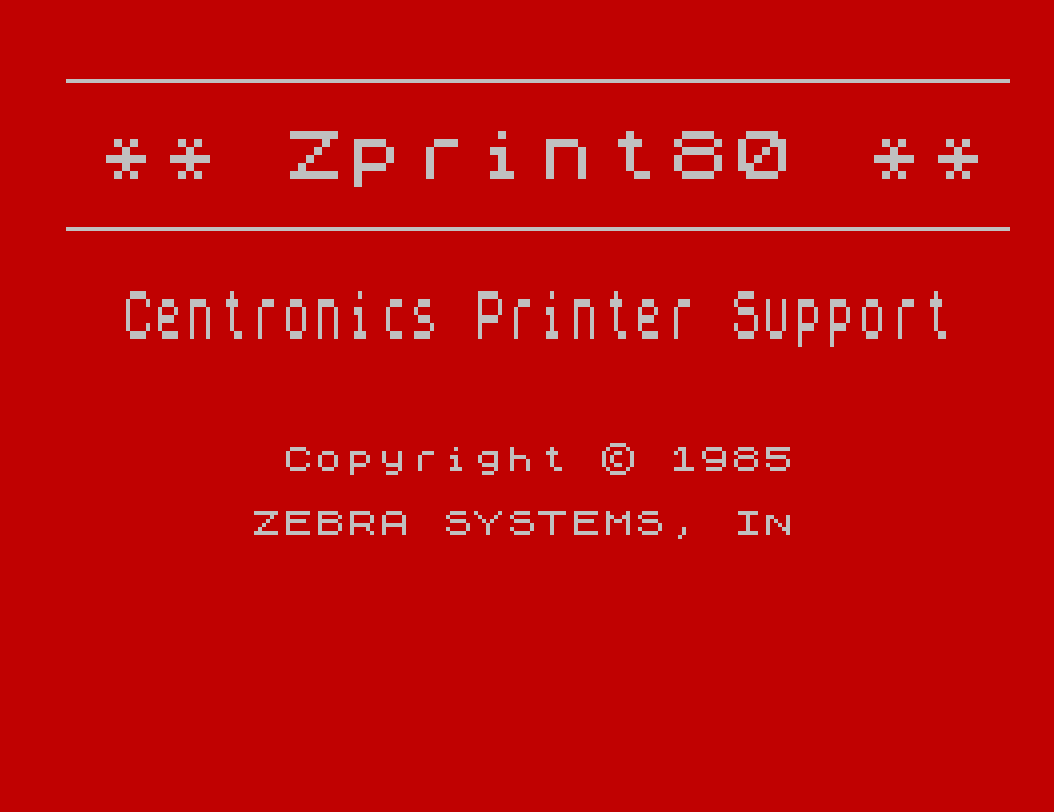
 2630 RANDOMIZE USR FN a()
 2640 REM "** Zprint80 **"
 2641 PLOT 10,125: DRAW 235,0: PLOT 10,162: DRAW 235,0
 2642 POKE 23728,8: POKE 23729,0: POKE 23723,2
 2644 RANDOMIZE USR FN a()
 2646 REM "   Centronics Printer Support"
 2650 PRINT AT 13,8;"Copyright \* 1985"
 2660 PRINT ,,"       ZEBRA SYSTEMS, INC."
 2670 RETURN
 9900 REM  Save to Tape
 9910 SAVE "customize" LINE 100
 9920 SAVE "chars"CODE 51200,2000
Note: Type-in program listings on this website use ZMAKEBAS notation for graphics characters.