
Softclock is a software-based clock that tracks hours, minutes, and seconds by polling the system frame counter at memory addresses 23672–23673. It uses the difference between successive PEEK readings of the frame counter, scaled by a calibration factor (F=1.605), to accumulate elapsed seconds without relying on any hardware real-time clock. The program supports two startup modes: zeroing the clock or manually entering a time in HH:MM:SS format. Display is formatted with leading-zero padding using string prefix variables H$, M$, and Z$.
Program Structure
The program is organized into distinct functional blocks separated by line number ranges:
- Lines 1–9: Initialization — screen setup, calibration constant, and jump to startup routine.
- Lines 100–105: Subroutine to read the frame counter from system variables into
C. - Lines 200–499: Main timing loop — computes elapsed ticks, converts to seconds/minutes/hours, and updates the display.
- Lines 600–607: Subroutine to reset the leading-zero prefix strings
H$,M$,Z$. - Lines 900–978: Startup and time-entry UI — prompts the user to start at zero or enter a time manually.
Frame Counter Polling
The clock works by repeatedly reading the 16-bit system frame counter held at addresses 23672 and 23673. The subroutine at line 100 computes C = PEEK 23672 + 256 * PEEK 23673, giving a value that increments at 50 Hz (the TV field rate). The difference between successive readings, divided by 60 (lines 230 and 250), converts ticks to seconds. A calibration factor F=1.605 is added (line 230) to compensate for the execution time of the BASIC loop itself, improving accuracy.
Overflow Handling
The 16-bit frame counter wraps around at 65536. Lines 211–220 detect and handle this wrap: if the old value OV is not less than the new value NV (i.e., a wrap has occurred), 32768 is added to OV before computing the difference. This approach handles the common case of the counter wrapping past zero but assumes the counter does not wrap more than halfway in a single polling interval. The initial value of OV is set to 32768 (line 8) as a sentinel to avoid a false overflow on the very first iteration.
Time Accumulation Logic
Elapsed pulse increments are accumulated into SS (seconds) via line 250. The minutes and hours rollover logic contains a notable bug: line 270 uses INT(55/60) instead of INT(SS/60), so MINC is always set to 0 when SS >= 60. This means seconds never roll over into minutes correctly. Similarly, line 310 initializes HC via INT(MM/60) but never resets MC (declared at line 300) or uses it for the subtraction guard. The variable MC at line 300 is set to 0 but never used, suggesting an incomplete refactoring.
Display and Leading Zeros
Before printing, lines 370–374 set the prefix strings H$, M$, and Z$ to "0" if the corresponding time component is less than 10. Line 392 concatenates these with STR$ of the integer values to produce a formatted HH:MM:SS string. After each display update, the subroutine at lines 600–607 clears all three prefix strings back to "" so they don’t accumulate across iterations.
User Interface
The startup routine at line 900 offers two modes selected by entering “Z” (start at zero) or “S” (set time manually). The zero-start mode initializes SS to −4 (line 950) rather than 0, providing a small negative offset to compensate for initialization overhead before the first tick is read. The manual entry mode (lines 960–978) requires exactly 8 characters in HH:MM:SS format, enforced by the length check at line 965, and extracts substrings using slicing notation.
Bugs and Anomalies
- Line 270 — wrong variable:
INT(55/60)always evaluates to 0, soMINCis never set to a nonzero value and minutes never increment from seconds rollover. This should beINT(SS/60). - Line 976 — inverted condition:
IF S$ <> "Y" OR S$ <> "YES" THEN GO TO 200is always true (no string can simultaneously equal both “Y” and “YES”), so confirming the time always jumps to the main loop rather than allowing re-entry. The intended logic was likelyIF S$ = "Y" OR S$ = "YES". - Line 300 — unused variable:
MCis set to 0 but never referenced elsewhere; it appears to be a leftover from an earlier version that used it analogously toMINC. - Line 391: Prints 8 spaces to blank the previous time display before reprinting at line 392; the column offset (20) leaves little room for the 8-character time string on a 32-column display.
Image Gallery
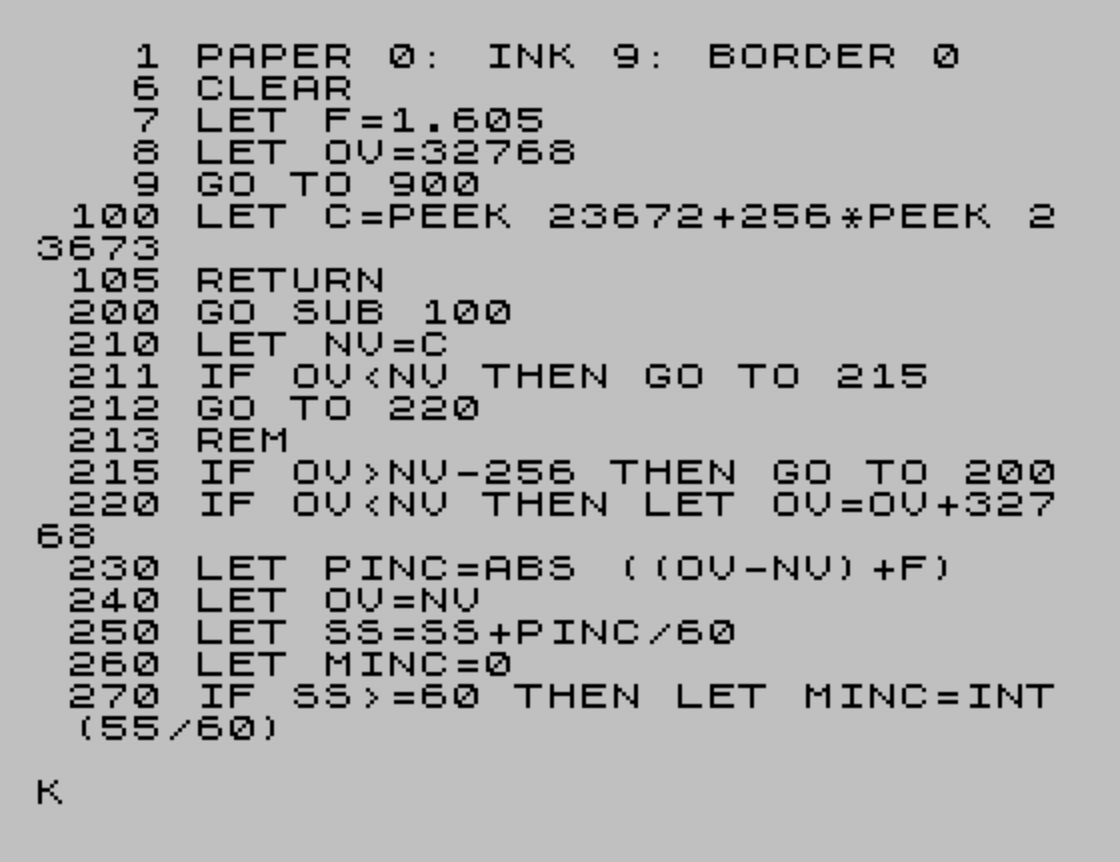
Source Code
   1 PAPER 0:INK 9:BORDER 0
   6 CLEAR
   7 LET F=1.605
   8 LET OV=32768
   9 GO TO 900
 100 LET C= PEEK 23672+256* PEEK 23673
 105 RETURN
 200 GO SUB 100
 210 LET NV=C
 211 IF OV<NV THEN GO TO 215
 212 GO TO 220
 213 REM
 215 IF OV>NV-256 THEN GO TO 200
 220 IF OV<NV THEN LET OV=OV+32768
 230 LET PINC= ABS ((OV-NV)+F)
 240 LET OV=NV
 250 LET SS=SS+PINC/60
 260 LET MINC=0
 270 IF SS >=60 THEN LET MINC= INT (55/60)
 280 LET SS=SS-MINC*60
 290 LET MM=MM+MINC
 300 LET MC=0
 310 IF MM >=60 THEN LET HC= INT (MM/60)
 320 LET MM=MM-HC*60
 330 LET HH=HH+HC
 340 IF HH>24 THEN LET HH=HH-24
 370 IF HH<10 THEN LET H$="0"
 372 IF MM<10 THEN LET M$="0"
 374 IF SS<10 THEN LET Z$="0"
 390 LET SS1= INT SS
 391 PRINT AT 2,20;"        "
 392 PRINT AT 4,20;H$+ STR$ HH+":"+M$+ STR$ MM+":"+Z$+ STR$ SS1
 410 GO SUB 600
 499 GO TO 200
 600 LET H$=""
 602 LET M$=""
 604 LET Z$=""
 607 RETURN
 900 PRINT "     SOFT CLOCK    "
 901 LET PINC=0
 905 PRINT ""''''
 920 PRINT "SET TIME (S) OR START AT 0 (Z)"
 930 INPUT S$
 935 CLS
 940 IF S$="Z" THEN GO TO 950
 942 IF S$="S" THEN GO TO 960
 944 GO TO 930
 950 LET SS=-4
 952 LET MM=0
 954 LET HH=0
 956 PAUSE 0
 958 GO TO 200
 960 CLS
 961 PRINT "ENTER TIME AS HH:MM:SS"
 962 LET PINC=0
 963 INPUT T$
 965 IF LEN T$ <>8 THEN GO TO 963
 966 LET MINC=0
 967 LET HH= VAL T$(1 TO 2)
 968 LET MM= VAL T$(4 TO 5)
 969 LET SS= VAL T$(7 TO 8)
 971 PRINT "IS THIS RIGHT? ";HH;":";MM;":";SS
 973 INPUT S$
 974 PAUSE 0
 975 CLS
 976 IF S$ <>"Y" OR S$ <>"YES" THEN GO TO 200
 978 GO TO 961
Note: Type-in program listings on this website use ZMAKEBAS notation for graphics characters.