
Shaded Globe renders a three-dimensional sphere on screen using a mathematical shading algorithm in just three lines of BASIC. The program iterates over a circular region defined by the equation x² + y² ≤ 7744 (a radius of 88 pixels), computing the visible boundary for each column via a square-root calculation. Shading is achieved probabilistically: a point is plotted only when a dot-product-style lighting expression falls below a random threshold, producing a stochastic approximation of diffuse illumination. The light source direction is encoded in the coefficients of the linear terms (x + 2y + 2√(…)), giving the globe a highlighted upper-right appearance.
Program Analysis
Program Structure
The program is entirely self-contained in three executable lines (10, 20, 30) plus two REM statements. A nested loop walks every integer column x from −87.5 to 87.5 (the outer loop) and, for each column, every row y within the circular silhouette (the inner loop). A conditional PLOT statement inside the inner loop handles both the visibility test and the shading decision in a single IF.
Mathematical Basis
The sphere has radius 88, so its equation is x² + y² + z² = 88² = 7744. For a given screen column x and row y, the depth coordinate is z = √(7744 − x² − y²). The loop bound i (line 10) is the half-height of the sphere at column x, computed as INT(√(7744 − x²) − 0.5) + 0.5, which ensures the inner loop stays within the circular silhouette.
The shading expression on line 20 is:
x + 2*y + 2*SQR(7744 - x*x - y*y)
This is the dot product of the surface normal (x, y, z) with a light-direction vector (1, 2, 2), which has magnitude 3 — a near-unit vector pointing toward the upper-right-front. Dividing conceptually by the sphere radius (88) and the light vector magnitude (3) would normalize this to the range [−1, 1], but here the raw value is compared directly against RND * 264. The constant 264 ≈ 88 × 3, effectively normalizing the comparison so that the plot probability ranges from 0 (darkest) to 1 (brightest).
Stochastic Shading Technique
Rather than computing a precise brightness level and mapping it to a dither pattern, the program uses a probabilistic approach: each candidate pixel is plotted with probability proportional to the local illumination intensity. Where the light-facing dot product is high (bright areas), most pixels pass the test; where it is low (shadowed areas), few do. This produces a visually convincing gradient using only the built-in RND function and a single comparison, avoiding any need for lookup tables or multi-pass rendering.
Coordinate Mapping
The plot offsets x + 127.5 and y + 87.5 center the globe on the screen. On a 256×176 display the center is (127.5, 87.5), so these offsets translate the mathematical origin (0, 0) to the screen center.
Key BASIC Idioms
- Multiple statements on one line separated by colons, keeping the program extremely compact.
- Loop bounds expressed as non-integer constants (e.g.,
-87.5 TO 87.5) — valid BASIC that avoids a separate rounding step. - The
INT(SQR(...) - 0.5) + 0.5idiom rounds down to the nearest half-integer, ensuring the inner loop covers exactly the pixels within the circle without overshooting. - Combining the boundary check and the shading decision into a single
IFon line 20 avoids an additional conditional and keeps the critical inner loop tight.
Performance Considerations
The inner loop recalculates SQR(7744 - x*x - y*y) on every iteration of the y loop, which is computationally expensive. The outer loop precomputes the column half-height i (reusing SQR(7744 - x*x) once per column), but the depth term inside the IF is not cached. Given the slow floating-point speed of the interpreter, rendering will take a noticeable amount of time, but the progressive plotting of dots means the image builds up visibly on screen.
Image Gallery
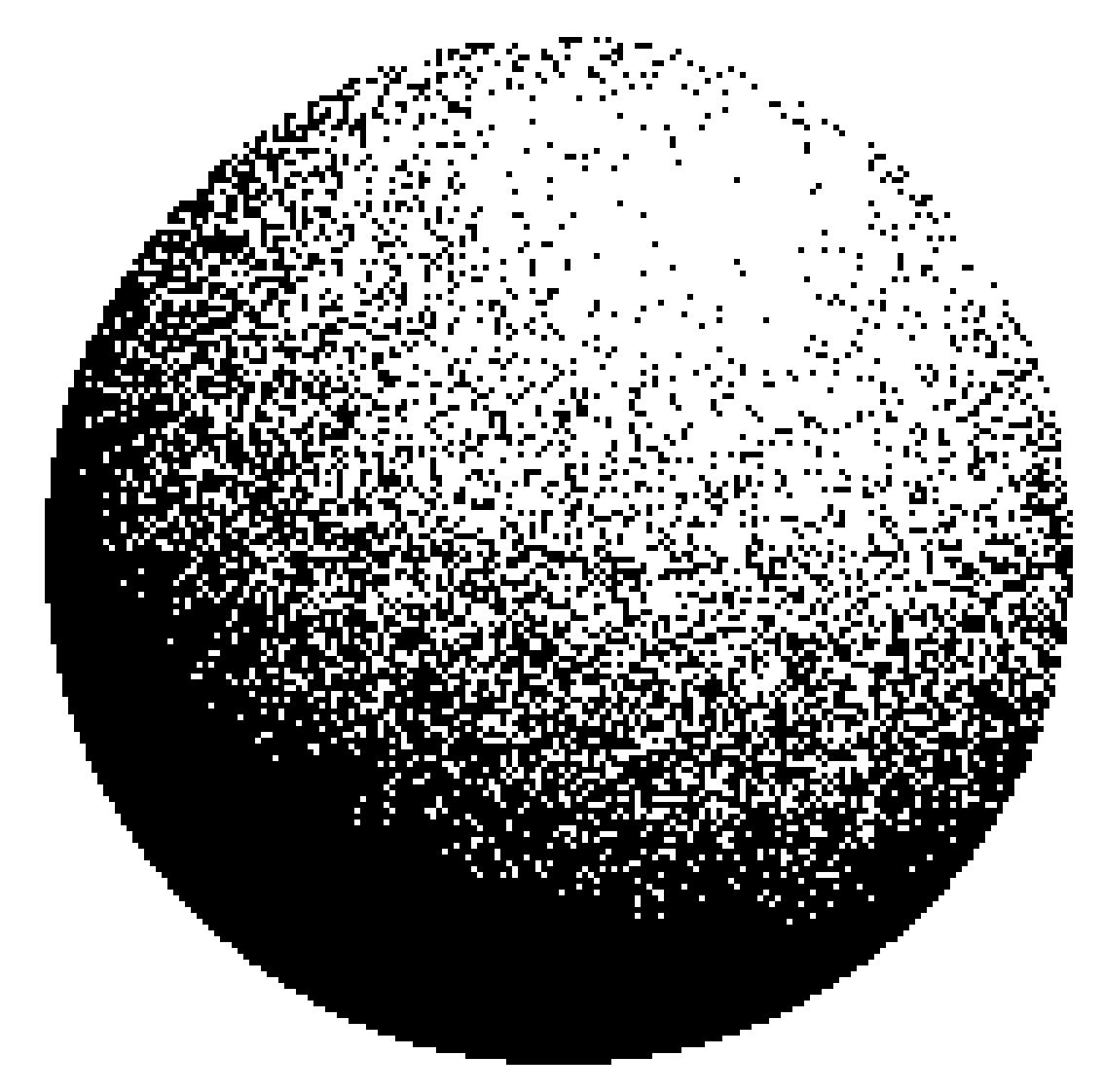
Source Code
    1 REM This program will produce a shaded globe
    2 REM SINC-LINC v9 n2 p6
    3 REM Typed by David Anderson Feb 10, 2022
   10 FOR x=-87.5 TO 87.5: LET i=INT (SQR (7744-x*x)-.5)+.5
   20 FOR y=-i TO i: IF x+2*y+2*SQR (7744-x*x-y*y)<RND*264 THEN PLOT x+127.5,y+87.5
   30 NEXT y: NEXT x
Note: Type-in program listings on this website use ZMAKEBAS notation for graphics characters.