
Music Design ‘2000’ turns the TS2068 into a small keyboard synthesizer. It uses the sound chip to play an automatic rhythm section and a solo line at the same time: the number keys pick the chord the rhythm plays, from C through B, while the letter keys are laid out as a piano keyboard for the solo. Everything you play can be recorded, about 1,100 notes and pauses in all, then played back with the notes and chords shown on screen. Songs are kept together as a library that is saved and loaded along with the program.
The program was written by James Edwards, © 1987 Arrow Software, and distributed by RMG Enterprises of Oregon City, Oregon. Its four-page manual, with a pull-out keyboard reference guide, is on the site as Music Design 2000 manual.
Using the Program
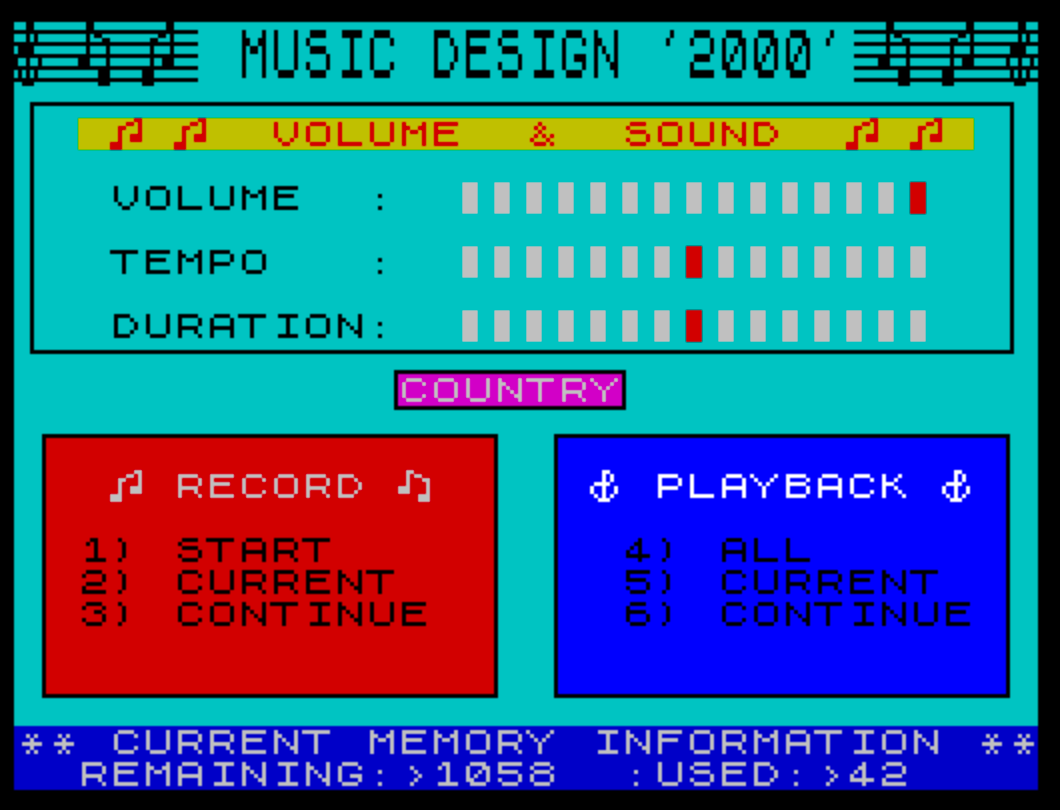
The main screen has a Volume & Sound panel with bar meters for volume, tempo and duration, the name of the current rhythm, and two menus. A line at the bottom shows how much memory is left: an empty library reads REMAINING:1100 USED:0. The program loads with a short demonstration song already in memory, which option 4 plays.
- 1 – Record: Start clears the memory and begins a new library of songs.
- 2 – Record: Current records over the last song, if it wasn’t up to standard.
- 3 – Record: Continue keeps the last song and adds another to the library.
- 4 – Playback: All plays every song in the library from start to finish.
- 5 – Playback: Current plays the song you are working on.
- 6 – Playback: Continue plays the whole library over and over.
- 0 (not shown on the menu) opens the save menu, and ENTER lets you play along without recording.
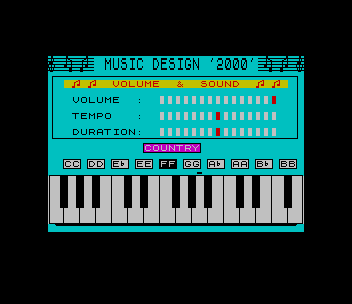
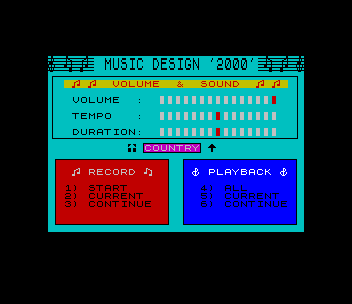
Before recording, two arrows appear under the Volume & Sound panel. In this rhythm/solo set-up mode, T steps through the five rhythms (Country, Waltz, Rock 1, Rock 2 and Latin), A and Z raise and lower the solo volume, S and X the rhythm tempo, and D and C the length of the rhythm notes. Holding ENTER until the screen changes starts the session. The keyboard picture lights up as you play, and recording only begins with the first key you press. Only one solo note and one rhythm chord can sound at a time. BREAK returns to the main menu, and any key stops a playback.
The save menu offers 1) Music Library (save under a name), 2) Back Up and 3) Back to Music. Saving is done in BASIC, so the manual explains how to change lines 20, 110 and 120 for an AERCO disk drive or an A&J microdrive.
Program Analysis
Structure
Apart from a short BASIC loader and save menu, the program is machine code. The loader starts at line 10: CLEAR 27999, then LOAD "m"CODE 28000 brings in a 37,410-byte block that fills memory from 28000 to the top, and RANDOMIZE USR 32000 starts it. The song library is stored inside that block, so a back-up saves the whole 37,410 bytes again with SAVE "m"CODE 28000,37410, together with the loader (SAVE "music" LINE 10).
Lines 65–150 are the save menu that the machine code returns to when 0 is pressed. They draw a box with a solid blue background built from OVER 1 printing, then wait for 1, 2 or 3. Option 3 goes back to the machine code with GO TO 50. Lines 5–7 belong to the original cassette, where a title screen called ms loaded first; the program never reaches them, because it starts at line 10, and line 3 (DELETE 9990,) is never run either.
Potential Issues
- Option 1 of the save menu asks for a name in
a$, but line 110 always saves the loader as"music", so the name typed is not used. - The
mstitle screen loaded by line 5 is not part of this copy. It is only needed if the loader is run from line 5.
The program code in this download comes from the “MUSIC” disk, a JLO SAFE disk in Joe’s collection for the TS User Group, joined to the cassette loader; an earlier upload held only the loader. It was tested in ZEsarUX: the demonstration song plays and the rhythm/solo set-up and play screens work.
Image Gallery
Source Code
   3 \{12}9990,
   5 BORDER VAL "0":CLS :CLEAR 27999:LOAD "ms"SCREEN$
   6 PAPER 5:INK 5:PRINT AT 3,0;""
   7 GO TO 20
  10 BORDER VAL "0":CLS :CLEAR 27999
  20 LOAD "m"CODE 28000
  30 INK 7
  50 RANDOMIZE USR VAL "32000"
  65 OVER VAL "1":INK VAL "7":PAPER VAL "1":FOR a= VAL "0" TO VAL "21":PRINT AT a, VAL "0";"                                ":IF a>0 THEN OVER VAL "0"
  66 NEXT a
  67 INK VAL "7":PRINT AT VAL "10", VAL "8";"1) MUSIC LIBRARY"; AT VAL "11", VAL "8";"2) BACK UP"; AT VAL "12", VAL "8";"3) BACK TO MUSIC"
  70 PLOT 55,62:DRAW 0,50:DRAW 145,0:DRAW 0,-50:DRAW -145,0
  75 PRINT AT VAL "8", VAL "7"; PAPER VAL "0";" *+*  'SAVE'  *+* "
  77 LET a$="music"
  85 IF INKEY$="1" THEN GO TO VAL "100"
  90 IF INKEY$="2" THEN GO TO VAL "105"
  92 IF INKEY$="3" THEN GO TO 50
  95 GO TO VAL "85"
 100 INPUT "NAME:>";a$
 110 SAVE "music" LINE 10
 115 SAVE "m"CODE 28000,37410
 150 GO TO 50
Note: Type-in program listings on this website use ZMAKEBAS notation for graphics characters.