
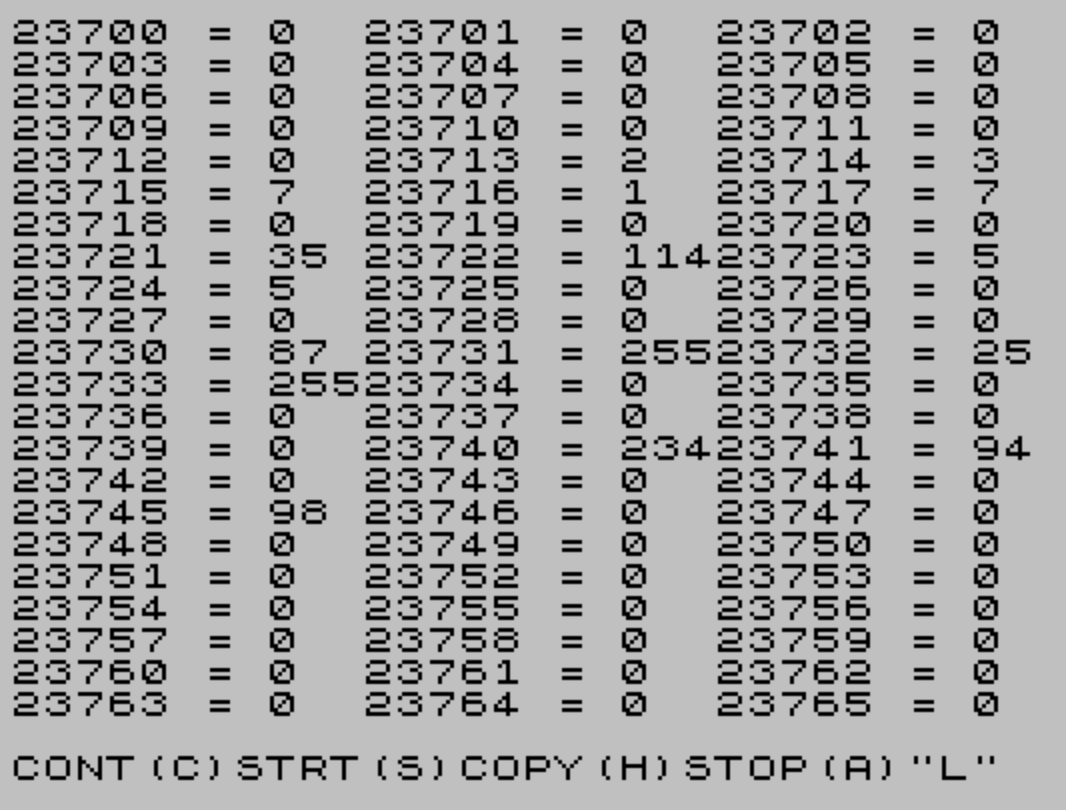
Memory Monitor is a utility program that displays the contents of sequential memory addresses starting from a user-specified location. Each entry is printed in two columns across the screen, showing the address and its PEEK value, with 11-character spacing between columns. After filling the screen or pressing “A”, the user is presented with a menu to continue from the current address, restart from a new address, send a hard copy to a printer, or stop the program. The columnar layout is managed by toggling the display column variable between 0 and 22 (then 33, which resets to 0) and incrementing the row counter accordingly.
Program Structure
The program is organized into three logical phases: address input (line 5), the display loop (lines 7–40), and a post-screen menu (lines 50–95), with a clean STOP at line 100 and a SAVE at line 110.
- Initialization — Line
5prompts for a starting address; line7resets column (d) and row (c) counters; line10clears the screen. - Display loop — Lines
12–40print address/value pairs, advance screen position, and check for a full screen or keypress. - Menu — Line
50presents four options; lines60–95branch on the user’s choice.
Column Layout Logic
The two-column layout is driven by the variable d, which holds the PRINT AT column position. The sequence is:
- Line
30: ifd <= 22, add 11, moving from column 0 to column 11, then to 22. - Line
31: ifd = 33(i.e., 22 + 11 overshot the right edge), resetdto 0. - Line
33: ifdjust reset to 0, increment the row counterc.
This gives three display columns at positions 0, 11, and 22 — each entry consuming approximately 11 characters (“AAAAA = NNN”). The check at line 30 uses <= 22, so d passes through 0, 11, and 22 before triggering the reset at 33.
Screen-Full Detection and Early Exit
Line 34 checks whether the row counter c has reached 22, indicating a full screen, and branches to the menu at line 50. Line 35 provides an early exit: pressing “a” or “A” during the loop also jumps to the menu, giving the user an escape without waiting for a complete screen.
Menu Options
| Key | Action |
|---|---|
c | Clear screen, reset row/column, continue from current address |
s | Restart from a new starting address (line 5) |
h | Send screen to printer via COPY, then return to menu |
a | Jump to STOP at line 100 |
Unrecognized input falls through to line 95, which loops back to the menu prompt.
Bugs and Anomalies
- Column counter creep: Line
30uses<= 22, sodadvances from 22 to 33 before the reset at line31. This is functionally correct but relies on the intermediate value of 33 being a reliable sentinel — if any future edit changes the spacing, the sentinel would need updating. - Continue option resets position but not address: When “c” is chosen (line
60),cis reset to 0 butdis not explicitly reset to 0. Since line7is not revisited,dretains whatever value it had when the screen filled, potentially misaligning the first row of the next screen. However, sincedis always left at 0 whencreaches 22 (due to the three-column cycle), in practice this may not manifest as a visible bug. - No upper-bound address check: The program does not guard against
PEEKing addresses outside valid RAM, which could produce unexpected results at the edges of the address space. SAVE "MEMORY" LINE 0:LINE 0targets a non-existent line, so the program loads without auto-running, requiring a manualRUN.
Image Gallery
Source Code
   5 INPUT "ENTER STARTING MEMORY ADDRESS.";a
   7 LET c=0:LET d=0
  10 CLS
  12 GO TO 20
  15 LET a=a+1
  20 PRINT AT c,d;a;" = "; PEEK a
  30 IF d <=22 THEN LET d=d+11
  31 IF d=33 THEN LET d=0
  33 IF d=0 THEN LET c=c+1
  34 IF c=22 THEN GO TO 50
  35 IF INKEY$="a" OR INKEY$="A" THEN GO TO 50
  40 GO TO 15
  50 INPUT "CONT(C)STRT(S)COPY(H)STOP(A)";b$
  60 IF b$="c" THEN CLS :LET c=0:GO TO 15
  70 IF b$="s" THEN GO TO 5
  80 IF b$="h" THEN COPY :GO TO 50
  90 IF b$="a" THEN GO TO 100
  95 GO TO 50
 100 STOP
 110 SAVE "MEMORY" LINE 0
Note: Type-in program listings on this website use ZMAKEBAS notation for graphics characters.