
MakeDOS-64 builds “DOS-64”: a copy of Zebra Systems’ OS-64 64-column cartridge code, modified so that the AERCO FD-68 floppy disk interface software works with it. You copy your own OS-64 cartridge into RAM (or load a copy from tape or disk), let MakeDOS patch and customise it, and save the result as a DOS-64 system file that is then moved into the DOCK bank. The menus also set the printer interface — AERCO, Tasman B or C, Oliger, A&J or another — and offer a help screen and notes on using DOS-64.
This is an AERCO disk edition. It needs a TS2068 with the AERCO FD-68 disk interface, and your own copy of the OS-64 cartridge, which is not on the disk. It has not been converted for tape. The credit screens read “Leroy Keith Watson”, © 1987, DOS-64 v21 (TRANSFER still says v20), and the program sets its version string to 2.1. The disk is labelled “LKW/RMG”.
What’s in the download
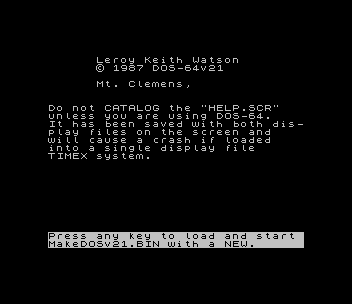
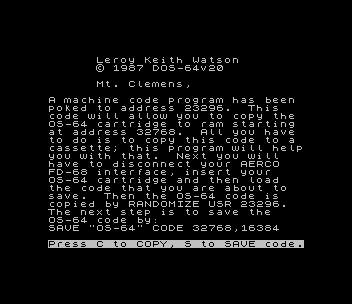
MakeDOS-64_v2.1.img: the raw AERCO disk image (single sided, 40 tracks).BOOT: credit screen; warns not to CATALOG the help screen unless DOS-64 is running, then loads and starts MakeDOSv21 with a NEW.MakeDOSv21: the MakeDOS program itself, 32,760 bytes loaded at 32768, with its colour, OS-64 load, printer-interface and SAVE/CUSTOMIZE menus.TRANSFER: pokes an 18-byte routine at 23296 that copies the OS-64 cartridge to RAM at 32768 so it can be saved to cassette withSAVE "OS-64" CODE 32768,16384.HELP: the DOS-64 help screen, a 64-column screen saved with both display files (an AERCO MODULE file, given as raw bytes).VARSandvars: a small utility at 60000 that must be called withPRINT USR 60000.SPECTRUM: a BASIC loader and a 17,616-byte code file that switch the TS2068 into a Spectrum mode; a NEW returns to the TS2068 so the drives can be used again.- A README describing each file.
The author’s street address and telephone number on the credit screens have been blanked in the files and in the disk image. MakeDOSv21 also carries a note asking users of KEYWORD to send Jack Dohany a fee for rewriting it for the Timex. OS-64 is a trademark of Zebra Systems.
Image Gallery
Note: Type-in program listings on this website use ZMAKEBAS notation for graphics characters.