
This program demonstrates a 64-column display mode on the TS2068 by using two machine code routines poked directly into RAM. The first routine, loaded at address 63000, reconfigures the display hardware by writing to I/O ports 244 and 255 to switch between 32- and 64-column modes, then calls the ROM character output routine at 14*256+142. A second routine at 48051 copies 9,728 bytes of screen memory from address 16384 (0x4000) to 24576 (0x6000) using the Z80 LDIR instruction, effectively duplicating the display buffer. The program splits a 256-character demo string into two 128-character halves — even-indexed characters in one string and odd-indexed in another — then prints each half in the appropriate column mode to demonstrate the wider display. Toggling back to normal 32-column mode is achieved by re-running from line 150 with the port value reset to zero.
Program Analysis
Program Structure
The program has three main phases: initialization and machine code loading (lines 1–60), string preparation and display switching (lines 82–135), and a return-to-normal path (lines 145–150). A STOP at line 140 pauses execution; the user resumes with CONT or ENTER, which falls through to line 145 (RUN 150), restoring the normal display.
Machine Code Routines
Two separate Z80 routines are loaded via READ/POKE loops.
Routine 1 — 64-column switcher (address 63000, 37 bytes)
The DATA at line 40 disassembles to a routine that disables interrupts (DI), writes to I/O ports 244 and 255 to reconfigure the display hardware for 64-column mode, then calls the ROM character output entry point at address 14*256+142 = 3726 (the CALL 3726 sequence visible as bytes 205,142,14). It also stores the mode byte at address 23746 (50,194,92 = LD (23746),A) and re-enables interrupts (EI) before returning. The variable b set at line 7 (value 6) is referenced in the DATA as byte b245 — but since this is a literal DATA value and not a substitution, the b here is the BASIC variable used only for the LET b=6 / LET b=0 toggle; the actual port value is hardcoded in the DATA.
Routine 2 — screen buffer copy (address 48051, 12 bytes)
The DATA at line 60 disassembles to a standard Z80 LDIR block copy:
LD HL,16384— source: normal display fileLD DE,24576— destination: second screen areaLD BC,6656— byte count (26 * 256 = display + attributes)LDIR— block copyRET
Calling this routine via PRINT USR 48051 copies the active screen to the shadow buffer, which the 64-column hardware references for the second set of columns.
String Interleaving Technique
The 256-character string c$ is split into two 128-character halves. Lines 95–100 extract even-indexed characters into a$, and lines 120–125 extract odd-indexed characters into b$. This interleaving maps the logical 64-column layout across the two 32-column screen buffers: one buffer holds the left half of each line, the other the right half.
Display Switching Sequence
The switching sequence at lines 126–130 is carefully ordered:
CLS— clear the screenPRINT USR 63000— activate 64-column modeCLS— clear in 64-column modePRINT a$— print even characters into the 64-column display bufferPRINT USR 48051— copy this buffer to the shadow screen areaCLS— clear the primary bufferPRINT b$— print odd characters into the primary buffer
The two buffers together then present a seamless 64-column view to the user.
Key BASIC Idioms
PRINT USR nis used to call machine code routines and discard the return value — a common Sinclair-dialect idiom for invoking assembly subroutines from BASIC.DIM c$(256)followed by immediate assignment of the full string viaLET c$(1 TO 256)=is an efficient way to pre-populate a fixed-length string array.- The
STOP/RUN 150pattern at lines 140–145 provides a simple user pause without requiringINPUT.
Notable Anomalies
- Line 134 contains a trailing bare colon (
PRINT : PRINT :) after the secondPRINT, which is syntactically valid but effectively a no-op statement. - The comment in the DATA at line 40 includes
b245— in context this appears to be a DATA literal of 245 (the byte0xF5, i.e.PUSH AFin Z80), not a variable substitution. Thebprefix is likely a typo or annotation artifact in the original listing. - Line 145 (
RUN 150) is only reached if the user types CONT after theSTOP, causing BASIC to execute line 145 and immediately restart from line 150 rather than line 141.
Memory Map Summary
| Address | Contents | Size |
|---|---|---|
| 16384 | Primary display file | 6144 bytes |
| 22528 | Primary attribute file | 768 bytes |
| 24576 | Shadow screen buffer (destination of LDIR copy) | 6656 bytes |
| 48051 | LDIR screen copy routine | 12 bytes |
| 62999 | CLEAR top (heap limit) | — |
| 63000 | 64-column mode switch routine | 37 bytes |
Image Gallery
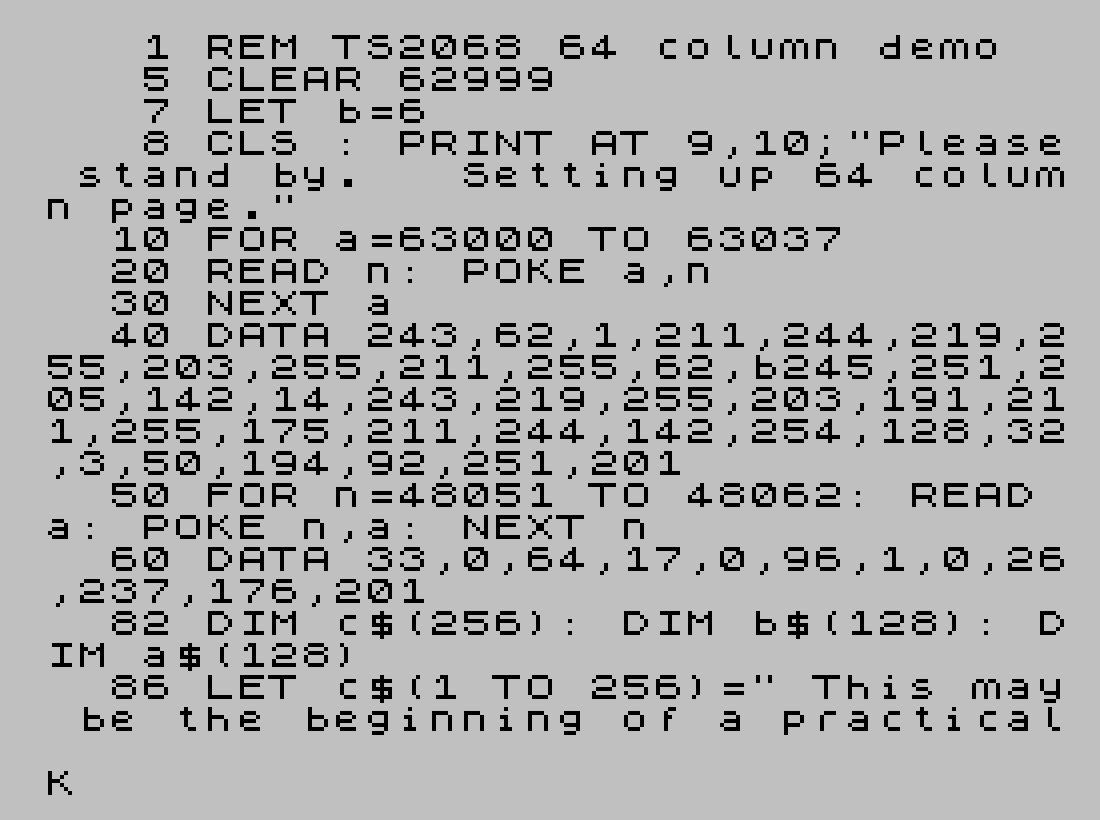
Source Code
    1 REM TS2068 64 column demo
    5 CLEAR 62999
    7 LET b=6
    8 CLS : PRINT AT 9,10;"Please stand by.   Setting up 64 column page."
   10 FOR a=63000 TO 63037
   20 READ n: POKE a,n
   30 NEXT a
   40 DATA 243,62,1,211,244,219,255,203,255,211,255,62,b245,251,205,142,14,243,219,255,203,191,211,255,175,211,244,142,254,128,32,3,50,194,92,251,201
   50 FOR n=48051 TO 48062: READ a: POKE n,a: NEXT n
   60 DATA 33,0,64,17,0,96,1,0,26,237,176,201
   82 DIM c$(256): DIM b$(128): DIM a$(128)
   86 LET c$(1 TO 256)=" This may be the beginning of a practical application of the 64 column page.         It appears that with the proper machine code programs that the 64 column page may be printable on an 80 column printer or used for a spread sheet application."
   95 FOR n=2 TO 256 STEP 2
  100 LET a$(n/2)=c$(n): NEXT n
  120 FOR n=1 TO 256 STEP 2
  125 LET b$((n+1)/2)=c$(n): NEXT n
  126 CLS : PRINT USR 63000: CLS
  127 PRINT a$
  128 PRINT USR 48051: CLS
  130 PRINT b$
  134 PRINT : PRINT :
  135 PRINT "To return to start press CONT or ENTER"
  140 STOP
  145 RUN 150
  150 CLS : PRINT AT 9,10;"Please stand by.     Returning to normal screen.": LET b=0: GO TO 9
Note: Type-in program listings on this website use ZMAKEBAS notation for graphics characters.