
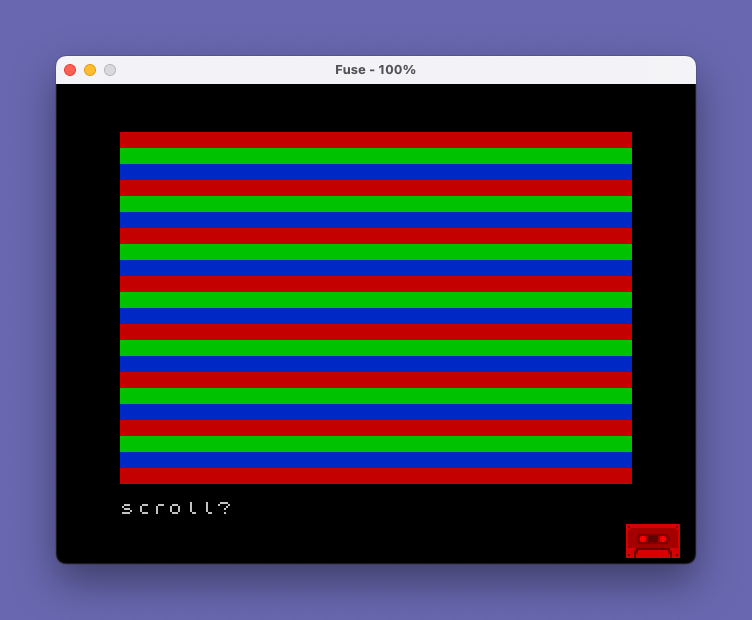
This program generates a continuously scrolling color bar display by repeatedly printing blank strings with different PAPER colors across the screen. Three colored bands — blue (PAPER 1), red (PAPER 2), and green (PAPER 4) — are printed in sequence across 22 iterations, filling the screen with horizontal stripes. The loop at line 70 restarts unconditionally, causing the bars to scroll upward indefinitely. The PAPER color attributes are set inline before each PRINT statement without using INK or BRIGHT commands, keeping the code compact. The slightly different string lengths (10 vs. 11 spaces) in each PRINT statement cause the color bands to be slightly offset in width.
Program Analysis
Program Structure
The program is a simple infinite display loop with no user interaction. It consists of a setup-free entry point, a FOR/NEXT loop body, and an unconditional restart jump. The STOP at line 80 is unreachable dead code, and the SAVE at line 90 stores the program with an auto-run entry point at line 10.
- Lines 10–60: Outer loop iterates 22 times, printing three color-banded rows per iteration.
- Line 70: Unconditional
GO TO 20restarts the loop forever, producing continuous upward scrolling. - Line 80: Unreachable
STOP— never executed.
Color Bands
Each pass through the loop prints three lines using PAPER colors set inline:
| Line | PAPER Value | Color | String Length |
|---|---|---|---|
| 30 | 1 | Blue | 10 spaces |
| 40 | 2 | Red | 11 spaces |
| 50 | 4 | Green | 11 spaces |
The inline PAPER color changes apply only to the subsequent PRINT statement’s output. Because the screen is 32 characters wide and the printed strings are much shorter (10–11 characters), each PRINT fills only part of a line before moving to the next row — the remainder of each row retains its previous attribute. This creates a mixed-attribute appearance rather than full-width solid bands.
Scrolling Effect
The loop iterates 22 times per cycle, printing 3 lines per iteration for a total of 66 lines per cycle. Since the screen displays only 22 rows, the output scrolls continuously upward as new lines push old ones off the top. The GO TO 20 at line 70 bypasses the FOR initialization, restarting the loop variable x from 1 each time, which is the correct behavior here since the loop body is what drives the scrolling.
Notable Techniques and Anomalies
- The
PAPERattribute is set as a standalone statement beforePRINTrather than embedded within aPRINTitem list usingPAPER n;— both are valid but the standalone form changes the persistent stream attribute. - The differing string lengths (10 vs. 11 spaces) between the blue band and the red/green bands appear to be unintentional, resulting in a slight width asymmetry between the blue bar and the other two.
- No
CLSorBORDERreset is performed inside the loop, so theBORDER 0(black border) set at line 10 persists for the entire run. - The
STOPat line 80 is dead code — it can never be reached due to the unconditionalGO TO 20at line 70.
Image Gallery
Source Code
   10 BORDER 0
   20 FOR x=1 TO 22
   30 PAPER 1: PRINT "          "
   40 PAPER 2: PRINT "           "
   50 PAPER 4: PRINT "           "
   60 NEXT x
   70 GO TO 20
   80 STOP
   90 SAVE "Bars" LINE 10
Note: Type-in program listings on this website use ZMAKEBAS notation for graphics characters.