
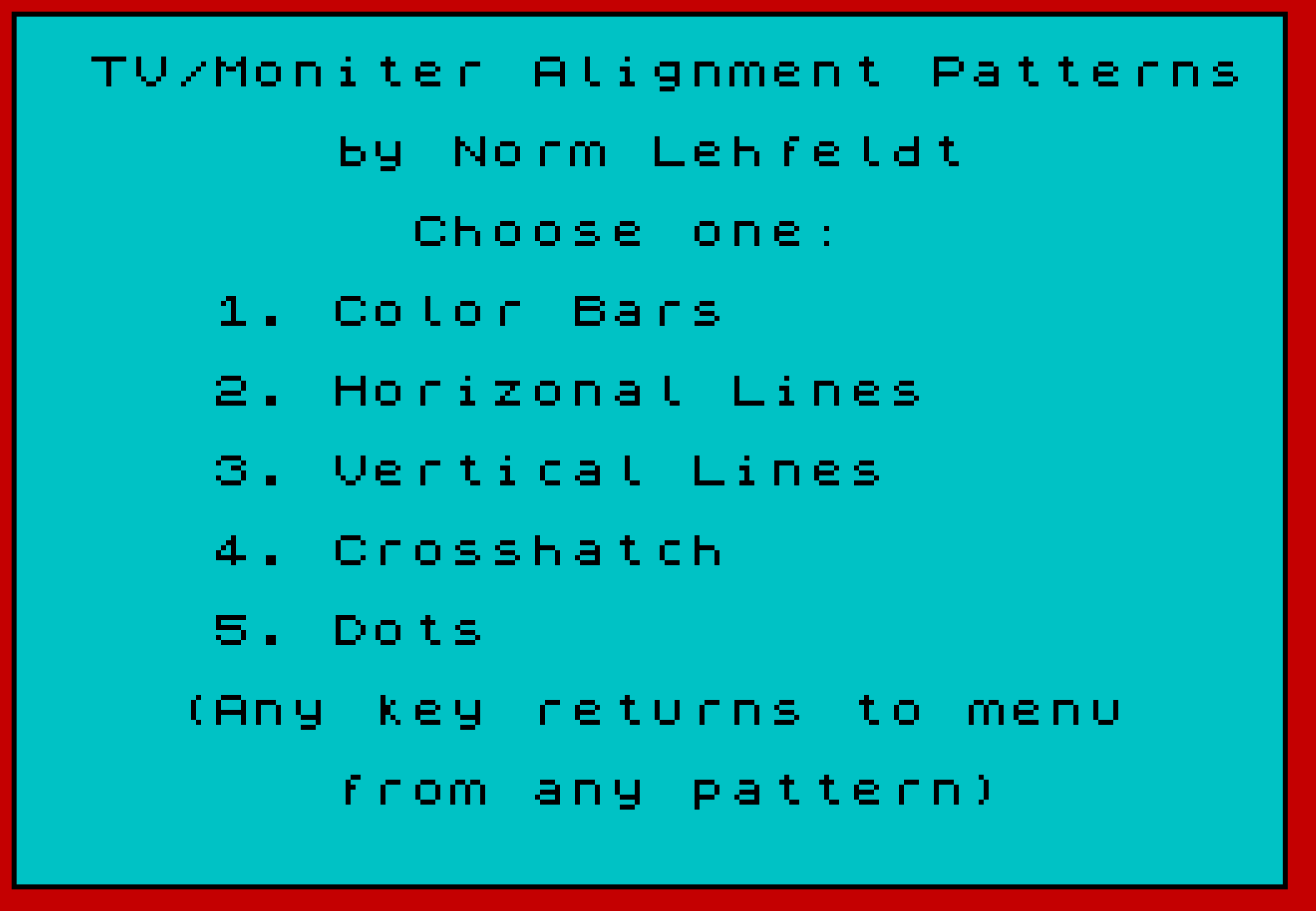
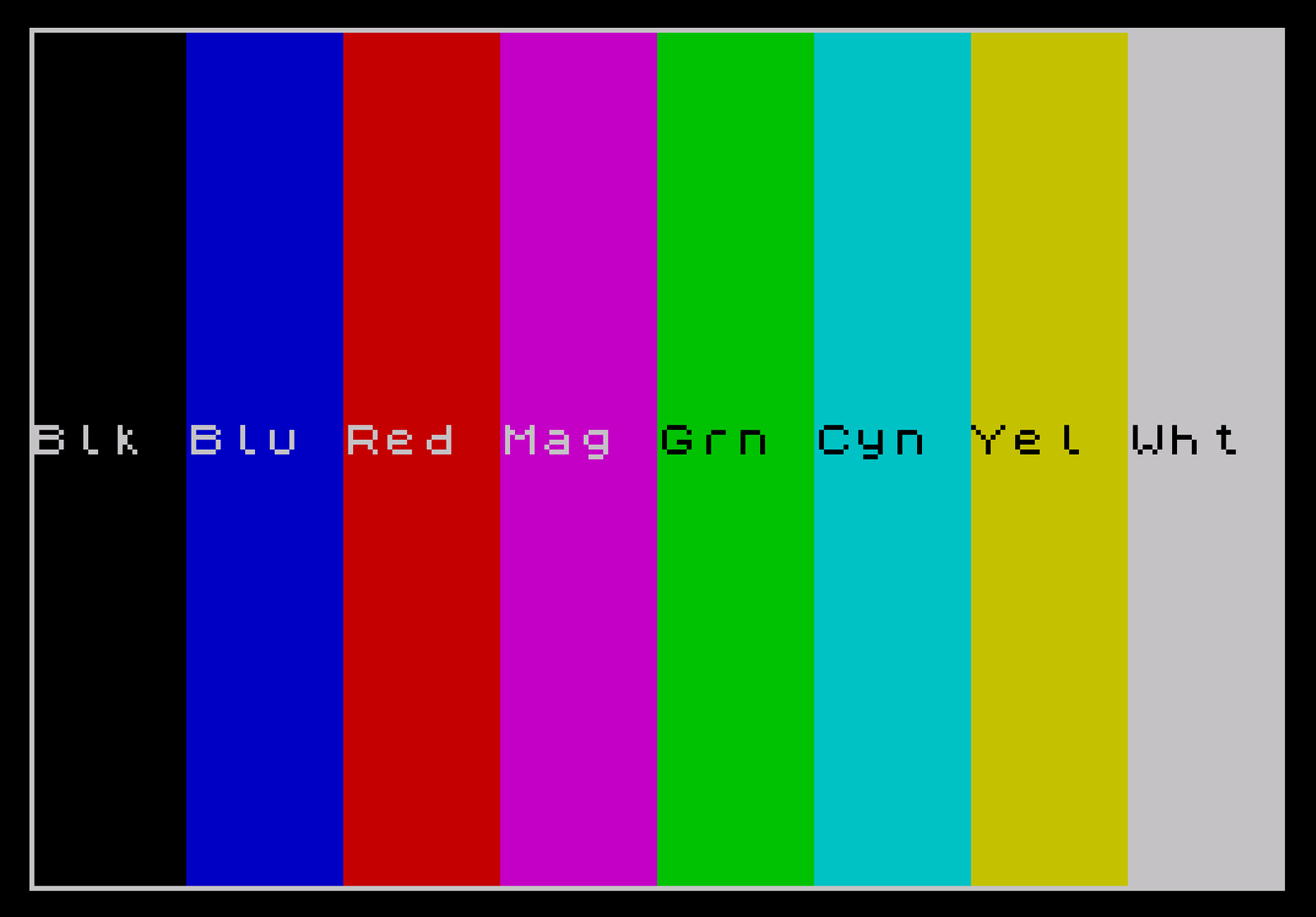
This program generates five TV and monitor alignment test patterns on a ZX Spectrum: color bars, horizontal lines, vertical lines, a crosshatch grid, and a dot grid. The color bars routine (lines 1000–1550) uses PAPER attributes to paint eight 4-column-wide strips across the screen, labeling each with a three-character color abbreviation stored in a DIM c$(8,3) array. The crosshatch pattern reuses the horizontal-lines subroutine (line 2000) and then falls through to draw vertical lines starting at line 3010, sharing code between options 2 and 4. A border-drawing subroutine at line 6000 uses four DRAW commands to trace a rectangle around the screen edge. The menu returns control by branching to line 1 (a non-existent line), which causes the program to restart from the top.
Program Structure
The program is organized into a menu section and five pattern-generating blocks, each anchored at a round thousand line number. A setup subroutine at line 6000 draws a screen border rectangle. Navigation from any pattern back to the menu is achieved by GO TO 1, which targets the non-existent line 1, causing the interpreter to restart the program from line 10.
| Line(s) | Purpose |
|---|---|
| 10–90 | Initialization, color name array, menu display, and input |
| 100 | Computed GO TO dispatching to pattern blocks |
| 1000–1550 | Color bars pattern |
| 2000–2050 | Horizontal lines pattern (also called by crosshatch) |
| 3000–3040 | Vertical lines pattern (also called by crosshatch fall-through) |
| 4000 | Crosshatch — redirects to line 2000 |
| 5000–5040 | Dot grid pattern |
| 6000–6050 | Border-drawing subroutine |
Menu and Dispatch
Line 90 reads a keypress with INKEY$ and converts it to a number using CODE INKEY$-48, validating that r is between 1 and 5. Line 100 uses a computed GO TO expression: GO TO (r*1000), which jumps directly to the appropriate pattern block. This is a clean and idiomatic Spectrum BASIC dispatch technique.
Color Bars (Lines 1000–1550)
Eight color bars are drawn by looping c from 0 to 7, setting PAPER c, and printing spaces across a 4-column-wide, 22-row-tall region. The variable b tracks the current column offset, incrementing by 4 each iteration. After the last bar (b>28), the ink is set to white and the border subroutine is called. Color abbreviations are stored in DIM c$(8,3) and printed over each bar using INK 9 (transparent ink on Spectrum), which allows the bar’s own paper color to show through while the ink takes the current foreground.
Line and Dot Patterns
The horizontal lines pattern (line 2000) uses PLOT/DRAW to draw lines at Y positions from 3 to 173 in steps of 17 pixels. The vertical lines pattern (line 3000) similarly plots from X=0 to 255 in steps of 17. The dot grid (line 5000) uses nested loops over the same step values to plot individual pixels at each grid intersection. All three patterns use a keypress wait loop (IF INKEY$="" THEN GO TO ...) before returning to the menu.
Crosshatch Code Sharing
Option 4 (crosshatch) is handled by GO TO 2000 at line 4000. Within the horizontal lines routine at line 2035, the condition IF r=4 THEN GO TO 3010 checks whether the crosshatch option was selected, and if so, skips the keypress wait and falls into the vertical lines drawing code. This reuses both drawing routines without duplicating code, at the cost of coupling the two sections through the shared variable r.
Border Subroutine (Lines 6000–6050)
The subroutine draws a rectangular border by chaining four DRAW commands from an initial PLOT 0,0: right 255 pixels, up 175, left 255, and down 175. This traces the full perimeter of the screen area in a single connected path. It is called both during initialization and after the last color bar is rendered.
Bugs and Anomalies
- The REM at line 10 misspells “Patterns” as “Pattrens”. The menu also misspells “Horizontal” as “Horizonal” and “Monitor” as “Moniter” — these are cosmetic display errors.
- The program draws vertical lines starting from line 3000 with
PLOT x,3: DRAW 0,170usingNEXT xon the same line (3020), which is valid but condensed. However, the crosshatch entry point at line 3010 skips theCLSand setup at line 3000, which is intentional since the horizontal lines are already drawn. INK 9on line 1540 is a transparent ink value specific to the Spectrum attribute system, making the color name labels readable against their respective colored bars.- Line 1035 calls
GO SUB 6000inside theNEXT cloop only whenb>28(i.e., after the eighth bar). Sincebreaches 28 after the seventh iteration and 32 after the eighth, the condition triggers once, after the final bar.
Image Gallery
Source Code
   10 REM Alignment Pattrens
   20 BEEP .3,47: BORDER 2: PAPER 5: INK 0: CLS
   30 GO SUB 6000
   40 DIM c$(8,3)
   50 LET c$(1)="Blk": LET c$(2)="Blu": LET c$(3)="Red": LET c$(4)="Mag": LET c$(5)="Grn": LET c$(6)="Cyn": LET c$(7)="Yel": LET c$(8)="Wht"
   70 PRINT AT 1,2;"TV/Moniter Alignment Patterns";AT 3,8;"by Norm Lehfeldt";AT 5,10;"Choose one:"
   80 PRINT AT 7,5;"1. Color Bars";AT 9,5;"2. Horizonal Lines";AT 11,5;"3. Vertical Lines";AT 13,5;"4. Crosshatch";AT 15,5;"5. Dots";AT 17,4;"(Any key returns to menu";AT 19,8;"from any pattern)"
   90 LET r=CODE INKEY$-48: IF r<1 OR r>5 THEN GO TO 90
  100 GO TO (r*1000)
 1000 PAPER 0: BORDER 0: CLS
 1005 LET b=0
 1010 FOR c=0 TO 7
 1020 GO SUB 1500
 1030 LET b=b+4
 1035 IF b>28 THEN INK 7: GO SUB 6000
 1040 NEXT c
 1050 IF INKEY$="" THEN GO TO 1050
 1060 GO TO 1
 1500 PAPER c
 1505 FOR x=b TO b+3: FOR y=0 TO 21
 1510 PRINT AT y,x;" "
 1520 NEXT y
 1530 NEXT x
 1540 INK 9: PRINT AT 10,b;c$(c+1)
 1550 RETURN
 2000 BORDER 0: PAPER 0: INK 7: CLS
 2010 FOR y=3 TO 173 STEP 17
 2020 PLOT 0,y: DRAW 254,0
 2030 NEXT y
 2035 IF r=4 THEN GO TO 3010
 2040 IF INKEY$="" THEN GO TO 2040
 2050 GO TO 1
 3000 BORDER 0: PAPER 0: INK 7: CLS
 3010 FOR x=0 TO 255 STEP 17
 3020 PLOT x,3: DRAW 0,170: NEXT x
 3030 IF INKEY$="" THEN GO TO 3030
 3040 GO TO 1
 4000 GO TO 2000
 5000 BORDER 0: PAPER 0: INK 7: CLS
 5010 FOR x=0 TO 255 STEP 17: FOR y=3 TO 173 STEP 17
 5020 PLOT x,y: NEXT y: NEXT x
 5030 IF INKEY$="" THEN GO TO 5030
 5040 GO TO 1
 6000 PLOT 0,0
 6010 DRAW 255,0
 6020 DRAW 0,175
 6030 DRAW -255,0
 6040 DRAW 0,-175
 6050 RETURN
Note: Type-in program listings on this website use ZMAKEBAS notation for graphics characters.