
This program generates three-dimensional block letters on screen by using the built-in character set pixel data as a template. It reads each pixel of the standard font via the POINT command on a small off-screen text rendering area, then scales and redraws each set pixel as a 3D cube-face shape using a series of PLOT and DRAW commands. Three size modes are supported — small (up to 9 characters), medium (up to 7), and large (up to 6) — with horizontal spacing controlled by multipliers of 3.5, 4, and 5 pixels respectively. The program includes options to print hard copies with up to four sequential COPY commands, save and reload SCREEN$ files for further annotation, and select foreground ink color (0–6) via string input. A POKE to address 23609 at line 8 adjusts the system variable REPDEL, modifying the keyboard auto-repeat delay.
Program Analysis
Program Structure
The program is organized as a menu-driven application with five major functional sections linked by GO TO branching. The main menu occupies lines 10–24, and three size-specific rendering routines start at lines 400 (small), 45/80 (medium), and 500 (large). An instructions section lives at line 200, and a SCREEN$ load utility is at line 600. Post-render options (print, save, return) are duplicated across all three size paths rather than shared.
| Lines | Purpose |
|---|---|
| 1–24 | Title splash and main menu |
| 45–188 | Medium-size rendering path (multiplier ×4) |
| 200–226 | Instructions screen |
| 240–278 | Medium-size post-render options |
| 300–317 | Size selection sub-menu |
| 400–473 | Small-size rendering path (multiplier ×3.5) |
| 500–563 | Large-size rendering path (multiplier ×5) |
| 600–608 | SCREEN$ load utility |
| 700–701 | SAVE/VERIFY block |
Core Rendering Technique
The 3D letter generation exploits the fact that the system font characters are rendered as pixel data accessible via the POINT function. The user’s input string a$ is printed at position AT 21,0 using INK 7 (white on black), placing each character’s 8×8 pixel grid in a known screen region. The outer loop FOR f=0 TO 8*a-1 iterates over every pixel column of the rendered string, while the inner loop FOR n=0 TO 7 steps through each row. When POINT (f,n) returns non-zero (pixel set), a 3D cube face is drawn at the corresponding scaled position.
3D Cube Drawing
Each lit pixel triggers a sequence of PLOT and DRAW commands that approximate a three-faced isometric cube. The front face is drawn as a rectangle, a top-right diagonal face is added with two diagonal DRAW 5,5 strokes, and a right side face completes the illusion. The identical sequence appears at lines 130–150 (medium), 424–428 (small), and 518–521 (large), varying only in the PLOT position calculation.
- Front face:
DRAW 4,0: DRAW 0,4: DRAW -4,0: DRAW 0,-3: DRAW 3,0: DRAW 0,2: DRAW -2,0: DRAW 0,-1: DRAW 2,0: DRAW -2,-2 - Top-right face:
DRAW 5,5: DRAW 0,4: DRAW 0,-4: DRAW 4,0: DRAW 0,4: DRAW 0,-4: DRAW -5,-5 - Right side face:
DRAW 0,4: DRAW 5,5: DRAW -4,0: DRAW -5,-5
Size Modes and Scaling
The three rendering modes differ in horizontal pixel spacing and maximum character count. The vertical scaling also varies via the PLOT y-multiplier.
| Mode | Entry Line | Max Chars | X Multiplier | Y Multiplier |
|---|---|---|---|---|
| Small | 400 | 9 | 3.5 | 4 |
| Medium | 45/80 | 7 | 4 | 4 |
| Large | 500 | 6 | 5 | 5 |
Ink Color Selection
Color input is taken as a string variable p$ and tested with a cascade of IF statements (lines 92–99, 406–413, 506–513). This avoids using VAL p$ directly in an INK statement, likely for clarity or to allow range validation. However, the validation logic on line 99 (IF p$="7" THEN INK 7: IF p$>"7" OR p$<"0" THEN GO TO 91) is structured so the range check only executes when p$="7", making it ineffective as a general guard — invalid inputs simply fall through without branching.
System Variable POKE
Line 8 executes POKE 23609,30, which sets the system variable REPDEL — the delay in 50ths of a second before a held key begins to auto-repeat. The default value is 35; setting it to 30 makes auto-repeat begin slightly sooner, which marginally speeds up menu navigation and text entry.
COPY Command for Printing
Hard copy output uses repeated COPY statements rather than a loop, supporting 1–4 copies. For example, four copies at line 264/453/544 are produced by four sequential COPY statements on one line. This is a common workaround since COPY cannot accept an argument.
Bugs and Anomalies
- Line 170 references
GO TO 40, which does not exist in the program. This would cause a “2 Variable not found” error ifa$="3D WORD"after the medium render. Line 523 similarly jumps toGO TO 40for the large-size path. - Line 502 on an input error branches to
GO TO 90(the medium-size input prompt) rather thanGO TO 502, causing the large-size path to fall into the medium-size routine on invalid input. - The large-size path at lines 525–527 only checks for lowercase
"n"and"y", unlike the other paths which check both cases. Lines 526–527 also do not ask about clearing the screen before looping back, making the “clear screen” input at line 530 unreachable from the"y"branch. - Line 449 after one copy branches to
GO TO 180(the medium-size continuation), not back into the small-size post-render flow. - Menu option 4 at line 20 invokes
COPYto print the menu screen itself, which is an unusual but intentional behavior. - Menu option 6 at line 22 jumps to the instructions at line 200 rather than a dedicated LPRINT instructions routine, effectively making options 2 and 6 identical.
Image Gallery
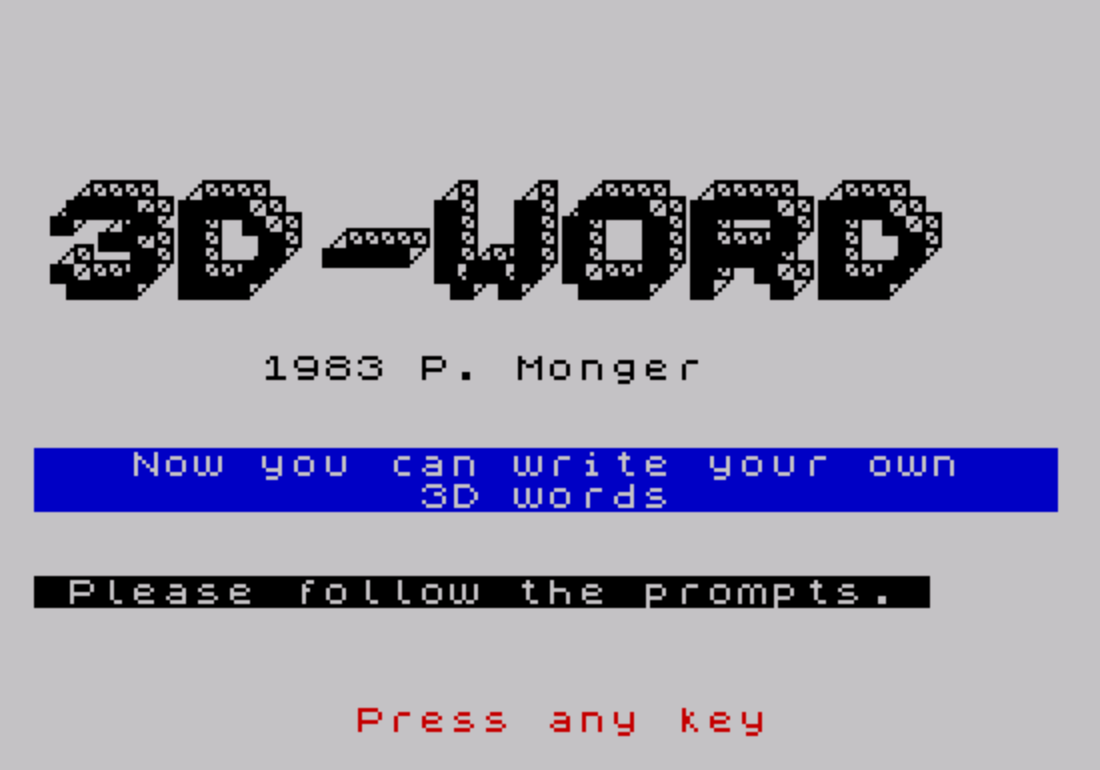
Source Code
    1 REM  3D PRINT  W.E. Walker    TSUG Newsletter  V.III  No.3
    2 CLS : RANDOMIZE
    4 PRINT AT 10,12;"3D WORDS"
    5 PRINT AT 21,4;"PRESS SPACE TO CONTINUE"
    6 PAUSE 0
    8 POKE 23609,30
    9 BORDER 7: PAPER 7: INK 0: CLS
   10 PRINT AT 4,10; INK 2; PAPER 6;"MAIN MENU"
   11 PRINT AT 6,0;"1. Change Size of Letter."
   12 PRINT "2. Instructions."
   13 PRINT "3. Print 3D Words."
   14 PRINT "4. LPRINT Menu."
   15 PRINT "5. NEW Program."
   16 PRINT "6. LPRINT Instructions.": PRINT "7. LOAD """" SCREEN$ ": PRINT AT 18,0;"Program is in medium size mode."
   17 IF INKEY$="1" THEN GO TO 300
   18 IF INKEY$="2" THEN GO TO 200
   19 IF INKEY$="3" THEN GO TO 45
   20 IF INKEY$="4" THEN COPY : GO TO 10
   21 IF INKEY$="5" THEN STOP
   22 IF INKEY$="6" THEN GO TO 200
   23 IF INKEY$="7" THEN GO TO 600
   24 GO TO 17
   45 CLS
   50 PRINT '' PAPER 0; INK 7;AT 0,1;"Now please follow the prompts."
   64 PRINT AT 21,4; INK 7; PAPER 2;"PRESS SPACE TO CONTINUE"
   65 PAUSE 0
   67 BORDER 7: PAPER 7: INK 0: CLS
   70 CLS : FOR n=0 TO 10: BEEP .02,n: NEXT n
   80 INPUT "Pixels from top? ";p
   90 INPUT "Letters? (7 max) ";a$: IF LEN a$>7 OR LEN a$<1 THEN BEEP 1,-30: GO TO 90
   91 INPUT "Color (0-6) ";p$
   92 IF p$="1" THEN INK 1
   93 IF p$="2" THEN INK 2
   94 IF p$="3" THEN INK 3
   95 IF p$="4" THEN INK 4
   96 IF p$="5" THEN INK 5
   97 IF p$="6" THEN INK 6
   98 IF p$="0" THEN INK 0
   99 IF p$="7" THEN INK 7: IF p$>"7" OR p$<"0" THEN GO TO 91
  100 LET a=LEN a$: PRINT INK 7;AT 21,0;a$: BEEP .1,1: BEEP .1,2: BEEP .1,3: BEEP .1,4: BEEP .1,5: BEEP .1,6
  110 FOR f=0 TO 8*a-1: FOR n=0 TO 7
  120 IF POINT (f,n)=0 THEN GO TO 160
  130 PLOT f*4,n*4+135-p: DRAW 4,0: DRAW 0,4: DRAW -4,0: DRAW 0,-3: DRAW 3,0: DRAW 0,2: DRAW -2,0: DRAW 0,-1: DRAW 2,0: DRAW -2,-2
  140 DRAW 5,5: DRAW 0,4: DRAW 0,-4: DRAW 4,0: DRAW 0,4: DRAW 0,-4: DRAW -5,-5
  150 DRAW 0,4: DRAW 5,5: DRAW -4,0: DRAW -5,-5
  160 NEXT n: NEXT f
  170 IF a$="3D WORD" THEN PAUSE 50: GO TO 40
  180 INPUT "Write some more? (y/n) ";w$
  181 IF w$="n" OR w$="N" THEN GO TO 240
  182 IF w$="y" OR w$="Y" THEN GO TO 185
  185 INPUT "Clear Screen? ";t$
  186 IF t$="y" OR t$="Y" THEN CLS : GO TO 80
  187 IF t$="n" OR t$="N" THEN GO TO 80
  188 GO TO 185
  200 CLS
  202 PRINT AT 0,0; INK 2; PAPER 6;"JOHN HUNTON     --     3D WORDS"
  203 PRINT AT 2,0;"This program allows you to "
  205 PRINT "generate 3D letters on your"
  206 PRINT "T/S 2068 or Z.X. Spectrum."
  208 PRINT
  209 PRINT "First you must select the size "
  210 PRINT "that you want your letters to be"
  211 PRINT "then type your letters in and "
  212 PRINT "the computer will do the rest"
  213 PRINT
  215 PRINT ; INK 2;"Size 1 = Small 20 pixels high."
  216 PRINT ; INK 2;"Size 2 = Medium 30 pixels high."
  217 PRINT ; INK 2;"Size 3 = Large 40 pixels high."
  218 PRINT
  219 PRINT INK 1;"Size 1 = 9  Characters per line."
  220 PRINT INK 1;"Size 2 = 7  Characters per line."
  221 PRINT INK 1;"Size 3 = 6  Characters per line."
  223 PRINT AT 19,0; INK 4;"R=RETURN     Z=COPY"
  224 IF INKEY$="r" OR INKEY$="R" THEN RUN 10
  225 IF INKEY$="z" OR INKEY$="Z" THEN PRINT AT 19,0;"                                ":        COPY : GO TO 200
  226 GO TO 224
  240 BORDER 7: PAPER 7: INK 0
  250 INPUT "Copy to Z.X. Printer? ";s$
  251 IF s$="y" OR s$="Y" THEN GO TO 260
  252 IF s$="n" OR s$="N" THEN GO TO 270
  260 INPUT "How Many Copies? ";a$
  261 IF a$="1" THEN COPY : GO TO 180
  262 IF a$="2" THEN COPY : COPY
  263 IF a$="3" THEN COPY : COPY : COPY
  264 IF a$="4" THEN COPY : COPY : COPY : COPY
  265 GO TO 270
  270 INPUT "Save SCREEN$? ";a$
  271 IF a$="y" OR a$="Y" THEN GO TO 273
  272 IF a$="n" OR a$="N" THEN GO TO 275
  273 SAVE "3D"SCREEN$
  275 INPUT "Return to Menu ? ";w$
  276 IF w$="y" OR w$="Y" THEN GO TO 9
  277 IF w$="n" OR w$="N" THEN GO TO 180
  278 GO TO 275
  300 BORDER 7: PAPER 7: INK 0: CLS
  301 PRINT AT 0,0; INK 2; PAPER 6;"JOHN HUNTON     --     3D WORDS"
  302 PRINT AT 2,0;"With this program you can "
  303 PRINT "have three different sizes of"
  304 PRINT "letters."
  305 PRINT
  306 PRINT "(Refer to Instructions.)"
  307 PRINT
  308 PRINT INK 2;"Enter Size Of Characters Wanted"
  309 PRINT
  310 PRINT INK 4;"1. Small"
  311 PRINT INK 4;"2. Medium"
  312 PRINT INK 4;"3. Large"
  313 INPUT "Size 1, 2 or 3 ? ";q$
  314 IF q$="1" THEN CLS : GO TO 400
  315 IF q$="2" THEN CLS : GO TO 45
  316 IF q$="3" THEN CLS : GO TO 500
  317 GO TO 313
  400 INPUT "Pixels from top? ";p
  402 INPUT "Letters? (9 max) ";a$: IF LEN a$>9 OR LEN a$<1 THEN BEEP 1,-30: GO TO 402
  404 INPUT "Color (0-6)";p$
  406 IF p$="1" THEN INK 1
  407 IF p$="2" THEN INK 2
  408 IF p$="3" THEN INK 3
  409 IF p$="4" THEN INK 4
  410 IF p$="5" THEN INK 5
  411 IF p$="6" THEN INK 6
  412 IF p$="0" THEN INK 0
  413 IF p$="7" THEN INK 7: IF p$>"7" OR p$<"0" THEN GO TO 404
  420 LET a=LEN a$: PRINT INK 7;AT 21,0;a$: BEEP .1,1: BEEP .1,2: BEEP .1,3: BEEP .1,4: BEEP .1,5: BEEP .1,6
  421 FOR f=0 TO 8*a-1: FOR n=0 TO 7
  422 IF POINT (f,n)=0 THEN GO TO 430
  424 PLOT f*3.5,n*4+140-p: DRAW 4,0: DRAW 0,4: DRAW -4,0: DRAW 0,-3: DRAW 3,0: DRAW 0,2: DRAW -2,0: DRAW 0,-1: DRAW 2,0: DRAW -2,-2
  426 DRAW 5,5: DRAW 0,4: DRAW 0,-4: DRAW 4,0: DRAW 0,4: DRAW 0,-4: DRAW -5,-5
  428 DRAW 0,4: DRAW 5,5: DRAW -4,0: DRAW -5,-5
  430 NEXT n: NEXT f
  432 INPUT "Write some more? (y/n)";w$
  433 IF w$="n" OR w$="N" THEN GO TO 445
  434 IF w$="y" OR w$="Y" THEN GO TO 436
  436 INPUT "Clear Screen? ";t$
  437 IF t$="y" OR t$="Y" THEN CLS : GO TO 400
  438 IF t$="n" OR t$="N" THEN GO TO 400
  439 GO TO 436
  440 CLS
  445 INPUT "Copy to Z.X. Printer? ";s$
  446 IF s$="y" OR s$="Y" THEN GO TO 448
  447 IF s$="n" OR s$="N" THEN GO TO 460
  448 INPUT "How many copies? ";a$
  449 IF a$="1" THEN COPY : GO TO 180
  450 IF a$="2" THEN COPY : COPY
  452 IF a$="3" THEN COPY : COPY : COPY
  453 IF a$="4" THEN COPY : COPY : COPY : COPY
  460 INPUT "Save SCREEN$? ";a$
  461 IF a$="y" OR a$="Y" THEN GO TO 465
  462 IF a$="n" OR a$="N" THEN GO TO 470
  465 SAVE "3D"SCREEN$
  470 INPUT "Return to Menu? ";w$
  471 IF w$="y" OR w$="Y" THEN GO TO 9
  472 IF w$="n" OR w$="N" THEN GO TO 432
  473 GO TO 470
  500 INPUT "Pixels from the top? ";p
  502 INPUT "Letters (6 max)    ";a$: IF LEN a$>6 OR LEN a$<1 THEN BEEP 1,-30: GO TO 90
  505 INPUT "Color (0-6) ";p$
  506 IF p$="1" THEN INK 1
  507 IF p$="2" THEN INK 2
  508 IF p$="3" THEN INK 3
  509 IF p$="4" THEN INK 4
  510 IF p$="5" THEN INK 5
  511 IF p$="6" THEN INK 6
  512 IF p$="0" THEN INK 0
  513 IF p$="7" THEN INK 7: IF p$>"7" OR p$<"0" THEN GO TO 505
  515 LET a=LEN a$: PRINT INK 7;AT 21,0;a$: BEEP .1,1: BEEP .1,2: BEEP .1,3: BEEP .1,4: BEEP .1,5: BEEP .1,6
  516 FOR f=0 TO 8*a-1: FOR n=0 TO 7
  517 IF POINT (f,n)=0 THEN GO TO 522
  518 PLOT f*5,n*5+140-p: DRAW 4,0: DRAW 0,4: DRAW -4,0: DRAW 0,-3: DRAW 3,0: DRAW 0,2: DRAW -2,0: DRAW 0,-1: DRAW 2,0: DRAW -2,-2
  520 DRAW 5,5: DRAW 0,4: DRAW 0,-4: DRAW 4,0: DRAW 0,4: DRAW 0,-4: DRAW -5,-5
  521 DRAW 0,4: DRAW 5,5: DRAW -4,0: DRAW -5,-5
  522 NEXT n: NEXT f
  523 IF a$="3D WORD" THEN PAUSE 60: GO TO 40
  525 INPUT "Write some more? (y/n)";w$
  526 IF w$="n" THEN GO TO 535
  527 IF w$="y" THEN GO TO 500
  530 INPUT "Clear Screen (y/n) ?";t$
  531 IF t$="y" OR t$="Y" THEN CLS : GO TO 500
  532 IF t$="n" OR t$="N" THEN GO TO 500
  533 GO TO 525
  535 INPUT "Copy to Z.X. Printer? ";s$
  536 IF s$="y" OR s$="Y" THEN GO TO 540
  537 IF s$="n" OR s$="N" THEN GO TO 550
  538 GO TO 535
  540 INPUT "How Many Copies? ";a$
  541 IF a$="1" THEN COPY : GO TO 550
  542 IF a$="2" THEN COPY : COPY
  543 IF a$="3" THEN COPY : COPY : COPY
  544 IF a$="4" THEN COPY : COPY : COPY : COPY
  545 GO TO 540
  550 INPUT "Save SCREEN$ ? ";a$
  551 IF a$="y" OR a$="Y" THEN SAVE "3D"SCREEN$ : GO TO 560
  552 IF a$="n" OR a$="N" THEN GO TO 560
  553 GO TO 550
  560 INPUT "Return to Menu? ";a$
  561 IF a$="y" OR a$="Y" THEN GO TO 9
  562 IF a$="n" OR a$="N" THEN GO TO 525
  563 GO TO 560
  600 CLS : PRINT AT 0,3; INK 1; PAPER 5;"SCORPIO SOFTWARE 3D WORDS"
  601 PRINT AT 3,0; INK 1; FLASH 1;"LOAD """"SCREEN$ MODE"
  602 PRINT AT 5,0;"Change to size of print required"
  603 PRINT "then LOAD the SCREEN$ you want"
  604 PRINT "to work on."
  605 PRINT AT 12,0; INK 2;"R=Return to Menu  J=LOAD SCREEN$ "
  606 IF INKEY$="r" OR INKEY$="R" THEN GO TO 9
  607 IF INKEY$="j" OR INKEY$="J" THEN CLS : LOAD ""SCREEN$ : BEEP .1,0: GO TO 80
  608 GO TO 606
  700 SAVE "3D WORDS" LINE 1
  701 VERIFY "3D WORDS"
Note: Type-in program listings on this website use ZMAKEBAS notation for graphics characters.