
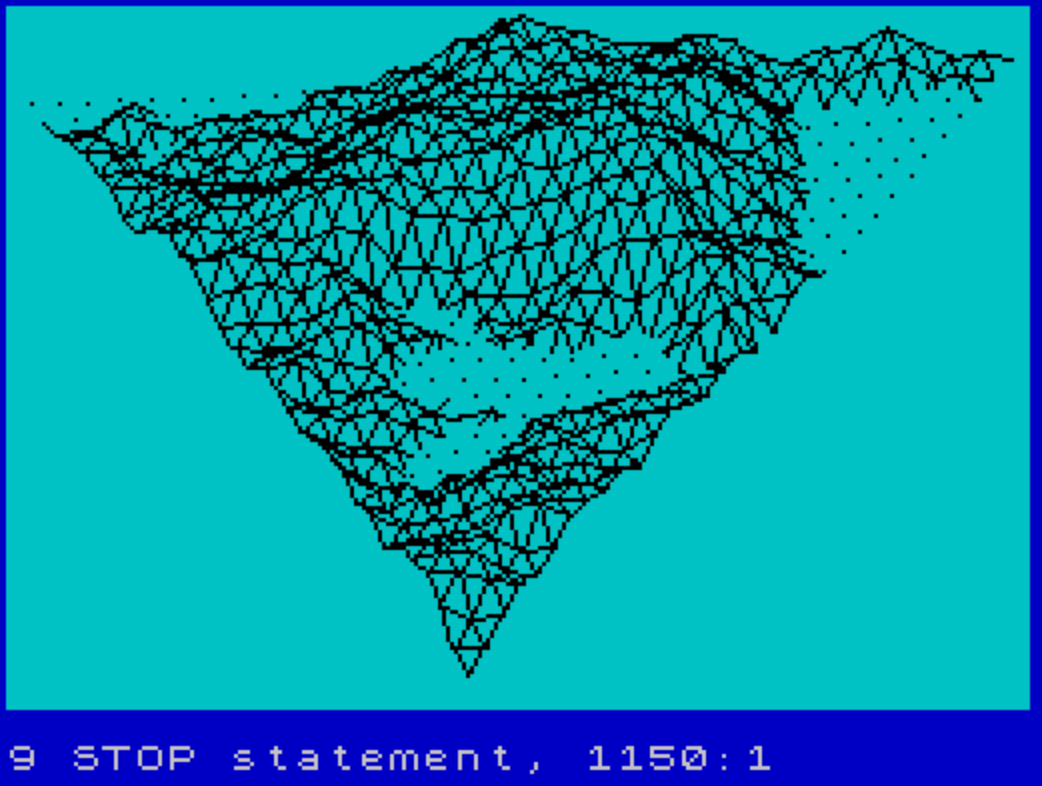
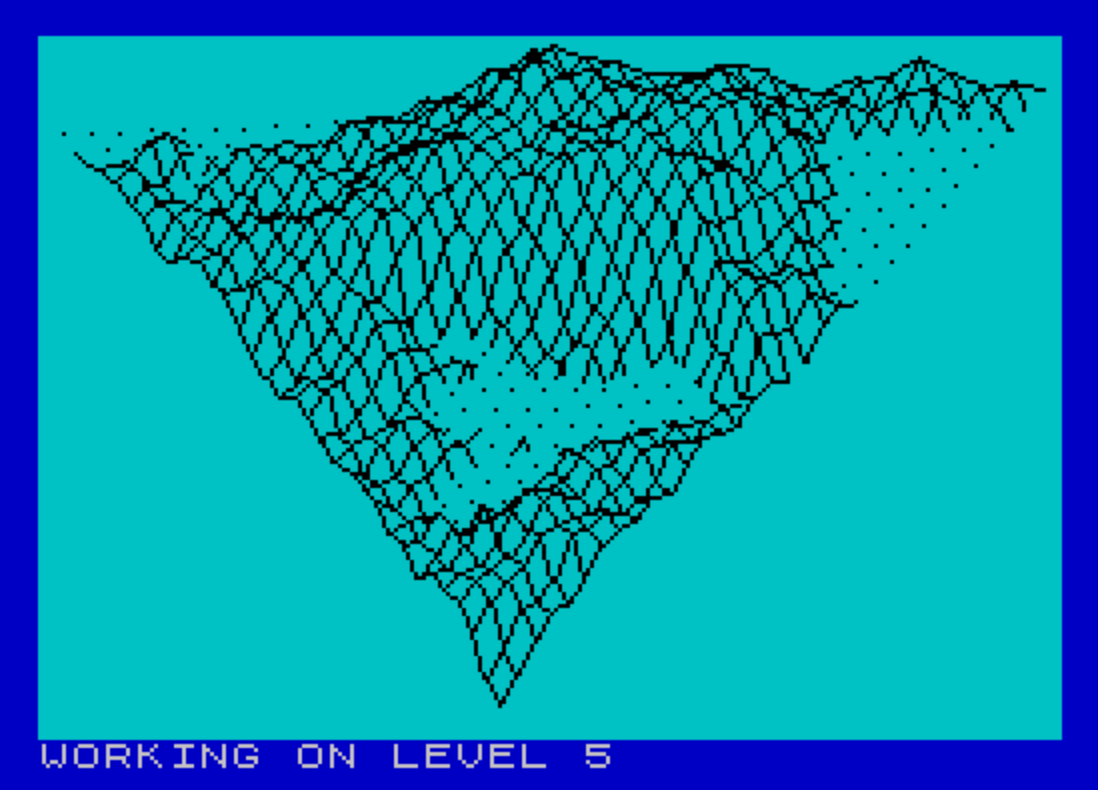
This program generates and renders a fractal terrain landscape using a midpoint displacement algorithm, converted from an Apple II original to run on the TS-2068. The user specifies a detail level from 1 to 6, which controls the recursion depth; the terrain heights are stored in a 65×33 array `D()` and built up iteratively across X, Y, and diagonal passes. Three rotation subroutines apply horizontal (azimuth) and vertical (elevation) transformations using precomputed sine and cosine values before projecting to screen coordinates. The display loop renders the surface as three sets of isometric line strips using `PLOT`/`DRAW`, with a sea-level clipping routine that interpolates the shoreline crossing point when a line segment transitions between above and below zero height. Scaling factors `XS`, `YS`, and `ZS` are each set to 0.04, and the screen projection applies a fixed perspective correction in the `XP`/`YP` calculation at line 1030.
Program Analysis
Program Structure
The program is organized into clearly delineated phases: initialization, terrain generation, and display. Control flows from the input and setup block (lines 15–52), through the iterative fractal subdivision loop (lines 60–120), then jumps to the display routines starting at line 640. A final GO TO 1130 at line 750 targets a non-existent line, terminating execution after display — a recognized termination idiom. Line 1150 contains a STOP that is never reached.
Terrain Generation — Midpoint Displacement
The fractal surface is built in a 65×33 array D() (line 20), sized for up to 6 levels: DS = 2^LE + 1, giving a maximum of 65 columns. For each level N (line 60), the roughness scale L = 10000 / 1.8^N decreases geometrically, producing finer detail at each pass. Three subroutines perform the midpoint displacement:
- Lines 150–200: interpolates heights along the X direction.
- Lines 220–270: interpolates heights along the Y direction.
- Lines 290–350: interpolates heights along the diagonal.
Each subroutine computes a new height as the average of two neighbors plus a random offset: (D1+D2)/2 + (RND-0.5)*L/2. The step size SK = IB*2 and interval IB = MX/2^N halve each level, refining the mesh.
Array Access with Symmetry Folding
The read subroutine (lines 370–400) and write subroutine (lines 420–450) apply a symmetry fold when J > MY: the indices are remapped as BY = MX+1-J, BX = MX-I. This exploits the triangular structure of the terrain grid, effectively mirroring the second half of the array rather than storing it separately. Array indices are offset by +1 throughout to avoid the zero-based boundary (D(BX+1, BY+1)).
3D Projection Pipeline
Before plotting, each point passes through a multi-stage transformation pipeline:
- Sea-level clipping (line 470, subroutine): detects sign changes in
ZZand interpolates the shoreline crossing using parameterW3 = ZZ/(ZZ-Z2). - Scaling (line 950): multiplies
XX,YY,ZZbyXS=YS=ZS=0.04. - Horizontal rotation (lines 770–800): applies azimuth rotation using precomputed
RC,RS(cosine/sine ofPI/6). - Vertical rotation (lines 860–890): applies elevation rotation using
VC,VS(cosine/sine of-PI/5). - Screen projection (lines 1030–1050): maps to pixel coordinates with
XP = XP*0.55+5andYP = 175-(24-0.7*YP), then draws withPLOT/DRAW.
Sea-Level and Flag Logic
The sea-level subroutine (lines 470–620) tracks whether the current segment is above or below zero height using a flag variable F1. F1=1 (set by line 1070) suppresses drawing; F1=0 (set by line 1090) re-enables it. The sentinel value XO=-999 signals a pen-up state (start of a new strip), analogous to a “move” vs. “draw” distinction. The clipping interpolation correctly handles both transitions: entering water (line 560) and exiting water (line 590).
Display Loops
Three nested loops at lines 660–740 sweep the terrain in three directions to draw isometric wireframe strips:
- Lines 660–680: strips along diagonal slices with
Jfrom 0 toI. - Lines 690–710: strips along rows with
IfromJtoMX. - Lines 720–740: strips along the diagonal grain using
GandH.
Each strip resets XO=-999 at the start to lift the pen. The isometric world coordinates use XX = I/MX*10000 - YY/2 to apply a horizontal shear consistent with a 30° isometric projection.
Notable Anomalies
- The REM comment at line 210 reads “HEIGHTS ALONG X” but actually governs the Y-direction pass (lines 220–270); line 140 correctly labels the X pass.
- Subroutine at line 1110 is an empty stub (just
RETURN), presumably a placeholder for screen setup such as clearing or mode switching. - Lines 760 and 850 each contain a bare
REMwith no text, used as spacers between subroutines. - The bounds check at line 1045 (
Y8>174 OR Y8<0 OR YP>174 OR YP<0) guards against off-screenPLOT/DRAWcalls, preventing errors for extreme height values.
Image Gallery
Source Code
    5 REM Fractals
    6 REM T. A. Knyszek
    7 REM T-S Horizons n17 p19
   10 REM Converted from Apple II to TS-2068 by Ted Knyszek
   15 BORDER 1: PAPER 5: INK 0: PRINT : CLS
   20 DIM D(65,33)
   30 INPUT "NUMBER OF LEVELS (1-6)";LE
   40 LET DS=2^LE+1
   50 LET MX=DS-1: LET MY=MX/2: LET RH=PI/6: LET VT=-PI/5
   51 LET RC=COS (RH): LET RS=SIN (RH)
   52 LET VC=COS (VT): LET VS=SIN (VT)
   60 FOR N=1 TO LE: LET L=10000/1.8^N
   70 PRINT #1;AT 0,0;"WORKING ON LEVEL ";N
   80 LET IB=MX/2^N: LET SK=IB*2
   90 GO SUB 150: REM ASSIGN HEIGHTS ALONG X IN ARRAY
  100 GO SUB 220: REM ASSIGN HEIGHTS ALONG Y IN ARRAY
  110 GO SUB 290: REM ASSIGN HEIGHTS ALONG DIAG IN ARRAY
  120 NEXT N
  130 GO TO 640
  140 REM HEIGHTS ALONG X
  150 FOR T=0 TO MX-1 STEP SK
  160 FOR K=IB+T TO MX STEP SK
  170 LET I=K-IB: LET J=T: GO SUB 370: LET D1=D: LET I=K+IB: GO SUB 370: LET D2=D
  180 LET D=(D1+D2)/2+(RND-.5)*L/2: LET I=K: LET J=T: GO SUB 420
  190 NEXT K
  200 NEXT T: RETURN
  210 REM HEIGHTS ALONG X
  220 FOR K=MX TO 1 STEP -SK
  230 FOR T=IB TO K STEP SK
  240 LET I=K: LET J=T+IB: GO SUB 370: LET D1=D: LET J=T-IB: GO SUB 370: LET D2=D
  250 LET D=(D1+D2)/2+(RND-.5)*L/2: LET I=K: LET J=T: GO SUB 420
  260 NEXT T
  270 NEXT K: RETURN
  280 REM HEIGHTS ALONG DIAG
  290 FOR K=0 TO MX-1 STEP SK
  300 FOR T=IB TO MX-K STEP SK
  310 LET I=K+T-IB: LET J=T-IB: GO SUB 370: LET D1=D
  320 LET I=K+T+IB: LET J=T+IB: GO SUB 370: LET D2=D
  330 LET I=K+T: LET J=T: LET D=(D1+D2)/2+(RND-.5)*L/2: GO SUB 420
  340 NEXT T
  350 NEXT K: RETURN
  360 REM RETURN DATA FROM ARRAY
  370 IF J>MY THEN GO TO 390
  380 LET BY=J: LET BX=I: GO TO 400
  390 LET BY=MX+1-J: LET BX=MX-I
  400 LET D=D(BX+1,BY+1): RETURN
  410 REM PUT DATA IN ARRAY
  420 IF J>MY THEN GO TO 440
  430 LET BY=J: LET BX=I: GO TO 450
  440 LET BY=MX+1-J: LET BX=MX-I
  450 LET D(BX+1,BY+1)=D: RETURN
  460 REM PUT IN SEA LEVEL HERE
  470 IF XO<>-999 THEN GO TO 500
  480 IF ZZ<0 THEN GO SUB 1070: LET Z2=ZZ: LET ZZ=0: GO TO 620
  490 GO SUB 1090: GO TO 610
  500 IF Z2>0 AND ZZ>0 THEN GO TO 610
  510 IF Z2<0 AND ZZ<0 THEN LET Z2=ZZ: LET ZZ=0: GO TO 620
  520 LET W3=ZZ/(ZZ-Z2): LET X3=(X2-XX)*W3+XX: LET Y3=(Y2-YY)*W3+YY: LET Z3=0
  530 LET ZT=ZZ: LET YT=YY: LET XT=XX
  540 IF ZZ>0 THEN GO TO 590
  550 REM GOING INTO WATER
  560 LET ZZ=Z3: LET YY=Y3: LET XX=X3: GO SUB 950
  570 GO SUB 1070: LET ZZ=0: LET YY=YT: LET XX=XT: LET Z2=ZT: GO TO 620
  580 REM COMING OUT OF WATER
  590 LET ZZ=Z3: LET YY=Y3: LET XX=X3: GO SUB 950
  600 GO SUB 1090: LET ZZ=ZT: LET YY=YT: LET XX=XT
  610 LET Z2=ZZ
  620 LET X2=XX: LET Y2=YY: RETURN
  630 REM DISPLAY HERE
  640 GO SUB 1110: REM SET UP PLOTTING DEVICE ON SCREEN
  650 LET XS=.04: LET YS=.04: LET ZS=.04: REM SCALING FACTORS
  660 FOR I=0 TO MX: LET XO=-999: FOR J=0 TO I
  670 GO SUB 370: LET ZZ=D: LET YY=J/MX*10000: LET XX=I/MX*10000-YY/2
  680 GO SUB 940: NEXT J: NEXT I
  690 FOR J=0 TO MX: LET XO=-999: FOR I=J TO MX
  700 GO SUB 370: LET ZZ=D: LET YY=J/MX*10000: LET XX=I/MX*10000-YY/2
  710 GO SUB 940: NEXT I: NEXT J
  720 FOR G=0 TO MX: LET XO=-999: FOR H=0 TO MX-G
  730 LET I=G+H: LET J=H: GO SUB 370: LET ZZ=D: LET YY=J/MX*10000
  740 LET XX=I/MX*10000-YY/2: GO SUB 940: NEXT H: NEXT G
  750 GO TO 1130: REM
  760 REM
  770 LET OX=XX
  780 LET XX=XX*RC-YY*RS
  790 LET YY=OX*RS+YY*RC
  800 RETURN
  850 REM
  860 LET OX=XX
  870 LET XX=VC*XX-VS*ZZ
  880 LET ZZ=VS*OX+VC*ZZ
  890 RETURN
  930 REM MOVE OR PLOT
  940 GO SUB 470
  950 LET XX=XX*XS: LET YY=YY*YS: LET ZZ=ZZ*ZS
  960 GO SUB 770
  970 GO SUB 860
  990 LET XP=INT (YY)+1: LET YP=INT (ZZ)
 1000 GO SUB 1030
 1010 RETURN
 1020 REM
 1030 LET XP=XP*0.55+5: LET YP=175-(24-0.7*YP)
 1040 IF XO=-999 OR F1=1 THEN LET X8=XP: LET Y8=YP: LET XO=XP
 1045 IF Y8>174 OR Y8<0 OR YP>174 OR YP<0 THEN RETURN
 1050 PLOT X8,Y8: DRAW (XP-X8),(YP-Y8): LET X8=XP: LET Y8=YP: RETURN
 1060 REM
 1070 LET F1=1: RETURN
 1080 REM
 1090 LET F1=0: RETURN
 1110 RETURN
 1150 STOP
Note: Type-in program listings on this website use ZMAKEBAS notation for graphics characters.