
24-Pin Bit Image Graphics is Larry Crawford’s set of programs for printing the TS2068 screen on a 24-pin dot matrix printer, such as the Panasonic KX-P1124 or Citizen GSX-140, in Epson 24-pin bit-image mode. They copy one character line of the screen or the whole screen, in single or double density, as a positive or inverse image. They can also save screen lines as 256-byte “1-pin” bit-image files, which can be printed later on the 24-pin printer or simply LPRINTed on the TS2040 to check them. Crawford meant the package as groundwork for CAD and drawing programs, whose 72 dpi printouts do not suit the 60 dpi multiples of 24-pin printers.
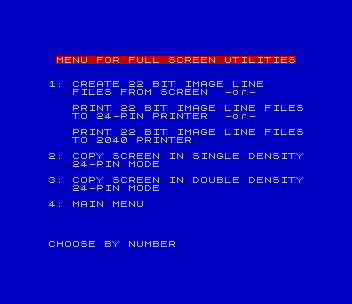
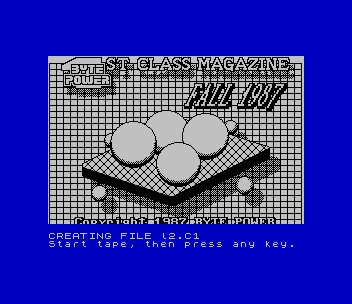
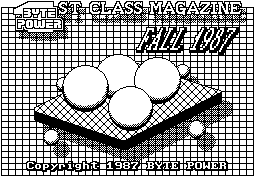
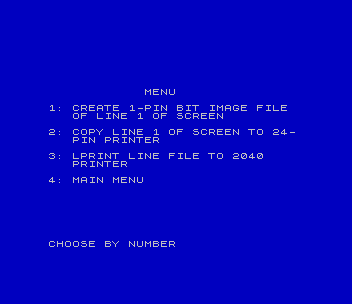
There are two menus. The one-line programs are line1.B1, which makes a line file from line 1 of the screen, prints it on the TS2040 or copies line 1 to the 24-pin printer, and line1.B4, which prints a line file through the machine code routine LPLN1.C5. The full-screen programs are linesc.Bi, which saves the screen as 22 line files and prints them on either printer, and 24psd.B1 and 24pdd.B1, which copy a whole screen in single or double density straight from BASIC. The sample screen mag.C1 is the title screen of Byte Power’s 1st Class Magazine (Fall 1987), and l1.C1 to l22.C1 are line files made from it.
The programs are dated August and September 1990, and Crawford’s documentation calls them all public domain. The full-screen copies and the 24-pin option of line1.B1 are adaptations of Stan Lemke’s pixel-by-pixel screen copy routine. This copy is the Oliger edition from Crawford’s disk “PRINTER DRIVER 2”, which he sent to Update magazine in February 1991. A Larken edition of the same package, with Larken disk commands in place of the Oliger ones, survives on another disk in the collection, and the TTSUC Larken disk library listed the package as No. 44, “24-Pin Printer Graphics and Screen Copy”. Crawford wrote the package up as an article in Update and Sinc-Link. The download includes his four documentation files as text: notes on the one-line and full-screen programs, the 8-pin to 24-pin conversion chart, and a commented disassembly of LPLN1.C5.
Hardware: the 24-pin output goes straight to a Centronics port at I/O port 127, as on the AERCO and Oliger interfaces, and each byte waits until IN 127 returns 237. The TS2040 options (making line files and LPRINTing them) need only a TS2040 or the emulator’s printer; in this tape version they work without a 24-pin printer (see the note at the end).
Program Analysis
From pixels to pins
An 8-pin bit-image byte covers eight dots in a column. In 24-pin mode each column takes three bytes, and each screen pixel is printed three pins tall to keep the picture’s proportions. So eight screen pixels become 24 pins. The pixels are weighted by the values in Crawford’s conversion chart: 224, 28 and 3 for the “top” byte, 128, 112, 14 and 1 for the “middle” byte, and 192, 56 and 7 for the “bottom” byte. The third and sixth pixels are split across two bytes. 24psd.B1 builds the three bytes for each column with POINT, for example LET B1=224*POINT (X,Y)+28*POINT (X,Y-1)+3*POINT (X,Y-2). 24pdd.B1 sends each group twice for double density. The control codes come from DATA lines: 27,65,8 sets an 8/60-inch line feed and 27,42,33,0,2 announces 512 columns of double-density data.
Line files and LPLN1.C5
A line file is the 256 bytes of one character row, copied from the display file into the printer buffer at 23296 in scan-line order and saved from there. Because that is exactly the TS2040’s buffer format, LOAD "l1.Cx"CODE 23296: LPRINT prints the row on the 2040 with no conversion. LPLN1.C5 (234 bytes, relocatable) does the 24-pin conversion in machine code. It takes the file address, its own address and an inverse flag from the free bytes at 26665-26671, which the stock 2068 does not use. It copies a small output routine into the printer buffer and then rotates out one bit from each of the eight scan lines to build every column. That prints all 22 line files in under a minute, against more than 20 minutes for the full-screen BASIC copy.
Notable Techniques
- A single subroutine at line 500 sends every printer sequence: it
READs values until it finds 999. Each caller first doesRESTOREto its ownDATAline, and the data can hold variable names (DATA B1,B2,B3,999), so computed bytes go through the same routine. RANDOMIZE USR 2613andRANDOMIZE USR 2217call TS2068 ROM routines, which Crawford’s REMs and notes describe as clearing the printer buffer.24psd.B1and24pdd.B1setxandyfirst, so that they are the first variables and thePOINTloops find them quickly.- Crawford’s docs flag with *** each line that may need changing for another printer: control codes, the ready value 237 and file names.
Potential Issues
- Without a printer at port 127 returning 237, the 24-pin options wait at line 520 for ever, and in
linesc.Bithe repeated “SWITCH PRINTER ON LINE” message to the lower screen ends in “Out of screen”. In the originals this happened at start-up, before the menu, becauseline1.B1andlinesc.Bisent their printer set-up codes first; see the tape-version change below. - In
line1.B4, option 3 (change the file address) originally ended with a strayLET /d=1. It then fell through and started printing; it has been changed toGO TO 1, like options 2 and 4. - In
line1.B4, option 2 stored the code address with a Larken-style 16-bitPOKE 26669,loc, which gives “Integer out of range” on a stock 2068. It now uses two bytePOKEs, as line 9990 already did. linesc.Biloaded its screen from a file “sq” that is not on the disk. It now loads the samplemag.C1, asline1.B1does (Crawford’s docs say to change this line to your own screen).- The help text refers to line 550 and a ready value of 235 for
line1.B4. The program actually tests 237 at line 520.
The package comes from Crawford’s Oliger (JLO SAFE) disk, converted for tape. The Oliger slashes and the JLO printer and drive settings (LET /p, LET /d) were removed, and a short menu was added in front of Crawford’s two menus, whose “main menu” options now load it again. Each program is followed on the tape by the files it loads. Besides the repairs listed above, one change was made so the package is usable without a 24-pin printer: line1.B1 and linesc.Bi now send the 24-pin line-feed set-up just before 24-pin printing (lines 320 and 70) instead of at start-up, so their TS2040 options no longer wait for a printer on port 127. The 24-pin output itself is unchanged. It was tested in ZEsarUX on a stock TS2068: the menus, creating line files from the sample screen, printing one line file and all 22 line files on the emulated TS2040 (which reproduced the sample screen), and the 24-pin options waiting for a printer, since the emulator has none on port 127.
Image Gallery
Source Code
    5 REM screen lines 1 to 20  FOR KX-P1124 24-PIN PRINTER. DOUBLE DENSITY 24-PIN BIT-IMAGE MODELARRY CRAWFORD         25 AUG 90
   10 BORDER 1: PAPER 1: INK 9: CLS
   20 POKE 23323,64: POKE 23324,10
   30 DATA 27,65,8,999: REM set line feed to 8/60" (sent at line 70; tape version)
   35 CLS : PRINT AT 5,13;"MENU"''"1: CREATE 22 BIT IMAGE LINE        FILES FROM SCREEN"''"2: PRINT 22 FILES TO 24-PIN        PRINTER IN 24-PIN BIT IMAGE     MODE"''"3: PRINT 22 FILES TO 2040 PRNTR"''"4: MAIN MENU": PRINT #0;"CHOOSE BY NUMBER"
   40 PAUSE 0: LET A$=INKEY$: IF A$>"4" THEN GO TO 35
   45 IF A$="1" THEN GO SUB 65: GO TO 4000
   50 IF A$="2" THEN GO SUB 67: GO TO 70
   55 IF A$="3" THEN GO SUB 67: GO TO 5000
   60 IF A$="4" THEN LOAD "menu"
   65 CLS : PRINT AT 10,1;"GENERATE INVERSE SCREEN FILES?";AT 12,6;"<ENTER>=NO <Y>=YES": PAUSE 0: LET q=0: LET q$="1": IF INKEY$="y" OR INKEY$="Y" THEN LET q=1: LET q$="i"
   66 RETURN
   67 CLS : PRINT AT 10,6;"LOAD INVERSE FILES?";AT 12,6;"<ENTER>=NO <Y>=YES": PAUSE 0: LET q$="1": IF INKEY$="y" OR INKEY$="Y" THEN LET q$="i"
   68 CLS : PRINT AT 10,8;"PRINT INVERSE?";AT 12,6;"<ENTER>=NO <Y>=YES": PAUSE 0: LET q=0: IF INKEY$="y" OR INKEY$="Y" THEN LET q=1
   69 RETURN
   70 RESTORE 30: GO SUB 500: LET loc=24311: LET v=loc/256: POKE 26669,(v-INT (v))*256: POKE 26670,INT (v): LOAD "LPLN1.C5"CODE loc
   80 FOR i=1 TO 22: LET file=6E4: LET v=file/256: POKE 26665,(v-INT (v))*256: POKE 26666,INT (v)
   90 LET f$="l"+STR$ i+".C"+q$: CLS : PRINT AT 10,5;"LOADING/PRINTING ";f$: LOAD f$CODE file
  100 RESTORE 100: GO SUB 500: DATA 27,42,33,0,2,999
  110 POKE 26671,q: RANDOMIZE USR loc
  120 NEXT i: GO TO 1
  500 REM send data to printer
  510 READ a: IF a=999 THEN RETURN
  520 IF IN 127<>237 THEN PRINT #1;"SWITCH PRINTER ON LINE": PAUSE 1: GO TO 520
  530 OUT 127,a: GO TO 510
 4000 LOAD "mag.C1"CODE : LET f=0: LET buf=23296
 4005 INPUT ;: PRINT #1;"CREATING FILE l";STR$ (f+1);".C"+q$
 4010 FOR s=0 TO 2: FOR l=0 TO 7: LET k=-1: FOR i=16384+32*l+2048*s TO 18176+32*l+2048*s STEP 256: FOR j=0 TO 31: LET k=k+1: LET b=PEEK (i+j)
 4015 IF q$="i" THEN LET b=255-b
 4020 POKE buf+k,b: NEXT j: NEXT i: GO SUB 4040
 4025 IF l=5 AND s=2 THEN GO TO 1
 4030 NEXT l: NEXT s
 4040 LET f=f+1: RANDOMIZE USR 2217: IF f<=21 THEN PRINT #1;"CREATING FILE l";STR$ (f+1);".C"+q$
 4050 SAVE "l"+STR$ f+".C"+q$CODE buf,256: RETURN
 5000 REM  was Oliger-only
 5010 FOR i=1 TO 22: LOAD "l"+STR$ i+".C"+q$CODE 23296
 5020 IF q=1 THEN CLS : PRINT AT 10,2;"CONVERTING l";STR$ i;".C";q$;" TO INVERSE": FOR f=23296 TO 23551: POKE f,255-PEEK f: NEXT f
 5030 CLS : PRINT AT 10,5;"LPRINTING FILE l";STR$ i;".C";q$: LPRINT : NEXT i: GO TO 1
 9998 STOP
 9999 SAVE "linesc.Bi" LINE 1
Note: Type-in program listings on this website use ZMAKEBAS notation for graphics characters.