
Here is all you wanted to know about saving to tape but didn’t know where to look. Except for minor differences like speed, much of it applies to the microdrive and some disc files.
One important function is not immediately evident: the ability to SAVE code from one location, then LOAD it back to another.
Input Monitoring
For all tape playback operations, a message is displayed on the screen every time a leader is read. This happens during the gap between the leader and the record.
If the leader matches the data type and name specified, the record is read and acted upon. If not, the message remains and reading continues. Messages accumulate in a list until a match is found or no more data is left to be read.
LOAD “bFWzVj” makes an index for a tape which has no program named bFWzVj.
Tape Header Formats
| Bytes | Type | Description |
|---|---|---|
| 1 | All | Header identifier (value=0) |
| 2 | All | Record type (value=0-3) 0: Program and variables 1: Numeric array 2: String array 3: Binary code |
| 3-12 | All | Record name |
| 13, 14 | 0 | Length of progrand vars (E_LINE)-(PROG) |
| 1, 2 | Length field from data structure | |
| 3 | Specified length | |
| 15, 16 | 0 | Autostart line number or 0080h (LSB/MSB) |
| 1, 2 | Array ID code | |
| 3 | Specified address | |
| 17, 18 | 0 | Length of program (VARS)-(PROG) |
| 1-3 | N/A (value=0) | |
| 19 | All | Checksum (XOR bytes) |
Tape Format

The tape recording consists of two blocks of data separated by a blank gap (.835 sec).
Each block begins with synchronizing cycles. These cycles are used by the 2068 to compensate for variation in tape speed from one recorder to another, or due to other causes.
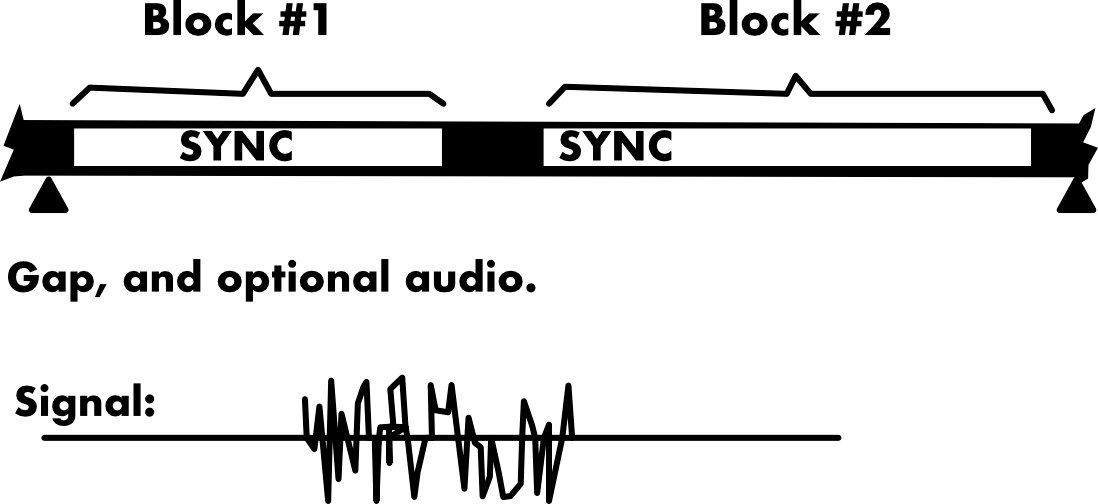
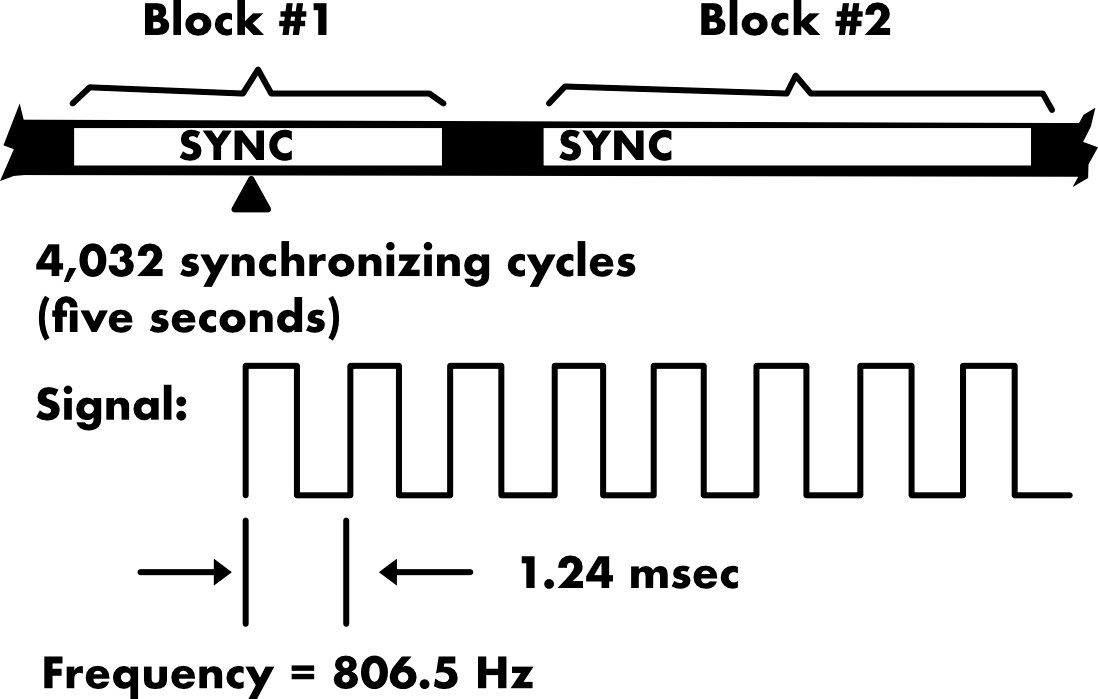
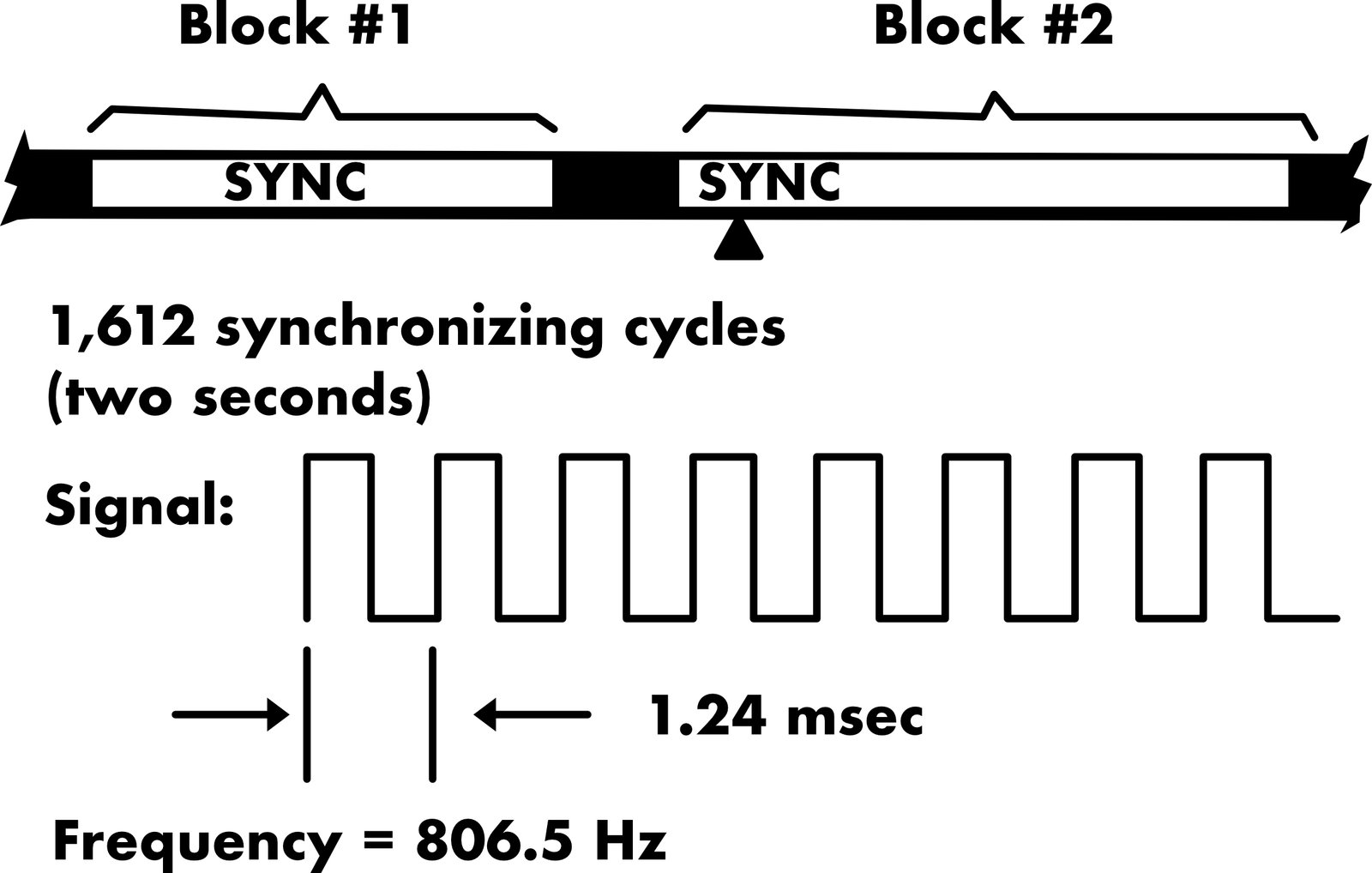
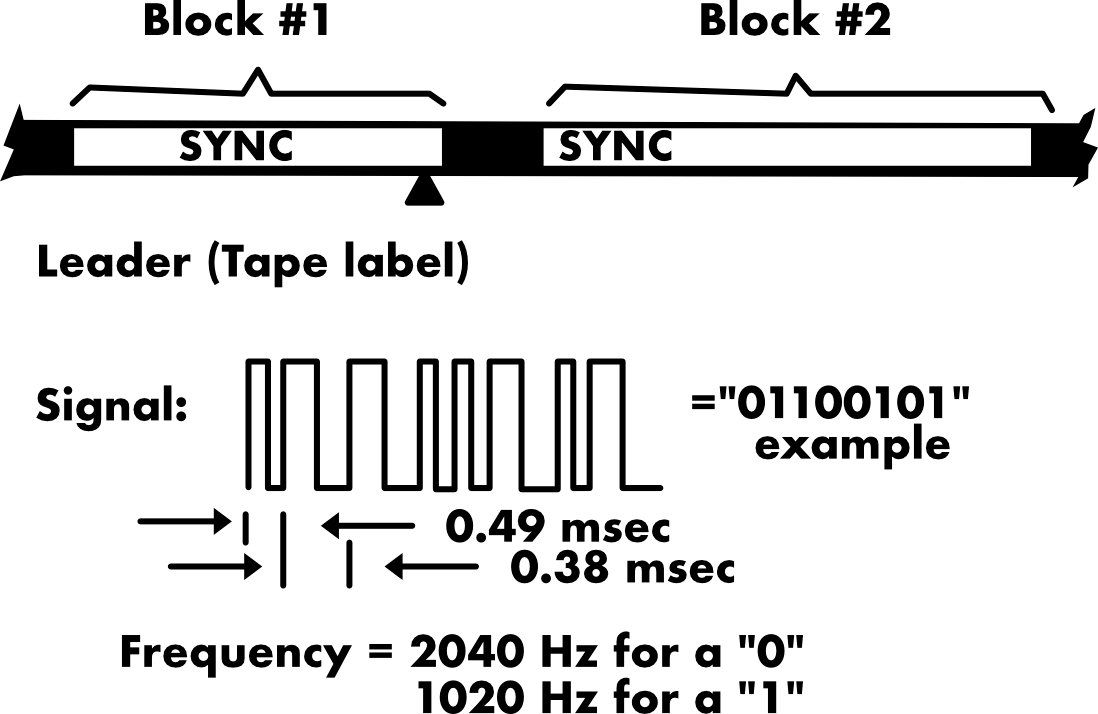

The record identifier is a single cycle at 2400 Hz. The rest of the signal is the same type as for the header. The record ends with a checksum byte. Both checksum bytes have an additional transition to assure a correct read from the tape. It takes about five seconds per kilobyte of record.
SAVE Instructions
SAVE "fox" - Saves program and variables.
SAVE "fox" LINE auto - As above but starts running at program line number auto when reloaded (see header format).
SAVE "fox" DATA v() - Saves numeric array v.
SAVE "fox" DATA s$() - Saves string array s$.
SAVE "fox" CODE location,bytes - Saves bytes of binary data starting at location.
SAVE "fox" STRING$ - Equivalent to SAVE "fox" CODE 16384,6912. Saves screen.
When SAVEing, the record name must be from 1 to 10 characters. It cannot be omitted.
For all other commands, only the first record having matching name and data type will be acted upon, with one exception.
If the record name is specified as the null string (“”), the first encountered record of matching data type, regardless of name, will be acted on. This option will be assumed in subsequent examples, but not shown.
Note that the same record name cannot be reused once for each data type without interference.
VERIFY Instructions
VERIFY "fox" - Verifies program and variables.
VERIFY "fox" DATA v() - Verifies numeric array v.
VERIFY "fox" DATA s$() - Verified string arry s$.
VERIFY "fox" CODE location,bytes - Verifies bytes of binary data starting at location.
VERIFY "fox" CODE 16384,4288 - Verifies as much of the SCREEN as possible. The computer alters the lower two lines for reports.
Because of the way D_FILE is organized, these bytes are intermixed with those for the bottom eight lines. This is incomplete but quite effective.
LOAD Instructions
LOAD "fox" - Loads new program and variables over any that were already present
LOAD "fox" DATA v() - Loads numeric array v.
LOAD "fox" DATA s$() - Loads string array s$.
LOAD "fox" CODE location,bytes - Loads at most bytes of binary data starting at location.
LOAD "fox" CODE - Loads back where it came from.
LOAD "fox" SCREEN$ - Loads from tape to screen, except for the bottom two lines. It is interesting to watch.
MERGE Instructions
MERGE "fox" - Keeps old program and variables, then loads new program and variables from tape. New program lines are inserted or overwrite old program lines. New variables are added or replace old variables with the same name.MERGE requires free memory to provide a work space. There is also no prompt to tell you to stop the recorder, other that a change in border pattern. The same is true when LOADing large arrays.