SYNCWARE NEWS welcomes correspondence from its readers. Some editing of letters may be necessary for brevity or to enhance clarity.
Dear Editor,
I’d like to thank SWN and Mr. E. Swallow for sharing his solved problem. His recommendation about keeping your cassette recorder away from the left side of the computer when doing a save solved a problem I’ve been having for almost a year.
Marlin Perkins
Denton, Texas
Screen Hash
Dear Editor,
As owner of the Zebra Disk System for the 2068, I am perplexed as to why my monitor (a Comrex 5650) intensity and sharpness deteriorates whenever a parallel printer interface is attached to the Zebra Expansion interface. This occurs with the Tasman, Aerco, and the JLO printer interfaces. In addition, Tasword II is almost unreadable.
If the printer interface is removed, the problem disappears. Similarly, if the printer I/F remains and the disk drive interface is removed, the problem also disappears. Having the 2040 printer connected to the bus apparently has no effect either way.
What could be the culprit pulling down the video and how can I eliminate it?
Barry Carter
Warren, MI
Dear Mr. Carter,
Since none of us at SWN have the Zebra Disk System, I’m afraid I can’t address your problem from direct experience. We also haven’t heard from anyone else with similar problems. However, I think I might be able to help isolate your problem.
The 2068 video is derived from a LM1889N color modulator chip. This is completely isolated from the CPU data, address, and control lines which are accessed by the Zebra interface. Unlike the ZX81/TS1000, where the video is obtained from a master chip, the 2068’s video signal is generated by a seperate device that has nothing to do with the computer.
There is really only one thing this chip has in common with the rest of the system: THE POWER SUPPLY. Power to the video chip is obtained through a little 12 volt regulator about the size of a small transistor. This is U8, a 78L12. If your supply voltage drops too low because of the addition of periphals, this could cause your difficulty. Adding the interface might just be the “straw that broke the camel’s back”. I find this especially likely in light of the fact that three different interfaces all show the same phenomenon.
Other things to check for: Try moving your monitor cable relative to the printer cable, power supply wire, and cassette cables and see if this makes any difference. Contact Zebra and describe your problem. Possibly others have reported similar difficulties. Perhaps you have a unit which for some reason draws too much current. If your monitor has a HI-LO impedance switch, see if its setting makes any difference (unlikely, but check it anyway; if there’s a difference, it could point to a bad driver transistor, Q2 and/or Q3). Are your monitor, printer, and disk drive chassis properly grounded? Are you close to any powerful TV or radio stations? (If so, a power-line “RFI filter” might help.) Try a different video cable.
Please let us know if any of this helps. If you find the problem fill us in so we can let others know.-fn
Printer Squash
Dear Editor,
My 2040 printer seems to print in squashed letters until about 2 feet of paper has printed out. This is especially true when I leave the printer on even when I turn my computer off. Is there an easy fix for this?
Also, There are some small hand held computers to translate English to Italian and German. Are there any programs designed for the 2068? I’ve tried routines like:
10 LET YES=SI
20 PRINT "YES"
I just get a “variable not found” error. What do I need to do?
Sergio Frost
San Diego, CA
Dear Mr. Frost,
First, there are three capacitors inside the 2040 near the big chip. C6 is tied on D0 to ground. This data line is also the printer ready line. Apparently your printer is ready too fast. Remove this cap and your problem should be fixed. You should remove all three of them.
Second, YES and SI are two numeric variables and “YES” is a literal string. the correct way to develop your program is as follows:
10 LET YES$="SI"
20 PRINT YES$
There are some educational programs available for the 2068 and Spectrum. Check with your favorite distributor for titles.-tb
Missing Bytes Dept.
Regarding the article in last issue’s FORUM column about the Time Designs/SUM merger, it seems a very vital piece of information was either deleted, forgot, or lost in “MAX”, my souped-up TS1000, I was using as a word processor; Time Designs address is TIME DESIGNS, 29722 Hult Road, Colton, Oregon 97017 and has a yearly subscription rate of $15.00. We hope Tim Woods will accept MAX and I’s sincere apology.
Dear Editor,
I am enclosing $19.95 U.S. for a subscription to SyncWare News (thank you-ed.). Fred Nachbaur and Peter McMullin kept bugging me so now I’m ordering it. I also plan on getting all the back issues (thanks again-ed.).
Even though I have never seen SWN I feel it needs more ZX81 content. But we all know how the 2068’ers get if their “precious” machines don’t receive enough attention.
Sean Wenzel
Toronto, Ontario
Dear Mr. Wenzel,
Judging anythng sight unseen seems hardly fair, but everyone is entitled to an opinion. Here’s mine:
We try very hard to print a balance of articles for ALL the TS computers. Within the limitations of our space, we try to print a software and hardware article each month for both the ZX81/TS1000 and the TS2068. However, if the material isn’t there, its just not there. If you’ll pardon the paraphrase, “Sometimes ye have not because ye write not”. If no one writes about a specific machine, then support for that machine will die. Human thought is mostly associative. Meaning an idea you have and publish will trigger another idea in someone else, and so on. Many times a simple question asked in this column has lead to a good in-depth article exploring a facet of one of the computers heretofor unexplored.-jm
UV Lamp Use Warning
Dear Editor,
I saw your update on using old Sol to erase EPROMS on page 6 of SWN #3:5.
The using of an “Ozone” or “Steri-lamp” is okay, but having worked some years in the lamp division of Westinghouse, I must warn your readers that the UV from these lamps can cause more than “spots before your eyes”! The UV at 2537 angstroms not only kills germs, but cells and causes inflammation in the eye by giving it a good burn. The shield used for this type of lamp should be opaque and not mirrored. It was quite common for eye damage to occur from a reflecting surface, even if the lamp was itself concealed. They were used in refrigerators and places not viewed or occupied for long.
The so called “black light” UV from special flourescent tubes at about 3600 angstroms is not so bad, but I don’t know how efficient it is in erasing an eprom (it will work, but takes 4E4 to do it-fn). The flouresent lamps also require some sort of ballast system to work. By the way, the “spots or blur” from these lamps is due to the eye being unable to focus these wavelenghts.
Regarding RFI (page 4), I operate my ham transmitter up to 1 KW while saving to disk and printing. I use my ZX81 to send Morse code without bothering anything yet I have five or six ribbons of up to 4 feet in use. So it is possible to have things work. The only thing I found really bad was any ribbon extension from the rear edge connector of the TS1000/ZX81…that caused havoc in the receiver and was easily spiked by the transmitter…yet a ribbon from the keyboard sockets to an external keyboard causes no problems at all.
Bob Howard
West Covina, CA
New Spectrum Announced
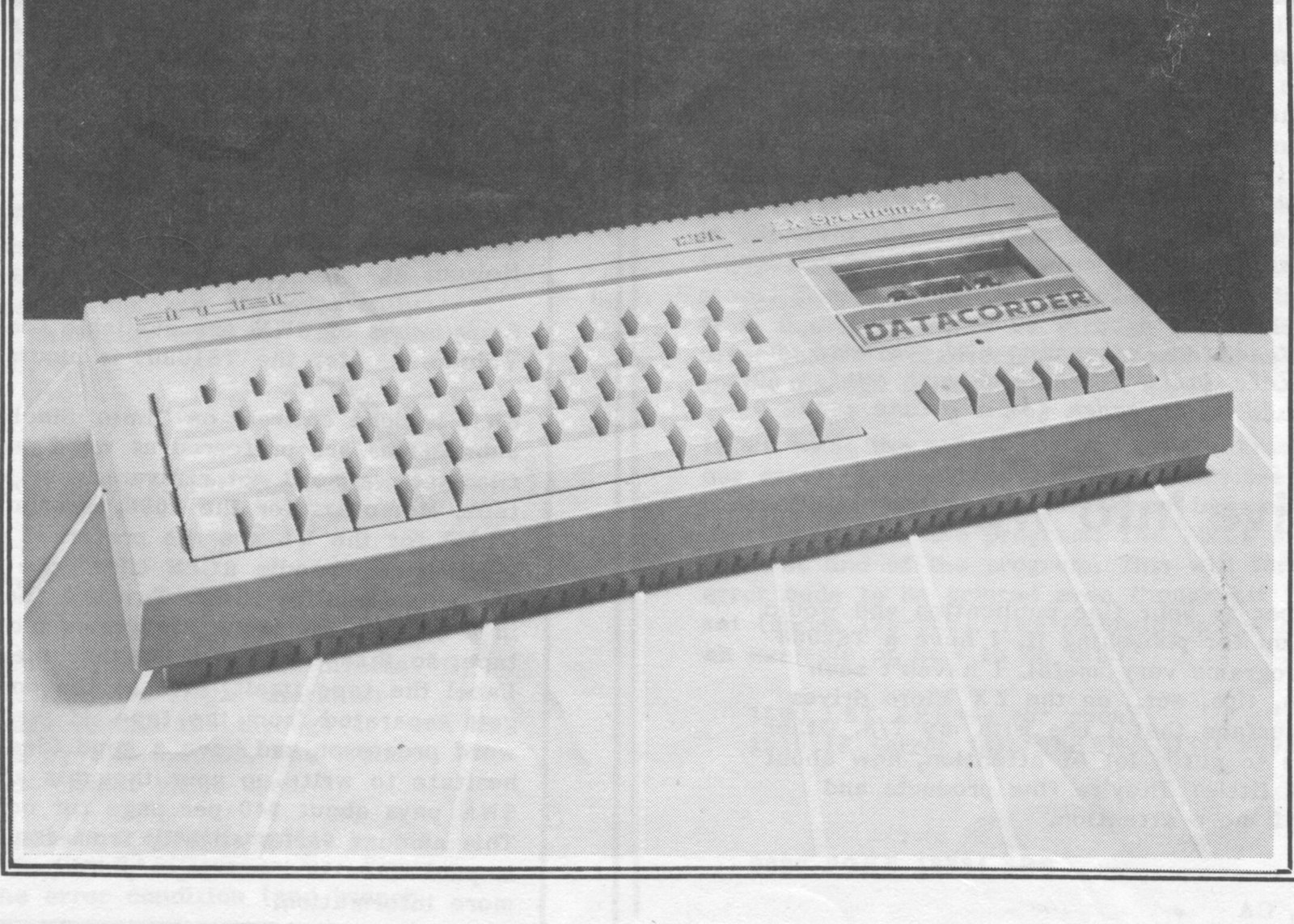
The latest in Britian’s best selling Spectrum line of home computers made its debut at the PCW exhibition in Olympia, Great Britian, over the Labor Day weekend.
Designated the Sinclair Spectrum 128K + 2, this new machine is the first Sinclair branded computer to be designed and manufactured since the Sinclair brand was acquired by Amstrad Consumer Electronics plc in April this year. However, there are no immediate plans to manufacture or market a version for the United States.
The Spectrum 128K + 2 has an impressive list of features including a real typewriter-style keyboard, built-in datacorder and joystick ports, and full function calculator. The unit is advertised as being ready to accept serial printers, a monitor, keypad, a modem, and the many other periphials to help with today’s computing needs. Provisions have been designed in to allow a music synthesiser to be connected to the MIDI port to allow music to be composed and performed through the Spectrum’s four channel high quality sound port.
The Spectrum 128K + 2 is supposed to be compatible with the Interface One and Microdrives, and most other hadware and software items produced for the Spectrum 128.
For more information, contact:
Nick Hewer
Michael Joyce Consultants Ltd.
19 Garrick Street
London WC2E 9BB
Great Britian
Report From Burlingame
Dear Editor,
I was especially interested in the short article on the TS1500. I teach in the Music Department of the local Community College and we have set up a C.A.I. lab to assist students with their music study. This is a project we had hoped to launch for years but were never able to do so due to budgetary limitations, the high cost of Apple Computers, and available software to suit our needs. Now we have more than we could ask for, thanks to six TS1500’s modified for monitors, and equipped with polyphonic music boards similar to the MUSIC BOX IV boards from Rave Research (no longer available). The boards have a built-in headphone amplifier so the students work privately, although an accessory power amp can be switched in for group participation. The best part of the whole thing is that we have been able to design our programs to suit our specific needs rather than having to depend on commercial software. We are particularly proud of our lab. It was accomplished at a mere fraction of the cost of comparable commercially available systems.
Anyway, our two limitations are in the areas of program loading time and hi-res graphics for music notation. We thought we had solved the loading question with the possibility of using EPROMS in Rompak boards, but haven’t figured out how to make them work on the 1500. The reference to hi-res possibilities in your article (SWN #3:3-ed.) really sparked my interest. I hope more information will appear soon!!!
John Hancock
Burlingame, CA
Dear Mr. Hancock,
Rest assured that the author of the brief article you read in SWN #3:3, our own Fred Nachbaur, is not hibernating under the snow capped peak of his Silicon Mountain retreat. One of his projects is further developement of TS1500 hi-res. As soon as we hear of any news we’ll let you know.
Looking over the article, I noticed that one of the requirements to produce the hi-res screens on the TS1500 was to have full decoding in the 8-16K region of memory. A Hunter board was listed as one of the ways this could be done. The Hunter board is essentially a Non Volatile Memory (NVM) expansion unit. It would seem that your desire to have hi-res screens could also provide an answer to your loading time problems.
We would be interested in hearing how you make out. Perhaps an article fully describing your system for our readers would be in order for a future issue of SWN.-jm
Microdrive Info Wanted
Dear Editor,
I am a subscriber to your fine publication and would like to thank you for publishing it. I have a TS2068 and find the programs very useful. I haven’t seen any information, tips, ect., on the ZX Micro drives and the ZX Interface that I use with my T/S. Other hardware seems to get a lot of attention, how about evening it up a little? They’re fine products and are deserving of more attention.
R. L. Pace
No. Hollywood, CA
Dear Mr. Pace,
To our knowledge, no one has submitted any microdrive conversions or articles to SWN. It would seem that the majority of American users prefer to go with disk drives. If you, or any other reader, have some good information to share on this subject, we would be glad to publish it as space allows.-jm
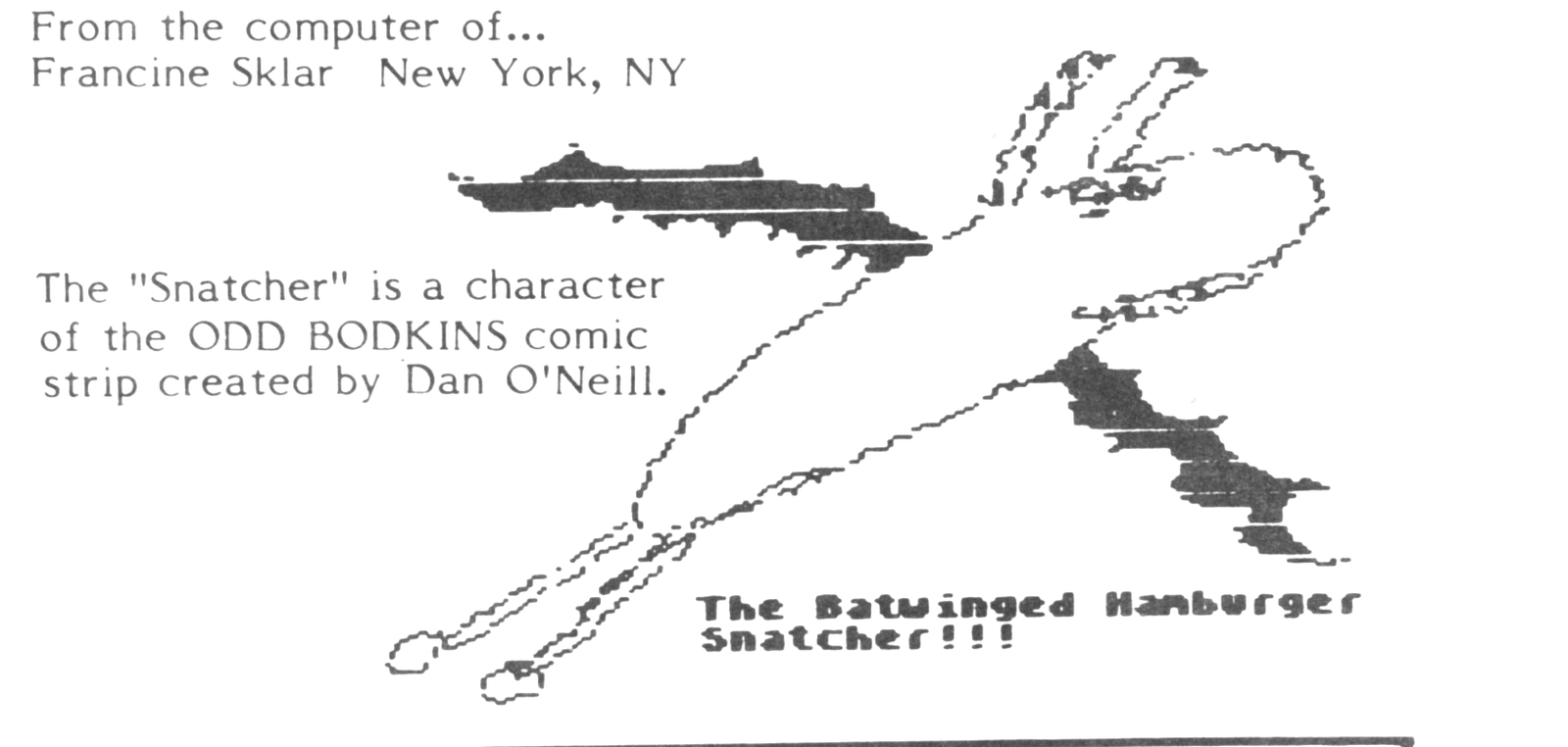
From the computer of…
Francine Sklar New York, NY
The “Snatcher” is a character of the ODD BODKINS comic strip created by Dan O’Neill.