
SYNCWARE NEWS welcomes correspondence from its readers. Some editing of letters may be necessary for brevity or to enhance clarity.
Monitor Compatibility
Dear Editor,
There are now a great many excellent buys available on monochrome monitors. I recently purchased one from Jameco Electronics for $38.00 including case, power supply, and keyboard. Unfortunately, I find that many of these, including mine, require that the sync signals be seperated from the video signals rather than the composite video signal as available from the Timex.
A circuit was shown in Volume #1 of SyncWare News that would seperate the sync pulses from the video, but I’m sure many of your readers no longer have that issue available. Also, as in my own case, many of these monitors require that the horizontal sync pulses be seperates from the vertical sync pulses. I’m sure many readers would appreciate instructions on how to wire such a set-up.
David Thomas
Millbrook, AL
You are correct in your observation that there are many good ‘bargins’ on monitors at the moment. However, as you have discovered, most of these will not work with a standard Timex computer. These surplus monitors usually require TTL video and sync signals. Unless the computer has been designed to provide these signals, they are almost impossible to derive otherwise. The Timex computers have been designed to provide the user with composite signals only. If you own a TS2068 (your letter never stated which computer you had), companies such as AERCO have boards which produce TTL level signals which are compatible with some of these surplus monitors. This is possible because the computer already supplies most of what is needed at the rear expansion buss.
The circuit you refer to in Volume #1 of SyncWare News (pg. 62 in the reprinted version) on casual examination does appear to provide seperate sync signals. In reality, all it does is to prevent sync signal inversion when the video is reversed. A circuit to actually seperate the sync pulses would be much more involved. Timing circuits, and the like, would be necessary to do the job properly. In talking to our resident technical guru, Fred Nachbaur, it was decided that a properly designed and functional circuit to seperate video, horizontal sync, and vertical sync pulses would be no small task. If anyone out there knows of such a circuit we would be more than happy to pass the word along to the rest of our readers.
In the meantime, I can only suggest to our readers to read ALL the small print before laying down your hard earned cash for a monitor ‘bargin’. Be certain it is a composite type unless you KNOW you can use other style monitors.-jm
Pascal Help Wanted
Dear Editor,
I am a fairly recent member of the “SyncWare News” family of readers, and I turn to our group of readers out there for help in solving my current problem.
I have recently become interested in running “PASCAL” programs on my TS2968. I would appreciate any information on a PASCAL Compiler for use with the TS2068 that any of our advertisers or readers might have to offer.
I also have a Zebra Systems Delux Spectrum Emulator, so any thing that will work with that would be of interest to me also.
Can anybody out there help me?
Melvin B. Hoyt
[address omitted] Moline, IL
The information I can locate in regard to PASCAL software is very minimal. Two companies, Hawg Wild Software and English Micro Connection, at one time listed PASCAL programs in their sales catalogs. However, neither of these companies is presently in business. Knighted Computers, (315) 593-8219, did buy out the remaining stock of English Micro Connection when they closed their doors due to health reasons. Unfortunately, the stock that remained contained no PASCAL software. I can only suggest that you pick up one of the English computer magazines such as ZX Computing Monthly. Contact a few of the distributors listed and see what they have to offer. As for the Spectrum software, I’d suggest that you take a few moments of your time and write to a few of our many advertisers or folks that appear in the ‘For Your Support’ column. What they have to offer just might surprise you. Please include a SASE as a courtesy as many of these suppliers operate on a limited budget.
If any of our readers know of or are selling programs that might be of interest to Mr. Hoyt, please feel free to drop him a line. We have included his address for your convenience.-jm
2068 Art Revisited
Dear Editor,
On page 17 of the Mar/Apr 1985 issue of SYNCWARE NEWS you published a program by David Kulp entitled 2068 ART.
I found that if you add:
65 INK RND * 6And change line 200 so that it reads:
200 BORDER 0: PAPER 0you get quite a different display.
Charles Fursdon, Florida
Wanted: 2068 Graphics
Dear Editor,
We would like to request that your magazine feature more 2068 Business Graphics, Logo, and Letterhead Design software. Also of interest to us would be programs related to X,Y,Z Axis data base plots, Ham Radio, and SWL.
We look forward to your publication continuing to support 2068 applications.
Paul Dolengewicz
EDP Research & Development Co.
Westbrook, CT
Thank you for your letter. This month’s issue of SYNCWARE NEWS has a nifty label making program that you might find some use for, either as is or modified. We have every intention to continue supporting ALL the Timex computers until there are no more articles to print or we no longer have any subscribers. Rest assured, if we get any articles on the above topics, we’ll print them.-jm
Keyboard Troubles
Dear Editor,
Yesterday my Spectrum Plus dropped dead. That is, all input from the keyboard was lost. Surgery to the computer seemed to be the only recourse. I took apart the computer and cleaned the keyboard ‘tails’ with a gold cleaner and preservative. Please warn all your readers to NEVER do this. The cleaner removed not only the dirt but the copper traces on the keyboard as well!
I have since gotten the computer to work again by shortening the tail and re-connecting the keyboard to the main chassis. The ‘modified’ tail is so short though, I’m still having problems. Can anyone out there help me by coming up with a new innterconnect between the keyboard and the computer?
Stan Nagrod
Albertson Communications Mamaroneck, NY
That little ribbon cable between the computer and the keyboard has historically been a real pain. Because the traces on it are so fragile, any flexing of the cable can easily break them. This is especially true if you frequently dis-assemble your computer. I have never worked with a Spectrum Plus so can only make general suggestions.
First, you might try physically removing the connector on the computer board. Cut back the keyboard tail until you find an area that is solid both electrically and mechanically. Insert the cable into the connector you previously removed from the computer board. Using standard ribbon cable available from Radio Shack, etc., run wires from the connector to the holes where it was removed. Watch for solder bridges, and tape all exposed solder joints at the connector before putting the computer back together.
Second, several suppliers offer improved add-on keyboards for the TS2068. Perhaps one of these could replace your old keyboard altogether. Along those same lines, Tom Woods sells an IN/OUT Port for the 2068 that I’ve seen hooked up and running with an IBM style keyboard. These surplus keyboards are currently available for IBM clones or as replacements. Perhaps something in this vain would solve your problem and improve your computer to boot.-jm
Ink Jet Woes
Dear Editor,
I have mated an Olivetti PR2300 Ink Jet Printer to my TS1000 via a Memotech Centronics I/F. The printer will LLIST and LPRINT fine. It will also COPY okay as long as there are no graphic symbols on the screen. However, in spite of everything I’ve tried, I can not get the printer to function in the Plotter Mode.
Have you any ideas that might get the Plotter Mode to work?
Robert Haley
Wooster, Ohio
From the rest of your letter, it would in fact seem that you have tried everything to get the Plotter Mode to work. Being unfamilar with the Olivetti printer I can offer no ideas as far as printer codes go. We will print your letter in hope that another reader might have some ideas to offer.
The WIDJUP Co., 1120 Merrifield S.E., Grand Rapids, MI 49507, is currently offering a printer utility for the TS2068 and the Olivetti PR2300. We have not had an opportunity to review their software. It’s possible that by contacting them they might shed some light on your problem. Although they haven’t advertised it, they may have a TS1000 version of the program. Write and see, then let us know.-jm
More on Mandelplot
Dear Editor,
I really enjoyed the Mandelplot article by Fred Nachbaur. I have a 2068 with a Spectrum switch and I found that the program would run as is in the Spectrum mode.
I have been interested in fractals for about two years. I don’t fully understand them, but they are fascinating. I printed the enclosed mandel plots using the preview mode of the program, saving the screen$ and transfering it to Pix Fix. (I have trouble dumping screens to my Olivetti printer.) After spending 2.5 days developing the Gemini-10 picture, I saved the data array and started trying a few modifications. Below is the listng for the first picture (fig. F-1). I then used the data from the Gemini-10 character array to feed another fractal.
The last number in line 4090 is only to adjust the up/down position of the picture on the screen.
4030 LET M$=CHR$ MX
4060 FOR M=1 TO 188
4070LET Y=M
4080 FOR N=1 TO 189
4090 IF P$(M,N)>M$ THEN PLOT 1000*((ASN (N/1000)-(INT ASN (N/1000)))),(1000*((ACS (Y/1000)-(INT ACS (Y/1000)))))-300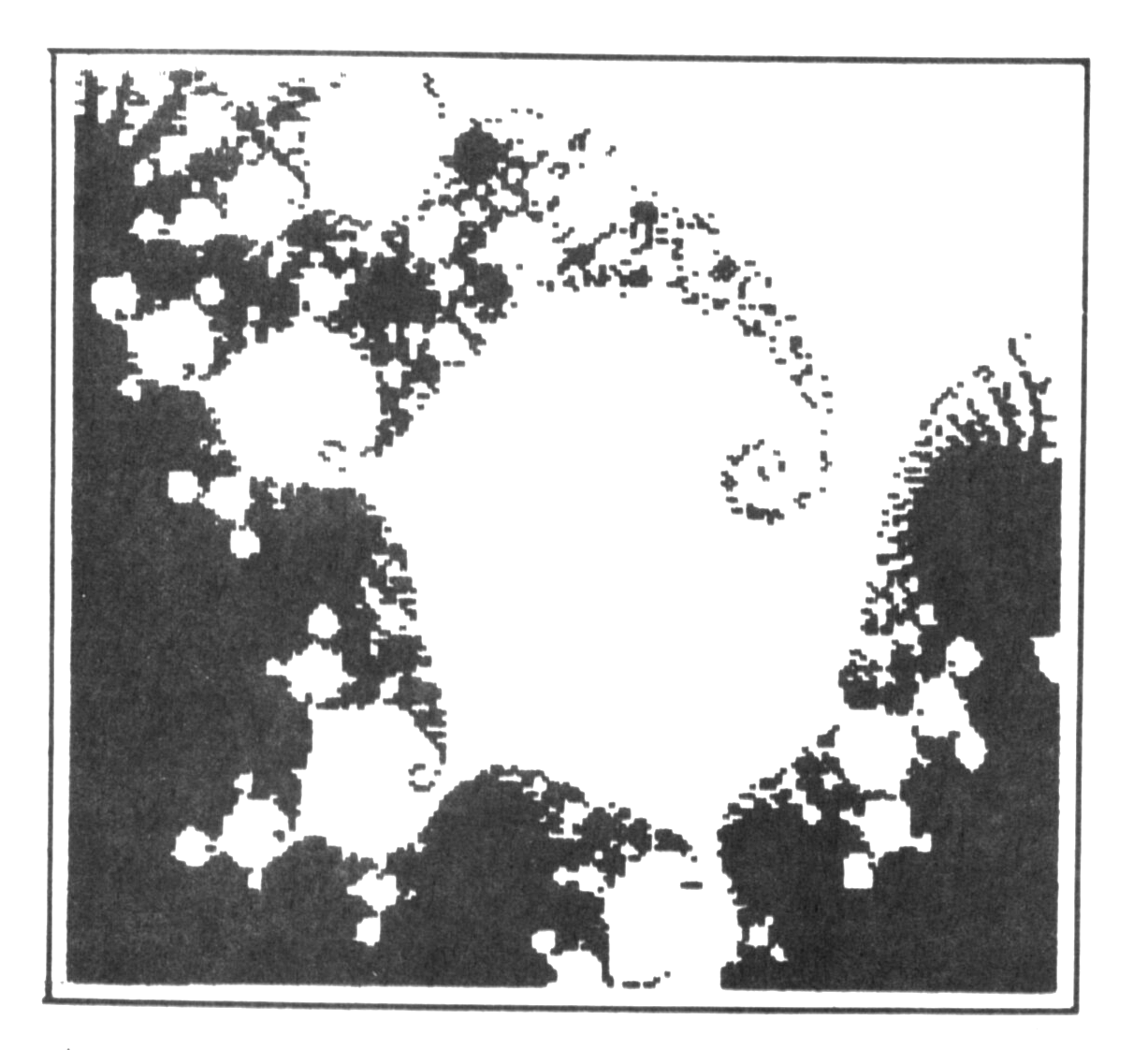
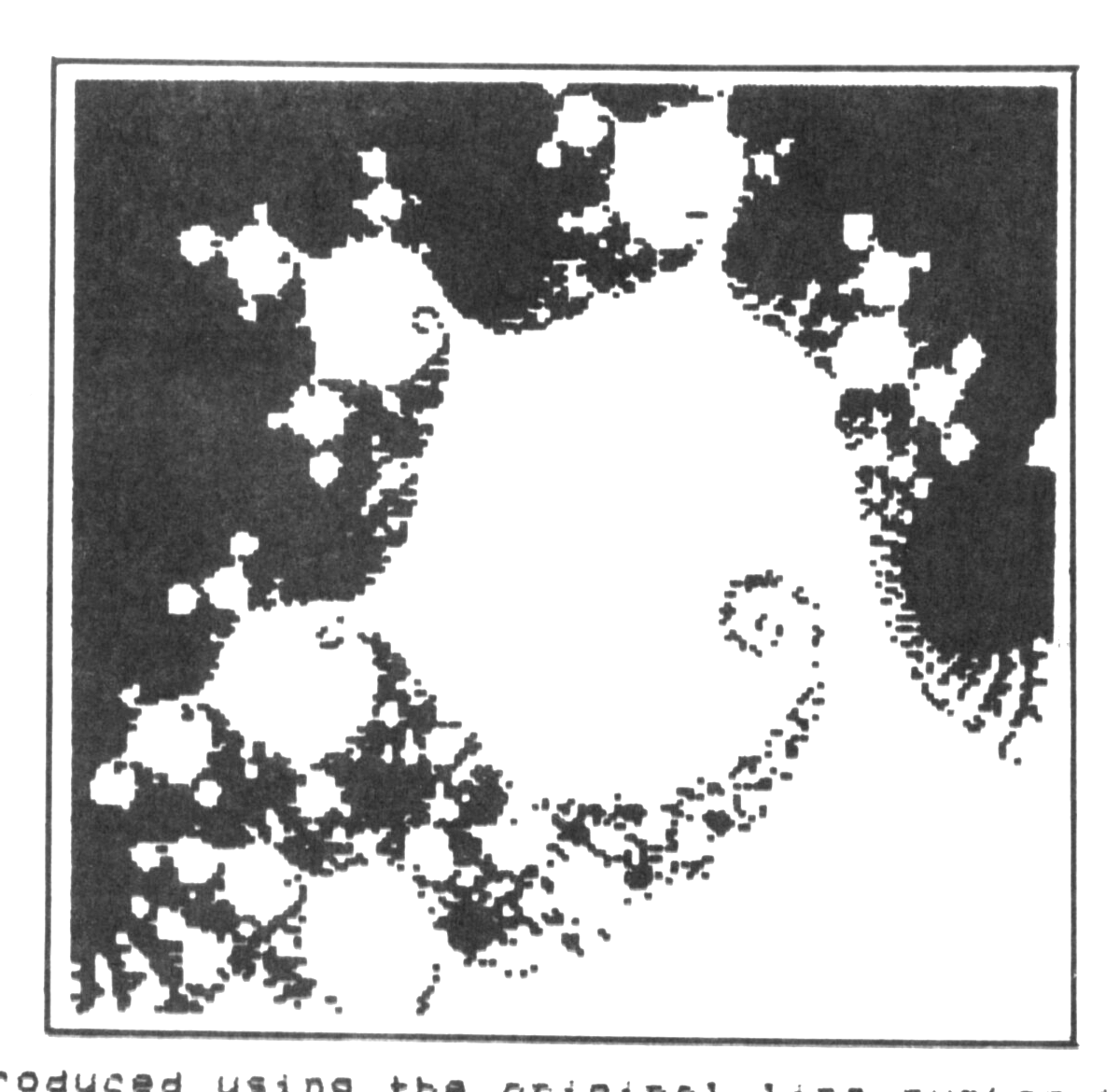
A picture previewed using these changes will take a couple of hours to develope.
George Lipscomb
TSGT, USAF