
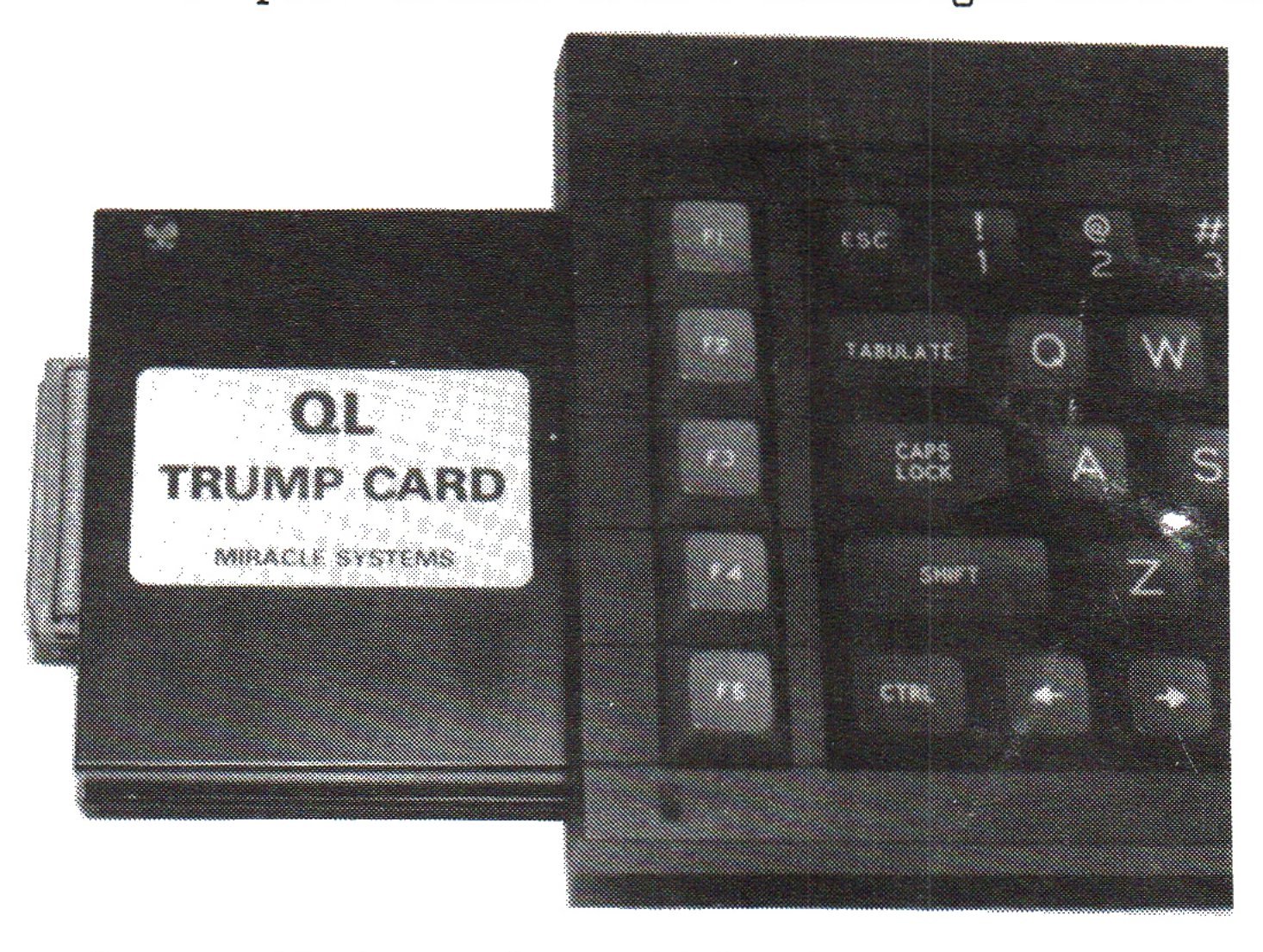
Miracle Systems’ QL TRUMP CARD is the last word in disk interface/RAMcard/toolkit hardware for the QL–providing a total of 896K RAM–and another triumph for Tony Tebby. Built-in firmware includes dynamic and static RAMdisk drivers–a shortcoming of the Sandy SUPERQBOARD is that the RAMdisk driver is loaded as software, a dynamic printer buffer, a versatile screen dump utility, and a 128K RAM simulator. Facilities are also provided to network QLs enabling them to share printers, disk drives, etc.
WHAT TO DO WITH 896K RAM
With personal computers, RAM is power! The more usable random access memory there is, the more power and flexibility is available for literally dozens of purposes.
Use TRUMP CARD to multitask the Psion or Digital Precision suites of software programs, including multiple copies of each if desired, and throw in a desktop publisher or a tedium-reducing game or two. The best ways to do this is to use full-featured multitasking/utility programs like Sector Software’s TASKMASTER, Tebby’s (CARE/QJUMP) QRAM, or Compware’s new version of TASK SWOPPER together with version 3 of Gordon Henson’s (COPE) QL APPLICATIONS TRAFFIC SUPERVISOR (QATS) and, perhaps, Peter Chambers’ (Gap Software) new FRONT PAGE EXTRA/2. If you need a good two- or three-dimensional computer aided design/plotter-capable program just add Datanet System’s unique PRO-CAD 3 program or Bob Fingerle’s (Tesseract) CONCEPT 3D. And there will be plenty of room left for additional utilities such as the useful combination of Peter Batty’s (Sector Software) SPELLBOUND, Charles Dillon’s (PDQL) FILEBOUND, and Julian Dyer’s (Athene Consultants) new QL TURBOQUILL+, with its new glossary and other features, which really give a leg-up to your favorite (or most hated) word processor. If you’re a file freak, load multiple ARCHIVE, RUN-TIME ARCHIVE, or, better yet if you prefer a ready-designed universal run-time system, Richard Howe‘s (Ark Distribution) cinch-to-use ARCHIVIST, plus miles and miles of files and really relate with those databases. Or, for those extended tea breaks when the spouse is not watching too closely, load up Psion’s QL CHESS, Mark Steuber‘s (Sharp’s, Inc.) WAR IN THE EAST, SQUADRONS, QUANTA Library’s BUNKERED, or Sinclair QL World’s Microdrive Exchange version of BRIDGE (it’s a lot better than BRIDGEPLAYER II and a lot cheaper , but don’t order the Exchange’s version of GOLF–it doesn’t work properly on U.S. [JSU ROM] QLs.) Whew! I don’t usually drop so many names, but it’s a quick way to let you know of what programs and program combinations I have found superior.
Back to what you can do with TRUMP CARD. Although using disk drives is what the package is all about, you can use TRUMP CARD’s super fast microdrive imaging (Microdrive to RAMdisk transfer) to load programs and files into QL RAM in a hurry–the quickest way to transfer programs and files from Microdrive cartridges to floppies using TRUMP CARD is to first load Microdrive data into RAMdisk using a command such as
FORMAT RAM1_MDV2
and then COPYing or WCOPYing it to a disk. Microdrive programs with corrupt sectors are loaded into RAMdisk and flagged with an ‘*’ in DIRectory listings.
Loading programs, data and document files, and utility files (such as background or foreground programs, datafiles of all types, and such things as key-defined glossary entries) into RAMdisk makes for faster and more pleasurable computing, but don’t forget that RAMdisks lose their data in a fraction of an instant when power is cut to the QL, so don’t forget to transfer modified files to permanent storage frequently and at the end of sessions–at least until you get a fool-proof battery back-up system for your QL. (Oh, the hours of work I have lost when a Pacific Northwest storm cut power to my QL, even momentarily.) Such battery-backup systems are tricky to design and their price quickly mounts, but I understand that American genius is now being applied to the problem, and we may have a reasonably priced system for use in the States soon.
INSTALLING TRUMP CARD
How do you install TRUMP CARD into the QL? Like porcupines make love. Be patient and keep everything parallel and perpendicular. If you have to pull it out and make a reinsertion (this sounds too much like Dr. Ruth) peer inside with a flashlight first to insure that you haven’t bent any of the QL’s pins. If you have, it’s not the end of the world. Very painstakingly, straighten them out using lots of light and a small-sized but longish screwdriver until they appear to be approximately straight–make several small adjustments rather than taking the chance of going too far. Now reinsert TRUMP CARD, as before, and it should slide in like the ignition key to a Porsche. Once inserted all the way, it is worth it. Be patient and you’ll most probably get it. (There she goes again.)
USING TRUMP CARD
Individual TRUMP CARD features are either on-line or switchable, and, in most cases, transparent (meaning that the QL and the user–you–won’t notice they’re there.)
Floppy and RAMdisk driver commands, including Microdrive imaging, Microdrive emulation, and a dynamic printer buffer are on-line. A dynamic RAMdisk is created just by accessing it with any of several commands and expands or contracts as data is added or removed from it; a static or fixed RAMdisk is created by formatting it and it remains the specified size whether data is added or removed. For example,
SAVE ram1_program     If RAM1 does not exist, it is
                      created and the current SuperBASIC
                      program is saved to it as filename; if
                      RAM1 exists, the program is saved to it

FORMAT ram2_80        Creates RAM2 with
                      80 allocated sectors

FORMAT ram2_  or      Erase RAM2 with the
FORMAT ram2_0         loss of its data
Convenient Microdrive emulation commands are available on-line, for example
FLP_USE mdv or RAM_USE mdv
make the QL think that a program loaded on a floppy or in RAMdisk is on Microdrive–a convenient way of using some programs on different media withou alteration. The commands FLP_USE flp or RAM_USE ram restore the QLs sense of direction.
The sophisticated printer buffer may be modified for various uses, types of printer, etc. There is no practical limit to the number of buffer files which use the QL’s main (expanded) memory.
The screen dump, also rather sophisticated, may be invoked in several ways, including with a defined hotkey of your choice. The entire screen or designated portion of a screen may be dumped to one of 14 types of printers–an inverse image sent to an Epson MX80 is the default setting.
The SuperBASIC command RES_128 configures your QL to appear unexpanded for the benefit of those programs, e.g., Psion QL CHESS, which prefer it that way.
The SuperBASIC command TK2_EXT enables TOOLKIT II commands and functions which may interfere with some software; if you have a problem with ancillary software, add or remove TK2_EXT to/from the software’s BOOT program and try it again.
QATSWOPPER
Tebby’s QRAM and Sector Software’s TASKMASTER have been rather widely discussed and may be the Mercedes-Benz and Rolls Royce of full-featured multitasking/utility programs, but there’s a new car on the block, a hybrid made up of Compware’s newly upgraded TASK SWOPPER which takes the unique approach of providing all the advantages of true multitasking while not gobbling up massive chunks of memory or slowing your QL’s pace to a crawl and while remaining compatible with most software (QRAM has the rap for being intentionally incompatible with much available software) and Cope’s new version 3 of QATS (see above), pronounced “cats” because it does away with “mice,” a very powerful and sophisticated front-end utility designed to reduce the number of keystrokes required to perform routine (and some not so routine) tasks–shades of old Sinclair single-keystroke BASIC. The two are perfectly compatible–made for each other.
QATS, available on EPROM, Microdrive cartridge, and 3 1/2″ or 5 1/4″ disk, is fully menu-driven (each menu tailorable to your needs) and is also very economical in both price and memory used, especially if the EPROM version is used. QATS, among many other things, also supports columnar and “sideways” printing with its output control.
QATSWOPPER is, thusly, a new lower-cost car on the block. Both programs are straightforward, well-documented, and compatible with QL TURBOQUILL+, SPELLBOUND/FILEBOUND, FRONT PAGE EXTRA, and ARCHIVIST.
Check with your favorite U.S. distributors first, but, if they don’t have the latest versions, don’t hesitate to order TASK SWOPPER, version 2, and QATS, version 3, directly from their distributors, ask for the VAT FREE combined TASK SWOPPER/QATS discount price: COMPWARE, 57 Repton Drive, Haslington, Crewe CW1 1SA, U.K. or telephone in the UK (0270) 582301. I’ll guess at a combined price of $85, Airmail postage paid, but it could be a bit less.
TRUMP CARD is now available from several U.S. distributors for about $300. Many suggestions for integrating the use of programs such as the ones described above are included in my new book Taking the Quantum Leap: The Last Word on the Sinclair QL, available only from Time Designs.
NEXT TIME: (Depending on software availability) CP/Mulating with the Sinclair QL and more exotic QL software.