
The versatile TS 2068 computer never ceases to amaze me on its capabilities. Each of us has a pet application for their computer; mine is information and productivity. Here, I define productivity as the use of skills and resources to maximize output of a deliverable item. In a nutshell, my computing must do _ something, and preferably make something!
After adding a dual 3 inch disk drive unit by Amdek via a Zebra controller to my 2068, something new was lurking in my brain: plotting! I’ve been interested in plotting for many years, having cut my teeth on plotting Grand Daddys by Calcomp and Hewlett-Packard. In fact, in my manual on Smart Term II Telecommunications, the cover, notes, and hex/ASCII tables were each designed and printed on a “borrowed” HP 9845B computer and HP flatbed plotter.
If you are still wondering what a plotter can be used for, here is a small list of applications to stir your imagination:
- Art, Illustration, and Graphics design
- Bulletins, Greeting cards, Letter heads
- Low cost Computer aided design (CAD)
- Optical Photo digitizing
- Publication quality graphics and Text Formatting
For optical photo digitizing, you could replace the pen with an opto-electronic sensor and feed the information into the joystick port, saved in memory to be printed on the screen or printer later.
Plotter prices have generally stayed at a high level because their application attracts the more sophisticated business or engineering user. Currently, prices have bottomed out at about $200 and can go up to “skys the limit” prices for sophisticated CAD/CAM equipment.
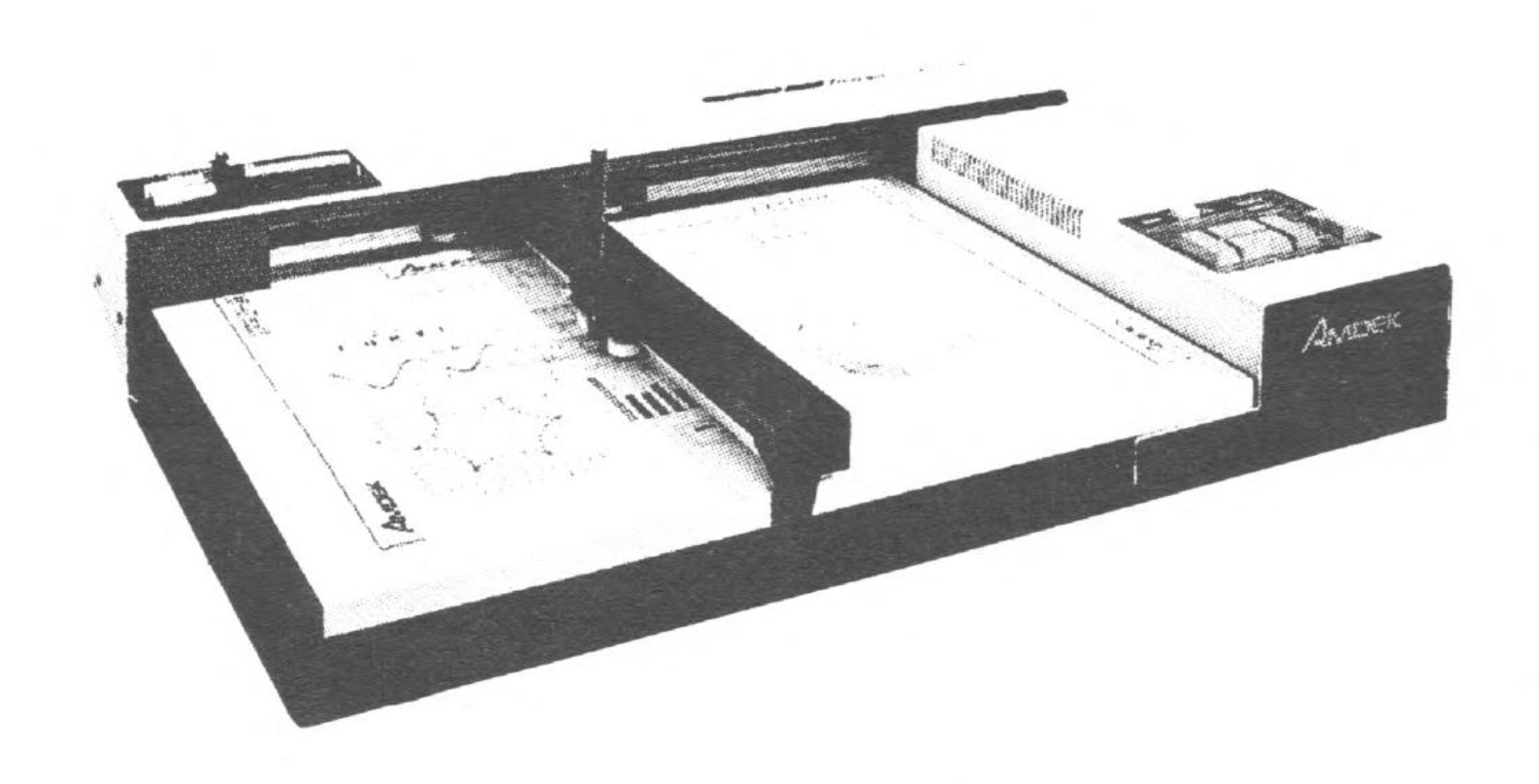
My plotter is a flatbed madel DXY-100 by Amdek. This plotter is currently being offered at a close-out price for $125 from Peripherals Direct; originally listing for $599! Initially, the concern was whether the DXY-100 would interface to the 2068. So I wrote to Amdek Corporation request ing a copy of the owner’s manual so I _ could review the plotter’s operation, instructions, and interfacing. My concern was eased when it was learned that the DXY-100 would connect to any Centronics interface. Also, the command set was easy to learn and program; as each command is activated by the LPRINT keyword.
The DXY-100 plotter has excellent solid construction (Akin to their 3 inch disc drive), with overall dimensions of 25(W)x 4(H)x17(D) inches. It comes in two sections, consisting of the flatbed and electronics controller unit. The bed contains the mechanics consisting of two stepper motors and guide wires to move the arm and pen in an X & Y direction. The up/down motion of the pen is controlled by a solenoid.
The controller portion contains the power supply, central processor, ROM software, and two open ROM slots. These slots can be filled with 2716 EPROMS to provide custom programs, character sets, etc. Am optional ROM is also available which provides six additional commands to draw circles, arcs, and perform crosshatching. These commands are useful for pie and bar chart plotting for business type graphics. Three pens and holders are supplied, but you can use most any felt tip or ball markers which will fit into the holder opening. Three magnetic strips are supplied as paper hold downs. The bed will take paper or transparencies up to 14 x 18 inches. It comes standard with parallel interface and command syntax in firmware, including a self-test mode.
With a plotter, artistic aficionados can explore new horizons in computer art. Besides mathematical of random based plotter art, interactive plotter art programs become possible. You can write programs to allow movements of a joystick or cursor keys to control the plotter’s pen movements.